
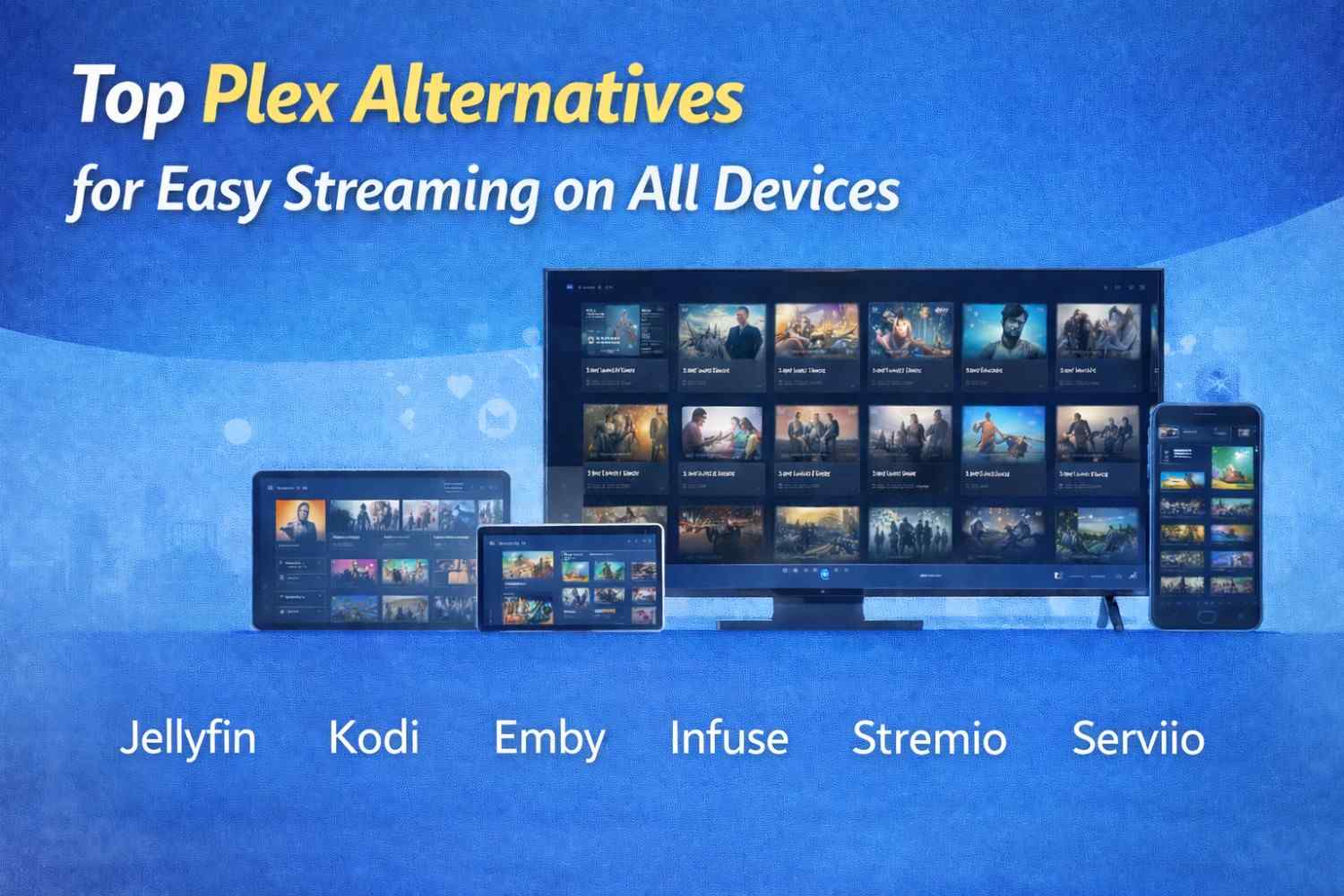
Plex Alternatives: 10 Easy Options to Try in 2026
Plex alternatives can give you a simple way to store, organize, and watch your movies, TV shows, music, and other media. Plex is a popular choice, but it is not the only option. Some people want a free service. Others want better privacy, more control, or a simpler app.
The good news is that you have many choices.
Some Plex alternatives are very similar to Plex. Others work in a different way. Jellyfin is a great choice if you want a free and open-source media server. Emby is a good option if you want an experience that feels close to Plex. Kodi is better if you mainly want a media player for your TV or computer.
This guide explains the best Plex alternatives in simple language. It looks at what each one does, who should use it, and what its good and bad points are. By the end, you should have a much clearer idea of which option fits you best.
Quick Comparison of Plex Alternatives
| Plex Alternative | Best For | Cost | Open Source | Personal Media |
|---|
| Jellyfin | Free and private media streaming | Free | Yes | Yes |
| Emby | Plex-like experience | Free + paid features | No | Yes |
| Kodi | Home theater and media playback | Free | Yes | Yes |
| Universal Media Server | Simple home streaming | Free | Yes | Yes |
| Stremio | Finding and managing streaming sources | Free | Yes | No |
| Infuse | Apple devices | Free + paid features | No | Yes |
| Serviio | Basic home media streaming | Free + paid | No | Yes |
| MediaPortal | Windows home theater | Free | Yes | Yes |
| Mezzmo | Personal media streaming | Paid | No | Yes |
| Jellyfin + Kodi | Flexible home media setup | Free | Yes | Yes |
Why Do People Look for Plex Alternatives?
Plex is useful, but it may not be right for everyone.
Some users want a completely free media server. Others do not want to pay for extra features. Some people care a lot about privacy. Others simply want an app that is easier to use.
This is why people search for Plex alternatives.
One common reason is cost. Plex has free features, but some advanced tools are part of its paid options. If you want a system that keeps more features free, Jellyfin can be a better fit. Jellyfin says its server and official clients are free to use.
Privacy is another reason.
Some users want their media to stay on their own devices. They do not want to depend on a large online service for their personal collection. Jellyfin is especially popular with people who want more control over their data.
There is also the issue of simplicity.
Plex can do many things. That is helpful, but more features can also make a service feel harder to learn. If you only want to play movies stored on your computer, you may not need a full Plex-style system.
That is where apps such as Kodi can be useful.
1. Jellyfin
Jellyfin is one of the best Plex alternatives for people who want a free and simple media server.
Jellyfin lets you organize your own movies, TV shows, music, photos, books, and other media. You can then watch that content on supported devices.
The biggest benefit is that Jellyfin is free and open source.
There is no paid plan that you need to unlock the basic media server. Jellyfin also says there are no premium licenses or hidden fees.
That makes it very attractive to people who want to avoid monthly costs.
Jellyfin also focuses strongly on privacy. The project says it does not use tracking or central servers to collect your personal media information.
Why Choose Jellyfin?
Jellyfin is a great choice if you want control.
You keep your media on your own computer, server, or other supported device. You decide where your files are stored.
You can create separate libraries for movies, TV shows, music, and other files.
Jellyfin can also organize your collection so that it is easier to browse.
Instead of looking through folders with confusing file names, you can see your movies and shows in a clean media library.
Is Jellyfin Easy to Use?
Jellyfin is fairly easy once it is set up.
The setup can take some time, though.
You need to install the Jellyfin server. Then you need to tell it where your media files are stored.
If you want to use Jellyfin outside your home, you may also need to change some network settings. Jellyfin’s own guide explains that remote access needs extra network setup.
This is the main downside for beginners.
Still, if you are willing to spend some time setting it up, Jellyfin can be an excellent Plex replacement.
2. Emby
Emby is another strong Plex alternative.
It is especially useful for people who want something that feels familiar.
Emby lets you organize and stream your personal movies, TV shows, music, and other media. You can run the server on your own hardware and use supported devices to watch your collection.
If you have used Plex before, Emby may not feel completely new.
The basic idea is similar.
You keep your media in one place. Emby organizes it. Then you use the Emby app to watch it.
What Makes Emby Different?
Emby has both free and paid features.
This means you can try it without paying right away. Some advanced features require a premium plan.
This is different from Jellyfin, which is completely free and open source.
So your choice may come down to what you value most.
If you want a free and open system, Jellyfin is a strong choice.
If you want a polished system with extra paid features, Emby may be worth trying.
Who Should Use Emby?
Emby is a good option for people who want a Plex-like experience but want to compare another platform.
It can also work well for people who want to manage a large personal media collection.
If you are already comfortable with Plex, you may find the move to Emby easier than moving to a completely different type of media app.
3. Kodi
Kodi is one of the best Plex alternatives for people who want a simple media center.
Kodi is free and open source.
It lets you play movies, TV shows, music, pictures, and other digital media. Kodi’s official website describes it as a media player and entertainment center.
Kodi is a little different from Plex.
Plex is built around a server that stores and manages your media.
Kodi can run directly on your TV device, computer, or another supported device.
That can make Kodi a better choice if you mainly want to watch media on one screen.
Kodi vs Plex
The biggest difference is how they work.
Plex is great when you have one media collection that you want to access from several devices.
Kodi is great when you want a powerful media center on your main device.
For example, imagine you have a computer connected to your TV.
You could install Kodi on that computer.
Then you can use Kodi to browse and play your media from the TV.
You do not necessarily need a separate server.
Is Kodi Free?
Yes.
Kodi is free and open source.
This makes it a good option if you want to avoid subscriptions.
Kodi can also work with network storage, so you can still access media stored on another device.
4. Universal Media Server
Universal Media Server is a good choice if you want simple media sharing around your home.
It lets you stream media from a computer to compatible devices on your home network.
The idea is simple.
Your computer stores the files.
Universal Media Server shares those files.
Your TV or another compatible device plays them.
You do not need to use a large media platform if all you want is basic home streaming.
This can make Universal Media Server useful for people who do not need advanced features.
What Is the Downside?
The interface may not feel as modern as Plex or Jellyfin.
You also may not get the same range of features.
But that can actually be a benefit.
If you want something simple, fewer features can mean fewer things to learn.
Universal Media Server is worth considering if your main goal is basic media streaming at home.
5. Stremio
Stremio is another name you may see when searching for Plex alternatives.
However, Stremio is not a direct replacement for Plex.
Its main purpose is to help users find and organize streaming content from different sources.
That makes it different from Jellyfin or Emby.
Jellyfin and Emby focus heavily on your own media collection.
Stremio focuses more on bringing content sources together in one place.
This can make Stremio useful for people who use several streaming services.
You can think of it as a place to organize what you want to watch.
However, you should always use legal and trusted sources when using any streaming app or add-on.
6. Infuse
Infuse is a good Plex alternative for people who use Apple devices.
It is mainly a media player.
It can play many types of video files and connect to different storage locations.
This makes it useful if you already have a NAS or another computer storing your media.
Infuse is not a complete Plex replacement for every user.
It is better to think of it as a powerful player that can work with your existing media setup.
Who Should Try Infuse?
Infuse is worth considering if you use:
- Apple TV
- iPhone
- iPad
- Mac
It can provide a clean way to browse and play your personal media.
If you already have a media server, Infuse can sometimes be used as the player while the server handles your files.
7. Serviio
Serviio is another personal media server that can be used instead of Plex.
It lets you stream videos, music, and pictures around your home.
The basic idea is easy.
You install Serviio on a computer.
You choose your media folders.
Compatible devices can then access your media.
Serviio can be useful if you want basic home streaming without all the extra features of Plex.
It may not have the same modern feel as some newer options.
Still, it can get the job done.
If your main goal is simply to play your own files on a TV or other device, Serviio may be enough.
8. MediaPortal
MediaPortal is a good option for Windows users who want a home theater system.
It is designed to turn a Windows computer into a media center.
You can use it to manage and play different types of content.
It can be a good fit if your home entertainment setup is already based around Windows.
One thing to remember is that MediaPortal is more focused on Windows than some other options.
If you want something that works across many types of devices, Jellyfin or Kodi may be a better choice.
But if you have a Windows computer connected to your TV, MediaPortal is worth a look.
9. Mezzmo
Mezzmo is a paid alternative to Plex for personal media streaming.
It focuses on helping users organize and stream their media.
The main advantage is that it is a commercial product.
Some people prefer paid software because they want a more controlled experience and support from the company behind it.
The downside is the cost.
If you are looking for Plex alternatives because you want to avoid paying, Mezzmo may not be the best choice.
If you are happy to pay for your media software, though, it can be worth comparing with Plex and Emby.
10. Jellyfin and Kodi Together
You do not always have to choose just one app.
You can use Jellyfin and Kodi together.
This can create a powerful home media setup.
Jellyfin can manage your media.
Kodi can provide the interface you use to watch it.
Jellyfin supports tools that connect its media server with Kodi.
This setup can be great for people who enjoy customizing their home theater.
However, there is one problem.
It can take more time to set up.
You have two systems instead of one.
For a beginner, Jellyfin by itself may be easier.
For someone who likes to customize their setup, Jellyfin plus Kodi can be a great combination.
Which Plex Alternative Is Best?
There is no single answer.
The best option depends on what you want.
Here is a simple guide.
Best Free Plex Alternative
Jellyfin is the best place to start.
It is free and open source. It is also designed specifically for managing and streaming personal media.
Best Plex Alternative for Privacy
Jellyfin is also a strong choice for privacy.
It gives you control over your own server and focuses on keeping your media under your control.
Best Plex Alternative for a Home Theater
Kodi is a strong option.
It is designed to work as a media center and has a TV-friendly interface.
Best Plex-Like Alternative
Emby is worth trying.
It has a similar idea to Plex and focuses on personal media streaming.
Best Apple Media Player
Infuse is a good choice for Apple users who want a clean media player.
Plex vs Jellyfin
The Plex vs Jellyfin debate is one of the biggest topics among people looking for Plex alternatives.
Both platforms can organize your movies and TV shows.
Both can run a personal media server.
Both can stream your collection to supported devices.
The biggest difference is their approach.
Plex focuses on ease of use and a large ecosystem.
Jellyfin focuses on freedom, privacy, and open-source software.
| Feature | Plex | Jellyfin |
|---|
| Personal media server | Yes | Yes |
| Free version | Yes | Yes |
| Open source | No | Yes |
| Paid features | Yes | No |
| Privacy focus | Good | Strong |
| Movie library | Yes | Yes |
| TV library | Yes | Yes |
| Music | Yes | Yes |
| Photos | Yes | Yes |
| Remote access | Yes | Yes, with setup |
| Best for | Easy setup | Control and privacy |
Jellyfin describes itself as a free software media system and an alternative to platforms such as Plex and Emby.
So the choice is quite simple.
Choose Plex if you want convenience. Choose Jellyfin if you want more control.
Plex vs Emby
Plex and Emby are quite similar.
Both are made for people who want to organize and stream their own media.
Both offer apps for different devices.
Both can organize movies, TV shows, and music.
The main difference comes down to features, pricing, and personal preference.
If you want something that feels familiar after using Plex, Emby may be a comfortable choice.
If you want something completely free and open source, Jellyfin is likely a better fit.
Plex vs Kodi
Plex and Kodi are not exactly the same type of software.
Plex works very well as a central media server.
Kodi works very well as a media center and player.
Kodi is free and open source.
If you have several TVs and want all of them to access one media library, Plex or Jellyfin may be better.
If you mainly want to play media on one TV, Kodi may be all you need.
Ask yourself:
Do I need a media server, or do I just need a good media player?
That one question can make your choice much easier.
What Should You Look for in Plex Alternatives?
Before choosing a new platform, think about your own needs.
You do not need every feature.
You only need the features that matter to you.
Ask yourself these questions:
- Do I have my own movies and TV shows?
- Do I want to watch them on my TV?
- Do I need access when I am away from home?
- Do I want a free service?
- Do I care about open-source software?
- Do I want a phone app?
- Do I need music support?
- Do I need support for several TVs?
- Do I want an easy setup?
- Do I want complete control over my files?
Your answers will help you choose.
For example, if you want a free personal media server, start with Jellyfin.
If you want a simple media center, look at Kodi.
If you want something close to Plex, try Emby.
If you use Apple products heavily, look at Infuse.
Are Plex Alternatives Free?
Some are.
Jellyfin and Kodi are free and open source. Jellyfin says its server and official clients are free, while Kodi describes itself as free and open-source software.
Other options have both free and paid versions.
Emby is one example.
Some commercial alternatives also require payment.
This is why it is important to check the pricing before moving your whole media library.
A free option can save money.
But it may require more work to set up.
A paid option may be easier.
There is no wrong answer.
It depends on what matters most to you.
Are Plex Alternatives Safe?
Popular media software can be safe when you download it from the official website or a trusted app store.
The bigger issue is how you use the software.
A media server does not give you permission to use copyrighted content without permission.
You should only store and stream media that you have the legal right to use.
You should also keep your software updated.
If you allow access to your server from outside your home, pay attention to security.
Jellyfin’s documentation explains that remote access needs additional network setup.
This is true for many self-hosted media servers.
How to Choose the Right Plex Alternative
The easiest way is to focus on your main goal.
If you want free personal media streaming, try Jellyfin.
If you want a Plex-like experience, try Emby.
If you want a TV media center, try Kodi.
If you want an Apple-focused media player, consider Infuse.
If you want simple home streaming, look at Universal Media Server or Serviio.
If you want a custom home theater, try Jellyfin with Kodi.
Do not choose an app just because it has the most features.
More features do not always mean a better experience.
Sometimes a simple tool is better.
Final Verdict
There are many good Plex alternatives, but Jellyfin is the best overall choice for most people who want a free personal media server.
It is free.
It is open source.
It gives you control over your media.
It also has a strong focus on privacy.
Emby is another good choice if you want a polished media server that feels familiar to Plex users.
Kodi is better if you want a media center rather than a traditional server.
Infuse is worth considering if you mainly use Apple devices.
Other options, such as Serviio and Universal Media Server, can work well for people who want simple home streaming.
The right choice depends on what you need.
If you want the easiest path, start with Plex or Emby.
If you want freedom and control, start with Jellyfin.
If you want a simple TV media center, try Kodi.
You do not need to make a big decision right away.
Try a free option first.
See how it works with your devices.
Then decide whether you want to move your full media collection.
Conclusion:Plex Alternatives
Plex alternatives can give you more choices when it comes to watching and organizing your own media.
You do not have to use Plex just because it is popular.
Jellyfin is one of the best choices if you want free, open-source software. It gives you a way to manage your personal movies, TV shows, music, photos, and other media.
Emby is a good option if you want something closer to Plex.
Kodi is a better fit if you mainly want a media player and home theater system.
Other tools can also be useful.
The best Plex alternative is not always the one with the most features. It is the one that makes your media easy to use.
If you want privacy and control, try Jellyfin.
If you want a Plex-like experience, try Emby.
If you want a media center, try Kodi.
Start with the free option that matches your needs. You can always change later.
Learn more about SEO, content optimization, and website performance with practical guidance from Search Engine Insight.
FAQs About Plex Alternatives
Q: What is the best Plex alternative?
Jellyfin is one of the best Plex alternatives because it is free, open source, and designed for personal media streaming.
Q: Is Jellyfin free?
Yes. Jellyfin says its server and official clients are free, with no premium licenses or hidden fees.
Q: Is Kodi better than Plex?
It depends on your needs. Kodi is best for people who want a media center and player, while Plex is better suited to a central media server that can serve several devices.
Q: Is Emby a good alternative to Plex?
Yes. Emby is a good choice for people who want a personal media server with an experience that is similar to Plex.
Q: Which Plex alternative is best for privacy?
Jellyfin is a strong privacy-focused Plex alternative. Its project focuses on self-hosting and says it does not use tracking or central servers to collect your personal data.



