

Plex Pricing: Plans, Costs, and Features in 2026
Plex Pricing is simple once you understand the difference between the free Plex service, Plex Pass, and Remote Watch Pass. Plex still lets you use many of its basic features for free, while paid plans add tools for people who want more from their personal media server.
If you are thinking about paying for Plex, you may have a few questions. How much does Plex cost? Is Plex Pass worth it? Is Plex free? What is the difference between Plex Pass and Remote Watch Pass? Does Plex Pass remove ads?
These are common questions, and the answers can be confusing.
The good news is that you do not need to pay just to start using Plex. The Plex Media Server is free, local playback of your own media is free, and Plex also offers free movies, TV shows, and live TV with ads.
The paid plans are mainly for people who want extra features.
In this guide, we will explain Plex Pricing 2026 in simple language. We will look at each plan, what it includes, who needs it, and whether it gives you good value for your money.
Plex Pricing at a Glance
Here is a quick look at the current U.S. prices listed by Plex.
| Plex Plan | Current Price | Best For |
|---|
| Plex Free | $0 | Basic use and free streaming |
| Remote Watch Pass | $2.99/month or $29.99/year | Remote personal media streaming |
| Plex Pass Monthly | $6.99/month | Full premium features without a long commitment |
| Plex Pass Annual | $69.99/year | Full features with yearly billing |
| Plex Pass 5-Year | $249.99 | Long-term use without a lifetime plan |
| Plex Pass Lifetime | $749.99 one time | Long-term Plex users who want one payment |
These are the current U.S. prices shown on Plex’s plans page. Prices in other countries can be different.
The $749.99 lifetime price is especially important.
Plex announced in May 2026 that the new Lifetime Plex Pass price would increase from $249.99 to $749.99 starting July 1, 2026. Plex said monthly and annual Plex Pass pricing would remain unchanged.
That means the lifetime plan now costs much more than it did before.
Is Plex Free?
Yes, Plex is free to use in several important ways.
You can create a Plex account without paying.
You can also install the Plex Media Server for free. Plex says its basic functionality includes local playback of personal content from your server.
Plex also provides free movies and TV shows.
These are supported by advertisements.
You can also watch free live TV through Plex without buying a Plex Pass.
This is important because some people think Plex is only a paid service.
It is not.
You can use Plex for free and never buy Plex Pass.
The paid plans are there for people who want extra features.
For example, you may want to stream your own media while you are away from home. You may want hardware-accelerated streaming. You may want to record live TV. You may want to skip intros and credits.
Those are the situations where a paid plan becomes more useful.
What Do You Get With Free Plex?
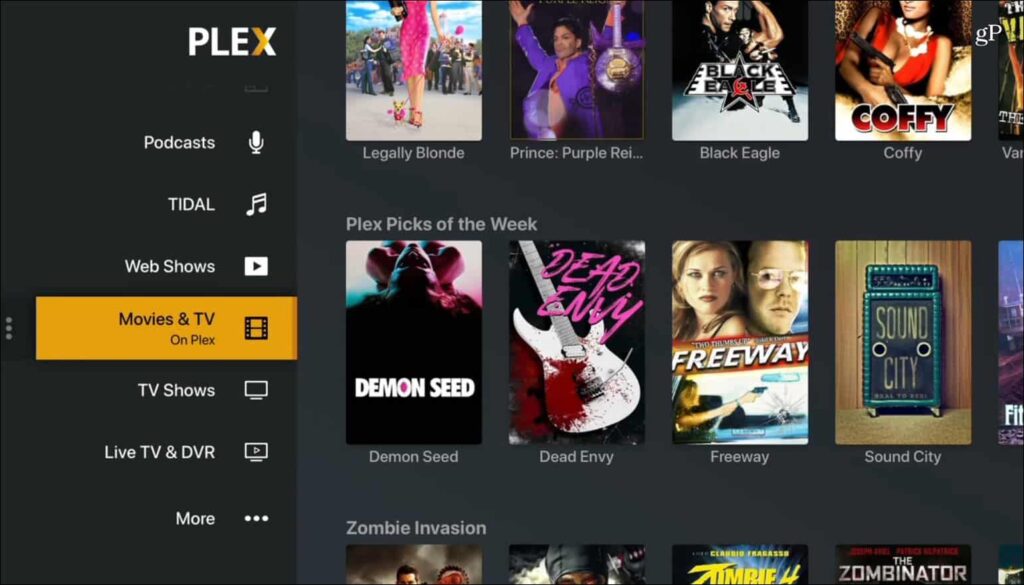
The free version of Plex can do more than many people expect.
You can use the Plex Media Server without paying. You can store your personal media on your own computer or compatible storage and use Plex to organize it.
You can also play your personal video content on the same local network as your server.
This means you can have your movies on your computer and watch them on a supported TV or another device in your home.
You can also use Plex to watch its own free content.
Plex offers free, ad-supported movies and TV shows.
It also offers free live TV channels.
These services do not require Plex Pass.
So, if you only want basic home streaming, you may not need to spend anything at all.
That is one of the biggest advantages of Plex.
What Is Plex Pass?
Plex Pass is Plex’s main premium plan.
It is designed for people who want more features from their personal media server.
Plex Pass includes several useful tools.
Some of the main features include:
- Remote streaming of personal media
- Hardware-accelerated streaming
- Skip Intro
- Skip Credits
- DVR recording
- Downloads for supported personal media
- Premium Plexamp features
- HDR to SDR tone mapping
- Plex Dash
- Extra Plex Home features
- Early access to selected features
Plex lists these and other features on its official Plex Pass page.
The important thing to remember is that Plex Pass is not a subscription to a huge premium movie library.
It is mainly a premium package for your personal media setup.
How Much Does Plex Pass Cost?
The current U.S. Plex Pass prices are:
$6.99 per month
$69.99 per year
$249.99 for five years
$749.99 for a lifetime plan
Plex currently lists all four options on its plans page.
The monthly plan is the easiest way to test the premium features.
The annual plan costs less than paying $6.99 every month for a full year.
At $6.99 per month, 12 months would cost $83.88. The annual plan is $69.99, so the yearly option saves $13.89 compared with 12 monthly payments.
The five-year plan is $249.99.
The lifetime plan is now $749.99.
That huge difference makes the lifetime option much harder to justify for many users.
Plex Pass Monthly Pricing
The Plex Pass monthly plan costs $6.99 per month in the U.S.
This is the simplest option if you do not want a long commitment.
You can pay each month.
You can also cancel future renewal when you no longer need the plan. Plex says recurring subscriptions can be canceled through the account subscriptions page.
The monthly plan can make sense if you want to test Plex Pass.
For example, you may want to try hardware transcoding or remote streaming.
You could use Plex Pass for a month and see how it works with your devices.
If you decide you do not need the extra features, you can stop the renewal.
The downside is simple.
If you keep paying monthly for years, the total cost becomes much higher than the annual plan.
Plex Pass Annual Pricing
The Plex Pass annual plan costs $69.99 per year in the U.S.
For many users, this is the most balanced option.
You get the full Plex Pass feature set without making a very large one-time payment.
It also costs less than paying $6.99 every month for 12 months.
Here is the simple math:
$6.99 × 12 = $83.88
The annual price is:
$69.99
That means the annual plan saves about $13.89 per year compared with monthly billing.
If you know you will use Plex Pass for a year, the annual plan makes more sense than paying month by month.
Plex Pass 5-Year Pricing
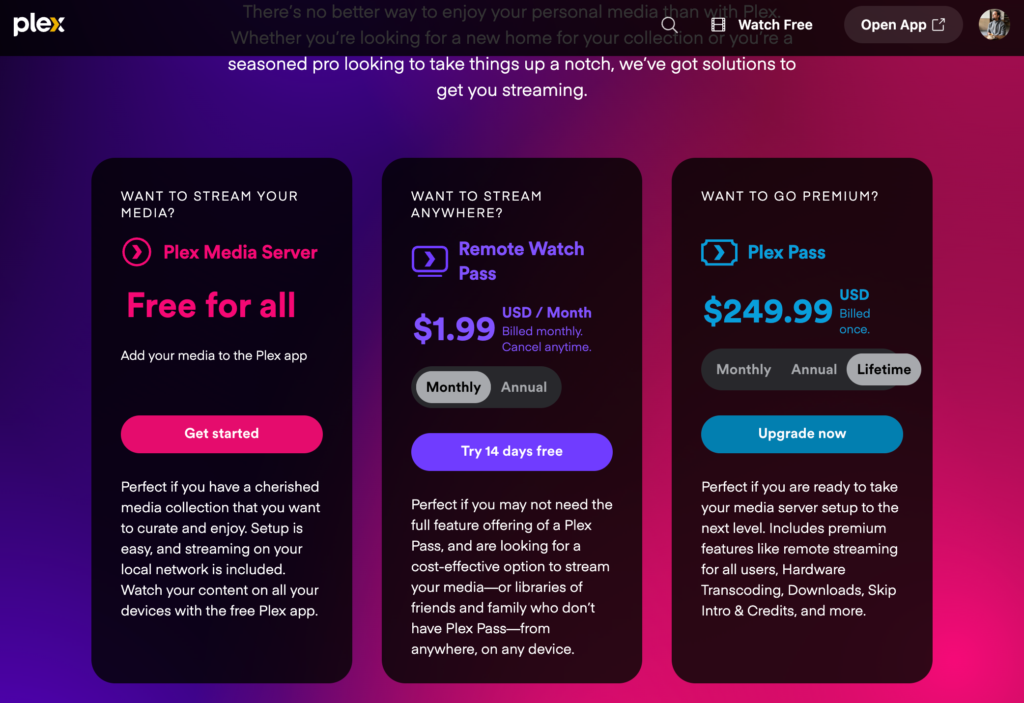
Plex now lists a five-year Plex Pass option for $249.99.
This is a newer option in the Plex pricing structure.
It sits between the annual plan and the lifetime plan.
At $249.99 for five years, the average cost works out to about $50 per year.
That is lower than paying $69.99 each year.
For someone who expects to use Plex for several years, this can be an interesting option.
It also avoids the very high $749.99 lifetime price.
The main question is whether you want to commit to five years.
If you are confident that you will keep using Plex, the five-year plan can offer a lower yearly cost.
If you are not sure, annual billing gives you more flexibility.
Plex Lifetime Pricing in 2026
The Lifetime Plex Pass now costs $749.99 for new buyers in the U.S.
This is one of the biggest changes in Plex pricing.
Plex announced in May 2026 that the lifetime price would increase from $249.99 to $749.99 on July 1, 2026. The company said monthly and annual Plex Pass prices would stay the same.
Existing Lifetime Plex Pass owners are not affected by this increase.
Plex specifically said current lifetime holders would continue to receive their benefits.
The new price changes the value calculation.
At $749.99, the lifetime plan is much harder to recommend for a typical user.
For example, at $69.99 per year, it would take a little over 10 years of annual payments to reach $749.99.
That is a long time.
If you are not sure that you will use Plex for that long, annual Plex Pass may be the safer choice.
Why Did Plex Increase the Lifetime Price?
Plex explained the change in an official announcement.
The company said it wanted the lifetime price to better reflect the ongoing value of the software and the continued work needed to develop and maintain it. Plex also said it had considered removing the lifetime option but decided to keep it.
The change was large.
The old price was $249.99.
The new price is $749.99.
That is an increase of $500.
Plex said the change affected new lifetime purchases, while current lifetime owners keep their benefits.
For users comparing plans today, the key point is simple:
The old $249.99 lifetime price is no longer the current new-buyer price.
What Is Remote Watch Pass?
Remote Watch Pass is a cheaper paid option for people who only need remote streaming.
This plan is different from Plex Pass.
Plex says Remote Watch Pass allows an account to stream personal content remotely from Plex Media Servers it can access.
In simple terms, imagine your movies are stored on your home computer.
You are now away from home.
You want to watch one of those movies.
Remote Watch Pass is designed for this type of use.
The current U.S. price is $2.99 per month or $29.99 per year. Plex’s plans page also lists a 14-day free trial.
This can be much cheaper than Plex Pass if remote viewing is the only premium feature you need.
Plex Pass vs Remote Watch Pass
This is one of the most important parts of Plex Pricing.
The two plans may sound similar, but they are not the same.
| Feature | Remote Watch Pass | Plex Pass |
|---|
| Remote personal streaming | Yes | Yes |
| Hardware transcoding | No | Yes |
| Skip Intro | No | Yes |
| Skip Credits | No | Yes |
| DVR | No | Yes |
| Premium Plexamp features | No | Yes |
| Plex Dash | No | Yes |
| Full premium feature set | No | Yes |
| Current U.S. monthly price | $2.99 | $6.99 |
| Current U.S. annual price | $29.99 | $69.99 |
Plex clearly says Remote Watch Pass only provides remote streaming. Plex Pass provides remote streaming plus many other premium features.
So the decision is easy.
If you only need remote streaming, Remote Watch Pass may be enough.
If you want advanced Plex features, Plex Pass is the better choice.
Do You Need Plex Pass to Watch Your Own Media at Home?
No.
If your Plex Media Server and playback device are on the same local network, basic personal video streaming is free.
This is great for home users.
Imagine your computer is in your bedroom.
Your TV is in the living room.
Both are connected to the same home network.
You can use Plex to stream your personal media from the server to the TV without buying Plex Pass for basic local playback.
That means you can build a simple home media setup for $0.
You only need to pay if you want features that are not part of the free package.
Do You Need Plex Pass for Remote Streaming?
For current Plex users, remote personal video streaming requires a qualifying paid plan.
Plex says Remote Watch Pass and Plex Pass can provide remote streaming.
This change matters because older Plex guides may tell you that remote video streaming was free.
Those guides may now be outdated.
Plex changed its remote playback requirements in 2025. For affected platforms, remote personal video streaming requires either Plex Pass or Remote Watch Pass.
So if you are reading an old article that says remote streaming is always free, be careful.
Check the current Plex rules before making your decision.
Does Plex Pass Remove Ads?
No.
This is one of the biggest misunderstandings about Plex pricing.
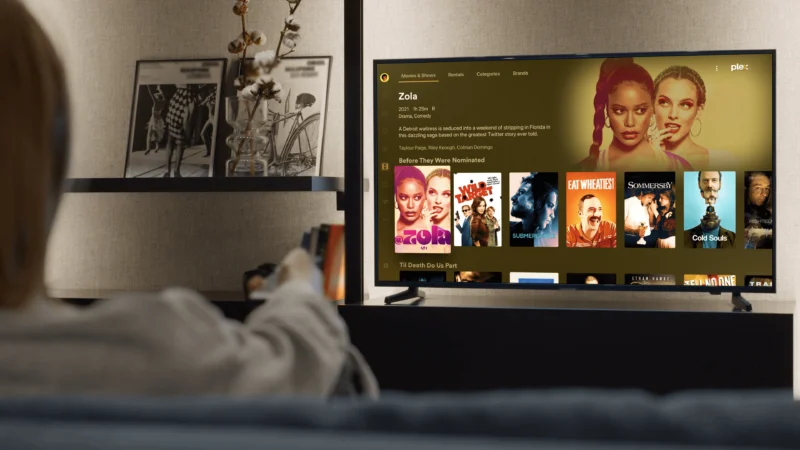
Plex offers free movies and TV shows with advertisements.
Buying Plex Pass does not remove those ads. Plex clearly says that Plex Pass does not change the free content service or remove its advertisements.
Why?
Because advertising helps pay for the free content.
So if you subscribe to Plex Pass because you want to watch Plex’s free movies without ads, you may be disappointed.
Plex Pass is mainly for your personal media server.
It is not an ad-free movie subscription.
Is Plex Pass a Streaming Subscription?
Not in the way Netflix is.
Plex offers free movies, TV shows, and live TV.
But Plex Pass is mainly a premium package for people who use personal media servers.
Plex itself says Plex Pass does not mean that you are paying for a premium movie and TV library.
This is an important difference.
If you buy Plex Pass, you are not buying unlimited access to every new movie.
You are paying for extra tools.
Those tools help you manage, stream, and enjoy your own media.
What Features Make Plex Pass Worth It?
The value of Plex Pass depends on how you use Plex.
For some people, the free version is enough.
For others, Plex Pass can be very useful.
One of the biggest benefits is remote streaming.
If you often watch your personal library away from home, this alone may make a paid plan useful.
Another useful feature is hardware-accelerated streaming.
When your device cannot play a file directly, Plex may need to convert it into a format that the device can handle. Plex calls this transcoding. Plex Pass supports hardware-accelerated streaming when compatible hardware is available.
Plex Pass also includes Skip Intro and Skip Credits for supported personal content.
These features can save time when watching TV shows.
Plex Pass for Live TV and DVR
Plex also offers a DVR feature.
If you have a compatible TV tuner and antenna, Plex Pass lets you record over-the-air broadcasts.
This is different from Plex’s free online Live TV service.
The free Plex Live TV service does not require special hardware or Plex Pass.
The DVR feature is for people who want to connect their own antenna and tuner to their Plex Media Server.
This can be useful if you want to record local broadcasts and keep them in your personal library.
So again, there are two different features.
Free Plex Live TV = online streaming.
Plex Pass DVR = recording over-the-air TV with compatible hardware.
Plex Pass for Music Lovers
Plex is not only about movies and TV shows.
It also supports music.
Plex Pass gives access to premium features in Plexamp, Plex’s music-focused app. Plex lists features such as Sonic Analysis, Sonic Sage, Guest DJ, Track & Album Radio, and other music tools.
If you have a large personal music collection, this can make Plex Pass more valuable.
You can organize your music on your server and use Plexamp to explore it.
For people who only use Plex for movies, these features may not matter.
For music fans, they can be a major benefit.
Is Plex Pass Worth It?
For some users, yes.
For others, no.
The answer depends on how you use Plex.
If you only watch your own movies at home, you may not need Plex Pass.
If you want to watch your own movies while traveling, a paid plan becomes more useful.
If you need hardware transcoding, DVR, Skip Intro, Skip Credits, downloads, or premium Plexamp features, Plex Pass becomes even more attractive.
The monthly plan is a good way to test the features.
The annual plan is better if you already know you will use Plex Pass for the year.
The five-year plan can make sense for long-term users who want to avoid the new lifetime price.
The $749.99 lifetime plan is a much bigger decision.
Is the Plex Lifetime Pass Worth $749.99?
For most casual users, probably not.
That does not mean Plex is bad.
It simply means $749.99 is a lot of money for one piece of software.
The annual Plex Pass costs $69.99.
At that price, it would take more than 10 years of annual payments to reach $749.99.
That makes the lifetime plan difficult to justify unless you expect to use Plex for a very long time.
There is also another option now.
Plex lists a five-year plan at $249.99.
That gives users a middle ground.
You can pay $249.99 for five years instead of $749.99 for lifetime access.
For many people, this may be a more comfortable choice.
Is the Plex Annual Plan Better Than Monthly?
For users who know they will use Plex Pass for a full year, yes.
The monthly plan costs $6.99.
Twelve monthly payments equal $83.88.
The annual plan costs $69.99.
That means the annual plan saves $13.89 over 12 monthly payments.
The annual plan is therefore the better deal if you are sure you will use Plex Pass for at least a year.
The monthly plan is better if you want flexibility.
For example, you may want Plex Pass for only a few months while testing a new media server.
In that case, monthly billing can make sense.
Is Remote Watch Pass Better Than Plex Pass?
It depends on what you need.
If all you want is remote streaming, Remote Watch Pass is cheaper.
It costs $2.99 per month or $29.99 per year in the U.S.
Plex Pass costs $6.99 per month or $69.99 per year.
So Plex Pass costs more than twice as much on an annual basis.
But Plex Pass includes many more features.
If you need hardware transcoding, DVR, Skip Intro, Skip Credits, downloads, or premium Plexamp features, Plex Pass makes more sense.
If you do not need those tools, paying for Plex Pass may be unnecessary.
Does Plex Offer a Free Trial?
Plex currently lists a 14-day free trial for Remote Watch Pass on its plans page.
Trial availability and terms can change, so it is best to check Plex’s current plans page before subscribing.
Plex also recommends testing basic functionality before purchasing subscriptions through app stores. Its support pages explain that subscriptions bought through Apple, Google Play, Amazon, or Roku are managed through those stores.
That is useful to remember.
The price you see inside an app may not always match the direct Plex website price.
Does Plex Pricing Change by Country?
Yes.
The prices shown in this article are U.S. dollar prices.
Plex notes that exact pricing in other currencies may vary.
This is important for international users.
The price shown in your local app store may be different.
Taxes may also affect the final amount.
If you live outside the United States, always check the Plex plans page or the payment screen before buying.
This is especially important for users who buy through Apple, Google Play, Amazon, or Roku.
Can You Buy Plex Through an App Store?
Yes.
Plex allows subscriptions through some app stores.
For example, Plex explains that Plex Pass can be purchased through Apple’s App Store and through Google Play.
However, the subscription is then managed by the store.
That means cancellation and payment changes may need to be handled through Apple or Google instead of directly through Plex.
Plex also notes that app-store pricing can differ from direct pricing.
For this reason, it is worth comparing the price before subscribing.
Plex Pricing vs Netflix Pricing
Plex Pass should not be compared directly with Netflix.
They serve different purposes.
Netflix charges for access to its streaming library.
Plex Pass mainly charges for advanced personal media features.
Plex also offers free streaming with ads.
This means you can use Plex without buying a monthly streaming subscription at all.
If you want to watch your own media, Plex is closer to a personal media system than a traditional streaming service.
That is why Plex Pricing can look confusing at first.
You are not simply paying for movies.
You are paying for tools that help you manage and stream your own collection.
Plex Free vs Plex Pass
Here is the easiest way to understand the difference.
| Feature | Plex Free | Plex Pass |
|---|
| Plex Media Server | Yes | Yes |
| Local personal media streaming | Yes | Yes |
| Free movies and TV | Yes | Yes |
| Free Live TV | Yes | Yes |
| Ads on free Plex content | Yes | Yes |
| Remote personal video streaming | No on affected setups | Yes |
| Hardware transcoding | No | Yes |
| Skip Intro | No | Yes |
| Skip Credits | No | Yes |
| DVR | No | Yes |
| Premium Plexamp features | No | Yes |
| Advanced features | Limited | Yes |
Plex confirms that basic server use and local playback are free, while Plex Pass unlocks the premium features listed above.
Who Should Choose Free Plex?
The free version is best for people who:
Watch their personal media at home Want free movies and TV Want free live TV Do not need advanced server features Do not need remote personal video streaming Want to try Plex before spending money
For these users, there may be no reason to pay.
Start with free Plex.
See how it works.
If you later need more features, upgrade.
There is no need to spend money before you know you need it.
Who Should Choose Remote Watch Pass?
Remote Watch Pass is best for users who mainly want one thing:
Remote access to personal media.
If you keep your movies on a home server but want to watch them when you are away, this plan can be much cheaper than Plex Pass.
The current U.S. price is $2.99 per month or $29.99 per year.
It does not include the other Plex Pass features.
That is actually the point.
You pay less because you are getting less.
For a user who only needs remote streaming, this can be a smart choice.
Who Should Choose Plex Pass?
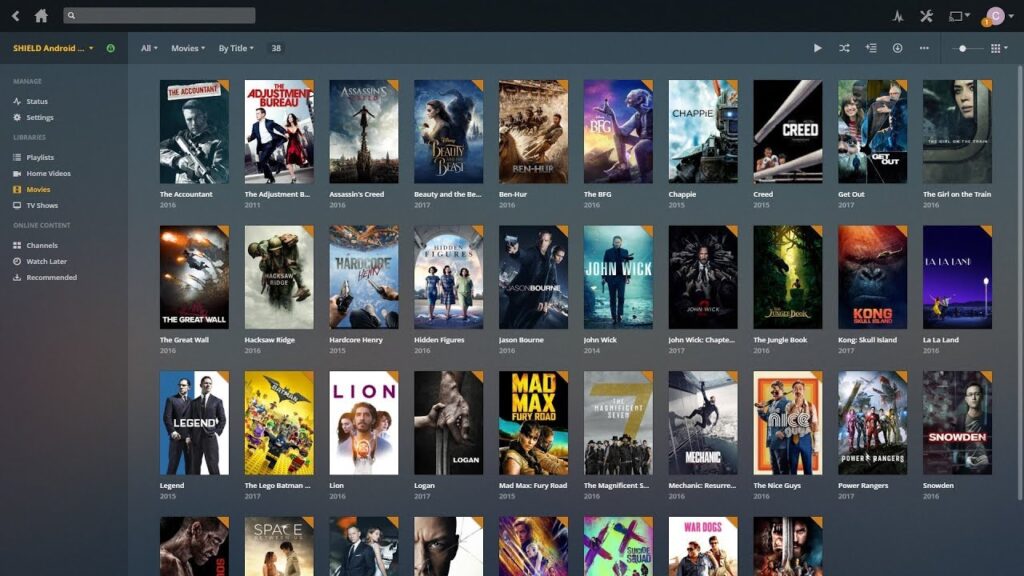
Plex Pass is best for serious personal media users.
It makes the most sense if you use several premium features.
For example, you may:
Stream your media away from home Need hardware transcoding Want to skip intros Want to skip credits Record over-the-air TV Use Plexamp heavily Download personal content Manage a large media server
Plex Pass gives you these tools in one package.
If you only need one small feature, check whether Remote Watch Pass is enough.
Who Should Choose the Five-Year Plan?
The five-year plan may suit long-term users who do not want to pay the new lifetime price.
At $249.99, it costs about $50 per year when spread across five years.
That is cheaper than five annual Plex Pass payments, which would total $349.95.
The five-year plan therefore saves about $99.96 compared with five separate annual payments.
It also avoids paying $749.99 for lifetime access.
The downside is that you need to commit to five years.
If you think you will use Plex for that long, it can be worth considering.
Who Should Choose Lifetime Plex Pass?
The lifetime plan is now a niche choice.
At $749.99, it requires a very long-term commitment.
It may appeal to dedicated Plex users who know they will keep using the platform for many years.
But most casual users probably do not need it.
The five-year plan and annual plan are much easier to justify.
The lifetime plan is mainly for people who strongly prefer paying once and never dealing with recurring payments.
What Does Plex Pricing Mean for New Users?
The biggest lesson is simple:
You do not need to pay to try Plex.
Start with the free version.
Install Plex Media Server.
Add your legally obtained personal media.
Try local playback.
Explore Plex’s free movies and TV shows.
Try the free live TV service.
Then see what you are missing.
If you find that you need remote streaming, look at Remote Watch Pass.
If you need several premium features, look at Plex Pass.
This approach can save you money.
There is no reason to buy the most expensive plan before you know what you need.
Final Verdict on Plex Pricing
Plex Pricing in 2026 gives users several choices.
The free version is enough for many people.
Remote Watch Pass is the cheaper paid option for users who mainly need remote streaming.
Plex Pass is the better option for people who want a full set of premium personal media features.
The annual Plex Pass at $69.99 is likely the easiest paid plan to recommend for most serious users. It gives you the full Plex Pass feature set without a huge upfront payment.
The five-year plan at $249.99 is worth considering if you expect to use Plex for several years.
The $749.99 lifetime plan is now a much harder sell. Plex raised the lifetime price from $249.99 to $749.99 on July 1, 2026, while keeping monthly and annual pricing unchanged.
The most important thing is to choose based on your actual needs.
Do not pay for features you will never use.
Conclusion: Plex Pricing
Plex Pricing is easier to understand when you separate free features from paid features.
You can use Plex without paying anything. The Plex Media Server is free, local playback of personal content is free, and Plex also offers free movies, TV shows, and live TV supported by ads.
If you want to stream your personal media away from home, you can choose Remote Watch Pass, which currently costs $2.99 per month or $29.99 per year in the U.S.
If you want more advanced tools, Plex Pass costs $6.99 per month or $69.99 per year. It includes features such as remote streaming, hardware-accelerated streaming, Skip Intro, Skip Credits, DVR, downloads, and premium Plexamp features.
There is also a five-year option for $249.99.
The lifetime plan now costs $749.99 for new buyers. Plex announced this major increase in 2026 and said current lifetime holders would keep their benefits.
For most people, the smartest approach is to start free.
If you need remote streaming only, consider Remote Watch Pass.
If you need several premium tools, choose Plex Pass.
If you plan to use Plex for years, compare the annual and five-year prices before considering the lifetime option.
In short, Plex can be completely free, but its premium features come at a cost. The right plan depends on how you use your media server, how often you stream away from home, and which extra features you actually need.
Find useful SEO resources and practical tips at Search Engine Insight to help your content perform better in search results.
FAQs About Plex Pricing
Q: Is Plex completely free?
Plex has a large free offering. The Plex Media Server, local playback of personal content, and Plex’s ad-supported movies, TV shows, and live TV can be used without Plex Pass.
Q: How much does Plex Pass cost in 2026?
The current U.S. price is $6.99 per month, $69.99 per year, $249.99 for five years, or $749.99 for a lifetime plan. Prices can vary by country and billing platform.
Q: Does Plex Pass remove ads?
No. Plex Pass does not remove advertisements from Plex’s free movies, TV shows, or live TV. Those services are supported by ads.
Q: What is the cheapest paid Plex plan?
The cheapest current paid option is Remote Watch Pass at $2.99 per month or $29.99 per year in the U.S. It is designed for remote streaming of personal media and does not include the full Plex Pass feature set.
Q: Is Plex Lifetime Pass worth $749.99?
It depends on how long you plan to use Plex. At $749.99, the lifetime plan is a major upfront cost, so many users may find the annual or five-year plans easier to justify. Plex raised the lifetime price to $749.99 for new purchases on July 1, 2026.



