

Is Plex Safe? A Simple and Easy-to-Read Guide
Is Plex safe? Yes, Plex is generally safe to use when you use the official app, protect your account, and keep your software updated. Plex is a real and trusted media platform. Still, no online service is 100% risk-free. Your safety also depends on how you use Plex and how well you protect your account and server.
Plex lets you watch movies, TV shows, and live TV. It can also help you organize your own movies, music, photos, and videos. Many people use Plex Media Server to stream their personal media to phones, TVs, computers, and other devices.
This sounds simple, but there are a few things you should know.
Your Plex account needs protection. Your media server also needs protection if you make it available over the internet. You should also be careful with fake Plex websites, unknown downloads, and unofficial apps.
The good news is that you do not need to be a computer expert to use Plex safely. A few simple habits can make a big difference.
Is Plex Safe to Use?
Yes, Plex is generally safe to use.
Plex is a legitimate media service. You can use it to watch free movies, TV shows, and live TV. You can also use Plex to organize your own media files.
Plex provides security features to help protect your account and your connection. It also supports two-factor authentication, which adds another step when you log in. This can make it harder for someone else to enter your account, even if they know your password.
But there is an important point to remember.
Plex can be safe, but that does not mean every website or file that uses the Plex name is safe.
Someone could create a fake website that looks like Plex. They could ask you for your email and password. They could also offer a fake Plex download that contains harmful software.
That is why you should always use the official Plex website and official apps.
A simple rule can help:
If you are not sure where a Plex app or file came from, do not install it.
Is Plex Safe for Watching Movies and TV Shows?
Yes, Plex is generally safe for watching movies and TV shows through its official service.
Plex offers free movies, TV shows, and live TV. You can watch this content through the official Plex website and supported apps.
This is much safer than visiting random streaming websites.
Many unknown streaming websites use aggressive pop-ups and misleading download buttons. Some may try to send you to other websites. Others may ask you to install strange software.
You do not need to do that with the official Plex service.
Open the Plex app.
Choose the movie or show you want to watch.
Then start streaming.
That is the simple way to use Plex.
Still, you should be careful if you find a website claiming to offer “free Plex Premium” or “unlocked Plex.” These offers can be fake.
If a website asks you to download a strange file before you can watch a movie, stop and check the source first.
Is Plex Safe for Your Computer?
The official Plex software is generally safe to use.
The biggest risk often comes from unofficial software.
For example, you may find a website offering a modified Plex app. It may promise extra features or free access to paid features.
That may sound tempting.
But you do not know what is inside that file.
It could contain harmful software.
It could also try to steal your information.
The safest choice is to download Plex from an official source.
You should also keep your computer updated. Updates can fix security problems and other bugs.
The same rule applies to Plex Media Server.
If you run Plex on your computer, keep both your computer and Plex Media Server updated.
Is Plex Safe for Personal Media?
Yes, Plex is designed to work with personal media.
You can use Plex Media Server to organize your own movies, TV shows, music, photos, and videos.
For example, you may have family videos saved on your computer. You can organize them in Plex and watch them on your TV or phone.
This can be very useful.
But remember that your Plex server is running on a computer or another device.
That means you should protect that device.
Use a strong password.
Keep the operating system updated.
Do not install software from websites you do not trust.
Do not give strangers access to your server.
These simple steps can help protect your personal files.
Is Plex Safe for Privacy?
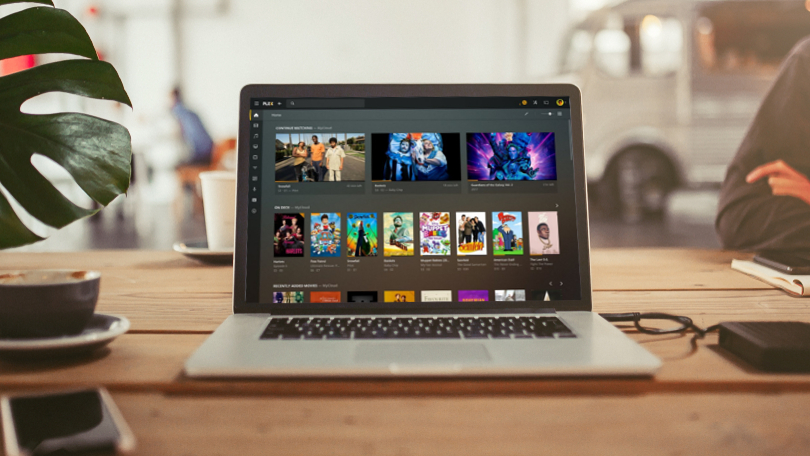
Plex has privacy rules that explain what information it collects and how it uses that information.
Plex says it does not share or sell information about the titles and content in your personal media library. However, Plex does collect other information related to your account and use of its services.
This can include information such as your email address, username, IP address, account activity, and technical information.
So, it is important to understand one simple point:
Plex is not an anonymous service.
When you create a Plex account and use its online services, some information about your account and activity is processed.
That does not mean Plex is unsafe.
It simply means that Plex, like most online services, needs and collects some information to run its service.
If privacy is very important to you, take some time to read Plex’s current privacy policy and review the available settings.
Does Plex See Your Personal Movies?
Plex says it does not collect the titles of personal content stored on your Plex Media Server in the normal course of its service. It also says it does not share or sell information about the content and titles in your personal media library.
That is good news for people who use Plex mainly for their own media.
However, Plex can still collect other information.
For example, it may collect information about your account, device, connections, and how the service is working.
Plex also explains that some information may be used when metadata features or certain integrations are enabled.
So, the easiest way to understand this is:
Plex says it protects information about your personal media, but it still collects other account and technical information.
That is normal for an online service.
Does Plex Encrypt Your Data?
Plex uses secure connections for supported connections between its services, apps, and servers.
You do not need to understand the technical details to understand the basic idea.
Encryption helps protect information while it travels between devices and services.
Think of it like putting a letter inside a locked box before sending it.
Plex says its default setup normally uses secure connections. Plex also provides information about secure server connections and how Plex apps handle them.
This is one reason why using the official Plex app is important.
Do not assume that every website claiming to connect to Plex uses the same security.
When possible, stick with the official Plex apps and services.
Is Plex Safe After the 2025 Security Incident?
This is a question many Plex users may have.
In September 2025, Plex announced a security incident. Plex said an unauthorized person accessed a limited amount of customer data.
The company said the affected information included email addresses, usernames, securely protected passwords, and authentication information. Plex also said credit card information was not stored on its servers and was not affected by the incident.
Plex said it acted quickly to contain the incident.
The company also told users to change their passwords and take steps to protect their accounts.
Does this mean Plex is unsafe?
Not necessarily.
Large online services can experience security attacks. The important thing is how the company responds and how users protect their accounts.
This incident is also a good reminder that you should not reuse your Plex password on other websites.
If someone gets a password that you use everywhere, one security problem can become several security problems.
Does Plex Have Two-Factor Authentication?
Yes.
Plex supports two-factor authentication, also known as 2FA.
This gives your account an extra layer of protection.
Without 2FA, someone may only need your password to sign in.
With 2FA, they also need a second verification step.
Plex explains that two-factor authentication adds another step to the login process.
This is one of the easiest ways to improve your Plex account security.
If you have not enabled it yet, it is a good idea to check your Plex account settings.
How to Make Your Plex Account Safer?
You do not need advanced computer skills to protect your Plex account.
Start with these simple steps.
Use a Strong Password
Create a password that is difficult for other people to guess.
Do not use your name, birthday, phone number, or a simple word.
Most importantly, do not use your Plex password on other websites.
If another website suffers a data leak, attackers may try the same password on your Plex account.
A unique password helps prevent this.
Turn On Two-Factor Authentication
2FA adds another security step to your account.
It is one of the easiest ways to make your Plex account safer.
Keep Plex Updated
Do not ignore Plex updates.
Updates can fix bugs and security problems.
The same applies to your computer, phone, TV, and router.
Check Your Connected Devices
Look at the devices connected to your Plex account from time to time.
If you see something you do not recognize, investigate it.
If you no longer use a device, remove access when appropriate.
Do Not Share Your Password
You do not need to give someone your main Plex password just because you want them to use your media library.
Use Plex’s sharing features instead.
Is Plex Safe for Remote Access?
Remote access can be safe when it is set up correctly.
Remote access allows you to use your Plex server when you are away from home.
For example, your Plex Media Server may be running on your home computer.
You go on vacation.
You open Plex on your phone.
You can then access your media from another location.
That is one of the best features of Plex.
But remote access also means your server can be reached from outside your home network.
That is why you should keep your Plex server updated and use a strong account password.
Plex provides secure connection options for remote access. Its documentation explains how secure server connections work and how Plex handles them.
If you do not need remote access, you can also consider whether you need to keep it enabled.
Is Plex Safe on Public Wi-Fi?
Plex can be used on public Wi-Fi, but you should always be careful when using public networks.
Imagine that you are sitting in a coffee shop.
You connect your phone to the café’s Wi-Fi.
You open Plex.
When possible, make sure your connection is secure.
Plex supports secure connections for its services.
You should also avoid saving your password on public computers.
If you use someone else’s computer, remember to sign out when you finish.
On your own phone or laptop, keep the device updated.
These simple habits can help you stay safer online.
Is Plex Safe for Kids?
Plex can be safe for children, but parents should still check the content.
Plex offers different types of movies and TV shows.
Some are made for families.
Others are intended for adults.
So, parents should not assume that every title on Plex is suitable for children.
It is better to check the title and its rating before allowing younger children to watch it.
You can also use suitable account settings and supervise what younger viewers watch.
The same basic rule applies to almost every streaming service.
A streaming platform can have content for many different age groups.
Parents need to choose what is suitable for their children.
Is Plex Legal?
Yes, Plex is a legitimate and legal service.
Plex explains that it works with content providers for the movies, shows, and other content offered through its services.
Plex also lets people create their own personal media libraries.
But there is an important difference between using Plex and using illegal content.
Plex is a tool.
What you do with that tool is your responsibility.
If you use media that you have the legal right to own and use, that is different from sharing copyrighted content without permission.
So, Plex itself is not an illegal streaming service.
However, users should always make sure they have the right to use and share the media in their libraries.
Can Plex Give Your Device a Virus?
The official Plex app is not a virus.
The bigger risk comes from fake Plex websites and unofficial Plex downloads.
This is a common problem with popular software.
Criminals may create websites that look real.
They may use the Plex name and logo.
They may even copy the design of the official website.
Then they may ask you to download a file.
That file could be unsafe.
This is why you should always check where a download comes from.
Do not download a “Plex Premium cracked version.”
Do not install a “Plex Pass unlocked APK.”
Do not trust a website that promises paid Plex features for free through an unknown download.
Use official sources instead.
Are Plex Plugins Safe?
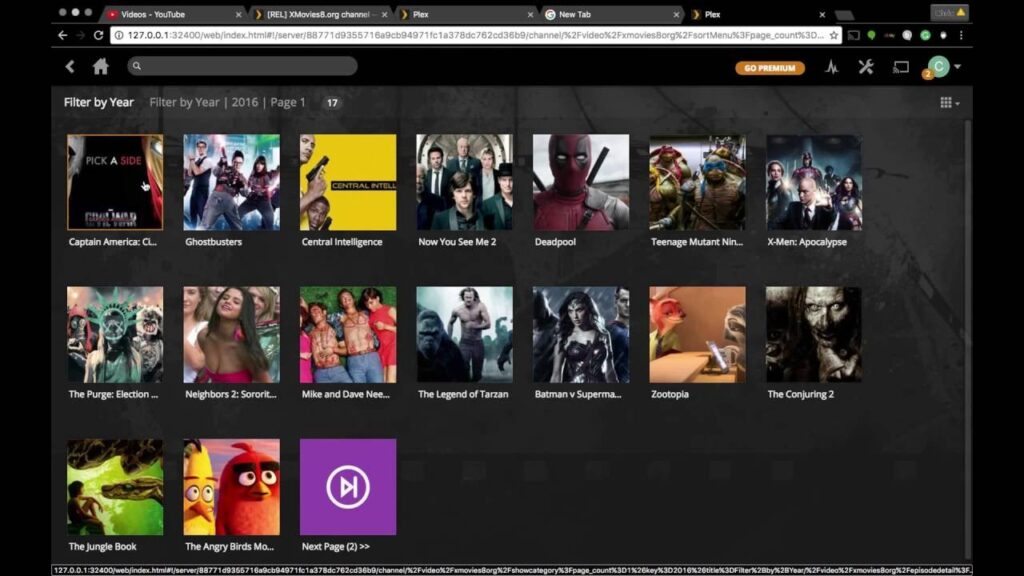
Not every third-party Plex plugin should be trusted.
Some plugins may be created and maintained by people outside Plex.
That does not automatically make them bad.
But it does mean you should check the source before installing one.
Ask yourself:
Who made this plugin?
Is it still being updated?
Where did I download it?
Does the project have a good reputation?
If you do not know the answers, it may be better not to install it.
You do not need lots of plugins to enjoy Plex.
A simple Plex setup is often easier to manage and easier to protect.
Is Plex Safe for Personal Photos and Videos?
Plex can be used to organize personal photos and videos.
For example, you could use it to watch family videos on your TV.
But you should remember that these files may be private.
Your Plex server might contain family photos, personal videos, and other information that you do not want strangers to see.
That means you should protect the computer running Plex.
Use a strong password.
Keep the computer updated.
Do not give access to people you do not trust.
Also, keep backups of important files.
A Plex server should be treated like any other computer that stores personal information.
What Information Does Plex Collect?
Plex’s privacy policy explains that it collects different types of information when people use its services.
This can include information such as:
- Your email address
- Your username
- Your IP address
- Account activity
- Device information
- Technical information
- Connection information
- Payment and subscription information
- Diagnostic information
Some of this information helps Plex provide and improve its services.
For example, technical information can help the company find problems when an app crashes.
The important thing to understand is that Plex is not a completely anonymous service.
If you create a Plex account, some information about your account and use of the service is collected.
This is common with many online services.
Does Plex Sell Your Personal Media Data?
Plex says it does not share or sell information about the content and titles in your personal media library.
That is an important privacy point.
However, Plex’s privacy policy also explains that the company may share certain types of personal data with service providers and other partners for specific purposes.
So, do not confuse your personal media library with all information connected to your Plex account.
They are different things.
Plex says your personal media titles are protected from being shared or sold, while other account and service information may be processed.
If you care strongly about privacy, read the current Plex privacy policy before using the service.
Is Plex Safe on Smart TVs?
Yes.
You can use Plex on supported smart TVs through the official Plex app.
The main safety rules are simple.
Keep your TV updated.
Use the official Plex app.
Protect your Plex account.
Do not enter your Plex password on unknown websites.
Smart TVs are connected to the internet, so they need basic security just like phones and computers.
You do not need to do anything complicated.
Just keep the TV and Plex app updated and use trusted sources.
Is Plex Safe on Android and iPhone?
Yes, the official Plex mobile apps are generally safe to use.
The important word here is official.
Download Plex from the official app store on your device.
Do not download modified versions from random websites.
You may see websites offering things such as:
“Plex Premium APK Free.”
“Plex Pass Unlocked.”
“Plex Mod APK.”
Be careful with these offers.
They are not the normal way to use Plex.
A modified app can contain unwanted software or ask for permissions that you do not expect.
The safest choice is simple:
Use the official Plex app.
Is Plex Safe to Share With Friends?
Yes, but you should be careful about who you give access to.
If you want to share your Plex library with a friend, use Plex’s normal sharing tools when available.
Do not give your main account password to everyone.
Think of your Plex server like your home.
You would not give a stranger a key to your entire house just because they wanted to watch a movie.
The same idea works online.
Only share your library with people you trust.
Check who has access from time to time.
If someone no longer needs access, remove it.
This is a simple way to improve your Plex security.
Plex Safety Tips for Beginners
If you are new to Plex, start with the basics.
You do not need advanced technical knowledge.
Here are the most important steps:
- Use the official Plex app.
- Download Plex from trusted sources.
- Create a strong and unique password.
- Turn on two-factor authentication.
- Keep Plex updated.
- Keep your computer and router updated.
- Only share your Plex library with trusted people.
- Be careful with third-party plugins.
- Avoid modified Plex apps.
- Use only media you have the legal right to use.
These steps can help you avoid many common problems.
Plex vs Other Streaming Services: Is It Safe?
Plex is not the only streaming service that needs security.
Other services also have accounts, passwords, apps, and online connections.
Netflix has an account.
YouTube has an account.
Disney+ has an account.
Plex has an account too.
All of these services can face risks such as stolen passwords, fake websites, and phishing scams.
Plex has one extra feature that makes it different.
You can run your own Plex Media Server.
That gives you more control.
But it also gives you more responsibility.
You are not only using an online service.
You may also be running a server on your own computer.
That means you need to keep that server safe.
Is Plex Safe Compared With Jellyfin?
Plex and Jellyfin can both help you organize and stream personal media.
But they work in different ways.
Plex is a commercial service with a large ecosystem and many online features.
Jellyfin is an open-source media server that focuses more on self-hosting.
If you want something simple and polished, Plex may be a better choice for you.
If you want more control over your own setup, you may prefer Jellyfin.
There is no single answer for everyone.
Both require basic security.
You still need strong passwords.
You still need updates.
You still need to protect remote access.
The safest option is often the one you understand and maintain properly.
Who Should Be Careful When Using Plex?
Most people can use Plex without major problems.
However, you should pay extra attention if you:
- Run Plex on a server that can be reached from the internet
- Store private files on the server
- Share your library with many people
- Use old software
- Install many third-party plugins
- Use weak passwords
- Reuse your password on other websites
- Download unofficial Plex apps
- Ignore software updates
These things do not automatically make Plex dangerous.
They simply create more chances for something to go wrong.
A simple and well-protected Plex setup is easier to manage.
Is Plex Safe? Final Verdict
Yes, Plex is generally safe to use.
Plex is a legitimate media platform. It offers streaming content and tools for managing personal media.
It also provides security features such as secure connections and two-factor authentication.
However, Plex is not completely risk-free.
Plex had a security incident in 2025. The company said a limited amount of customer information was accessed and advised users to take steps to protect their accounts.
This does not mean you should avoid Plex.
Instead, it shows why good account security matters.
Use a strong password.
Turn on 2FA.
Keep Plex updated.
Avoid fake websites.
Do not download unknown apps.
Be careful when sharing your server.
Also, remember that your own Plex Media Server needs protection.
If you follow these simple steps, you can enjoy Plex with much less worry.
Conclusion: Is Plex Safe?
Is Plex safe? Yes, Plex is generally safe for everyday use when you use it carefully.
You can use Plex to watch movies and TV shows. You can also use it to organize your own media and stream it to different devices.
Plex has several useful security features. It supports two-factor authentication and secure connections. Plex also explains how it handles user information in its privacy policy.
Still, no website or app is completely risk-free.
Your own choices matter.
If you use a weak password, you make your account easier to attack.
If you download a fake Plex app, you may put your device at risk.
If you leave your server outdated, you may create security problems.
If you share your password with strangers, you lose control of your account.
The good news is that these problems are easy to reduce.
Use the official Plex app.
Create a strong password.
Turn on two-factor authentication.
Keep your software updated.
Only install software from trusted sources.
Be careful about who can access your media server.
Plex also says it does not sell or share the titles of personal media stored on your server, although it does collect other account and technical information.
So, the final answer is simple:
Plex is safe for most people, as long as they use it responsibly and protect their account and server.
For more insights on SEO, search engines, and digital marketing, visit Search Engine Insight.
FAQs About Is Plex Safe?
Q: Is Plex safe to download?
Yes. Plex is generally safe to download when you use the official Plex website or an official app store. Avoid modified apps and downloads from unknown websites.
Q: Can Plex give my computer a virus?
The official Plex software is not a virus. The bigger risk comes from fake Plex websites, unofficial apps, modified downloads, and unknown third-party software.
Q: Is Plex safe for privacy?
Plex provides privacy protections and says it does not share or sell information about the titles in your personal media library. However, it does collect other account and technical information.
Q: Has Plex ever had a security problem?
Yes. Plex reported a security incident in September 2025. The company said a limited amount of customer data was accessed and said payment card information was not stored on its servers.
Q: How can I make Plex safer?
Use a strong password, turn on two-factor authentication, keep Plex updated, use official apps, and only share your server with people you trust.



