Free Alternative to Ahrefs: 10 Tools That Cost Nothing (2027)
Finding a free alternative to Ahrefs can help you improve your website without spending money on expensive SEO tools. Ahrefs is a popular SEO platform, but its paid plans can be costly for beginners, bloggers, and small businesses.
The good news is that you do not need to pay for Ahrefs to start working on your website’s SEO. Many free tools can help you find keywords, check backlinks, study competitors, and fix website problems.
In this guide, we will look at the 10 best free Ahrefs alternatives in 2027. We will explain what each tool does, its main features, and its advantages and disadvantages. You will also learn which tools are best for keyword research, backlink checks, and website audits.
Whether you are a beginner, blogger, or website owner, these free SEO tools can help you improve your website and get more visitors from search engines.
What Does Ahrefs Actually Do?
Before choosing a free alternative to Ahrefs, you should understand what this tool offers.
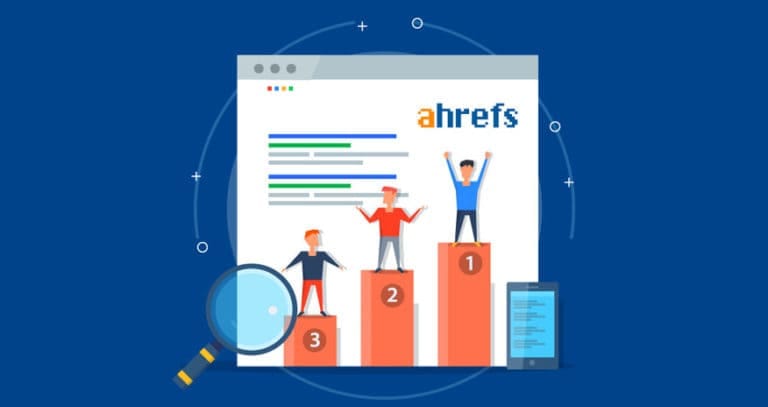
Ahrefs is an SEO platform that helps website owners improve their Google rankings. It offers several features that make SEO work easier.
Here are some of its main features.
1. Keyword Research
Ahrefs helps you find keywords that people search for on Google. It also shows estimated search volume, keyword difficulty, and related keywords.
This information helps you choose the right keywords for your blog posts and website pages.
2. Backlink Analysis
Backlinks are links from other websites that point to your website.
Ahrefs helps you check these links and find websites that link to your competitors. This information can help you plan your link-building work.
3. Website Audits
Ahrefs can scan your website and find SEO problems. These problems may include broken links, missing titles, duplicate content, and other technical issues.
Fixing these problems can help make your website easier for search engines to understand.
4. Competitor Analysis
Ahrefs allows you to study other websites in your industry. You can see which keywords they rank for, which pages bring them visitors, and where their backlinks come from.
This can help you find new ideas for your own website.
5. Rank Tracking
Rank tracking helps you see where your website appears in Google search results.
You can check your keyword positions and see whether they improve or fall over time.
Ahrefs offers all these features in one place. However, you can complete many of the same tasks with free SEO tools. You may need to use two or three tools instead of one.
What to Look for in a Free Alternative to Ahrefs
Not every SEO tool offers the same features. Some are better for keyword research, while others focus on backlinks or website audits.
Before choosing a tool, keep these points in mind.
1. Reliable Data
Good SEO decisions depend on useful data. Some free tools show estimated traffic and search volumes. These numbers may not always be exact.
Choose tools from trusted companies such as Google, Ahrefs, Moz, and Semrush. Their free features can help you understand your website better.
2. Keyword Research Features
Look for free keyword research tools that provide keyword ideas and search volume information.
A keyword difficulty checker can also help you understand how hard it may be to rank for a keyword.
These features are useful when planning new blog posts.
3. Backlink Checker Features
Backlinks can help improve your website’s authority and search visibility.
A good free backlink checker should show which websites link to your pages. It should also help you understand your backlink profile.
Keep in mind that many free tools only show limited backlink data.
4. Website Audit Features
Free website audit tools can help you find problems on your website.
Look for tools that can find broken links, missing page titles, duplicate titles, and other common SEO issues.
Fixing these problems can make your website easier to use and manage.
5. Easy to Use
Choose a tool that is simple to understand.
You should not need hours of training to find basic SEO information. A clean design and clear reports can save you time.
6. Free Plans and Limits
Some SEO platforms offer free plans with daily or monthly limits. Others provide free tools without charging users.
Check these limits before choosing a tool. This will help you avoid problems when you need to do regular SEO work.
Can Free Tools Really Replace Ahrefs?
Yes, free tools can replace many Ahrefs features, especially if you run a small website or blog.
However, no single free tool offers everything that Ahrefs provides. You will need to combine different tools to get similar results.
For example:
- Google Search Console helps you check your website’s Google performance.
- Google Keyword Planner helps you find keyword ideas.
- Ahrefs Webmaster Tools helps you check backlinks and website issues.
- Moz helps you check backlinks and website authority.
- Semrush offers limited competitor research.
These tools can help you complete many basic SEO tasks without paying for a subscription.
However, free tools have some limits. They may not show complete competitor data or large amounts of keyword information.
For beginners and small businesses, these limits may not be a big problem. You can start with free tools and move to paid software when your website grows.
10 Best Free Ahrefs Alternatives
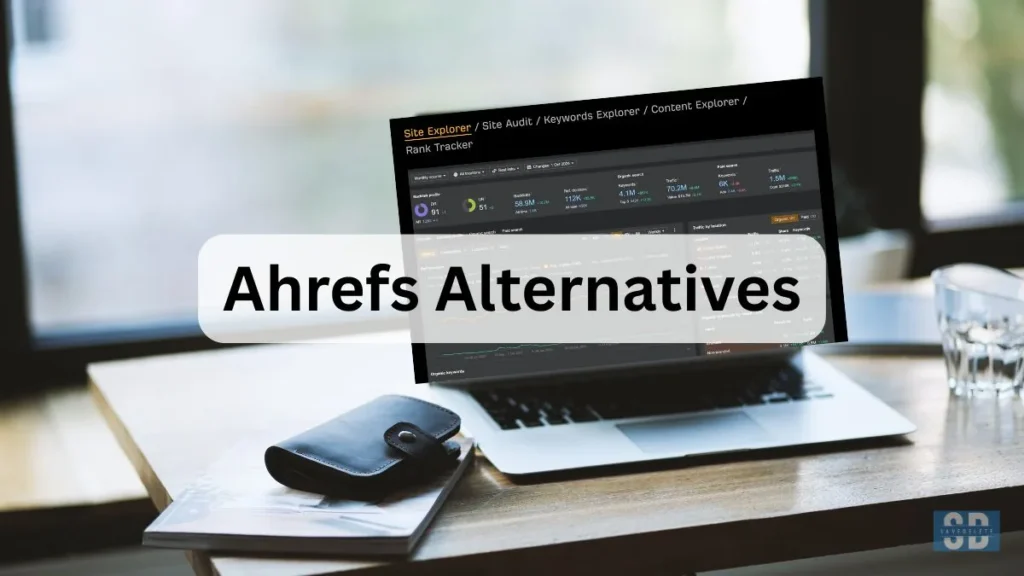
Here are ten free SEO tools that can help you with different parts of SEO.
Each tool has its own benefits. Some are best for keyword research, while others are useful for backlinks, website audits, and content planning.
1. Google Search Console
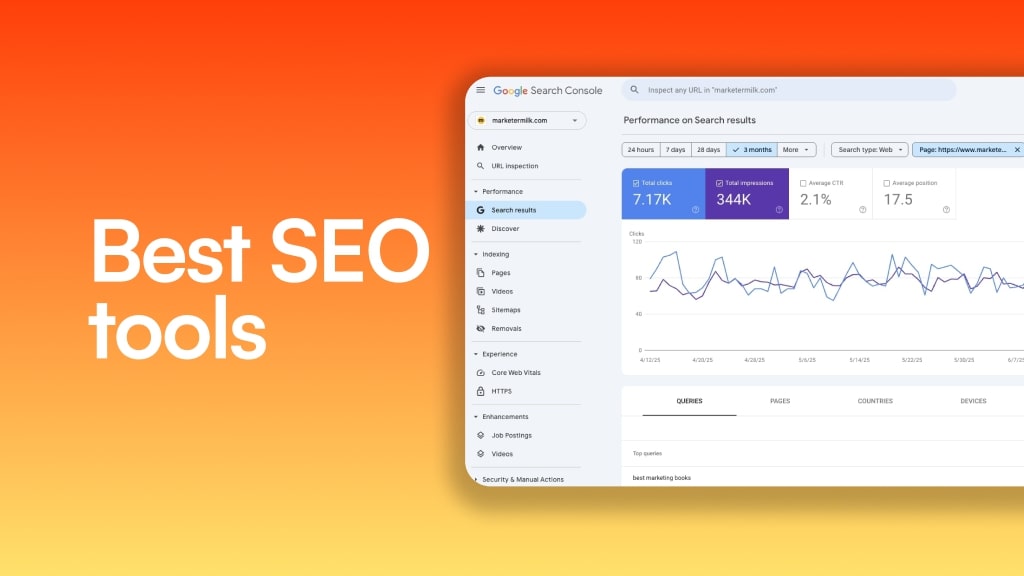
Google Search Console is one of the best free SEO tools for website owners.
It helps you understand how your website performs in Google search results. You can see which keywords bring visitors to your website and which pages get the most clicks.
It also helps you find problems that stop Google from showing your pages in search results.
Best for: Website performance and basic SEO checks.
Pros:
- Completely free to use.
- Provides data directly from Google.
- Shows clicks and search impressions.
- Helps find indexing problems.
- Shows the average position of your keywords.
Cons:
- Only works with websites you own or manage.
- Does not provide full competitor research.
- Keyword data is limited to searches where your website appears.
Pricing: Free.
Google Search Console is a great choice for beginners. It is also useful for bloggers and small businesses that want to check their website rankings.
If you need free website ranking tools, this should be one of your first choices.
2. Ahrefs Webmaster Tools
Ahrefs Webmaster Tools is a free tool from Ahrefs itself.
It is one of the closest free alternatives to Ahrefs because it gives website owners access to some of the platform’s features without a paid subscription.
You can verify your website and use its site audit and backlink checking features. It can also help you find SEO problems that need attention.
Best for: Website audits and backlink checks.
Pros:
- Offers useful website audit reports.
- Helps check backlinks to your own website.
- Provides basic SEO information.
- Uses Ahrefs data and tools.
- Helps find common website problems.
Cons:
- Only provides access to verified websites.
- Competitor research is limited.
- Some advanced features require payment.
Pricing: Free for eligible verified websites.
If you want to try Ahrefs without paying, this is a good place to start.
3. Google Keyword Planner
Google Keyword Planner is one of the most useful free keyword research tools.
It is part of Google Ads. However, you do not need to run ads to use its basic keyword research features.
You can enter a keyword and find other search terms related to it. The tool also shows estimated search volume and advertising competition.
For example, if you enter “SEO tools,” it may show related terms such as free SEO tools, keyword research tools, and website analysis tools.
Best for: Finding new keywords and checking search demand.
Pros:
- Free with a Google Ads account.
- Provides keyword suggestions.
- Uses Google’s search data.
- Helps find related keywords.
- Useful for blog planning.
Cons:
- Search volume may appear as a range.
- Some SEO features are missing.
- The tool is mainly designed for advertisers.
Pricing: Free with a Google Ads account.
Google Keyword Planner is a good choice for bloggers and website owners who want to find new keywords without paying for expensive software.
4. Ubersuggest
Ubersuggest is a simple SEO tool that offers keyword research, website analysis, and backlink information.
You can enter a keyword to find related search terms. You can also enter a website address to see estimated traffic and popular pages.
Its simple design makes it easy for beginners to use.
Best for: Basic keyword research and website analysis.
Pros:
- Easy to use.
- Provides keyword suggestions.
- Offers basic backlink information.
- Helps find new content ideas.
- Useful for beginners.
Cons:
- Free searches are limited.
- Some information is based on estimates.
- Advanced features require a paid plan.
Pricing: Limited free access is available.
Ubersuggest is a useful option if you want several basic SEO features in one place.
It can help beginners understand keywords, website traffic, and other important SEO details.
5. Moz Free Tools
Moz offers several free SEO tools, including Link Explorer and MozBar.
Link Explorer helps you check backlinks and see which websites link to your pages. It also shows Domain Authority, a score created by Moz to estimate the strength of a website.
MozBar is a browser extension that shows SEO information while you visit websites and search results.
Best for: Backlink checks and competitor research.
Pros:
- Helps check backlinks.
- Shows Domain Authority.
- MozBar makes website checks easier.
- Useful for competitor research.
- Comes from a well-known SEO company.
Cons:
- Free searches are limited.
- Some features require a paid plan.
- Domain Authority is not an official Google ranking score.
Pricing: Free tools are available with usage limits.
Moz is a good choice if you need a free domain authority checker. It can also help you compare websites and understand their backlink strength.
6. Semrush Free Account
Semrush is another popular SEO platform. It offers a free account with limited access to some of its features.
You can use it to find keyword ideas, check basic website information, and study competitors.
It also offers website audit features that help you find SEO problems.
Best for: Basic competitor analysis and keyword research.
Pros:
- Offers several SEO features.
- Helps find keyword ideas.
- Provides basic competitor information.
- Includes website audit features.
- Useful for occasional SEO checks.
Cons:
- Daily searches are limited.
- Free reports contain less information.
- Many advanced features require payment.
Pricing: Free account with usage limits.
Semrush is one of the best free SEO tools for people who want to explore a professional SEO platform without buying a subscription.
It is especially useful when you need a quick look at a competitor’s website.
7. Screaming Frog SEO Spider
Screaming Frog is a website scanning tool. It checks your website and finds common technical SEO problems.
Its free version can scan up to 500 URLs. It can find broken links, missing page titles, duplicate titles, and missing meta descriptions.
This makes it a useful tool for website owners who want to keep their websites healthy.
Best for: Technical SEO and website audits.
Pros:
- Finds broken links.
- Checks missing page titles.
- Finds duplicate titles.
- Identifies redirect problems.
- Free version supports up to 500 URLs.
Cons:
- You need to install it on your computer.
- Beginners may need time to learn it.
- Large websites may exceed the free limit.
- Does not offer keyword or backlink research.
Pricing: Free version available. A paid license offers more features.
If you are looking for free website audit tools, Screaming Frog is worth trying.
It can help you find problems that may be difficult to notice by checking your website manually.
8. AnswerThePublic
AnswerThePublic helps you find questions that people search for online.
Enter a keyword, and the tool shows related questions and search ideas. These questions may start with words such as who, what, where, when, why, and how.
For example, if you enter “SEO tools,” you may find questions about the best SEO tools, free SEO software, and keyword research.
Best for: Finding blog topics and question-based keywords.
Pros:
- Provides question-based keyword ideas.
- Helps you understand what people want to know.
- Useful for writing FAQs.
- Makes content planning easier.
- Helps you find new blog topics.
Cons:
- Free searches are limited.
- Does not provide complete backlink data.
- Search volume information is limited on free access.
Pricing: Limited free access is available.
AnswerThePublic is one of the useful free SEO tools for bloggers. It can help you create articles that answer real questions.
9. Google Trends
Google Trends is a free tool from Google. It shows how people’s interest in a topic changes over time.
You can enter a keyword and see whether interest is growing or falling. You can also compare two or more topics and check their popularity in different locations.
For example, you can compare two streaming services to see which one is getting more search interest.
Best for: Checking search trends and comparing topics.
Pros:
- Completely free.
- Easy to use.
- No account is needed for basic use.
- Helps find popular topics.
- Useful for planning seasonal content.
Cons:
- Does not show exact search volumes.
- Does not provide keyword difficulty scores.
- Does not offer backlink analysis.
Pricing: Free.
Google Trends is a helpful tool when you want to know whether a topic is becoming more popular.
It can also help you choose the right time to publish seasonal blog posts.
10. AlsoAsked
AlsoAsked helps you find questions related to a search topic.
It uses Google’s People Also Ask information to show questions that people search for. These questions appear in a visual map, making them easier to understand.
You can use these ideas to create better blog headings and FAQ sections.
Best for: Finding related questions and improving blog content.
Pros:
- Shows related search questions.
- Helps you understand search intent.
- Useful for FAQ research.
- Makes content planning easier.
- Helps you find more topics to cover.
Cons:
- Free searches are limited.
- Does not provide detailed search volume data.
- Does not replace a backlink checker.
Pricing: Limited free access is available.
AlsoAsked is a useful tool for bloggers and content writers. It helps you understand what readers want to know about a topic.
Comparison of the Best Free SEO Tools
Here is a simple comparison of all ten tools. It will help you choose the right option for your SEO work.
| SEO Tool | Main Feature | Best For | Free Access |
|---|---|---|---|
| Google Search Console | Search performance | Website owners | Free |
| Ahrefs Webmaster Tools | Audits and backlinks | Own websites | Free for verified sites |
| Google Keyword Planner | Keyword ideas | Keyword research | Free |
| Ubersuggest | Keyword and website data | Beginners | Limited |
| Moz Free Tools | Backlink information | Competitor checks | Limited |
| Semrush | SEO and competitor research | Website analysis | Limited |
| Screaming Frog | Website scanning | Technical SEO | Up to 500 URLs |
| AnswerThePublic | Question ideas | Content planning | Limited |
| Google Trends | Search trends | Topic research | Free |
| AlsoAsked | Related questions | FAQ research | Limited |
How to Choose the Right Free SEO Tools
You do not need to use all ten tools. Choose the ones that match your needs.
Here are three simple combinations you can try.
1. Best Tools for Beginners
If you are new to SEO, start with these three tools:
- Google Search Console
- Google Keyword Planner
- Ahrefs Webmaster Tools
Google Search Console helps you check your website’s performance. Google Keyword Planner helps you find keywords. Ahrefs Webmaster Tools helps you check backlinks and website problems.
Together, these tools cover many basic SEO tasks without costing anything.
2. Best Tools for Bloggers
If you publish blog posts regularly, try these tools:
- Google Search Console
- Google Keyword Planner
- AnswerThePublic
- AlsoAsked
- Google Trends
These tools help you find keywords, discover questions, and choose topics for your blog.
They are also useful for planning articles around what people are searching for.
3. Best Tools for Technical SEO
If you want to fix website problems, use:
- Google Search Console
- Ahrefs Webmaster Tools
- Screaming Frog
- Moz Free Tools
These tools can help you find broken links, check backlinks, and improve your website’s technical health.
They are a good starting point for website owners who want to improve their SEO.
When Should You Start Using Paid SEO Tools?
Free tools are enough for many beginners. However, you may need paid software as your website grows.
Consider a paid tool when:
- You manage several websites.
- You need detailed competitor backlink reports.
- You research many keywords every day.
- You need more advanced rank tracking.
- Free search limits slow down your work.
- You need larger website audits.
Until then, you can use free tools and spend your money on better content and website improvements.
Common Mistakes When Using Free SEO Tools
Free SEO tools can make your work easier. However, you need to use them correctly.
Here are some common mistakes to avoid.
1. Trusting Every Number
Some tools show estimated traffic and search volumes. These numbers are not always exact.
Use them to understand general trends. Do not treat every figure as a fact.
2. Using Too Many Tools
You do not need ten tools to manage a small website.
Using too many tools can waste your time. Start with two or three and learn how to use them properly.
3. Ignoring Google Search Console
Many beginners focus on third-party SEO tools and forget about Google Search Console.
This is a mistake because Search Console provides useful information about your own website directly from Google.
Set it up as soon as your website goes live.
4. Comparing Different SEO Scores
Different SEO platforms use different methods to calculate their scores.
For example, Moz Domain Authority, Ahrefs Domain Rating, and Semrush Authority Score are not the same.
Do not compare them as if they measure exactly the same thing.
5. Paying for Tools Too Early
You do not need an expensive SEO subscription when you are just starting.
Try free tools first. Upgrade only when you need features that free plans cannot provide.
Search Engine Insight offers fresh perspectives on website audits, search visibility, and marketing techniques that help businesses build a stronger foundation for online success.
Frequently Asked Questions
1. What is the best free alternative to Ahrefs?
There is no single tool that replaces every Ahrefs feature. However, Google Search Console, Ahrefs Webmaster Tools, and Google Keyword Planner make a great combination. They help with keyword research, backlink checks, website audits, and performance tracking.
2. Are there any completely free Ahrefs alternatives?
Yes. Google Search Console, Google Trends, and Google Keyword Planner offer free access to their core features. Ahrefs Webmaster Tools also provides free features for eligible verified websites. Other tools, such as Moz and Ubersuggest, offer limited free access.
3. Which free SEO tools are best for beginners?
Google Search Console, Google Keyword Planner, and Ubersuggest are good choices for beginners. They help you find keywords, check website performance, and understand basic SEO.
4. Can I do keyword research without paying?
Yes. Google Keyword Planner helps you find keyword ideas and estimated search volumes. You can also use Google Trends, AnswerThePublic, and AlsoAsked to discover related topics and questions.
5. How can I check backlinks without Ahrefs?
You can use Ahrefs Webmaster Tools to check backlinks for your verified website. Moz Link Explorer and Ubersuggest also provide limited backlink information.
These free backlink checker tools are useful for basic link analysis.
6. Which free tool is best for competitor analysis?
Semrush and Moz offer useful competitor research features through their free accounts. However, their reports and usage limits are smaller than those of paid plans.
7. Is Ubersuggest completely free?
No. Ubersuggest offers limited free access. You can use it for basic keyword research and website checks, but you may need a paid plan for more searches and features.
8. What is the best free tool for website audits?
Screaming Frog is a good choice for technical website audits. Its free version can scan up to 500 URLs and find broken links, redirects, and missing metadata.
Google Search Console and Ahrefs Webmaster Tools are also useful for website owners.
9. Can free SEO tools track keyword rankings?
Yes. Google Search Console shows the average position of your website for different search terms. It is useful for basic rank tracking, although it does not work exactly like a dedicated rank tracking tool.
10. Are free SEO tools safe to use?
Free tools from trusted companies such as Google, Ahrefs, Moz, and Semrush are generally reliable.
However, be careful when using unknown websites. Do not share your Google password or other private login details with tools you do not trust.
11. Are free SEO tools enough for small businesses?
Yes. Many small businesses can manage basic SEO with free tools.
You can research keywords, check backlinks, find website problems, and track search performance without paying for expensive software.
12. When should I upgrade to paid SEO tools?
Upgrade when free limits slow down your work or when you need more detailed reports.
Paid tools may also be useful when you manage several websites or need deeper competitor research.
Conclusion: Free Alternative to Ahrefs
Finding a free alternative to Ahrefs is easier when you know which tools to use.
You do not need an expensive subscription to start improving your website. Free tools such as Google Search Console, Google Keyword Planner, and Ahrefs Webmaster Tools can help you manage many basic SEO tasks.
You can also use Moz, Semrush, and Ubersuggest for extra research. Screaming Frog is useful for finding website problems, while AnswerThePublic, Google Trends, and AlsoAsked can help you find new content ideas.
The best free SEO tools are the ones that meet your needs. Start with a few tools, learn how to use them, and add more when needed.
Focus on useful content, fix website problems, and keep improving your SEO. You can build a strong website without spending a lot of money on expensive tools.