Google Business Profile Optimization Checklist: The Complete 2027 Guide
This Google Business Profile Optimization Checklist walks you through every setting, section, and feature that helps your business stand out on Google. Your Business Profile controls how you appear in Google Search and Google Maps, from your hours and photos to your reviews and booking links.
Whether you just claimed your listing or you have had one for years, this guide shows you exactly what to fill in, what to fix, and what most businesses miss. Work through the checklist once, then revisit it quarterly to stay ahead.
What Is Google Business Profile?
Google Business Profile is a free tool that lets businesses manage how they appear across Google Search and Google Maps. It replaced the old Google My Business name, but the purpose is the same: one dashboard to control your business information everywhere Google shows it.
Explained in Plain English
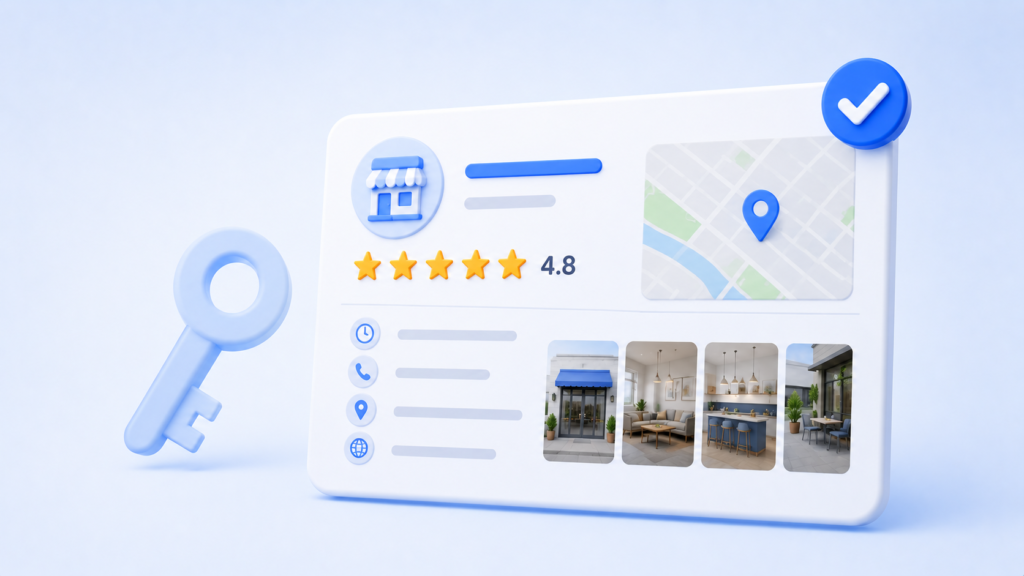
When someone searches your business name or finds you on Google Maps, the panel they see is your Business Profile. It shows your hours, address, phone number, photos, reviews, and links to your website or booking page. You control all of it from the profile dashboard.
Without a claimed profile, Google still shows basic information about your business, often pulled from other websites. That information can be wrong or incomplete. Claiming your profile puts you in control.
What Your Profile Controls
Your profile manages your business name, categories, address, service area, phone, website, hours, special hours, description, services, products, photos, videos, posts, questions and answers, reviews and responses, messaging, and booking links. That is a lot of surface area, which is exactly why a checklist helps.
Why Profile Optimization Matters
An optimized profile does three jobs at once: it helps you rank, it converts searchers, and it builds trust. That is the core of good Google Business Profile optimization.
It Helps You Rank in Local Search
Profile completeness and accuracy feed directly into Google’s local ranking factors. Businesses with complete profiles, correct categories, and active engagement consistently outrank neglected listings for the same queries. In short, Google Business Profile ranking improves when Google can trust that your information is complete and current.
It Converts Searchers Into Customers
Many customers never visit your website. They call from the profile, get directions from the profile, or book through the profile. Every missing field is a lost opportunity: no phone number means no call, no photos means less trust, no hours means a guess.
It Builds Trust Before Contact
Reviews, photos, and owner responses create a first impression. A complete, active profile signals a real, caring business. A bare profile with two reviews signals risk. Customers choose accordingly.
Before You Start: Claim and Verify Your Profile
You cannot optimize what you do not own. If you have not claimed your listing, start here.
How to Claim Your Listing
Search your business name on Google. If a profile panel appears, click “Own this business?” and follow the prompts. If no profile exists, go to google.com/business and create one. Enter your business details carefully, because errors here cause headaches later.
How Verification Works
Google Business Profile verification confirms you are authorized to manage the listing. Common methods include video verification, where you record your business location and proof of operation, postcard by mail with a code, email, or phone verification for eligible businesses. Follow the instructions Google shows you and complete verification before doing anything else. Unverified profiles have limited features and weak ranking power.
Sort Out Duplicates First
Search for your business name plus your city and check for duplicate profiles. Duplicates split reviews and confuse Google. If you find one, claim it and request removal or merging through Google’s support. One location should have exactly one profile.
Google Business Profile Optimization Checklist
Here is the complete checklist, organized by section. Go through each group and check off every item. Most businesses discover at least five things they have never filled in.
How to Work Through This Google Business Profile Optimization Checklist
Open your profile dashboard in one tab and this guide in another. Work top to bottom. Some items take seconds, like adding a phone number. Others, like gathering photos, take longer. Do the quick wins first for momentum, then tackle the bigger items within the week. This is how you optimize Google Business Profile listings without getting overwhelmed.
Checklist Part 1: Core Business Information
Business name. Use your exact real-world name. No extra keywords, no location stuffing, no ALL CAPS. Match your signage and website.
Primary category. Choose the single category that best describes your main business. This is one of the strongest ranking signals, so choose carefully.
Secondary categories. Add every other category that genuinely applies. A restaurant might add “caterer” and “bar.” Do not add categories you cannot fulfill. Getting your Google Business Profile categories right is essential, because the wrong category can hide you from the searches you want most.
Address. Enter your precise physical address. A service-area business that does not serve customers at its location should hide the address and set a service area instead.
Service area. If you travel to customers, define the areas you serve. Be realistic: list areas you actually serve, not the entire state.
Phone number. Use a local number that customers can actually reach. Avoid tracking numbers that differ from what is on your website.
Website URL. Link to your homepage or, better, to your most relevant location page. Make sure the link works.
Hours of operation. Set accurate daily hours. Nothing frustrates customers more than arriving at a closed business that Google said was open.
Special hours. Add holiday hours well in advance. Google lets you set special hours for holidays and events. Use this feature every time.
Checklist Part 2: Description, Services, and Products
Business description. Write 750 characters about what you do, who you serve, and what makes you different. Write for humans, not search engines. No keyword stuffing. A strong Google Business Profile description leads with value, not history.
Services list. Add each service you offer with a short, clear description and price if applicable. Detailed services improve relevance for specific searches.
Products list. Retail and food businesses should list key products with photos and prices. This turns your profile into a mini storefront.
Attributes. Select every attribute that applies: wheelchair accessible, women-led, outdoor seating, free Wi-Fi, and so on. Attributes appear as icons and influence filtering.
Opening date. Add the date your business opened. It builds credibility, especially for established businesses.
Checklist Part 3: Photos and Videos
Logo. Upload a clean, high-resolution logo. It appears across Google surfaces and builds recognition.
Cover photo. Choose your best exterior or interior shot. This is the first image many searchers see.
Exterior photos. Help customers recognize your building from the street. Include daytime shots and your signage.
Interior photos. Show what customers experience inside. Clean, well-lit photos work best.
Team photos. Real faces build trust. Introduce your staff with friendly, professional photos.
Work photos. Show your actual work: finished projects, dishes, haircuts, repairs. Before-and-after shots are especially powerful.
Video. Add a short video tour or introduction if you can. Video increases engagement and time spent on your profile.
Ongoing uploads. Add new photos at least monthly. Fresh visuals signal an active business and give Google new content to show. Good Google Business Profile photos are real, recent, and specific to your business, not stock images.
Checklist Part 4: Reviews and Reputation
Review generation system. Build a routine for asking happy customers for reviews. A short follow-up message with a direct review link works best.
Review responses. Respond to every review, positive and negative. Thank reviewers by name, reference specifics, and stay professional with critics.
Review monitoring. Check for new reviews weekly. Fast responses show attentiveness and catch problems early.
Flag policy violations. Report fake reviews, competitor attacks, and reviews from non-customers through Google’s reporting tools. Consistent Google Business Profile reviews, handled well, are one of the strongest trust signals you can build.
Checklist Part 5: Engagement Features
Posts. Publish weekly posts about offers, events, news, and new products. Posts keep your profile fresh and give searchers reasons to engage.
Questions and answers. Seed the Q&A section with common questions and your own thorough answers. Monitor it for new questions from the public.
Messaging. Turn on direct messaging so customers can text you questions. Respond quickly during business hours.
Booking links. If you take appointments, connect your booking provider or enable Google’s booking features. Remove friction between discovery and conversion.
Menu or service links. Restaurants should link their menu. Service businesses can link price lists or booking pages. Every useful link keeps searchers on your profile longer. Regular Google Business Profile posts are a simple habit that keeps an otherwise complete profile looking alive.
Common Profile Mistakes to Avoid
Keyword-stuffed business names. Adding “Best Plumber in Dallas” to your name violates Google’s guidelines. Use your real name. Suspensions from this mistake are common and painful.
Wrong primary category. Your primary category drives relevance. A coffee shop listed as a “restaurant” misses coffee searches. Review categories annually as your business evolves.
Inaccurate hours. Outdated hours destroy trust. Update them for holidays, seasonal changes, and renovations. One wasted trip can cost you a customer forever.
Ignoring the Q&A section. Anyone can ask questions on your profile, and anyone can answer them. If you do not monitor it, wrong answers from strangers represent your business.
No photos or stock photos only. Bare profiles look abandoned. Stock photos look fake. Real photos of your actual business are non-negotiable.
Never posting updates. A profile untouched for a year signals a business that may not care. Weekly posts take minutes and keep you looking alive.
Arguing with reviewers. Defensive responses to negative reviews scare away future customers more than the review itself. Stay calm, professional, and solution-focused.
Multiple profiles for one location. Duplicates split your reviews and ranking power. Find them, claim them, and get them removed.
Expert Tips for a Standout Profile
Write your description like an elevator pitch. Lead with what you do and who you serve. Save the history lesson for your website. Front-load the value.
Use all 750 characters. Most businesses write two sentences. A full, natural description with services, specialties, and service area gives Google more relevance signals.
Add UTM parameters to your website link. Tag the link so you can see profile-driven traffic in your analytics. Data beats guessing when you evaluate what works.
Post about what is timely. Seasonal offers, holiday hours, and local events outperform generic “visit us today” posts. Timeliness drives engagement.
Encourage photo reviews. Customers uploading their own photos adds authenticity no owner upload can match. Happy customers often oblige when asked.
Complete the products section even for services. Service businesses can list packages or signature offerings as products with prices. It fills the profile and pre-qualifies buyers.
Audit quarterly. Set a calendar reminder every three months. Check every field, refresh photos, review categories, and update anything that changed. That quarterly habit is what separates local SEO for Google Business Profile from a one-time setup that slowly goes stale.
Real-World Examples
Example 1: A Boutique Hotel
A 20-room hotel had a claimed but bare profile: name, address, and four reviews. The manager worked the checklist over two weeks, adding 60 photos, a full services list, weekly posts about local events, and a review request card at checkout. Within four months, reviews grew to 120 at 4.7 stars, and direct bookings from the profile’s booking link increased noticeably.
Example 2: An Auto Repair Shop
A repair shop kept losing to a competitor with worse reviews but a better profile. The owner discovered his primary category was “auto parts store” instead of “auto repair shop.” Fixing the category, adding detailed services with prices, and uploading before-and-after repair photos moved him into the local 3-pack within six weeks.
Example 3: A Yoga Studio
A new yoga studio used posts aggressively: class schedule changes, teacher introductions, workshop announcements, and student stories. Combined with a review drive that earned 80 reviews in three months, the studio’s profile became the most engaging in its area. Trial class signups from Google doubled, mostly from profile interactions rather than website visits.
Google Business Profile in 2027: What Changed
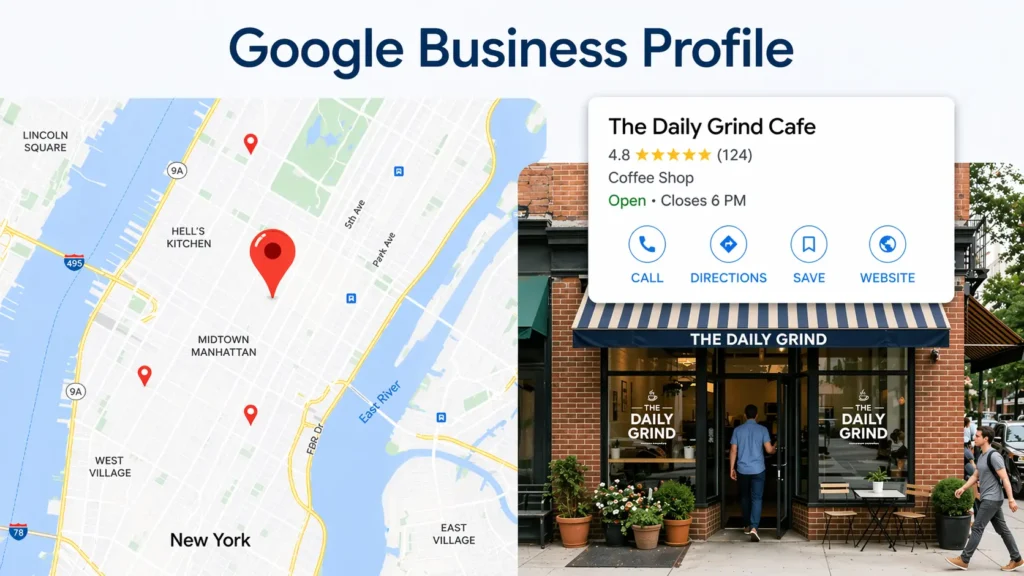
Google continues to expand what profiles can do. Messaging, booking integrations, and product listings have all grown more capable. Profiles increasingly function as mini-websites, and for many searchers they are the only touchpoint before contacting you.
AI-generated summaries now appear on some business profiles, synthesizing review themes for searchers. This raises the stakes for review quality and quantity: the AI summarizes what customers actually say, so genuine positive experiences matter more than ever.
Google has also tightened enforcement against fake reviews and misleading business information. Suspensions for guideline violations are faster and harder to appeal than they used to be. The lesson is simple: keep everything accurate and honest.
The core checklist, though, is remarkably stable. Complete information, real photos, genuine reviews, and active engagement have mattered for years and matter more now.
Important Things to Consider
Do not try to game the system. Every shortcut in local SEO eventually backfires. Fake reviews get removed, keyword-stuffed names get suspended, and virtual addresses get caught. The businesses that win long-term are the ones with nothing to hide.
Keep your information synchronized. Your profile, website, and directory listings should tell the same story. When you change hours, phone numbers, or services, update everywhere the same day. NAP consistency, keeping your name, address, and phone identical everywhere, protects the trust signals you worked to build.
Remember that your profile is a living asset, not a one-time setup. The checklist gets you to 100 percent once. Staying there requires the quarterly audit and the weekly habits: posts, photos, review responses. Treat it like tending a garden, not painting a fence.
Finally, measure what matters. Track profile views, calls, direction requests, and website clicks in the profile’s performance reports. These numbers tell you whether your optimization work is paying off in real customer actions.
Search Engine Insight provides fresh ideas on digital visibility, audience targeting, and effective online promotion to help brands compete in an increasingly crowded market.
Frequently Asked Questions
What is Google Business Profile optimization?
It is the process of completing and improving every section of your free Google business listing: accurate business info, correct categories, compelling description, quality photos, genuine reviews, regular posts, and active engagement. An optimized profile ranks better and converts more searchers.
How long does it take to optimize a Google Business Profile?
The initial pass takes two to four hours for most businesses. Gathering good photos and writing descriptions takes the longest. After that, plan about 30 minutes per week for posts, review responses, and photo uploads, plus a quarterly full audit.
Is Google Business Profile really free?
Yes. Claiming, verifying, and managing your profile costs nothing. Google offers no paid tier that boosts your ranking. Anyone selling “guaranteed top placement” for a fee is misleading you.
How many reviews do I need on my Google Business Profile?
There is no magic number. More important than the total is the trend: steady growth, recent reviews, and a strong average rating relative to your competitors. Compare yourself to the top-ranked competitors in your area and aim to match or exceed them.
Can I change my business name on Google Business Profile?
Yes, but only to reflect a genuine business name change. Do not add keywords, locations, or marketing phrases to the name field. Google routinely suspends profiles with manipulated names, and reinstatement is difficult.
What should I write in my business description?
Describe what you do, who you serve, and what makes you different, in natural language. Mention your main services and service area. Avoid keyword stuffing and superlatives you cannot prove. You have 750 characters, so use them fully but honestly.
How often should I post on my Google Business Profile?
Weekly is a good rhythm for most businesses. Share offers, events, news, new products, and seasonal updates. Posts expire after a while, so consistency matters more than any single post.
Should I respond to positive reviews or only negative ones?
Respond to all of them. Thank positive reviewers personally and address negative ones professionally. Your responses are public marketing: future customers judge your character by how you treat past customers.
What photos work best on a Google Business Profile?
Real photos of your actual business: exterior, interior, team, and your work or products. Well-lit, high-resolution images outperform dark or blurry ones. Avoid stock photos, which customers spot instantly and distrust.
Can service-area businesses have a Google Business Profile?
Yes. If you serve customers at their locations, like plumbers or cleaners, you can hide your address and define a service area. You still need verification, reviews, and a complete profile to rank well.
Why was my Google Business Profile suspended?
Common reasons include keyword-stuffed business names, fake addresses, fake reviews, misleading categories, and multiple profiles for one location. Review Google’s guidelines, fix the violation, and submit a reinstatement request with documentation proving your legitimacy.
How do I track my Google Business Profile performance?
Use the built-in performance reports in your profile dashboard. They show profile views, search queries, calls, direction requests, website clicks, and booking actions. Review these monthly to see which optimizations drive real customer behavior.
Conclusion: Google Business Profile Optimization Checklist
This Google Business Profile Optimization Checklist covers everything that separates standout listings from forgotten ones. Complete your business information, choose the right categories, write a real description, upload genuine photos, earn and respond to reviews, and keep the profile active with posts and updates.
None of these steps are difficult. The challenge is doing all of them, and then maintaining them. Businesses that treat their profile as a living asset earn the rankings, the clicks, and the customers.
Block out an afternoon this week and work the checklist top to bottom. Then set your quarterly audit reminder and your weekly posting habit. Your future customers are searching right now. Make sure what they find makes them choose you.