
Surfer SEO Free Alternatives: 10 Options That Work (2027)
Looking for Surfer SEO free alternatives that actually help your content rank? Surfer SEO is a popular content optimizer, but it comes with a monthly price tag that does not fit every budget. The good news is you can get similar results with free content optimizer tools and smart manual methods.
In this guide, I cover what Surfer SEO does, what to look for in a replacement, and 10 free or low-cost alternatives worth trying. You will also learn a manual optimization method that costs nothing at all.
What Does Surfer SEO Do?
Surfer SEO is one of the best-known content optimization tools. You enter a target keyword, and it studies the pages currently ranking for that keyword. Then it gives you guidance: suggested word count, headings to consider, and related terms to include.
The idea is simple. Pages that rank well tend to share certain traits. Surfer highlights those traits so you can bake them into your draft. It does not write the article for you. It tells you what a competitive article looks like.
Why People Look for Alternatives
The main reason is cost. Surfer SEO is a paid tool with monthly plans, which adds up fast for bloggers and small teams. Beginners often need these features only a few times a month, making a full subscription hard to justify.
Some users also want simpler tools. Surfer packs many features, and beginners can feel overwhelmed. A lighter free tool sometimes fits better while you learn the basics of on-page optimization.
What to Look for in a Free Alternative
A good alternative should help you answer three questions. What are top-ranking pages covering? Which related terms and questions should my article address? How long and structured should my content be? For the fundamentals, see the Google Search Central SEO starter guide.
You do not need a single tool that does everything Surfer does. A combination of two or three on-page SEO tools free of charge often covers the same ground. The key is knowing which job each tool handles.
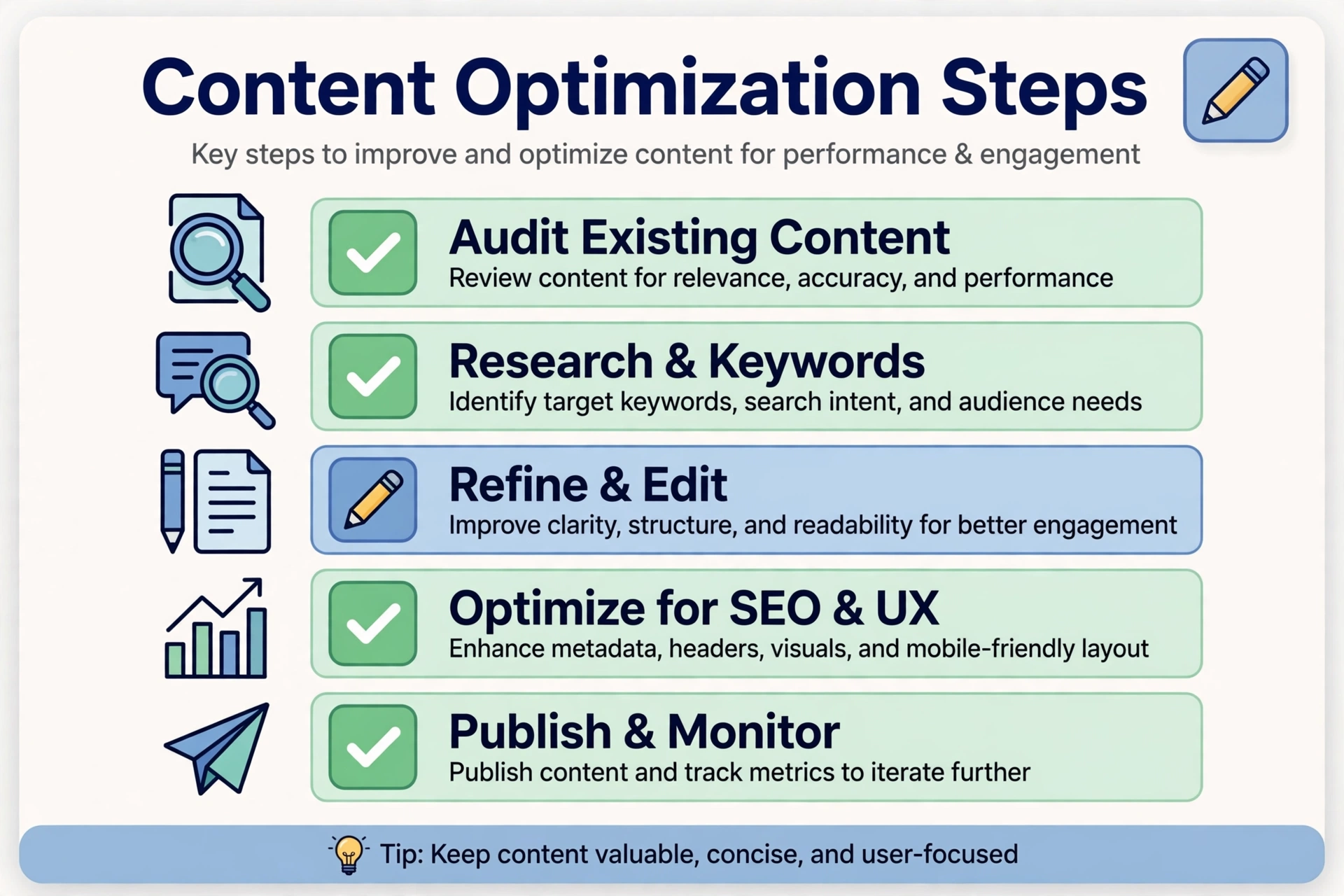
SERP Analysis Features
The core of Surfer is SERP analysis — studying what ranks. A good SERP analysis free alternative helps you see top-ranking pages, their headings, and the questions they answer. Manual SERP review in Google can do much of this for free.
Look for tools or methods that show you real ranking pages, not just generic advice. The closer your alternative gets to actual search results, the more useful it is.
Term and Question Suggestions
Surfer suggests related terms to include. Free alternatives can surface these too. Google’s autocomplete, “People also ask” boxes, and free question-research tools reveal the exact language searchers use.
These suggestions guide your content naturally. When your article answers the same questions top pages answer, using similar terms, it becomes more competitive.
Ease of Use and Real Limits
Free tools always have limits: fewer searches per day, fewer features, or basic interfaces. That is fine if you know the limits upfront. Check what the free tier actually includes before you build a workflow around it.
Also consider your volume. If you optimize two articles a month, free limits are plenty. If you optimize twenty, you may eventually need a paid tool.
10 Surfer SEO Free Alternatives
Here are ten Surfer SEO alternative free options, from fully free methods to budget-friendly tools. Pricing changes often, so verify current plans on each tool’s website before you commit.
1. Manual SERP Analysis (Free)
The most powerful free alternative is your own eyes. Search your keyword in Google, open the top five results, and study them. Note their headings, length, topics covered, and questions answered. Then make your article more complete.
- Best for: Anyone willing to spend 30 minutes per keyword.
- Pros: Completely free; builds real SEO instincts; no tool limits.
- Cons: Takes longer than automated tools; easy to miss patterns.
- Pricing: Free — it is a method, not a product.
2. Google Search Console (Free)
Search Console shows which queries already bring people to your pages. Use it to find terms your page ranks for but does not fully address. Adding a section on those terms is free optimization guided by real data.
- Best for: Optimizing content you have already published.
- Pros: Free; uses your real search data; official Google tool.
- Cons: Only works for pages that already get impressions; no competitor analysis.
- Pricing: Free.
3. RankMath Content AI (Free Tier)
RankMath is a popular WordPress SEO plugin with a free tier. Its content analysis scores your draft on basics like keyword usage, heading structure, and readability. It is not as deep as Surfer, but it covers the fundamentals well.
- Best for: WordPress users who want in-editor guidance.
- Pros: Works inside WordPress; free tier available; covers on-page basics.
- Cons: Suggestions are basic compared to dedicated optimizers; WordPress only.
- Pricing: Free tier available; paid plans exist — check current pricing.
4. Yoast SEO (Free Plugin)
Yoast SEO’s free version analyzes your content for readability and basic SEO. It checks sentence length, paragraph length, subheading distribution, and keyword placement. These basics matter more than beginners think.
- Best for: WordPress beginners who need readability guardrails.
- Pros: Free; excellent readability feedback; huge user community.
- Cons: Limited optimization depth; suggestions can feel rigid.
- Pricing: Free version available; paid plans exist — check current pricing.
5. NeuronWriter (Budget Paid)
NeuronWriter offers SERP analysis, content scoring, and AI writing at a lower price than premium optimizers. It is not free, but it is one of the most affordable tools in this category, making it a common step up from free methods.
- Best for: Bloggers ready to pay a little for real optimization data.
- Pros: Affordable for the category; includes AI writing; supports many languages.
- Cons: Not free; interface less polished than premium tools.
- Pricing: Paid plans — check current pricing.
6. Frase (Trial Options)
Frase builds content briefs from SERP data and includes AI writing features. It is a paid tool, but it sometimes offers trial options that let you test the workflow. It is worth knowing about as a Frase alternative and a mid-range step between free tools and premium optimizers.
- Best for: Teams that want research briefs plus writing help.
- Pros: Strong brief builder; question research from real SERPs; AI writing included.
- Cons: Paid; trial limits may be tight for heavy use.
- Pricing: Paid plans — check current pricing and trial terms.
7. ChatGPT or Claude (Free Tiers)
Free SEO writing tools like AI assistants can suggest related terms, questions, and headings for your topic. Ask for “20 related subtopics and questions about [keyword] that a thorough guide should cover.” The output needs human review, but it is a fast starting point.
- Best for: Brainstorming terms and questions to cover.
- Pros: Free tiers available; fast; flexible for many tasks.
- Cons: No real SERP data; can invent irrelevant suggestions.
- Pricing: Free tiers available; paid plans exist — check current pricing.
8. AlsoAsked (Free Tier)
AlsoAsked maps “People also ask” data into visual trees of related questions. This shows you exactly what searchers ask around your topic. Covering these questions makes your content more complete — one of the main things optimizers measure.
- Best for: Finding question-based subtopics fast.
- Pros: Visual question maps; based on real Google data; free tier available.
- Cons: Limited free searches; focused on questions only.
- Pricing: Free tier available; paid plans exist — check current pricing.
9. AnswerThePublic (Free Tier)
AnswerThePublic turns autocomplete data into lists of questions, prepositions, and comparisons around your keyword. It is great for discovering the natural language people use, which helps your content match searcher wording.
- Best for: Discovering long-tail questions and phrasing.
- Pros: Easy visual reports; free tier available; great for content ideas.
- Cons: Limited free searches per day; no optimization scoring.
- Pricing: Free tier available; paid plans exist — check current pricing.
10. Free SEO Browser Extensions
Several free Chrome extensions add SEO data to your browsing. Tools in this space can show heading structures, word counts, and basic on-page details as you visit ranking pages. They turn manual SERP analysis from tedious to quick.
- Best for: Speeding up manual SERP review.
- Pros: Free; work right in your browser; no new workflow to learn.
- Cons: Features vary; data is surface-level compared to paid tools.
- Pricing: Free — check each extension’s listing for details.
Quick Comparison Table
| Alternative | Cost | Main Strength | Limitation |
|---|---|---|---|
| Manual SERP analysis | Free | Builds real instincts | Time-consuming |
| Google Search Console | Free | Your real query data | Existing pages only |
| RankMath Content AI | Free tier | In-WordPress guidance | Basic suggestions |
| Yoast SEO | Free version | Readability checks | Rigid, basic |
| NeuronWriter | Budget paid | Affordable optimizer | Not free |
| Frase | Paid/trial | SERP-based briefs | Paid |
| ChatGPT / Claude | Free tiers | Fast brainstorming | No real SERP data |
| AlsoAsked | Free tier | Question maps | Daily limits |
| AnswerThePublic | Free tier | Long-tail discovery | Daily limits |
| SEO extensions | Free | Quick page stats | Surface-level data |
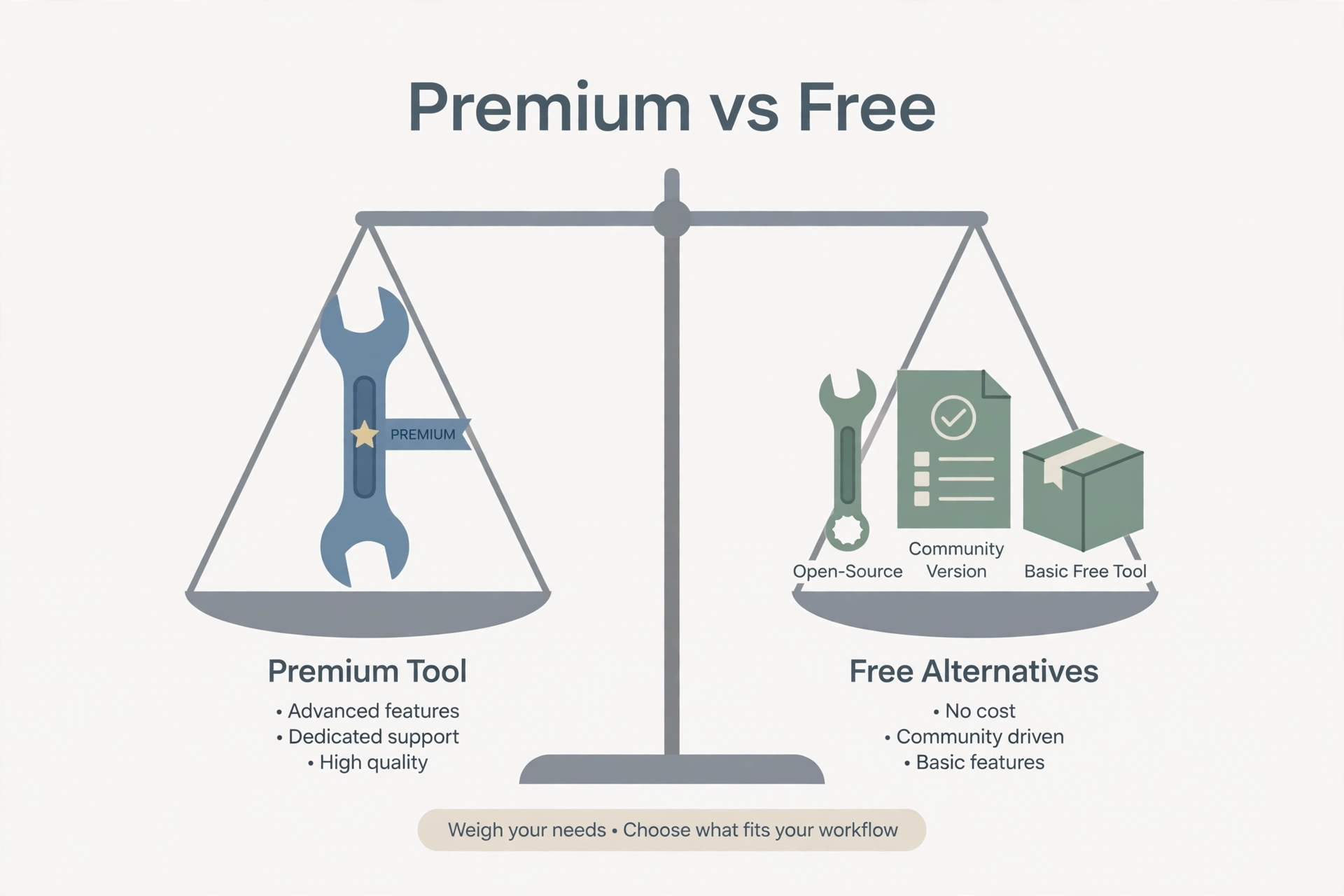
How to Choose the Right Alternative
Match the tool to your publishing volume. If you optimize a few articles a month, free methods and free tiers are plenty. Manual SERP analysis plus AlsoAsked covers most of what beginners need.
If you publish weekly and want automation, consider a budget paid NeuronWriter alternative to Surfer. The time savings add up fast at higher volumes. But do not pay for features until free methods feel too slow — that is the signal you have outgrown them.
Combine Tools Instead of Replacing One With One
No single free tool matches Surfer feature for feature. The winning approach is a stack: manual SERP review for structure, AlsoAsked for questions, and RankMath or Yoast for in-editor checks. Together, they cover the same ground.
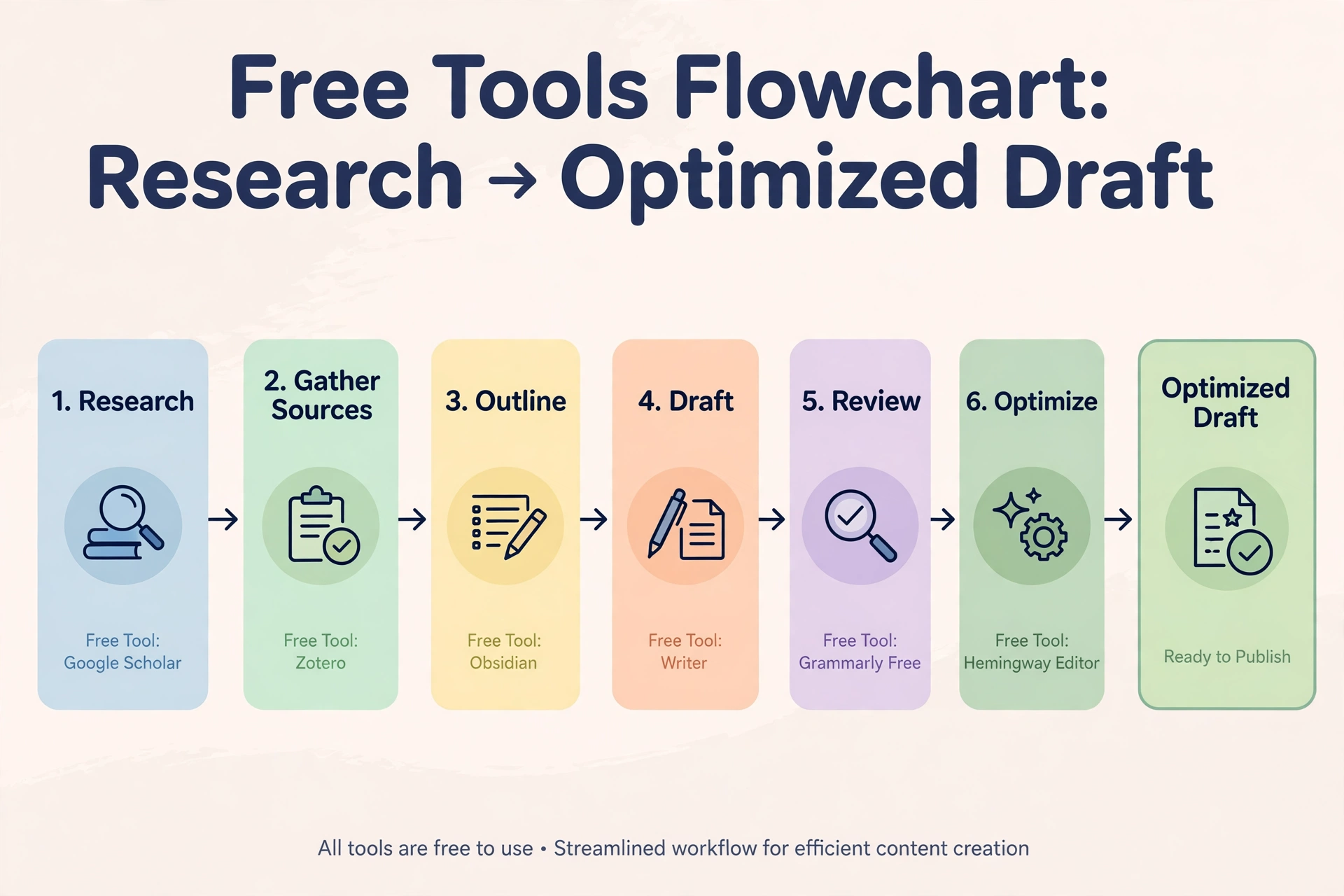
This stack also teaches you more. Automated tools can make you lazy about understanding why pages rank. Manual work builds instincts that no tool can give you.
Try Surfer SEO Free Alternatives Before Paying for Surfer
The smartest path to Surfer SEO free alternatives is to master the free workflow first. When you understand what optimization actually involves, you can judge whether a paid tool is worth it. Many bloggers find the free stack sufficient and never upgrade.
If you do outgrow free tools, you will buy with confidence. You will know exactly which features you need because you have been doing the work manually.
The Free Manual Method: Optimize Content Without Surfer
Here is a complete optimization process using nothing but Google. It takes about 30 to 45 minutes per article and works surprisingly well.
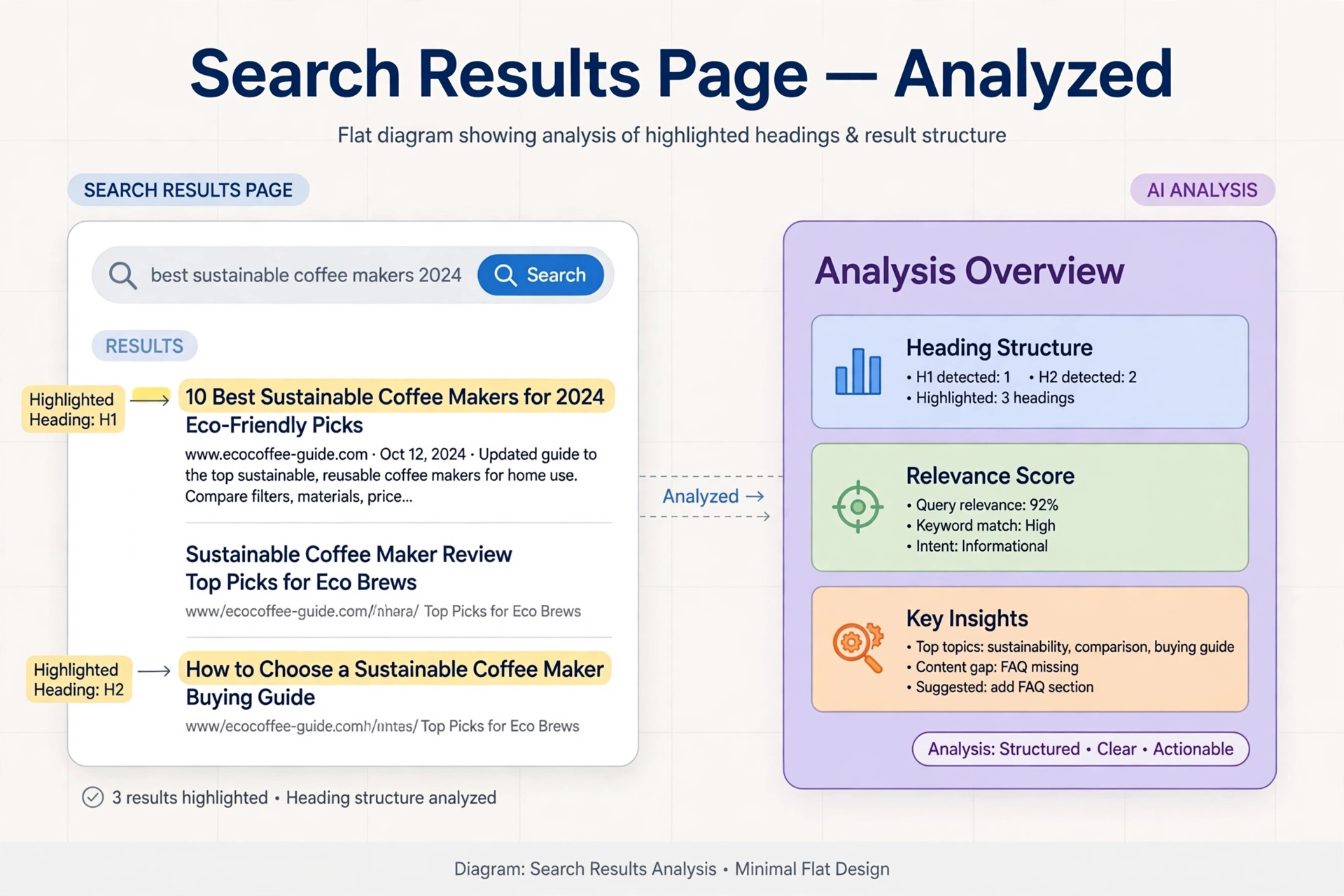
- Search your target keyword in an incognito window.
- Open the top five ranking pages (skip ads).
- For each page, note the H2 headings, approximate length, and topics covered.
- Collect every question from the “People also ask” box.
- List related terms that appear across multiple top pages.
- Compare this against your draft and note the gaps.
- Add missing sections, answer the collected questions, and use natural related terms.
- Check that your title and headings are clearer than the competition’s.
This method teaches you what Surfer automates. After doing it ten times, you will spot thin content and missing subtopics almost instantly. That skill stays with you no matter which tools you use later.
Common Mistakes to Avoid
- Chasing a perfect score. Optimization suggestions are guidance, not grades. A natural, helpful article beats a mechanically “perfect” one.
- Stuffing suggested terms. Forcing every related term into your text hurts readability. Use terms where they fit naturally.
- Copying competitors’ structure exactly. Learn from top pages, then improve on them. Do not clone them.
- Ignoring search intent. The fanciest optimization cannot save content in the wrong format. Match what rankers look like first.
- Skipping the manual check. Even with tools, glance at the actual SERP. Tools summarize; your eyes catch nuance.
- Optimizing thin content. No tool fixes a shallow article. Make the content genuinely good first, then optimize.
Looking for more free ways to optimize content? Browse more content optimization guides on SearchEngineInsight.
Frequently Asked Questions
What is the best free alternative to Surfer SEO?
There is no single perfect free replacement, but manual SERP analysis combined with free tools works well. Study the top five ranking pages yourself, use AlsoAsked for question research, and check your draft with RankMath or Yoast. This free stack covers most of what Surfer automates.
Is there a completely free tool like Surfer SEO?
Not exactly. Surfer’s automated SERP-based scoring is a paid feature. But you can replicate the core workflow for free: analyze ranking pages manually, gather related questions from Google, and review your draft with free WordPress plugins. It takes more time but costs nothing.
Can I do content optimization without any tool?
Yes. The manual method — studying top-ranking pages, collecting “People also ask” questions, and comparing your draft against the competition — is how SEOs optimized content before these tools existed. It takes 30 to 45 minutes per article and builds strong instincts.
Is Surfer SEO worth paying for?
It depends on your volume. If you publish many articles monthly and the time savings outweigh the subscription cost, it can be worth it. If you publish a few posts a month, free alternatives usually suffice. Master the free workflow first, then decide.
What does Surfer SEO actually measure?
Surfer analyzes top-ranking pages for your keyword and suggests structural and topical guidance — things like word count ranges, heading ideas, and related terms to cover. Think of it as a competitive checklist, not a ranking guarantee.
Are free SEO tools accurate?
Free tools are accurate within their limits. Google Search Console data is exact. Question tools reflect real Google data. What free tools lack is usually depth and automation, not correctness. Be wary of any tool — free or paid — that promises guaranteed rankings.
Can ChatGPT replace Surfer SEO?
Partially. ChatGPT can brainstorm related terms, questions, and headings quickly. But it has no access to live SERP data, so its suggestions are educated guesses. Use it for ideation, then verify against actual search results yourself.
How do I optimize content for free in WordPress?
Install RankMath or Yoast SEO (both have free versions) for in-editor checks on readability and basic on-page factors. Combine that with manual SERP analysis before you write. This covers structure, readability, and topical completeness at zero cost.
Do I need an optimizer tool to rank on Google?
No. Many pages rank without ever touching an optimizer tool. What matters is helpful, complete content that matches search intent. Tools speed up the process and catch gaps, but they are helpers — not requirements.
What is the cheapest paid Surfer alternative?
Pricing changes frequently, so check current pricing before deciding. Budget-friendly optimizers like NeuronWriter are often mentioned as affordable options in this category. Compare the free tier limits and paid plans of a few tools against your monthly publishing volume.
Conclusion: Surfer SEO Free Alternatives
You do not need an expensive subscription to optimize content well. The best Surfer SEO free alternatives combine manual SERP analysis with free tools like Google Search Console, AlsoAsked, and RankMath or Yoast. This stack covers the core of what Surfer does: understanding top-ranking pages and making your content more complete. Master the free workflow first. If your publishing volume eventually demands automation, you will know exactly which paid features are worth the money.