How to Send Gift Messages on Instagram in 2025 | Step-by-Step Guide
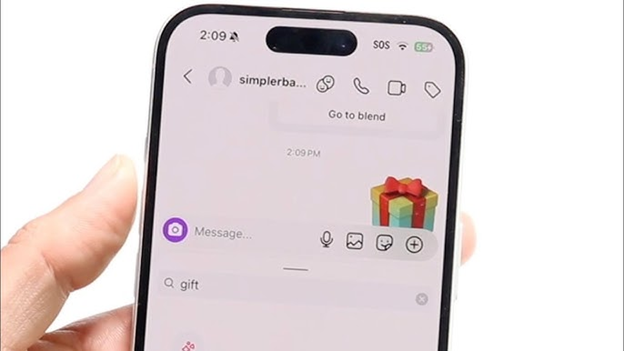
In 2025, Instagram gift messages are drawing increased attention. This feature allows users to send a Direct Message (DM) with the message enclosed in a virtual gift box. The recipient must tap the box to uncover the hidden message, adding an element of surprise and excitement. This playful feature enhances user engagement by creating a fun and intriguing experience. Users often use this feature for birthdays, holiday greetings, or any moment where they want the conversation to feel special.
Instagram has evolved into more than just a photo-sharing app. Today, it is one of the main ways people connect with friends, family, and even brands. Over the years, Instagram has added new tools to make conversations fun and interactive. Features like reactions, stickers, vanish mode, and notes gave users new ways to express themselves.
Learning how to send gift messages on Instagram in 2025 is straightforward, but many people still struggle to find the option or understand how it works. In this guide, we will cover what gift messages are, why people use them, and provide a complete step-by-step method for sending one. By the end, you will know everything about this feature and how to use it to make your Instagram chats stand out in 2025.
Table of Contents
What Are Gift Messages on Instagram?
An Instagram gift message is a direct message that looks like a small wrapped gift box instead of standard text. When they receive it, the recipient will see the gift box icon in their chat. They need to tap the box to “unwrap” and reveal the hidden message inside. This feature adds a personal and playful touch to simple text, making the conversation more engaging and enjoyable. It’s these personal and playful elements that make Instagram gift messages so unique and special.
Unlike regular DMs, a gift box DM on Instagram creates suspense and excitement. The message stays hidden until it is opened, making it ideal for surprises. Whether you are sending “Happy Birthday,” “Congratulations,” or even a short inside joke, the animation adds a fun touch that regular text cannot match. It’s this fun and surprise that makes Instagram gift messages so entertaining and delightful.
In simple terms, a gift message on Instagram is more than just text; it’s a visual experience that adds excitement to chats and allows users to express emotions in a unique way.
Why People Use Gift Messages
People use Instagram gift messages because they make conversations feel special. A standard text in DMs often feels flat, but a gift box DM adds an element of surprise. When the receiver taps to unwrap the message, it creates a moment of excitement. Here are the main reasons people send gift messages on Instagram:
- Special occasions: Birthdays, anniversaries, and holidays are the most common times when people send gift messages. A hidden “Happy Birthday” feels more fun than plain text.
- Romantic chats: Couples use the feature to send sweet or playful notes wrapped in a digital gift.
- Friendship and bonding: Friends often send jokes, compliments, or short greetings through a gift box DM.
- Surprise announcements: People use gift messages to reveal news, such as getting a new job, moving to a new city, or announcing personal milestones.
- Social media trends: Since Instagram thrives on trends, many users send gift messages simply because it is the latest feature that makes chats look stylish. For small business owners, this can be a unique way to engage with customers, promote products, or make announcements, adding a personal touch to your brand’s Instagram presence.
How Gift Messages Work on Instagram in 2025
To understand how to send gift messages on Instagram in 2025, you need to know how the feature functions. Unlike normal DMs, gift messages use a special animation system built into the app. Instead of your text appearing directly in the chat, it is wrapped inside a virtual Instagram DM gift box. Some are the key details on how they work:
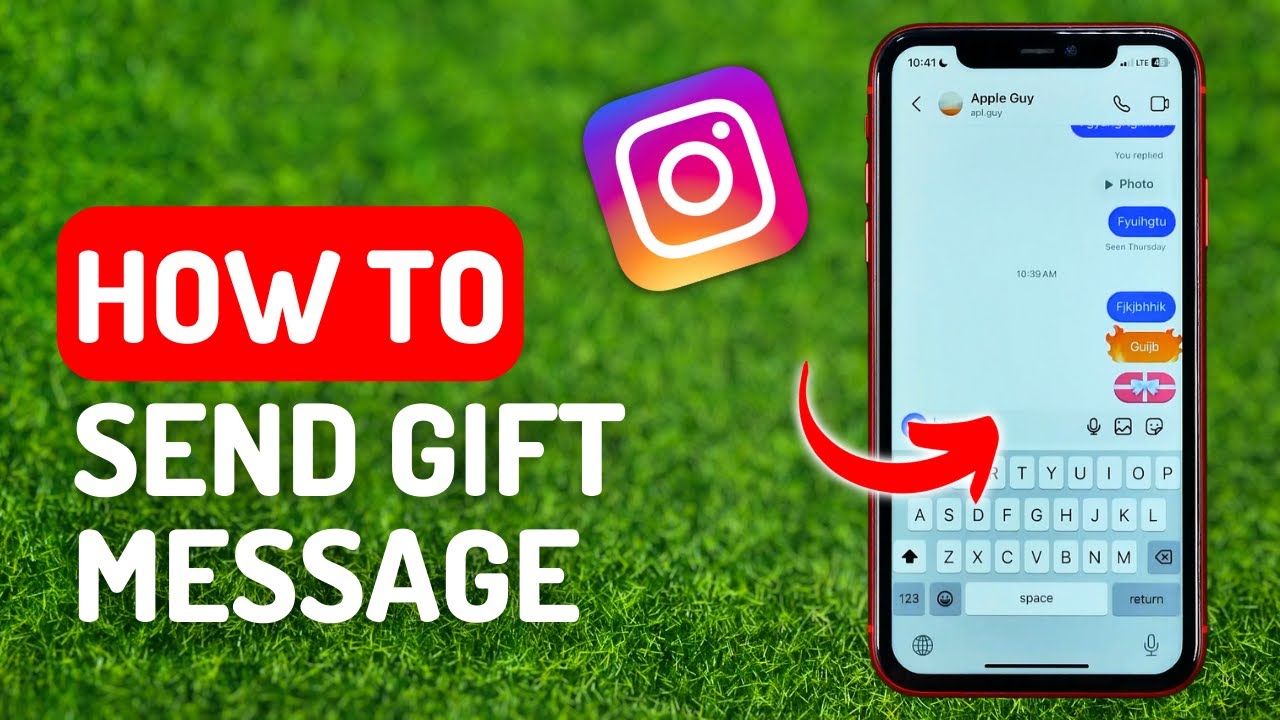
- Location in the app: The gift message option is available inside the direct messages section, right where you type your text. On the right side of the message box, you see icons such as emojis, stickers, or attachments. In 2025, Instagram added the gift box icon.
- Message wrapping: After typing your text, you select the gift box option. The app then hides your words inside the wrapping effect.
- Opening experience: For the receiver, the text appears as a gift box animation. They must tap to unwrap and view the hidden content.
- Compatibility: Gift messages are compatible with both iOS and Android apps. On desktop, Instagram web supports the feature, but with limited animations. The best experience remains on the mobile app.
- Interaction style: The feature mimics real-life gift-giving by turning your message into something that feels more personal and exciting.
How to Send Gift Messages on Instagram (Step-by-Step Guide)
Sending a gift message on Instagram in 2025 is simple once you know where to find the option. The feature is built directly into the chat interface, so you do not need any third-party apps. Follow these steps to send your first Instagram DM gift box.
Step 1: Open the Instagram App
Ensure you have the latest version of Instagram installed. Updates to the app’s layout are frequently made, so an outdated version may not display the gift message feature. Launch the app and log into your account.
Step 2: Go to Direct Messages (DMs)
Tap the Messenger icon located at the top right of your Instagram home screen to open your chats. Choose the person or group you’d like to send a gift message to.
Step 3: Type Your Message
Type your message in the chat box. This could be a birthday wish, a secret announcement, or a short personal note. Please note that the message will remain hidden inside the gift box until it is opened.
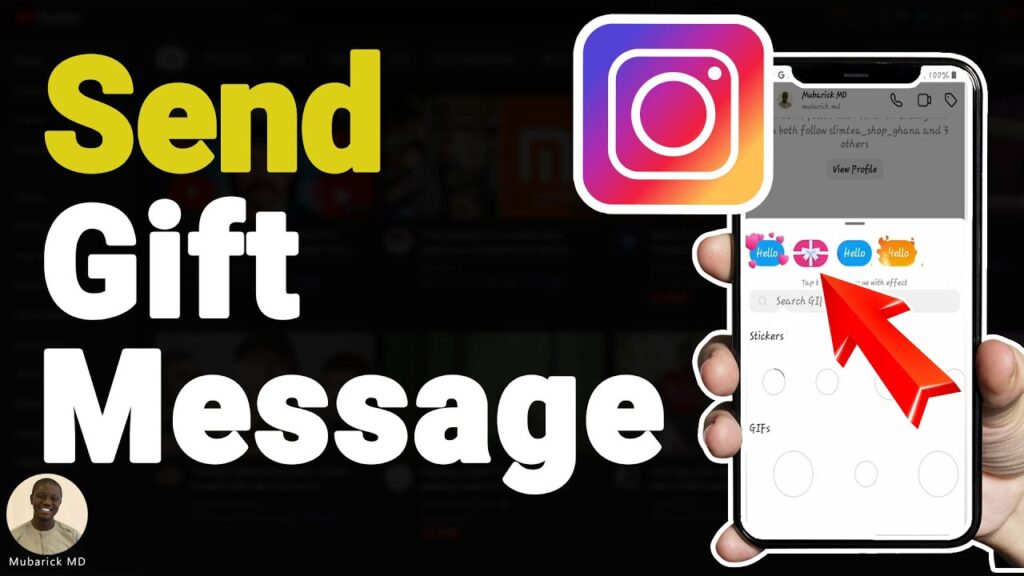
Step 4: Tap the Gift Box Icon
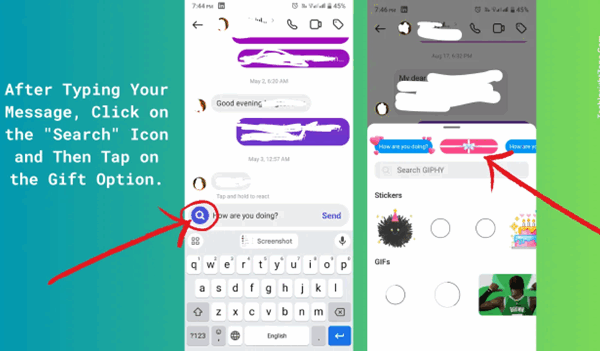
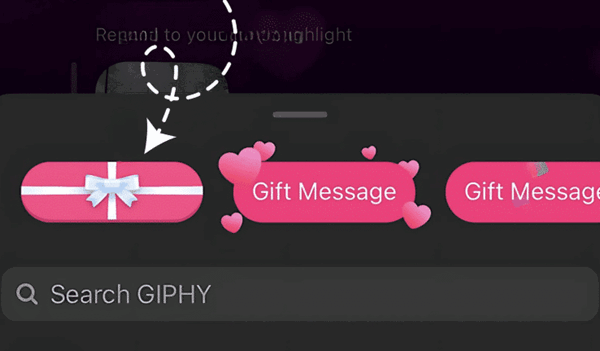
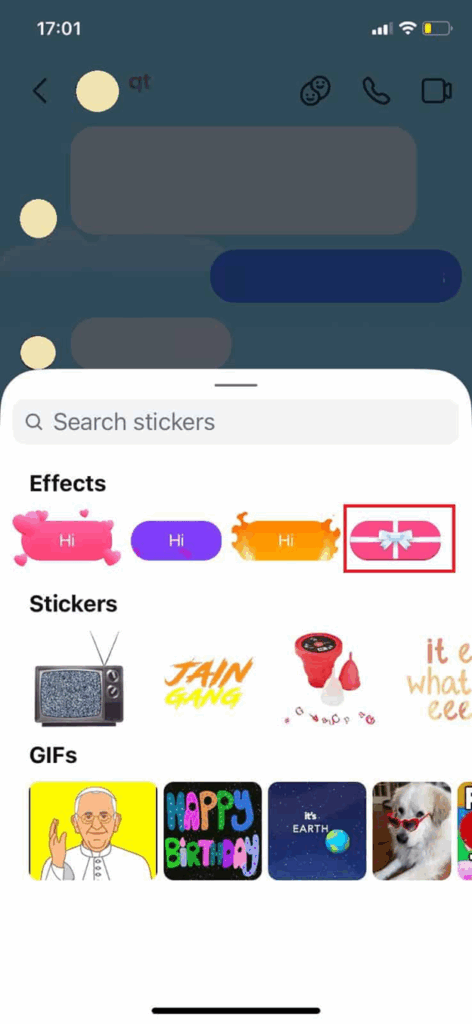
Next to the text box, you will see various icons, including stickers, emojis, and attachments. In 2025, Instagram added a gift box symbol. Tap this icon to wrap your text inside a virtual box.
Step 5: Choose Wrapping Style (Optional)
Instagram lets you select different wrapping options. For example:
- Standard colorful box
- Sparkle animation
- Seasonal themes (Christmas, New Year, Valentine’s Day, etc.)
- Minimal design for casual use
Pick the style that matches your message.
Step 6: Send the Gift Message
Once you have selected the design, tap Send. Your text will appear in the chat as a wrapped gift box. The recipient will see only the box until they tap to open it.
Step 7: Preview How It Looks
To check the animation, long-press your sent gift message and select “Preview” to see how the box unwraps.
Quick Tips for Sending Gift Messages
- Keep the text concise and straightforward for optimal animation effects.
- Use emojis to add more personality to your hidden message.
- Select wrapping colors that complement the mood of the conversation.
- If the feature does not appear, update your Instagram app to the latest version.
Customization Gift Messages Options in 2025
One reason people enjoy Instagram gift messages is the ability to personalize them. In 2025, Instagram expanded customization options, allowing users to match the wrapping style to the occasion or their personal taste. Instead of sending the same standard design, you can choose from multiple gift box styles to make your message stand out.
Wrapping Colors
Instagram allows you to select different colors for the digital gift box. For example:
- Classic red for love notes.
- Bright yellow for cheerful greetings.
- Pastel shades for casual chats.
- Dark tones for a formal or minimalist style.
This helps the sender control the mood of the message.
Animated Effects
Gift messages now include animation choices. When the recipient unwraps the box, you can add extra effects such as:
- Sparkles or confetti.
- Floating hearts.
- Fireworks.
- Seasonal animations (snowflakes in winter, flowers in spring).
These features enhance the interactivity of the Instagram DM gift box.
Seasonal and Event Themes
Instagram releases limited-time wrapping themes for holidays and global events. Examples include:
- Valentine’s Day hearts and ribbons.
- Eid, Diwali, or Christmas festival themes.
- New Year countdown boxes.
- Graduation or birthday party designs.
These themes change throughout the year, keeping the feature fresh and engaging.
Font and Emoji Integration
In 2025, you’ll also be able to customize the text style within the gift message. Users can choose between bold, italic, and decorative fonts. Adding emojis makes the hidden message look more expressive once revealed.
Creative Ways to Use Gift Messages
Gift messages are not limited to birthdays or simple greetings. In 2025, people are finding creative ways to use the Instagram DM gift box to make conversations more engaging. Here are some ideas you can try.
Birthday Wishes
Instead of sending a plain “Happy Birthday,” wrap it in a colorful box with confetti animation. You can also add a short personal note or an inside joke that reveals once the box is opened.
Romantic Messages
Couples often use gift messages on Instagram to send sweet words or surprise each other with thoughtful messages. Adding a heart-themed wrapping makes the moment more special. For example, you can send a short message, such as “I miss you” or “See you tonight,” hidden inside a gift box.
Friendship Notes
Friends use gift box DMs to share jokes, encouragement, or random fun messages. It adds energy to daily conversations and makes casual chats feel more interactive.
Surprise Announcements
You can use a gift message to reveal personal news. The hidden text makes the announcement more exciting when unwrapped. For example:
“I got the job!”
“I’m moving to a new city.”
“We’re engaged.”
Group Celebrations
In group chats, a gift message can bring everyone together. For example, sending a box with “Let’s meet at 7 PM tonight” adds suspense before the plan is revealed.
Difference Between Gift Messages and Other Instagram Features
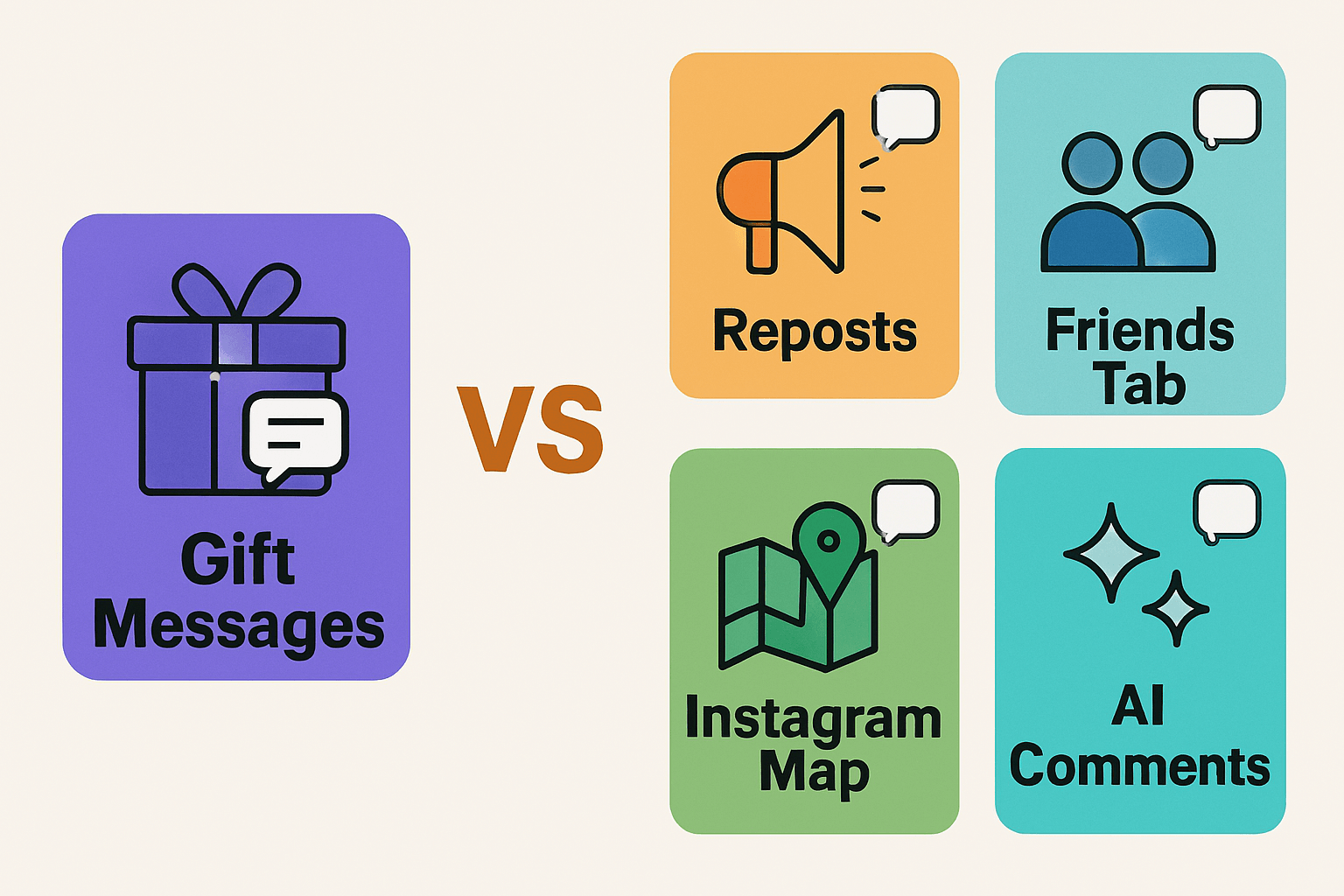
Instagram has several features inside DMs, and each works differently. Here’s how gift messages compare with other popular tools.
Feature | How It Works | Key Purpose | How It Differs from Gift Messages |
Gift Messages | The text is hidden inside a virtual gift box that unfolds when tapped. | Surprise greetings, celebrations, and creative chatting. | Adds suspense and visual effects, unlike standard text. |
Regular DMs | Plain text appears instantly in chat. | Daily communication. | No animation or hidden effect. Gift messages feel more playful. |
Disappearing Messages | Messages vanish after being viewed once. | Privacy and temporary sharing. | Gift messages remain in the chat until you delete them. |
Vanish Mode | The entire chat disappears when the window is closed. | Private or short-term chats. | Gift messages remain stored in the DM history. |
Stickers/GIFs | Visual add-ons that appear directly in chat. | Fun, expressive reactions. | Stickers are visible instantly, while gift messages reveal text only when opened. |
Instagram Notes | Short updates above the inbox. | Status updates for friends. | Notes are public to followers, while gift messages are private and personal. |
Troubleshooting Gift Messages
Sometimes, users encounter issues when attempting to send gift messages on Instagram. The feature may not appear, or the gift box may not open properly. Below are the most common issues in 2025, along with their solutions.
1. Gift Message Option Not Showing
Possible Reasons:
- Outdated Instagram app.
- Region where the feature is not rolled out yet.
- Using Instagram Lite or a limited version.
Fix:
- Update the app from the App Store or Google Play.
- Switch to the full version of Instagram.
- Wait for Instagram to roll out the update in your country.
2. Gift Message Won’t Open
Possible Reasons:
- The Internet connection is weak.
- The app is having problems with cached data or is lagging.
Fix:
- Refresh the app or restart your phone.
- Clear Instagram cache in your phone settings.
- Try logging out and back into your account.
3. Animation Not Working Properly
Possible Reasons:
- Using an older device that does not fully support animations.
- Instagram app bug after an update.
Fix:
- Keep your phone’s OS updated.
- Reinstall the Instagram app.
- Check if Instagram has released a bug fix in the latest version.
4. Gift Messages Not Sending in Group Chats
Possible Reasons:
- Group settings might restrict certain features.
- Temporary glitch in Instagram servers.
Fix:
- Try sending the message in a private DM to confirm if it works.
- If the feature is turned off for groups in your version, wait for updates.
Quick Checklist Before Troubleshooting
- Update Instagram to the latest version.
- Ensure your phone OS is updated.
- Clear the cache or reinstall the app if the feature is not functioning correctly.
- Check the Instagram Help Center for known issues and bugs.
Gift Messages in Professional or Business Use
Gift messages are not only for personal chats. In 2025, many brands and influencers on Instagram have started using the gift box DM feature as part of their communication strategy. The interactive aspect of gift messages enables businesses to distinguish themselves in a crowded inbox.
Customer Engagement
Businesses use Instagram gift messages for business to make conversations with customers more fun. For example, instead of sending a plain “Thank you for shopping with us,” a store can send the message wrapped in a gift box with a confetti animation. This feels more personal and memorable for the customer.
Discount Codes and Offers
Some brands send promotional codes inside gift box DMs. The recipient must unwrap the box to reveal the discount, adding an element of surprise and excitement. This technique increases customer interaction and response rates.
Event Invitations
Event organizers and brands promoting product launches use gift messages to send invites. A wrapped message with “You’re invited” inside looks more engaging than a plain DM.
Group Announcements
Business teams also use the feature in group chats. For example, a company could send “Team meeting at 4 PM” as a wrapped message to keep workplace chats lively.
Read More: What are Zoechip Alternatives?
Instagram Gift Messages vs Other Platforms
Different social apps offer unique ways to send creative messages. Here’s how Instagram gift messages in 2025 compare with features on other platforms.
Platform | Feature | How It Works | Difference from Instagram Gift Messages |
Gift Messages | Text hidden inside a virtual gift box, revealed when tapped. | Focuses on surprise and suspense with unwrap animation. | |
Snapchat | Charms & Stickers | Users send stickers or charms that show shared activity. | Always visible, no hidden text or unwrap effect. |
Disappearing Messages | Messages vanish after a set time. | Privacy-focused, not designed for celebrations or fun. | |
Facebook Messenger | Animated Effects | Send hearts, confetti, or themed animations with text. | Effects are instant, with no hidden “gift box” feature. |
TikTok | Message Effects (stickers & gifts) | Creators send effects or digital gifts in chats. | Tied to TikTok’s gifting system, often linked to coins or payments. |
Twitter (X) | Plain DMs | Basic text and media sharing. | No creative wrapping or animation options. |
User Tips and Best Practices for Gift Messages
Knowing how to send a gift message is one thing, but using it effectively makes your chats more meaningful. Here are some tips to maximize the effectiveness of Instagram gift messages in 2025.
● Keep It Short
Gift messages work best with short, clear text. A quick “Happy Birthday,” “Congrats,” or “I miss you” feels stronger when revealed from a gift box than a long paragraph.
● Match Wrapping to the Occasion
Choose colors and effects that fit the event. For example:
- Red with hearts for romantic notes.
- Bright colors with confetti for birthdays.
- Minimal design for casual or professional chats.
● Use Emojis for Expression
Adding emojis inside your hidden message makes the reveal more expressive. A plain “Thanks” looks better as “Thanks 🎉🙌” when unwrapped.
● Don’t Overuse the Feature
Gift messages lose their charm if sent too often. Save them for moments where you want extra impact.
● Test Before Sending
If the message is essential, preview it first. This helps you confirm the animation works and the wrapping matches your intention.

Read More: What is Xaller?
Conclusion:
Instagram gift messages in 2025 have become one of the simplest ways to make conversations more interactive. They allow you to turn a standard line of text into a surprise, making your DMs more fun and personal. You learned how to send gift messages, when to use them, how to troubleshoot common issues, and tips to make them more effective.
The feature is free, easy to access, and works best when used for special moments. Whether you are wishing someone a happy birthday, saying thank you, or sending a romantic note, wrapping your message in a gift box adds extra meaning.
Frequently Asked Questions:
A gift message feature on Instagram DMs displays your text inside a digital gift box. The recipient taps the box to “unwrap’ it and read your message.
Type your message in DM, tap the search icon next to the text box, select Gift Box, and send. The message will then appear wrapped.
No, gift messages are only available in direct messages. Instagram Stories and Reels use stickers and interactive features, not the gift wrap option.
As of 2025, Instagram offers preset wrapping colors and styles. Complete customization, such as uploading personal themes, is not yet available.
Currently, the gift message option is available only on mobile devices. The web version of Instagram does not support gift wrapping in DMs.
No, gift messages are complimentary. However, in the future, Instagram may introduce premium wrapping designs for its subscribers.