
What Does ‘Post Unavailable’ Mean on Instagram? — 2025 Guide
Let me clarify: ‘Post Unavailable’ on Instagram doesn’t always mean there’s an issue with your phone. Sometimes the original post was deleted or archived, sometimes the account is private (and you’re not approved yet), sometimes you’ve been blocked, or the profile is deactivated. Other times, it’s just app, cache, or network problems.
You saw a notification on your phone, then tapped a link in your DMs or opened a shared Reel only to see ‘Post Unavailable’ on Instagram — you’re not alone. This is a common issue that many Instagram users encounter. It’s a small message that can cause a lot of confusion.
In 2025, as Instagram continues to evolve—through the rise of private accounts, tighter safety controls, and ever-changing DM sharing—the ‘post unavailable’ screen appears more frequently in DMs, group chats, Stories, and Reels shares. This guide breaks down what ‘Post Unavailable’ means on Instagram, the most common reasons you see it, and the exact steps to fix it—no guesswork, no tech jargon. Yes, you heard it right, so don’t go anywhere, and let’s get started.
Table of Contents
What Does "Post Unavailable" Mean on Instagram in 2025?
When you see “Post Unavailable” on Instagram, it simply means that the content you’re trying to view is not accessible to your account at that moment. It doesn’t always mean the post is gone forever—it could be hidden, restricted, deleted, or blocked due to account or platform settings.
Think of it as Instagram’s way of saying: “This post exists, but not for you right now.“
In 2025, this message is more common because Instagram has tightened rules around privacy, content moderation, and account restrictions. With more people running private accounts, stricter age and region-based filters, and Instagram’s continuous algorithmic updates, posts can appear in your feed or DMs but then vanish into the “unavailable” screen when you try to open them.
Here’s what it usually means in real life:
- The post was deleted or archived by the user.
- The content originates from a private account you don’t follow.
- The poster has either blocked you or deactivated their profile.
- Instagram has removed the post for breaching community guidelines.
- There’s a technical issue—like a cache error, outdated app, or connectivity problem.
So, while the words “post unavailable” seem vague, the reasons behind it become clear once you know where to look.
Common Causes Behind the "Post Unavailable" Message on Instagram
Now that we understand the message, let’s break down the primary reasons why Instagram displays “Post Unavailable” in 2025. These causes usually fall into the following three categories:
1. Content-Level Causes
Deleted Post
- The most common reason: the post no longer exists.
- The user may have permanently deleted it, or Instagram may have removed it for violating community guidelines.
- Example: You tap a Reel a friend sent last night, but by morning, it’s gone.
Archived Post
- Instead of deleting, users can archive posts.
- Archived content disappears from their profile but may still circulate in older DMs—leading to the post unavailable on Instagram error.
Instagram-Removed Post
- Instagram actively removes content that breaks its rules (hate speech, nudity, misinformation, copyright violations).
- In this case, neither you nor the sender can reaccess it.
2. Account-Level Causes
Private Account
- If someone shares a post from a private account and you’re not following that account, you’ll only see “Post Unavailable.”
- This is especially common in group chats when one person follows a private profile, but others don’t.
Blocked Accounts
- If the user who posted has blocked you, their content automatically becomes unavailable.
- You may still see the post preview in a DM, but when you tap, it disappears.
Deactivated or Suspended Account
- Sometimes the account itself is deactivated voluntarily or suspended by Instagram.
- Any content linked to it instantly becomes unavailable as an Instagram post.
Age or Region Restrictions
- Some content is hidden from users under 18 or restricted in certain countries.
- If your profile’s age setting doesn’t match, or the content isn’t allowed in your region, you’ll get this error.
3. Technical or Platform-Level Causes
App or Cache Glitches
- An outdated Instagram app or corrupted cache files can prevent posts from loading.
- Clearing the cache or updating the app usually fixes this. We’ll also highlight the importance of keeping your Instagram app updated to prevent similar issues in the future.
Poor Internet or Device Issues
- Weak Wi-Fi, unstable data, or DNS problems can block posts from loading properly.
- Sometimes switching to another device solves the issue.
Instagram Server Outage
- Occasionally, the problem isn’t you or the sender—it’s Instagram itself.
- During outages, posts, Stories, and DMs may all display “unavailable.”
Temporary Account Restrictions
- If Instagram suspects spam or unusual activity, it may temporarily restrict content visibility.
- For example, you might see a post unavailable in DMs until your account is cleared.
How To Diagnose the Cause of "Post Unavailable" on Instagram?
Instead of guessing, you can systematically figure out why a post is showing as unavailable. Follow this checklist, and within a few minutes, you’ll know whether it’s a content issue, account restriction, or technical glitch.
Step 1: Check With the Sender
- Ask the person who shared it, “Are you still able to see the post?”
- If they can see it but you can’t, it’s probably a private account, block, or restriction issue.
- If they also can’t see it → the post was deleted, archived, or removed by Instagram.
Step 2: Visit the Original Profile
- Tap the username (if visible).
- If you see “This Account is Private,” → it’s a private account post-unavailable situation.
- If the profile doesn’t load at all, the account may be deactivated, suspended, or blocked.
Step 3: Rule Out Privacy and Age Filters
If the account is public, but you still can’t view the post:
- Check if your age setting matches Instagram’s restriction policies (some posts are 18+).
- Posts with region-based restrictions may also appear unavailable in certain countries.
Step 4: Refresh and Reopen
- Close the Instagram app fully and reopen it.
- Log out and log back in.
- Sometimes, a temporary glitch in the feed or DMs can cause the post to show as unavailable.
Step 5: Clear Cache or Update the App
- On iPhone: Offload the Instagram app through Settings > Storage > Instagram > Offload.
- On Android: Go to Settings → Apps → Instagram → Clear Cache.
- If still broken → update Instagram to the latest version. This fixes most Instagram cache issues.
Step 6: Test Your Internet and Device
- Switch between Wi-Fi and mobile data.
- Try logging into Instagram on a different device or through Instagram Web.
- If the post appears, the issue is with your device or app installation.
Step 7: Report to Instagram (if needed)
If none of the above works and you suspect a bug or unfair restriction:
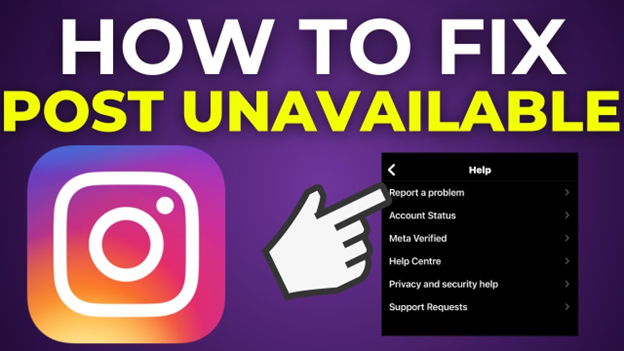
- Go to Instagram Settings → Help → Report a Problem.
- Include screenshots so Instagram can verify the issue.
Solutions & Practical Tips To Fix Instagram Unavailable Post
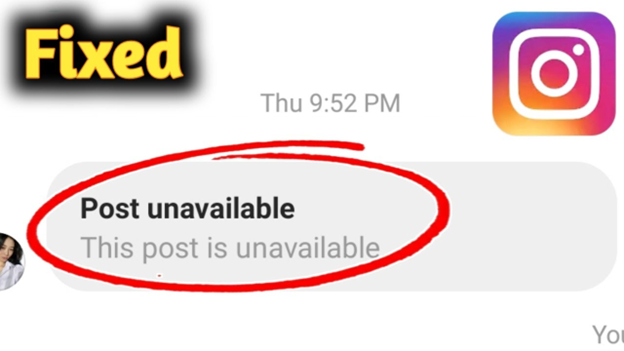
Once you know why Instagram says “Post Unavailable,” the next step is figuring out what to do about it, not every case has a fix—if a post is deleted, it’s gone for good—but in most situations, you can take simple actions to see the content or avoid the error in the future.
Here’s a quick solution that matches each scenario with the best fix:
Situation | Why It Happens | What You Can Do |
Deleted Post | The user deleted it permanently, or Instagram removed it for a guideline violation. | You can’t recover it—ask the sender for a screenshot if it’s essential. |
Archived Post | User hid it from their profile, but did not delete it. | Ask the poster if they can unarchive or send it again. |
Private Account Post Unavailable | You are unable to view the post because it was shared by a private profile that you do not follow. | Send a follow request, or ask the sharer for a screenshot. |
Blocked by the User | The account has blocked you, making all their posts unavailable. | You won’t be able to view it unless/until the block is lifted. |
Deactivated / Suspended Account | The account has been turned off or banned. | Nothing you can do—wait to see if the account comes back. |
Age Restriction | Postmarked 18+, and your profile doesn’t meet age settings. | Update your date of birth in Instagram settings (if accurate). |
Region Restriction | Content not available in your country due to laws/policies. | Try using a VPN to test from another location. |
Instagram Cache Issue | Corrupted data files prevent posts from loading. | Clear cache (Android) or Offload app (iOS) and restart Instagram. |
Outdated App | Old Instagram versions sometimes break links. | Update Instagram in the App Store/Google Play. |
Weak Internet / Device Issue | Network issues prevent the post from loading properly. | Switch between Wi-Fi and data, or try another device/browser. |
Temporary Account Restriction | Instagram has limited your activity due to spam/violations. | Wait for the restriction to lift, or report a problem in the Help Center. |
🔧 Quick Fix Checklist
✅ Refresh or reopen Instagram.
✅ Make sure you’re following private accounts.
✅ Clear cache or reinstall the app.
✅ Update to the latest version of Instagram.
✅ Double-check your age and region settings.
✅ If nothing works → Report to Instagram.
Preventive Best Practices to Avoid "Post Unavailable" on Instagram
While you can’t completely control when Instagram shows the “Post Unavailable” error (since it often depends on other people’s actions or Instagram’s own rules), you can take steps to minimize how often you face it.
Here are some practical preventive tips to make your Instagram experience smoother in 2025:
● Keep Your App Updated
Instagram rolls out new updates almost weekly in 2025. Using an outdated version increases the chance of bugs, cache errors, and broken post links. So, it is important for you to set your App Store/Google Play to auto-update Instagram.
● Follow Accounts You Engage With
Most private account errors happen when you’re not following someone who shared the content. If you often get posts from friends’ private accounts, consider following them directly.
● Maintain a Healthy Account Reputation
Instagram may temporarily restrict accounts that look spammy (too many likes, follows, or comments in a short time). A restricted account can face more “Post Unavailable” messages. So, avoid spammy behavior, and follow Instagram’s community guidelines.
● Check Age & Region Settings
If your age is set incorrectly, you might get blocked from viewing 18+ content. Similarly, some content is region-locked. So, it is important for you to ensure your account details are accurate to reduce unnecessary restrictions.
● Keep Storage and Cache Clean
Instagram stores tons of temporary data on your phone. As a result, an overloaded cache increases the likelihood of posts not loading. To resolve your issue, once a month, clear your Instagram cache (Android) or offload/reinstall the app (iOS).
● Strengthen Your Internet Connection
Weak or unstable Wi-Fi causes posts to time out, showing as “unavailable.” If you’re on poor Wi-Fi, switch to mobile data. For smoother use, stick to a 4G/5G or stable broadband connection.
● Watch Out for Deactivated/Deleted Accounts
If a user deletes or deactivates their account, you’ll always see “Post Unavailable.” Don’t rely on temporary content—screenshot or save posts you may need later.
● Report Repeated Errors
If you’re facing “Post Unavailable” too frequently, it might be a bug in your account. Use: Settings → Help → Report a Problem. Instagram support usually fixes persistent errors within a few days.
Conclusion:
The “Post Unavailable” message on Instagram might look confusing at first. Still, once you understand the reasons behind it—whether it’s a deleted post, private account, restriction, or simple glitch—it becomes much easier to handle. In most cases, a quick fix like updating the app, clearing the cache, or following the account will solve the problem.
That said, not every post is meant for you. Sometimes, Instagram is protecting user privacy, enforcing guidelines, or removing content that doesn’t meet its standards. Instead of getting frustrated, think of it as part of the platform’s evolving ecosystem in 2025, where privacy, security, and content control are bigger than ever.
Instagram is all about connection and community—and a missing post here or there doesn’t change the bigger picture. So keep exploring, keep sharing, and enjoy the moments that are available to you. Because on Instagram, the best memories are the ones you can still see, like, and relive.
Frequently Asked Questions:
It means the content you’re trying to view is not accessible to your account. This can happen if the post is deleted, archived, shared from a private account, restricted due to age/region, or if there’s a technical issue.
This usually happens when:
- The sender shared a post from a private account you don’t follow.
- The post was deleted or archived after being shared.
- The original account has been deactivated or blocked by you.
Yes, in many cases:
- Follow private accounts to see their posts.
- Update Instagram to the latest version.
- Clear the cache or reinstall the app.
- Check the internet connection or try another device.
- But if a post is deleted or the account is deactivated, there’s no way to view it again.
This can happen if:
- The user archived or deleted the post.
- Instagram removed the post for violating rules.
- You’re facing a temporary glitch—try refreshing or clearing cache.
Not always. While being blocked is one reason, there are many others, like deleted posts, private accounts, or restrictions. If you’re blocked, you won’t see the person’s profile or posts at all.
This happens if:
- The content has expired (Stories disappear after 24 hours unless saved to Highlights).
- The Reel/Story was deleted.
- The account is private or blocked from you.
- Instagram has restricted it due to guidelines.
Keep Instagram updated.
- Follow accounts whose content you want to see.
- Maintain a stable internet & clear cache.
- Avoid spammy activity to prevent account restrictions.
- Monitor for Instagram outages.



