
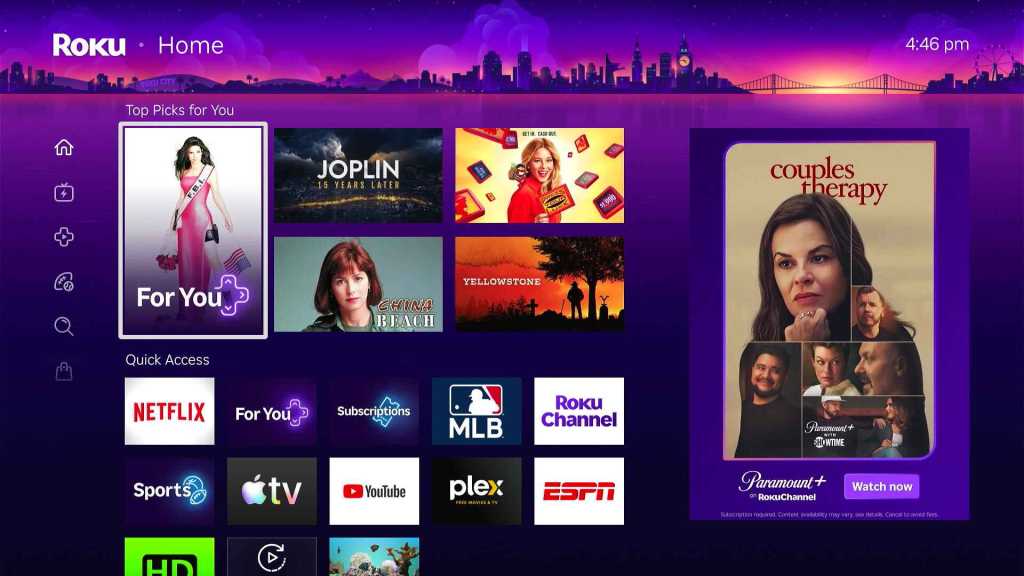
Roku Channel Alternatives: 10 Best Free Options
Roku Channel Alternatives can give you more free movies, TV shows, live channels, and on-demand content without adding another expensive subscription to your monthly budget. The Roku Channel is already a strong free streaming service, but it is not the only option. Services such as Tubi, Pluto TV, Plex, Xumo Play, and Samsung TV Plus offer their own mix of free entertainment.
The Roku Channel currently offers free movies, TV shows, Roku Originals, kids’ content, and hundreds of live channels. Roku says its service has 500+ live channels and can be watched on Roku devices, the web, mobile devices, and selected smart TVs and streaming devices.
Still, one service cannot have everything.
Maybe you want more movies.
Maybe you want more live TV.
Maybe you want a bigger selection of older shows.
Or perhaps you want a service that works better on your phone or smart TV.
That is where The Roku Channel alternatives come in.
This guide looks at the best options available today. It explains what each service offers, what makes it different, and who should use it. The goal is simple: help you find a free streaming service that fits the way you like to watch TV.
What Are the Best Roku Channel Alternatives?
There are several good choices if you want something similar to The Roku Channel. Some are better for movies, while others focus more on live TV. A few also offer features that The Roku Channel does not.
Here are some of the strongest options:
- Tubi – Best overall alternative
- Pluto TV – Best for live TV
- Plex – Best for free streaming and personal media
- Xumo Play – Best for free live channels
- Samsung TV Plus – Best for Samsung users
- Sling Freestream – Good for free live TV
- YouTube – Good for free movies and general video
- Kanopy – Best for library users
- Hoopla – Good for free movies and TV through libraries
- Free local TV and antenna services – Best for local channels
Not every service is available in every country. Content can also change based on your location.
The table below gives you a quick look before we explore each option.
| Service | Best For | Free Content | Live TV | On-Demand |
|---|
| Tubi | Movies and shows | Yes | Yes | Yes |
| Pluto TV | Live TV | Yes | Yes | Yes |
| Plex | Movies and personal media | Yes | Yes | Yes |
| Xumo Play | Live channels | Yes | Yes | Yes |
| Samsung TV Plus | Samsung users | Yes | Yes | Yes |
| Sling Freestream | Free live TV | Yes | Yes | Yes |
| YouTube | Videos and selected free movies | Yes | Some | Yes |
| Kanopy | Library members | Yes with eligible library | No | Yes |
| Hoopla | Library members | Yes with eligible library | Limited | Yes |
| Antenna TV | Local broadcast TV | Yes after equipment | Yes | No |
1. Tubi
Tubi is one of the best Roku Channel alternatives for free movies and TV shows.
If your main reason for using The Roku Channel is free on-demand content, Tubi should be near the top of your list.
Tubi says it offers thousands of movies and TV shows for free. It also says there are no subscription fees and no credit card required for its free service.
That makes Tubi very easy to try.
You open the service.
You find something you like.
You press play.
You do not need to add another monthly payment.
Tubi also works on many devices. Its official site lists Roku, Apple TV, Amazon Fire TV, Android, iPhone, Xbox, Samsung Smart TVs, Sony Smart TVs, PlayStation, and the web.
This is important because you do not need to own a Roku device to enjoy it.
Why Tubi Is a Good Alternative
Tubi is especially useful if you want a large selection of movies and shows.
It also has live channels.
The service is supported by ads, so you will see commercials while watching.
That is the trade-off.
You do not pay a monthly fee, but you spend some time watching advertisements.
For many people, that is a fair deal.
Tubi Pros and Cons
Pros:
- Free to use
- Thousands of movies and TV shows
- Live TV options
- Works on many devices
- No subscription required for the free service
- Easy to use
Cons:
- Ads are included
- Content changes over time
- Availability varies by location
Who Should Choose Tubi?
Choose Tubi if you care most about free movies and TV shows.
It is one of the closest alternatives to The Roku Channel if you want a simple service that does not require a monthly subscription.
2. Pluto TV
Pluto TV is one of the best Roku Channel alternatives for people who love live TV.
Pluto TV feels a lot like traditional cable television.
You open the service.
You see a list of channels.
You pick one.
Then you start watching whatever is playing.
That makes it different from services that focus mostly on on-demand movies.
You do not always need to decide exactly what you want to watch.
You can simply browse the channels and find something interesting.
Pluto TV also has on-demand content, so you are not limited to live programming.
Why Pluto TV Is a Good Alternative
The biggest reason to choose Pluto TV is its live-channel experience.
If you miss the feeling of flipping through TV channels, Pluto TV can feel familiar.
It is also useful for people who want free entertainment without another monthly bill.
Like The Roku Channel, Pluto TV is supported by advertising.
So you can watch without paying a normal subscription fee.
Pluto TV Pros and Cons
Pros:
- Free streaming
- Strong live TV experience
- On-demand movies and shows
- Easy channel browsing
- Good mix of entertainment
Cons:
- Ads
- Channel selection can change
- Some content depends on location
- Not every title is available on demand
Who Should Choose Pluto TV?
Pluto TV is a great pick if your main goal is free live TV.
If The Roku Channel feels too focused on on-demand browsing, Pluto TV can give you a more traditional TV experience.
3. Plex
Plex is another strong Roku Channel alternative, especially if you want both free streaming and personal media features.
Plex is a little different from the other services on this list.
It is not only a free streaming service.
You can also use Plex to organize your own media.
Plex says its basic features are free. It also provides free ad-supported movies, TV shows, and live TV.
That gives Plex two sides.
One side is its free streaming service.
The other side is its personal media server.
You can use Plex to organize movies, shows, music, photos, and other media that you own.
This makes it a useful option for people who want more control over their entertainment.
Why Plex Is a Good Alternative
Plex offers free on-demand movies and TV shows.
It also has free live TV.
Its free live TV works on supported devices without requiring a Plex Pass subscription.
Plex also works on many devices, including Roku, mobile devices, smart TVs, game consoles, computers, and web browsers.
That makes it flexible.
You can watch free content.
Then, if you want, you can also build a personal media library.
Plex Pros and Cons
Pros:
- Free movies and TV shows
- Free live TV
- Personal media features
- Works on many devices
- Useful for home media
Cons:
- Some features can feel more advanced
- Ads appear on free streaming
- Personal media features take more setup
- Content varies by location
Who Should Choose Plex?
Choose Plex if you want more than a basic free streaming app.
It is especially good for people who want to combine free streaming with their own media library.
4. Xumo Play
Xumo Play is one of the strongest Roku Channel alternatives for free live TV.
Xumo says Xumo Play is a free streaming service with 350+ channels and thousands of on-demand titles. It also says that no subscription or login is needed.
That makes it very simple.
There is no need to start by choosing a paid plan.
There is no monthly bill.
You can simply open the service and browse.
Xumo Play has both live channels and on-demand movies and shows.
This gives it a similar feel to The Roku Channel.
Why Xumo Play Is a Good Alternative
Xumo Play is especially useful if you enjoy channel surfing.
You can open the live guide and see what is playing.
You can also browse free movies and shows when you want something specific.
Xumo’s current site says Xumo Play can be used across different screens and does not require a subscription or login.
That is a major benefit for people who want a quick and simple streaming experience.
Xumo Play Pros and Cons
Pros:
- Free
- 350+ channels
- On-demand content
- No subscription needed
- No login required
- Easy live-TV experience
Cons:
- Ads
- Content varies by location
- Some titles may leave the service
- Not every device has the same features
Who Should Choose Xumo Play?
Xumo Play is a good choice if you want free live TV with lots of channels.
It is also a strong option if you do not want to create another streaming account.
5. Samsung TV Plus
Samsung TV Plus is one of the best Roku Channel alternatives for Samsung device owners.
Samsung describes TV Plus as a free, ad-supported service with hundreds of live TV channels and thousands of movies and shows on demand.
The biggest advantage is convenience.
If you already have a supported Samsung TV, the service is built into the device.
You do not need to buy another streaming box.
You can open Samsung TV Plus and start watching.
Samsung also says TV Plus is free and does not require another subscription.
That makes it a great choice for Samsung owners.
Why Samsung TV Plus Is a Good Alternative
The service has a strong mix of live TV and on-demand content.
You can watch news.
You can find entertainment.
You can browse sports content.
You can also find movies and shows.
Samsung says its channel selection can change over time, so the exact lineup is not permanent.
That is normal for free streaming services.
Samsung TV Plus Pros and Cons
Pros:
- Free
- Built into supported Samsung devices
- Live TV
- On-demand movies and shows
- No paid subscription needed
Cons:
- Best suited to Samsung users
- Ads
- Channel lineup changes
- Availability varies by region
Who Should Choose Samsung TV Plus?
If you own a Samsung TV or another supported Samsung device, Samsung TV Plus is worth trying.
It is one of the easiest free streaming services to access.
6. Sling Freestream
Sling Freestream is another option for people looking for Roku Channel alternatives with free live TV.
Sling is better known for its paid live-TV service, but it also has a free streaming option.
This makes it interesting for people who want live channels without immediately paying for a subscription.
The basic idea is simple.
You can use the free section for entertainment.
If you later want more channels or features, Sling also has paid options.
This gives users a choice.
You can stay with free content or move to a paid plan when you need more.
Why Sling Freestream Is Worth Considering
Sling can be useful for people who want something between a fully free service and traditional paid live TV.
The free option lets you try the platform without making a long-term commitment.
However, the free content is not exactly the same as a paid Sling subscription.
You should check the current channel list before deciding.
Sling Freestream Pros and Cons
Pros:
- Free streaming options
- Live TV
- Works alongside Sling’s paid service
- Useful for people who want flexible choices
Cons:
- Free and paid content are different
- Ads
- Channel selection changes
- Some features require payment
Who Should Choose Sling Freestream?
It is a good option if you want free live TV today but may want a paid live-TV service later.
7. YouTube
YouTube is another useful alternative to The Roku Channel, although it works differently.
Most people already know YouTube.
You can watch millions of videos for free.
You can find news.
You can watch entertainment.
You can find documentaries.
You can watch music videos.
You can also find selected movies and TV content offered through YouTube’s free, ad-supported options in supported markets.
The biggest difference is that YouTube is not built only for TV and movies.
It is a much broader video platform.
That can be a good thing.
You have almost endless variety.
But it can also make the experience less organized than a dedicated streaming service.
Why YouTube Is a Good Alternative
YouTube is useful when you want variety.
You can search for almost any topic.
You do not have to stick to movies and TV shows.
You can watch cooking videos, sports clips, interviews, tutorials, music, news, and more.
This makes YouTube a good companion to The Roku Channel rather than a perfect replacement.
YouTube Pros and Cons
Pros:
- Huge amount of free content
- Easy to use
- Available on many devices
- Strong search system
- Free with ads
Cons:
- Not focused only on movies and TV
- Quality varies between creators
- Ads
- Some content requires payment
Who Should Choose YouTube?
Choose YouTube if you want more than traditional streaming.
It is especially useful if you enjoy short videos, creators, tutorials, and other types of online content.
8. Kanopy
Kanopy is a different type of Roku Channel alternative.
It is not mainly supported by normal advertising.
Instead, Kanopy works with libraries and educational institutions.
If your local library or school participates, you may be able to watch movies through your library membership.
This can be a great option if you want something different from the usual free streaming services.
Kanopy often focuses on films, documentaries, educational content, and other titles.
The exact selection depends on the institution providing access.
That means Kanopy is not available to everyone.
But if your library offers it, it can be a valuable free option.
Why Kanopy Is a Good Alternative
Kanopy is worth checking because you may already have access.
You may not need another paid streaming subscription.
Instead, your library membership can give you access.
The biggest difference is that Kanopy does not work like Tubi or Pluto TV.
Your access depends on your participating library or institution.
Kanopy Pros and Cons
Pros:
- Can be free with an eligible library
- Strong movie selection
- Good documentaries
- Educational content
- Different from ad-supported services
Cons:
- Requires eligible library or institution
- Monthly viewing limits may apply
- Content depends on your library
- Not available everywhere
Who Should Choose Kanopy?
Kanopy is best for people who have a participating library membership and want thoughtful movies, documentaries, and educational content.
9. Hoopla
Hoopla is another library-based alternative to The Roku Channel.
Like Kanopy, Hoopla allows people with participating library memberships to access digital entertainment.
Depending on your library, you may be able to borrow movies, TV shows, music, audiobooks, eBooks, and other digital content.
The main advantage is that you are using your library membership instead of paying for another streaming subscription.
This can save money.
However, access depends on your library.
Not every library offers Hoopla.
The content available to you can also be different from the content available to another library member in another city.
Why Hoopla Is Worth Trying
If you already have a library card, checking whether your library supports Hoopla costs you nothing.
You may discover movies and shows that are not available on normal free streaming services.
It can also be useful for people who want books, audiobooks, and music along with video content.
Hoopla Pros and Cons
Pros:
- Free with participating libraries
- Movies and TV
- Audiobooks
- eBooks
- Music
- No normal streaming subscription
Cons:
- Requires participating library
- Content depends on the library
- Borrowing limits may apply
- Not available everywhere
Who Should Choose Hoopla?
Hoopla is best for library users who want more than movies and TV.
10. Free Local TV With an Antenna
Sometimes the best Roku Channel alternative is not another streaming service.
It is an antenna.
If you live in an area with good broadcast coverage, an HDTV antenna may let you receive local television channels without a monthly streaming bill.
Roku explains that compatible Roku TVs can combine over-the-air channels with free streaming channels in the Live TV guide.
This can be useful for local news, major broadcast networks, sports, and other programming.
The exact channels depend on where you live.
You also need an antenna and a compatible TV.
Once you have the equipment, there is no normal monthly streaming fee for the over-the-air broadcasts.
Antenna TV Pros and Cons
Pros:
- No monthly streaming fee
- Local channels
- Live TV
- Useful for news and broadcast programs
Cons:
- Requires an antenna
- Signal depends on your location
- Channel selection varies
- Does not provide a large on-demand library
Who Should Choose an Antenna?
An antenna is a good choice if you mainly want local live TV.
You can even combine it with free streaming services.
That gives you local channels plus movies, shows, and free live channels from streaming apps.
Roku Channel Alternatives Comparison
Choosing between all these services can feel confusing.
The easiest way is to focus on what you watch most.
| Alternative | Best Feature | Movies & Shows | Live TV | Personal Media | Library Required |
|---|
| Tubi | Free on-demand content | Excellent | Yes | No | No |
| Pluto TV | Live channels | Yes | Excellent | No | No |
| Plex | Free streaming + personal media | Yes | Yes | Yes | No |
| Xumo Play | Free live TV | Yes | Excellent | No | No |
| Samsung TV Plus | Samsung integration | Yes | Excellent | No | No |
| Sling Freestream | Free live TV | Yes | Yes | No | No |
| YouTube | Huge variety | Yes | Some | No | No |
| Kanopy | Library movies | Excellent | Limited | No | Yes |
| Hoopla | Library entertainment | Yes | Limited | No | Yes |
| Antenna | Local channels | No | Excellent | No | No |
Which Roku Channel Alternative Is Best for Movies?
If movies are your main concern, Tubi is one of the best places to start.
Tubi says it has thousands of movies and TV shows available for free.
Plex is another good choice.
It offers free movies and TV shows and can also work as a personal media platform.
Kanopy is worth checking if you have access through a library.
The best choice depends on the type of movies you like.
If you want a large general free library, try Tubi.
If you want free streaming plus personal media, try Plex.
If you want documentaries and library-based films, try Kanopy.
Which Roku Channel Alternative Is Best for Live TV?
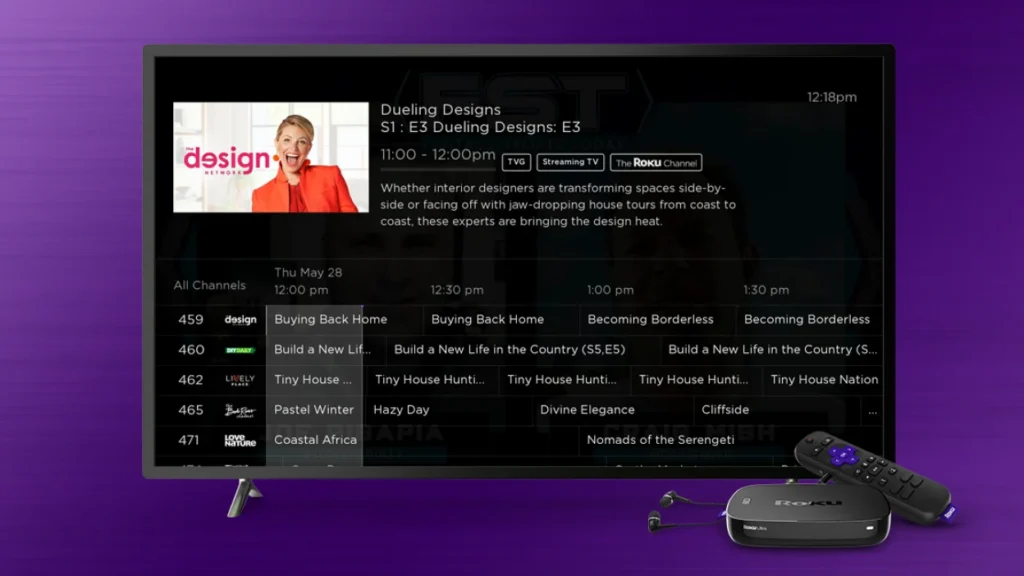
For live TV, Pluto TV and Xumo Play are strong choices.
Both let you browse live channels instead of choosing only on-demand content.
Xumo currently says Xumo Play offers 350+ channels.
Samsung TV Plus is also strong if you own a compatible Samsung device. Samsung says TV Plus provides hundreds of free live channels.
An antenna can be even better if your main goal is local broadcast TV.
So the best option depends on what “live TV” means to you.
For general free channels, try Pluto TV or Xumo Play.
For Samsung users, try Samsung TV Plus.
For local broadcast channels, consider an antenna.
Which Roku Channel Alternative Has the Most Flexibility?
Plex stands out here.
The reason is simple.
Plex is not only a free streaming service.
You can also use it to organize and stream your own media. Plex says its basic personal-media features are free, along with its free ad-supported movies, shows, and live TV.
That makes Plex more flexible than a normal free streaming app.
You can use its free content today.
Later, you can create a personal media library if you want.
This gives Plex room to grow with you.
Which Roku Channel Alternative Is Best for Samsung TVs?
Samsung TV Plus is the obvious choice for Samsung owners.
It is built into supported Samsung devices and provides free live TV and on-demand content.
Samsung says TV Plus is available on supported Samsung TVs and offers free, ad-supported programming.
You do not need to buy a separate streaming device.
That makes it very convenient.
If you already have a Samsung TV, there is little reason not to test it.
Which Roku Channel Alternative Is Best Without an Account?
Xumo Play is particularly attractive here.
Xumo says its free streaming service does not require a subscription or login.
That makes it useful if you simply want to open a service and watch.
You do not need to build another account before trying it.
Tubi and other services may offer free viewing without requiring a paid subscription, but account features can still be useful.
If avoiding account creation is your priority, Xumo Play is worth a look.
Are Roku Channel Alternatives Free?
Many are.
But “free” does not always mean exactly the same thing.
Some services are free and supported by ads.
Others are free because a library or school provides access.
Some have a free section alongside paid subscriptions.
This is why you should always check the service before assuming everything is free.
For example, The Roku Channel itself combines free content with optional Premium Subscriptions. Roku describes it as a home for both free and premium TV.
Tubi’s main service is free.
Xumo Play is free.
Samsung TV Plus is free.
Kanopy and Hoopla can be free through participating libraries.
Each service uses a different model.
Are These Roku Channel Alternatives Legal?
The major services listed here are legitimate streaming platforms.
Tubi, Plex, Xumo Play, Samsung TV Plus, Pluto TV, and similar services operate as official streaming services.
That is important.
You should avoid websites that promise free access to every new movie without proper licensing.
A free service does not need to be illegal.
Many legitimate platforms use advertising to pay for content.
That is how free streaming works.
If a website looks suspicious, asks you to download strange software, or constantly sends you to unrelated pages, it is better to leave.
Stick with official apps and websites.
Do Roku Channel Alternatives Have Ads?
Most free streaming services do.
That is how many of them make money.
Instead of charging you a monthly subscription, they show advertisements.
This is known as free ad-supported streaming.
It is similar to traditional television.
You get the content for free.
The company gets revenue from advertisers.
The number and timing of ads can vary from one service to another.
Some services may have fewer ads than traditional cable TV.
Roku itself says its free content can have fewer ads than traditional broadcast television.
If ads bother you, you may prefer a paid streaming service.
But if saving money matters more, free streaming can be a great deal.
How to Choose the Right Roku Channel Alternative
Choosing a service does not have to be difficult.
Start by asking yourself one question:
What do I want to watch?
If you mainly want movies, start with Tubi.
If you want live channels, try Pluto TV.
If you want live TV and many free channels, try Xumo Play.
If you have a Samsung TV, check Samsung TV Plus.
If you want personal media features, choose Plex.
If you have a library card, check Kanopy and Hoopla.
If you want local channels, consider an antenna.
You do not have to choose only one.
In fact, using several free services can make more sense.
You could use Tubi for movies.
Pluto TV for live channels.
Plex for your personal media.
And an antenna for local television.
Together, they can give you a lot of entertainment without several expensive monthly subscriptions.
Can You Use Multiple Free Streaming Services?
Yes, and this is one of the best ways to get more from free streaming.
There is no reason to expect one service to have everything.
Think of free streaming apps like different shelves in a large library.
One shelf has movies.
Another has live TV.
Another has documentaries.
Another has classic shows.
Using several services gives you more choices.
For example, Tubi + Pluto TV + Plex is a strong combination.
Tubi gives you free on-demand movies and shows.
Pluto TV gives you live channels.
Plex gives you free streaming plus personal media features.
You can then add Xumo Play if you want even more live channels.
The best part is that you do not need to pay for all of them.
How Roku Makes Finding Free Alternatives Easier
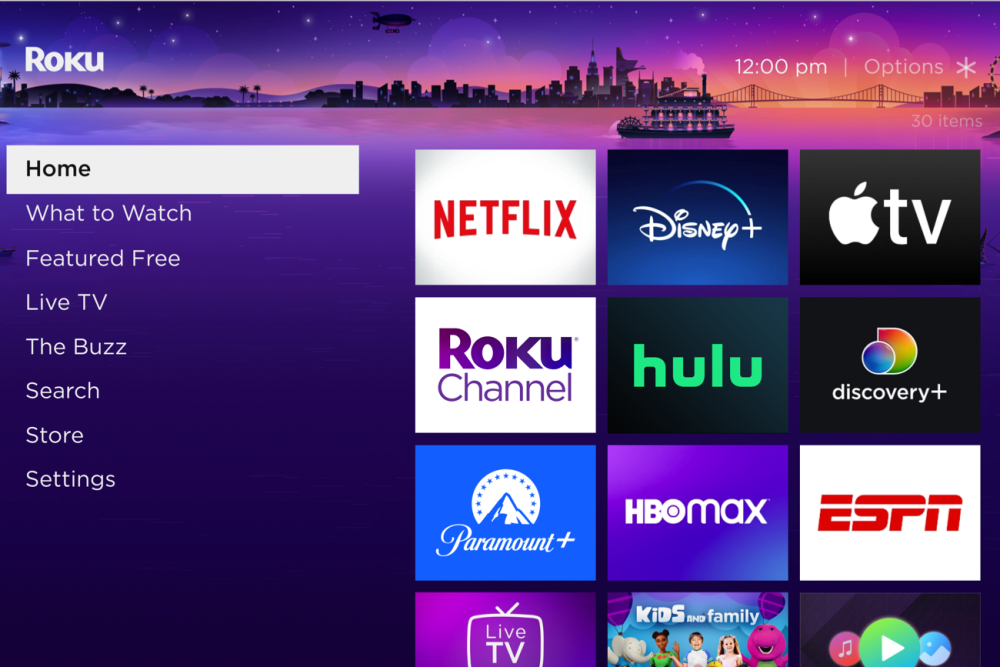
Roku itself can help you discover free content from different services.
Roku’s current support information says its Free or Featured Free sections can show thousands of free movies, current-season TV episodes, and classic shows from The Roku Channel and other services.
That means you do not always have to search through every app separately.
You can use Roku’s discovery tools to find something.
Then Roku may open the service that provides the content.
This is useful if you have several streaming apps installed.
Instead of asking:
“Which app has this movie?”
You can search first.
Roku can help point you toward the service where the title is available.
That can save time.
Best Roku Channel Alternatives: Final Ranking
After looking at the major options, here is a simple ranking.
- Tubi — Best Overall
Tubi is the best starting point for most people who want free movies and TV shows.
2. Pluto TV — Best for Live TV
Pluto TV is excellent if you like channel surfing.
3. Plex — Best for Personal Media
Plex is the best choice if you want free streaming plus your own media library.
4. Xumo Play — Best for Free Channels
Xumo Play is a strong option for people who want many free live channels without a subscription or login.
5. Samsung TV Plus — Best for Samsung Users
Samsung owners can get a lot from this built-in free service.
6. Sling Freestream — Best Free Sling Option
It is worth checking if you want free live TV and may consider paid Sling plans later.
7. YouTube — Best for Variety
YouTube gives you far more than traditional movies and TV.
8. Kanopy — Best for Library Movies
Great if your library provides access.
9. Hoopla — Best for Library Entertainment
A useful choice for people who want movies, TV, books, music, and audiobooks through a participating library.
10. Antenna TV — Best for Local Channels
A simple choice if local broadcast channels are your priority.
Conclusion: Roku Channel Alternatives
Roku Channel Alternatives give you many ways to watch free movies, TV shows, live channels, and other entertainment without relying on just one streaming service.
The Roku Channel remains a strong option. Roku currently offers free movies, TV shows, Roku Originals, kids’ content, and hundreds of live channels.
But it does not have to be your only option.
Tubi is excellent for free movies and shows.
Pluto TV is great for live TV.
Plex is useful for free streaming and personal media.
Xumo Play is a strong choice for free live channels.
Samsung TV Plus is convenient for Samsung users.
Kanopy and Hoopla are worth checking if you have a participating library.
An antenna can also help if you want local broadcast TV without a monthly bill.
The best choice depends on what you watch.
If you want one simple recommendation, start with Tubi.
If you love live TV, try Pluto TV or Xumo Play.
If you want more control over your own media, try Plex.
And if you already own a Samsung TV, give Samsung TV Plus a try.
You also do not need to choose just one.
Using two or three free services together can give you a much larger selection. You can use free apps for most of your entertainment and only pay for a service when you really want its exclusive content.
That is the biggest benefit of free streaming today.
You have more choices, and you do not need to pay for every one of them.
Check out Search Engine Insight for straightforward SEO guidance, helpful search tips, and digital marketing resources.
FAQs About Roku Channel Alternatives
Q: What is the best Roku Channel alternative?
Tubi is one of the best overall alternatives because it offers thousands of free movies and TV shows without a subscription fee. It also supports many devices and offers live content.
Q: Is there a free alternative to The Roku Channel?
Yes. Tubi, Pluto TV, Plex, Xumo Play, and Samsung TV Plus all offer free streaming options. Most use ads to support their free content.
Q: Which Roku Channel alternative is best for live TV?
Pluto TV and Xumo Play are excellent choices for free live TV. Xumo currently advertises 350+ free channels on Xumo Play.
Q: Is Tubi better than The Roku Channel?
It depends on what you want. Tubi is a strong choice for free movies and TV shows, while The Roku Channel combines free movies and shows with Roku Originals and a large live-TV section.
Q: Can I use several Roku Channel alternatives at the same time?
Yes. You can use several free services together. For example, you could use Tubi for movies, Pluto TV for live TV, Plex for personal media, and Xumo Play for more free channels.



