
What Is Plex? Explanation and Plex Reviews
What is Plex? Plex is a media platform that lets you watch free movies and TV shows, stream free live TV, and organize your own movies, TV shows, music, photos, and home videos in one place. It can work as a free streaming service, but it can also turn your computer or compatible NAS device into a personal media server.
That is what makes Plex different from many other streaming platforms.
If you have used services such as Netflix or Disney+, you may think Plex is simply another place to watch movies. It is partly that, but there is much more to it. Plex can also organize your own media collection and let you watch it on a TV, phone, tablet, computer, game console, or another supported device.
The best part is that you do not have to pay just to try Plex. Its basic personal media server is free, and Plex also offers free, ad-supported movies, TV shows, and live TV.
However, Plex also has paid features. This can make the service confusing for new users.
So, is Plex worth using? Is Plex really free? How does Plex work? What is Plex Pass? Is Plex legal? And what do users actually think about it?
This detailed Plex review answers those questions in simple language.
Plex at a Glance
| Feature | Plex |
|---|
| Free movies and TV | Yes |
| Free live TV | Yes |
| Personal media server | Yes |
| Monthly subscription required | No |
| Plex account | Free account available |
| Plex Pass | Optional paid plan |
| Ads on free Plex content | Yes |
| Personal media with ads | No |
| Works on smart TVs | Yes |
| Works on phones and tablets | Yes |
| Works on computers | Yes |
| Works on game consoles | Yes |
| Remote personal streaming | Paid feature in many cases |
| Movie rentals | Available in select countries |
| Legal service | Yes |
Plex’s official support information says its basic functionality is free, including the Plex Media Server, local playback of personal content, and its ad-supported movies, TV shows, and live TV.
What Is Plex?
Plex is a media platform designed to bring different types of entertainment into one place.
You can use Plex to watch free movies and TV shows online. You can also watch free live TV channels without buying a TV antenna or special tuner for that service.
But Plex has another major purpose.
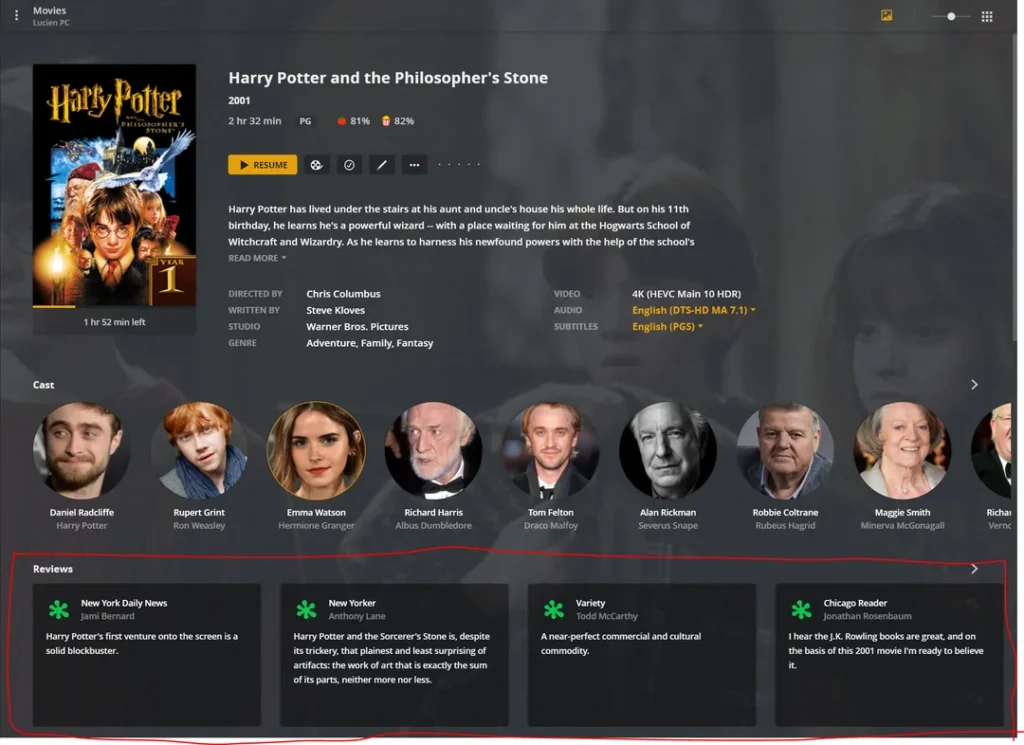
You can install Plex Media Server on a compatible computer or NAS device and use it to organize your own media files. Plex can scan your files, sort them into libraries, add posters and descriptions, and make the collection easier to browse.
Think of it like creating your own private streaming service.
Imagine that you have movies, TV episodes, music, photos, and home videos saved on your computer. Normally, finding those files can be messy. You may have folders inside folders with confusing file names.
Plex can make that collection look much more like a modern streaming app.
Instead of opening a folder called Movies 2022, you can see movie posters, titles, descriptions, genres, and other information.
That is one of the biggest reasons people use Plex.
How Does Plex Work?
Plex can work in two main ways.
The first is Plex’s own free streaming service.
The second is your personal media collection.
These two parts can appear together inside the Plex experience, but they work differently.
For Plex’s free movies, TV shows, and live TV, the content comes from Plex and its partners. You do not need your own server to watch this content.
For your personal media, you need a Plex Media Server.
You install the server on a compatible computer, NAS device, or supported hardware. You then add your own media libraries. Plex organizes the files and lets supported devices connect to your server.
This means Plex can be as simple or as advanced as you want.
If you only want free movies, you can use Plex like a normal streaming app.
If you have a large personal media collection, you can use Plex as a full home media system.
Is Plex Free?
Yes, Plex is free to use, but there are some important details.
Plex’s basic functionality is free. This includes the Plex Media Server and free ad-supported movies, TV shows, and live TV.
You can also create a free Plex account.
The free streaming service is supported by advertisements. Plex says ads help support the content provided by its studio and distribution partners.
Your own personal media is different.
Plex does not insert ads into your personal movies, TV shows, home videos, photos, or music simply because you use Plex.
This distinction is very important.
Free Plex content = ads.
Your own personal content = no Plex advertising added to it.
Some advanced Plex features require Plex Pass or another paid option.
Does Plex Have a Paid Plan?
Yes.
Plex offers Plex Pass, which is an optional premium subscription designed mainly for people who use Plex with their personal media server.
Plex Pass adds features that are useful for serious Plex users.
These can include remote streaming, hardware-accelerated transcoding, DVR recording, skipping intros and credits, and additional Plexamp music features.
There is also a Remote Watch Pass, which is focused specifically on remote streaming of personal content. Plex says this is separate from Plex Pass.
One thing is especially important:
Plex Pass does not remove ads from Plex’s free movies, TV shows, or live TV.
So buying Plex Pass does not turn Plex’s free streaming service into an ad-free Netflix-style service.
What Can You Watch on Plex?
Plex offers a wide range of content.
Its free streaming service includes movies, TV shows, documentaries, and live TV. Plex’s current website promotes free movies and shows across categories such as action, animation, comedy, crime, documentary, drama, horror, romance, science fiction, thriller, and westerns.
The exact library can change.
This is normal for a free streaming platform because Plex works with content partners and licensing agreements.
Some titles may be available in one country but not another.
Plex explains that geographic restrictions can apply because distributors have different licensing rules for different regions.
So if you see someone talking about a movie on Plex and cannot find it in your own country, that does not necessarily mean something is wrong with your account.
It may simply be a regional licensing difference.
Plex Free Movies and TV Shows
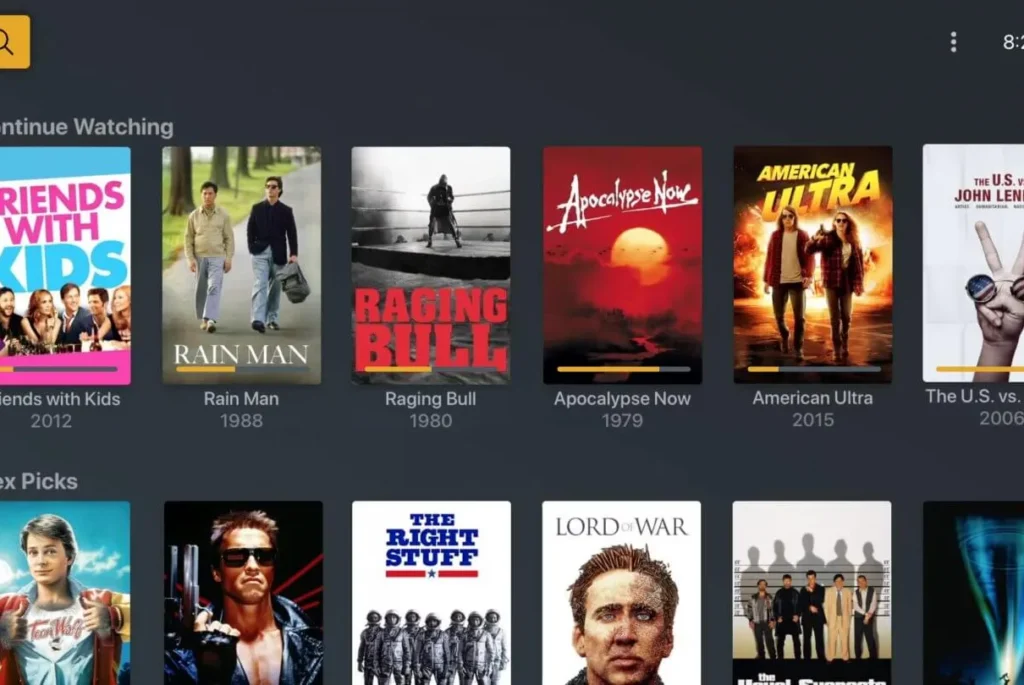
Plex offers free, ad-supported movies and TV shows.
You do not need to run a personal media server to watch them.
Plex says the free Movies & Shows service is available to users in almost every country, although specific content can vary by location.
The library includes a mixture of well-known movies, older films, independent titles, documentaries, and TV content.
You may find something you already know.
You may also discover a movie you have never heard of.
That discovery factor is one of the nice things about free streaming.
You are not always searching for one specific title.
Sometimes you simply browse and find something interesting.
Plex Free Live TV
Plex also offers free live TV.
This feature works differently from traditional cable TV.
You do not need a tuner or antenna to use Plex’s free streaming channels. Plex says its free Live TV service is ad-supported and does not require special hardware.
This makes it easy to try.
Open Plex.
Go to Live TV.
Browse the channel guide.
Pick something.
That is it.
Plex offers many different types of live channels, and the lineup can change over time.
It is useful for people who like the feeling of traditional television but do not want to pay for a cable package.
Is Plex Like Netflix?
Not exactly.
This is one of the most common misunderstandings about Plex.
Plex does offer free movies and TV shows, so it can look similar to Netflix.
But Plex has a different purpose.
Netflix mainly provides a paid streaming library.
Plex combines free streaming with a personal media management system.
Plex itself explains that it does not provide paid on-demand streaming in the same way as Netflix, Hulu, or Disney+.
The personal media side is where Plex becomes different.
You can take your own legally obtained media files and organize them on your own Plex Media Server.
Then you can access that collection through Plex apps.
It is almost like having your own private Netflix-style library.
Plex as a Personal Media Server
This is probably Plex’s most famous feature.
Suppose you have hundreds of movies saved on your computer.
You could open each file manually.
But that is not very convenient.
Plex gives you a better way to organize them.
You install Plex Media Server.
Then you tell Plex where your movie files are located.
Plex scans the folders.
It identifies the movies.
It adds posters, descriptions, and other information.
Then you can browse everything through the Plex interface.
The same basic idea works for TV shows, music, photos, and home videos.
This is why many people describe Plex as their own personal streaming library.
What Devices Support Plex?
One of Plex’s biggest strengths is device support.
Plex supports browsers, phones, tablets, computers, smart TVs, streaming devices, and game consoles.
The official Plex information lists platforms including:
Android iPhone and iPad Windows macOS Linux Roku Amazon Fire TV Apple TV Android TV Chromecast PlayStation Xbox Supported smart TVs
Plex’s free Live TV and on-demand services are also available through many of these platforms.
That wide support makes Plex convenient.
You can start watching something on one device and use Plex on another device later.
A free Plex account also gives users features such as a universal watchlist and the ability to continue watching across devices.
Do You Need a Plex Account?
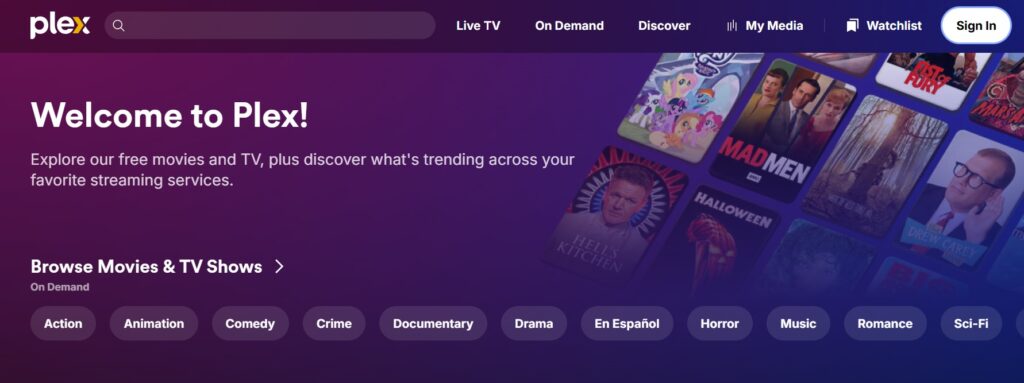
You can use Plex without creating an account in some situations, but creating a free account gives you more features.
Plex says a free account can provide access to a universal Watchlist, personalization options, and the ability to pick up where you left off across devices.
For people who only want to try Plex, starting with a free account is simple.
There is no need to buy Plex Pass just to explore the free streaming service.
If you later decide to build a personal media server, the account can also become part of that setup.
What Is Plex Pass?
Plex Pass is Plex’s premium option for people who want more from their personal media server.
It is not simply a premium movie subscription.
This is a key difference.
Plex says Plex Pass is designed for users who stream personal content through a Plex Media Server.
Some Plex Pass features include:
- Remote personal-media streaming
- Hardware-accelerated streaming
- DVR recording
- Skip intros
- Skip credits
- HDR to SDR tone mapping during transcoding
- Advanced Plexamp music features
- Additional family and Plex Home features
- Early access to selected features
If you only want free movies and live TV, Plex Pass may not be necessary.
If you are building a serious home media server, however, it can become much more useful.
Does Plex Pass Remove Ads?
No.
This is worth repeating because it is a common source of confusion.
Plex Pass does not remove advertisements from Plex’s free movies, TV shows, or live TV.
The paid subscription mainly unlocks premium features for your personal media setup.
If you watch a free movie supplied by Plex, advertisements can still appear.
If you stream your own personal movie from your Plex Media Server, Plex does not add its advertising to your personal content.
So the two experiences are different.
Plex Reviews: What Do Users Like?
A good Plex review should look at both strengths and weaknesses.
One major strength is flexibility.
Plex is not limited to one type of media.
You can use it for movies, TV shows, music, photos, home videos, free streaming, and live TV.
Another major strength is organization.
If you have a large media collection, Plex can make it much easier to browse.
Device support is another strong point.
You are not locked to one TV or one operating system.
Plex can work across many devices.
The free streaming service is also useful if you want extra entertainment without another monthly bill.
Plex Reviews: What Do Users Dislike?
Plex is not perfect.
The personal media server can take time to set up.
You need to understand where your files are stored.
You may also need to deal with file formats, storage space, network settings, and device compatibility.
For someone who only wants to press play and watch a movie, this can feel like too much work.
Plex’s free streaming service also contains ads.
Some users will not mind them.
Others will prefer an ad-free paid service.
Remote streaming can also require a paid subscription depending on how you use Plex and which features you need.
So Plex is powerful, but it is not always the simplest choice.
Is Plex Easy to Use?
For free streaming, Plex is fairly easy.
You can open the app or website, create an account if you want one, and start browsing.
The personal server side is different.
It requires more setup.
You need a computer or compatible device to act as your server.
You then need to organize your media files and add them to Plex.
Plex does much of the organization automatically, including cataloging content and adding artwork and information.
Still, there is a learning curve.
If you are comfortable using folders and basic computer settings, you can usually learn it.
If you want everything done automatically with zero setup, a normal streaming app may feel easier.
Is Plex Good for Movies?
Yes, but there are two different answers.
If you mean free online movies, Plex is useful.
It has a free, ad-supported movie library that you can stream without maintaining a personal server.
If you mean your own movie collection, Plex can be even more useful.
You can organize your personal movie files into a library and browse them through the Plex interface.
That makes Plex attractive to movie collectors who want a cleaner way to manage their collection.
Is Plex Good for TV Shows?
Plex can also be useful for TV shows.
Its free streaming service includes TV content.
Its personal media server can also organize your own TV episodes.
Plex can identify shows and arrange episodes into seasons.
This can save you from digging through folders every time you want to watch something.
For people with large collections, this simple organization can make a big difference.
Is Plex Good for Music?
Yes.
Plex supports music libraries as part of its personal media system.
It also has Plexamp, a dedicated music app.
Plex’s current support information says Plex Pass can add premium Plexamp features such as Sonic Analysis, Sonic Sage, Guest DJ, Track & Album Radio, and other music tools.
This makes Plex more than a movie platform.
You can use the same overall ecosystem for several types of media.
Can Plex Store Photos?
Yes.
Plex can organize and display personal photos as well.
Its support information says Plex Media Server supports photo files such as JPG, PNG, RAW, and other formats.
This can be useful if you want one system for your personal media.
Instead of having movies in one app, music in another, and home videos somewhere else, Plex can bring many of these files together.
Can Plex Stream Your Own Media to a TV?
Yes.
That is one of the main reasons people use Plex.
You can store your media on a computer or compatible NAS.
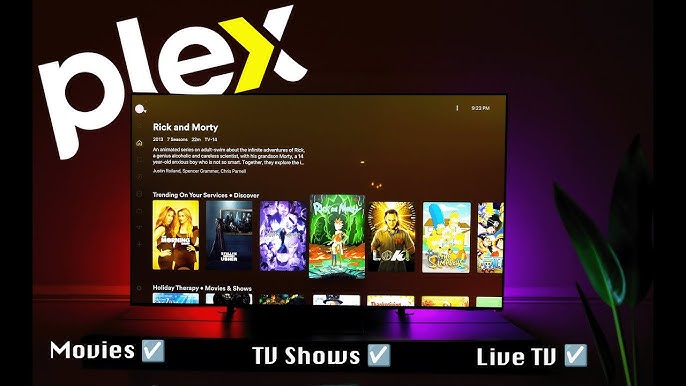
Then open Plex on a supported smart TV or streaming device.
The Plex app connects to your server and displays your library.
Plex says its apps work with many smart TVs, streaming devices, game consoles, mobile devices, computers, and browsers.
This setup can be especially useful if your TV has limited storage.
Your media stays on the server while the TV plays the content through Plex.
Can You Use Plex Away From Home?
Yes, but there are conditions.
Plex supports remote access to personal media, but remote streaming features can require a paid subscription depending on the setup. Plex currently offers a Remote Watch Pass specifically for remote streaming of personal content, while Plex Pass also includes remote streaming.
This is different from watching Plex’s own free movies and live TV.
You do not need your personal Plex Media Server to watch Plex’s free online content.
That distinction is important.
Plex free streaming and remote personal streaming are separate features.
Is Plex Legal?
Yes.
Plex is a legitimate streaming and media-server platform.
Plex says it works with distributors and licensing agreements to provide its streaming content.
There is one important point for personal media users.
Plex gives you the tools to organize and stream your own files.
That does not mean Plex gives you permission to obtain copyrighted content illegally.
If you put media on your personal Plex server, you are responsible for having the right to own and use that media.
Plex itself explains that users must hold the appropriate rights for personal media they provide through their servers.
So the software is legal.
How you use your personal media collection is your responsibility.
Can You Rent Movies on Plex?
Yes, movie rentals are available in select markets.
Plex says users in the United States and Canada can rent movies from its catalog.
These rentals are separate from Plex Pass.
A Plex Pass subscription does not automatically give you access to all rental titles.
Plex’s current rental information says that after renting a movie, you have 30 days to start playback, and after starting it, you have 48 hours to finish watching.
This gives Plex another option for people who want newer movies instead of only free content.
Does Plex Have Ads?
Yes, but it depends on what you are watching.
Plex’s free movies and TV shows are ad-supported.
Its free Live TV service is also ad-supported.
Your personal media is different.
Plex says it does not add advertisements to your own media collection.
So if you are watching a movie from your own server and see an advertisement, it may mean you accidentally selected Plex’s free streaming version instead of your personal copy.
That can be confusing at first.
But once you understand the difference, it makes sense.
Plex vs Traditional Streaming Services
| Feature | Plex | Traditional Paid Streaming |
|---|
| Free streaming | Yes | Usually no |
| Ads | On free Plex content | Depends on plan |
| Personal media server | Yes | Usually no |
| Your own media | Yes | Usually no |
| Live TV | Free ad-supported option | Depends on service |
| Plex Pass | Optional | Not applicable |
| Device support | Very broad | Usually broad |
| Media organization | Excellent for personal libraries | Limited |
| Movie rentals | Available in select markets | Depends on service |
Plex is difficult to compare directly with Netflix or similar services because it does more than provide a catalog.
It is partly a streaming service.
It is partly a personal media manager.
And it can also act as a home entertainment hub.
Plex Pros and Cons
Pros
- Free movies and TV shows
- Free live TV
- Personal media server
- Large range of supported devices
- Strong media organization
- Free account available
- Music and photo support
- Optional premium features
- Movie rentals available in selected markets
- Legal and established platform
Cons
- Free content contains ads
- Personal server setup can take time
- Advanced features can require payment
- Remote streaming has subscription requirements
- Content varies by location
- Beginners may find the server side confusing
- Plex Pass does not remove ads from Plex’s free streaming service
The right choice depends on what you want.
If you only want free movies, Plex is simple.
If you want a powerful home media system, Plex becomes much more interesting.
Who Should Use Plex?
Plex is a strong choice for people who have their own media collection.
If you have many movies, TV shows, songs, photos, or home videos stored on your computer, Plex can make that collection much easier to use.
It is also useful for people who want free streaming.
You can watch Plex’s free movies, TV shows, and live channels without paying for a normal subscription.
It can also work well for families.
Plex supports Plex Home and managed users, allowing households to create different user experiences within a home media setup.
Who May Not Need Plex?
Plex may be unnecessary if you only want the simplest possible streaming experience.
For example, if you only watch one or two paid streaming services and never store media on your computer, Plex may not offer much extra value.
You may also find Plex’s personal server features too technical if you do not want to manage files or devices.
That does not mean Plex is bad.
It simply means the platform is designed to do more than basic streaming.
Sometimes more features mean more things to learn.
Is Plex Worth It?
For many users, yes.
The free streaming service alone gives you a simple reason to try Plex.
You can watch free movies, TV shows, and live TV without buying a subscription.
But Plex becomes much more valuable if you have your own media.
A personal Plex server can turn a messy folder full of files into an organized library that looks and feels like a streaming service.
The paid features are useful for people who want advanced tools.
You do not have to buy Plex Pass immediately.
A smart approach is to start with the free version.
See how you like Plex.
If you later need remote streaming, DVR, hardware transcoding, or other premium tools, then you can consider a paid option.
Final Plex Review
So, what is Plex?
Plex is a flexible media platform that combines free streaming with personal media management.
It gives you free movies and TV shows.
It gives you free live TV.
It lets you organize your own media.
It works across many devices.
And it offers optional paid features for people who want more from their personal media server.
The biggest strength of Plex is flexibility.
You can use it casually.
Or you can build a complete home media setup around it.
The biggest weakness is that the more advanced features require more effort.
You may need to set up a server.
You may need to understand your storage and network.
You may eventually want Plex Pass.
For a person who only wants to click a movie and watch, this may feel unnecessary.
For a media enthusiast, it can be exactly what they need.
Conclusion:What is Plex?
What is Plex? Plex is much more than a normal streaming service.
It gives users access to free, ad-supported movies, TV shows, and live TV. At the same time, it can organize your own legally obtained media into a personal library that you can access through supported devices.
That combination makes Plex stand out.
You can start for free.
You do not need to build a server just to watch Plex’s free content.
If you want more advanced features, you can explore Plex Pass or Remote Watch Pass.
If you have a large personal media collection, Plex can become much more useful because it gives your files a clean, easy-to-browse interface.
The free streaming side is also worth trying.
You can watch movies and TV shows without a traditional subscription, although advertisements support that free content. Plex also offers free live TV without requiring a tuner or antenna.
Overall, this Plex review gives the service a strong rating for flexibility and value.
It may not be the simplest platform for every person.
But if you want free streaming plus a personal media server, Plex is one of the most interesting options available.
Explore Search Engine Insight for helpful SEO resources, content optimization advice, and insights into how search engines shape online visibility.
FAQs About Plex
Q: Is Plex completely free?
Plex has a substantial free offering. Its basic media-server functionality and free, ad-supported movies, TV shows, and live TV are available without a paid subscription. Some advanced features require Plex Pass or another paid option.
Q: Is Plex legal?
Yes. Plex is a legitimate streaming and media-server platform with licensing agreements for its provided streaming content. Users are responsible for having the appropriate rights to the personal media they place on their own servers.
Q: Does Plex have free movies?
Yes. Plex offers free, ad-supported movies and TV shows. The exact library can vary by country because of content licensing.
Q: Does Plex Pass remove ads?
No. Plex Pass does not remove ads from Plex’s free movies, TV shows, or live TV. Plex Pass is mainly designed to provide premium features for personal media servers.
Q: Do I need my own server to watch Plex?
No. You do not need a Plex Media Server to watch Plex’s free online movies, TV shows, and live TV. You only need a personal server if you want to organize and stream your own media collection through Plex.



