Is Prime Video Safe? Complete Safety, Privacy, and Security Guide
Is Prime Video Safe? Yes, Prime Video is a legitimate streaming service from Amazon. It is generally safe to use when you use the official Prime Video app or website. Still, no online service is completely free from risks.
Your biggest risks usually come from weak passwords, fake websites, phishing messages, unsafe downloads, and people getting access to your Amazon account.
Prime Video also has useful safety tools. These include profile locks, PINs, viewing restrictions, purchase restrictions, and Amazon account security features. Amazon also offers two-step verification to add another layer of protection to your account.
In this guide, we will look at Prime Video safety, privacy, children’s safety, scams, payments, account security, and more.
What Is Prime Video?
Prime Video is Amazon’s video streaming service.
You can use it to watch movies, TV shows, Amazon Originals, live events, sports, and other content.
Some titles are included with your membership. Other titles cost extra.
For example, Amazon allows users to:
- Watch movies included with Prime
- Watch TV shows included with Prime
- Rent movies
- Buy movies
- Buy TV shows
- Subscribe to extra channels
- Watch some live events
- Watch some pay-per-view content
Amazon says that rentals, purchases, add-on subscriptions, and pay-per-view content can cost extra.
So, Prime Video is not simply a free movie website.
It is an official streaming service connected to Amazon.
Is Prime Video Safe to Use?
Yes, Prime Video is generally safe to use.
It is operated by Amazon and has official apps and websites.
Amazon also provides security tools for its accounts. One of these tools is two-step verification. It adds another step when you sign in.
Prime Video also has tools that can help protect profiles and control purchases.
However, your own online habits still matter.
For example, you could have a safe streaming service but still lose your account if you give your password to a scammer.
That is why Prime Video safety has two parts:
- The safety features provided by Amazon.
- The steps you take to protect yourself.
Both are important.
Is Prime Video Legit?
Yes.
Prime Video is a legitimate streaming service from Amazon.
It is not an unknown movie website.
You can access Prime Video through supported devices, apps, and Amazon services.
This is very different from random websites that copy the Prime Video name.
Some websites may use words such as:
- Prime Video free
- Free Prime movies
- Free Amazon account
- Free Prime password
- Prime Video hack
- Free Prime Video APK
Be careful with these offers.
They may not be connected to Amazon.
A website using the words “Prime Video” does not automatically mean it is an official Amazon website.
Is the Prime Video App Safe?
The official Prime Video app is generally safe to use on supported devices.
The important thing is where you download it.
Try to use an official app store or the app store built into your device.
Avoid downloading a modified Prime Video app from a random website.
Some websites may offer an app that promises:
- Free premium movies
- No ads
- Free subscriptions
- Unlimited downloads
- Free Amazon accounts
These offers can create security risks.
A safer choice is to use the official Prime Video app.
Is Prime Video Safe on Android?
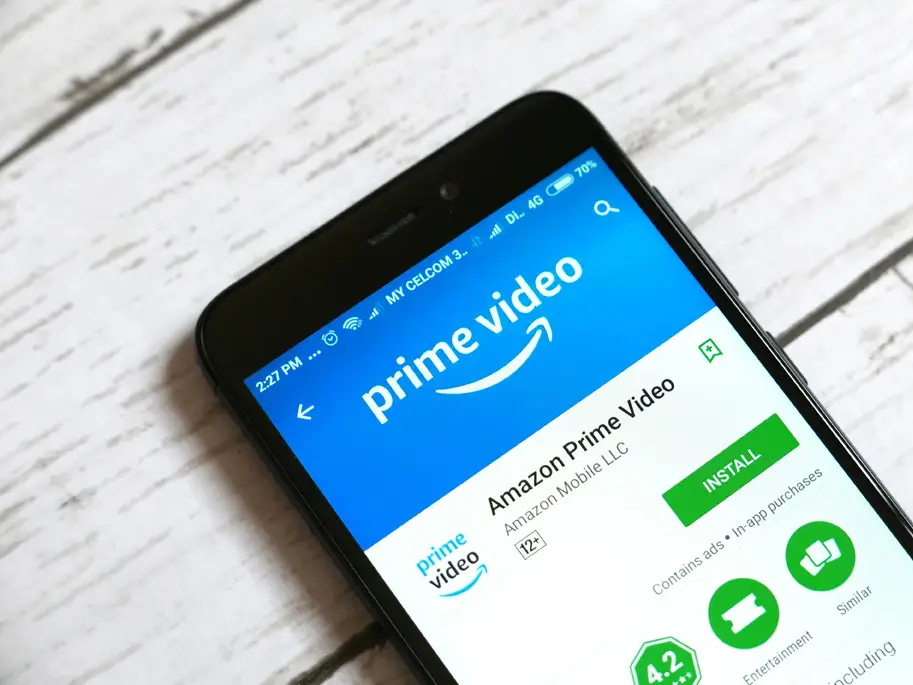
Yes, you can use Prime Video on supported Android devices.
However, Android users should be careful with APK files.
An APK is an Android app file.
You may find websites offering a “special” Prime Video APK.
Some claim that these apps provide free access to paid content.
It is better to avoid them.
The safest option is to get the official app through a trusted app store.
You should also keep your Android device updated.
Is Prime Video Safe on iPhone?
The official Prime Video app can be used on supported Apple devices.
As with Android, use the official app store.
Do not install an unknown version of the Prime Video app from a website.
You should also keep your iPhone or iPad updated.
If an app asks for information that seems unrelated to its purpose, stop and check it before continuing.
Is Prime Video Safe on Smart TVs?
Prime Video is designed to work on many supported smart TVs and streaming devices.
Using the official Prime Video app on your smart TV is generally safe.
However, your smart TV can still have security problems if it has old software or unsafe apps.
To make your smart TV safer:
- Keep the TV updated.
- Use official apps.
- Avoid unknown apps.
- Use a strong Amazon password.
- Protect your home Wi-Fi.
- Sign out of accounts on TVs you no longer use.
These simple steps can help protect your account.
Is Prime Video Safe for Kids?
Prime Video can be used by children, but parents should choose suitable content.
Not every movie or TV show is made for children.
Prime Video provides profiles and parental controls that can help parents manage viewing.
Amazon also lets users lock a Prime Video profile with a PIN. This can stop other people from opening that profile without the PIN.
Parents can also use viewing restrictions and purchase restrictions.
This is helpful when children use the same Prime Video account.
Prime Video Parental Controls
Parental controls can help parents manage what children can watch and buy.
Prime Video allows users to set viewing restrictions.
It also allows purchase restrictions.
Amazon explains that purchase restrictions can apply across devices on the account, while some viewing restrictions apply only to selected devices.
This difference is important.
For example, you may want to stop a child from buying a movie.
You can use purchase restrictions to help prevent unwanted purchases.
You can also use viewing restrictions to limit access to certain content.
Does Prime Video Have Child Profiles?
Yes.
Prime Video supports different profiles.
Amazon says Prime Video can have up to six profiles on a supported Fire TV setup. These can include adult and Kids profiles.
A child profile can make it easier to create a more suitable viewing space.
It also keeps children’s viewing separate from the main adult profile.
Parents should still check what their children are watching.
Parental controls are helpful, but they should not replace parental supervision.
Can Kids Buy Movies on Prime Video?

Children may try to rent or buy content if purchase restrictions are not set.
This is one reason parents should set up a PIN and purchase restrictions.
Prime Video includes movies and shows that can be rented or purchased for an extra fee.
A child may accidentally select one of these titles.
A purchase restriction can help prevent this problem.
Is Prime Video Safe for Personal Information?
Prime Video is connected to your Amazon account.
This means Amazon handles personal information when you use its services.
Amazon’s Privacy Notice, updated June 30, 2026, explains how Amazon collects and uses personal information across its services, websites, devices, and apps.
The information connected to your account can include things such as:
- Your name
- Account details
- Payment information
- Profile information
- Purchase history
- Household settings
Amazon says users can access some of this information through their Amazon account.
If privacy is important to you, it is worth reading Amazon’s current privacy information.
Does Prime Video Track What You Watch?
Streaming services need information about how people use their services.
Prime Video uses account and viewing information to provide features such as recommendations and other service features.
Amazon’s Privacy Notice explains how Amazon handles information across its services.
This means Prime Video should not be viewed as a completely private or anonymous service.
If you have strong privacy concerns, check the privacy settings available for your Amazon account and your country.
Is Prime Video Safe From Hackers?
No online account can be guaranteed to be completely safe from hacking.
However, you can make your Amazon account much harder to access without permission.
One of the most useful tools is two-step verification.
Amazon says two-step verification adds another security step to your login. You enter your password and then enter a security code.
This means a stolen password alone may not be enough to access the account.
How to Protect Your Prime Video Account
You can take several simple steps to protect your account.
Use a Strong Password
Your Amazon password should be difficult to guess.
Do not use simple passwords such as:
- 123456
- password
- your name
- your birthday
- your phone number
Also, avoid using the same password on many websites.
If another website is hacked, your reused password could put your Amazon account at risk.
Turn On Two-Step Verification
Two-step verification gives your account an extra layer of protection.
Amazon says you can use a security code sent by text message or an authenticator app.
This is one of the simplest ways to improve Amazon account security.
Do Not Share Your Password
Never give your Amazon password to strangers.
Be careful about giving it to friends or other people too.
Your Amazon account may contain more than Prime Video.
It can also contain shopping information, payment details, addresses, subscriptions, and other personal information.
Check Your Account
Check your Amazon account from time to time.
Look for things you do not recognize.
For example:
- Unknown purchases
- Unknown rentals
- New subscriptions
- Changes to your account
- Strange login activity
- Changes to payment information
If you see something unusual, investigate it through Amazon’s official website or app.
Is Prime Video Safe for Payments?
Prime Video is an Amazon service, but you should still protect your payment information.
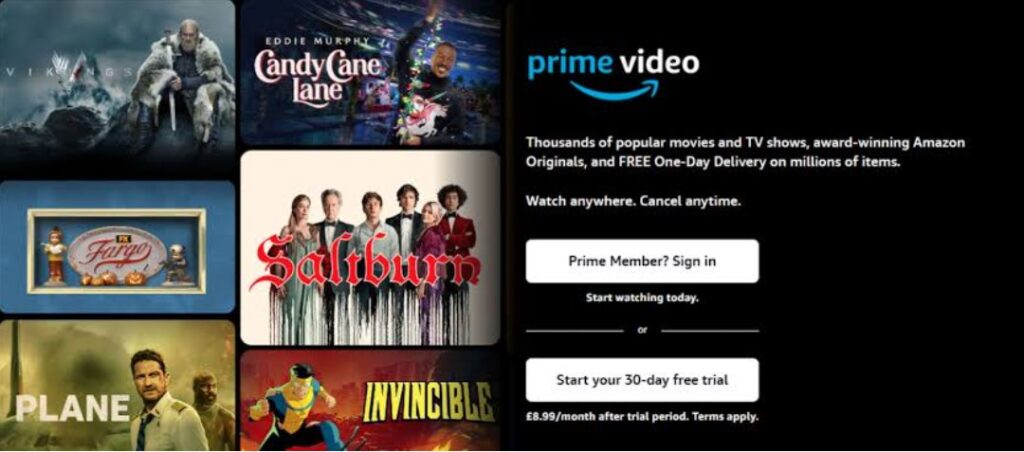
Some Prime Video content costs extra.
You may need to pay for:
- Movie rentals
- Movie purchases
- TV show purchases
- Extra channels
- Pay-per-view events
- Other subscriptions
Amazon confirms that these types of content can have additional charges.
Never enter your card information on a random website claiming to be Prime Video.
Use the official Amazon or Prime Video service instead.
Can Prime Video Charge You Automatically?
Some subscriptions can renew automatically.
This can happen with Prime Video memberships and extra channels.
For this reason, check your subscriptions regularly.
You may forget about a subscription after signing up.
Then the next payment can be a surprise.
If you no longer want a service, cancel it through the proper Amazon account settings.
Is Prime Video Free?
Prime Video is not simply a completely free streaming service.
Some content may be included with your Prime membership.
Other content costs extra.
Amazon says its Prime Video service includes several types of content, including:
- Included titles
- Rentals
- Purchases
- Add-on subscriptions
- Pay-per-view content
This is important to remember when you see websites advertising “free Prime Video.”
A website promising free premium access may not be connected to Amazon.
Is Prime Video Safe Compared With Free Streaming Websites?
There is a big difference between an official streaming service and an unknown streaming website.
Prime Video is operated by Amazon.
It has official apps and account systems.
Unknown free streaming websites may use:
- Pop-ups
- Fake buttons
- Redirects
- Suspicious downloads
- Fake alerts
- Unwanted browser notifications
This does not mean every free website is dangerous.
However, you should be more careful when using sites you do not know.
If safety is your main concern, use the official Prime Video website or app.
Is Prime Video Legal?
Yes.
Prime Video is a legitimate streaming service.
Amazon offers movies, TV shows, live content, rentals, purchases, and other video services through Prime Video.
The problem starts when people use websites that pretend to be Prime Video.
For example, a website may copy the Prime Video logo and design.
That does not mean Amazon operates the website.
Always check that you are using an official service.
How to Spot a Fake Prime Video Website
Fake websites can sometimes look very real.
Look for warning signs.
Strange Website Address
A website may use a name that looks similar to Amazon but is not actually Amazon.
Free Premium Offers
Be careful if a website promises free access to paid Prime Video content.
Password Requests
Do not enter your Amazon password on an unfamiliar website.
Urgent Messages
Scammers often try to scare people.
They may say:
Your account will be closed today.
Or:
Your payment has failed.
Do not panic.
Open Amazon directly and check your account.
Unknown Downloads
Do not download a strange app just because a website says you need it to watch a movie.
Is Prime Video Safe From Viruses?
Using the official Prime Video app or website is different from using a random streaming website.
You should not expect the official Prime Video service to act like a typical unsafe movie-download website.
Still, your device can become infected through other sources.
For example, you could download a dangerous file from another website.
You could install a fake Prime Video app.
You could click a harmful link.
That is why safe browsing habits matter.
Can Prime Video Give You a Virus?
The official Prime Video service is not something you should treat like a random file-download site.
However, scammers can use the Prime Video name to trick people.
For example, a fake website might say:
“Download this player to watch Prime Video.”
The file could be unsafe.
You should not install unknown software simply because a website tells you to.
Use the official Prime Video app or website instead.
Is the Prime Video Website Safe?
The official Prime Video website is designed for streaming Amazon content.
The main concern is making sure you are actually on the official website.
Scammers can create websites that look similar.
Before entering your password, check the website address.
If you reached the page from an unexpected email or text message, it may be safer to close it and open Amazon yourself.
Is Prime Video Safe From Phishing Scams?
Phishing is a common online scam.
A scammer sends a fake message that looks like it came from a real company.
Amazon and Prime Video can be used as part of these scams.
A message may say:
- Your Prime membership expired.
- Your payment failed.
- Your account has been locked.
- Your subscription will end today.
- You have won a gift card.
The message may contain a link.
Do not click it immediately.
Instead, open the Amazon app or official website yourself.
Then check your account.
How to Avoid Prime Video Phishing Scams
Follow these simple rules.
Do Not Trust Urgent Messages
Scammers want you to act quickly.
Take your time.
Do Not Give Away Your Password
Amazon should not need you to send your password through an email or text.
Do Not Share Security Codes
Treat your login codes as private.
Check Your Account Directly
Open Amazon yourself instead of using an unexpected link.
Be Careful With Attachments
Do not download unknown files from messages claiming to be from Amazon.
Is Prime Video Safe on Public Wi-Fi?
You can watch Prime Video on public Wi-Fi, but public networks can carry extra risks.
Examples include Wi-Fi at:
- Hotels
- Airports
- Restaurants
- Cafés
- Shopping centers
- Schools
When using public Wi-Fi, avoid entering sensitive information on websites you do not trust.
Keep your device updated.
Also, avoid downloading unknown files.
If you need to manage your Amazon account, using a trusted network is a better choice.
Is Prime Video Safe to Download Movies?
Prime Video allows downloads on supported devices.
Use the official Prime Video app when downloading content.
Avoid websites that offer Prime Video movies as random downloadable files.
Those websites may not have the same safety standards as the official service.
A simple rule is:
Use the official app for Prime Video downloads.
Is Prime Video Safe for Families?

Prime Video can be useful for families.
Parents can create profiles and use parental controls.
Amazon also provides tools for managing child profiles and family sharing. Amazon Family can support separate accounts and child profiles with parental controls in eligible setups.
Families should still check the settings regularly.
Children grow older and their viewing needs change.
A setting that worked last year may not be right today.
Prime Video Profile Locks
Prime Video allows users to lock profiles with a PIN.
Amazon says profile lock can prevent someone from accessing a protected profile without the PIN.
This can be useful if several people use the same Amazon account.
For example, a parent may want to protect an adult profile from children.
A profile lock can help keep the profile separate.
Prime Video Purchase Restrictions
Purchase restrictions can help stop unwanted purchases.
Amazon says purchase restrictions can apply across devices connected to a Prime Video account.
This can be useful for families.
If children use the account, consider setting up a PIN and purchase restrictions.
This can reduce the chance of accidental rentals or purchases.
Prime Video Viewing Restrictions
Viewing restrictions can help control what content can be watched.
Amazon allows users to choose age restrictions and selected devices for viewing restrictions.
This can be helpful for parents.
Remember that settings can work differently depending on the device.
It is worth checking the settings on each device used by your family.
Is Prime Video Safe for Seniors?
Yes, but older users may need extra help with online scams.
Scammers often use familiar company names.
Amazon is a well-known brand, so scammers may pretend to be Amazon.
If an older family member uses Prime Video, teach them a few simple rules:
- Never give out a password.
- Never share a security code.
- Do not click strange links.
- Do not install unknown apps.
- Open Amazon directly when checking an account.
- Ask a trusted person for help if something looks strange.
Simple rules can prevent many problems.
Common Prime Video Scams
Here are some scams you should know about.
Fake Prime Renewal
You receive a message saying your Prime membership is about to end.
The message asks you to update your card.
Fake Payment Problem
A scammer says your payment failed.
They ask you to enter your card information.
Fake Gift Card
You are told that you won a free Amazon gift card.
You are asked to complete a survey or pay a small fee.
Fake Customer Support
Someone contacts you and claims to be Amazon support.
They ask for your password or security code.
Fake Prime Video App
A website offers a modified app that promises free premium content.
Avoid these types of downloads.
What Should You Do If You Get a Fake Prime Video Email?
Do not panic.
Do not click the link.
Do not reply with personal information.
Instead:
- Open Amazon directly.
- Sign in normally.
- Check your account.
- Check your orders.
- Check your subscriptions.
- Check your payment information.
- Change your password if you think your account may be at risk.
This is safer than using the link inside the suspicious message.
What If Someone Gets Your Prime Video Password?
If you think someone has your password, change it as soon as possible.
You should also turn on two-step verification if it is not already enabled.
Amazon recommends two-step verification as an extra layer of account security.
Also check your account for anything you do not recognize.
Look at:
- Purchases
- Rentals
- Subscriptions
- Payment information
- Account settings
If you see unauthorized activity that you cannot fix yourself, contact Amazon through its official customer service.
Does Prime Video Protect Your Privacy?
Amazon has privacy rules that explain how it handles customer information.
Amazon’s current Privacy Notice was updated on June 30, 2026. It explains how Amazon collects and processes personal information through its services, websites, devices, and apps.
It also explains that customers can access some account information, including profile information, Prime membership information, household settings, payment options, and purchase history.
If privacy matters to you, review the current Amazon Privacy Notice and the settings available in your account.
Does Prime Video Share Your Personal Information?
Amazon explains its data practices in its Privacy Notice.
The exact information used and the way it is handled can depend on the service you use and where you live.
Privacy rules can also change over time.
For this reason, it is better to check Amazon’s current privacy information instead of relying on an old blog post.
Prime Video Safety Features
Prime Video provides several tools that can help users stay safer.
| Feature | What It Does |
| Two-step verification | Adds another login step |
| Profile PIN | Helps lock a profile |
| Purchase restrictions | Helps stop unwanted purchases |
| Viewing restrictions | Helps control some content |
| Kids profiles | Creates a separate viewing space |
| Account password | Protects your Amazon account |
| Official app | Gives you a trusted way to use Prime Video |
Amazon provides instructions for setting up these tools through Prime Video and Amazon account settings.
Pros of Prime Video Safety
There are several useful safety features.
1. It Is an Official Amazon Service
Prime Video is operated by Amazon.
2. It Has Account Security
Amazon provides two-step verification.
3. It Has PIN Controls
You can use PINs for profiles and restrictions.
4. It Has Parental Controls
Parents can limit access to some content and purchases.
5. It Has Official Apps
Users can access Prime Video through supported devices.
6. It Offers Separate Profiles
Different people can have separate viewing profiles.
Prime Video Safety Risks
Even with these features, some risks remain.
Weak Passwords
A simple password is easier to guess.
Password Reuse
Using the same password everywhere can put multiple accounts at risk.
Fake Websites
Scammers can create websites that look like Amazon.
Phishing
Fake emails and text messages can trick users.
Fake Apps
Unofficial apps may not be safe.
Unwanted Purchases
Users can accidentally rent or buy content if restrictions are not set.
Privacy Concerns
Amazon collects and processes information as described in its Privacy Notice.
How to Make Prime Video Safer
You can improve your Prime Video security with a few easy steps.
Step 1: Use the Official App
Download Prime Video from a trusted app store.
Step 2: Create a Strong Password
Use a password that is difficult to guess.
Step 3: Turn On Two-Step Verification
This adds another step to your Amazon login.
Step 4: Never Share Your Password
Keep your Amazon password private.
Step 5: Use a PIN
A PIN can help protect profiles and purchases.
Step 6: Set Parental Controls
Use viewing restrictions when children use Prime Video.
Step 7: Check Your Subscriptions
Make sure you know what services you are paying for.
Step 8: Avoid Suspicious Links
Do not click unexpected Amazon or Prime Video links.
Step 9: Keep Your Devices Updated
Install updates for your phone, computer, tablet, and smart TV.
Step 10: Check Your Account
Look for purchases or account changes that you do not recognize.
Is Prime Video Safe Without a VPN?
Yes.
You do not need a VPN simply to use Prime Video.
Some people use VPNs for privacy or other reasons, but a VPN is not a replacement for good account security.
Your most important steps are still:
- Use a strong password.
- Use two-step verification.
- Use the official app.
- Avoid scams.
- Keep your device updated.
Is Prime Video Safe on a Shared Account?
Amazon provides profile features that can help families keep viewing experiences separate.
Amazon Family can also allow eligible household members to share certain Prime benefits while keeping separate accounts.
Still, do not give your Amazon password to people you do not trust.
Your Amazon account may contain much more than your Prime Video information.
Is Prime Video Safe for Personal Devices?
Yes, Prime Video can be used on supported personal devices.
But your device should be kept secure.
Make sure:
- Your operating system is updated.
- Your apps are updated.
- You use a screen lock.
- You use a strong Amazon password.
- You avoid unknown downloads.
- You remove apps you do not recognize.
These steps help protect more than just Prime Video.
What Makes Prime Video Different From Unsafe Streaming Sites?
Prime Video is an official service.
Unknown streaming websites may not have the same level of account controls or support.
Some unofficial websites may show many pop-ups or redirect users to other pages.
They may also ask users to install software.
Prime Video does not require you to use random websites to access its service.
This is one reason you should always use the official service when possible.
Prime Video Safety Checklist
Use this quick checklist:
| Safety Question | What You Should Do |
| Are you using the official app? | Yes |
| Is your password strong? | Yes |
| Is two-step verification on? | Turn it on |
| Do you share your password? | No |
| Do children use the account? | Set parental controls |
| Can children make purchases? | Set purchase restrictions |
| Do you use profile locks? | Use them when needed |
| Do you click strange Amazon links? | No |
| Do you install unknown APKs? | No |
| Do you check subscriptions? | Regularly |
| Do you keep your devices updated? | Yes |
Stay informed with Search Engine Insight for useful SEO techniques, search updates, and strategies to improve your website’s visibility.
Frequently Asked Questions About Prime Video Safety
Is Prime Video safe?
Yes. Prime Video is an official Amazon streaming service. It has account security and parental control tools. You should still protect your Amazon account and avoid scams.
Is Prime Video safe for kids?
Yes, with the right settings. Parents can use child profiles, viewing restrictions, purchase restrictions, and PINs.
Is Prime Video safe for children?
Prime Video can be used by children, but parents should choose suitable content and use parental controls.
Is Prime Video safe to download?
The official Prime Video app is the safer option. Avoid downloading modified apps from unknown websites.
Is Prime Video safe from viruses?
The official Prime Video app and website are different from random movie websites. Avoid unknown downloads, apps, and browser extensions.
Is the Prime Video app safe?
Yes, the official Prime Video app is designed for supported devices. Download it from a trusted app store.
Is Prime Video safe for payments?
Prime Video is an Amazon service, but you should still protect your Amazon account and payment information.
Can Prime Video charge me without permission?
Subscriptions, rentals, purchases, and other paid content can create charges. Check your subscriptions and use purchase restrictions if needed.
Can children buy movies on Prime Video?
Purchase restrictions can help prevent unwanted purchases. Amazon provides purchase restriction settings for Prime Video.
Does Prime Video have parental controls?
Yes. Prime Video provides viewing and purchase restrictions, as well as profile PIN features.
Does Prime Video collect personal information?
Amazon says it collects and processes personal information across its services. Its Privacy Notice explains these practices.
Is Prime Video safe from hackers?
No online account is completely protected from every possible threat. You can reduce the risk by using a strong password and two-step verification.
Can I use Prime Video on public Wi-Fi?
Yes, but be careful when using public networks. Avoid entering sensitive information on suspicious websites.
Is Prime Video legal?
Yes. Prime Video is a legitimate streaming service operated by Amazon.
Is Prime Video better than free streaming websites for safety?
Prime Video is an official service with account and security tools. Unknown streaming sites can create extra risks, especially when they use suspicious downloads or redirects.
How can I make Prime Video safer?
Use the official app, create a strong password, turn on two-step verification, use PINs and parental controls, and avoid suspicious emails and websites.
Final Thoughts
So, is Prime Video safe?
For most people, yes.
Prime Video is an official Amazon streaming service. It provides tools that can help protect your account and control what people can watch and buy.
Amazon offers two-step verification for account security. Prime Video also offers profile locks, PINs, viewing restrictions, and purchase restrictions.
However, you still need to be careful.
Do not use fake Prime Video websites.
Do not download unknown apps.
Do not share your Amazon password.
Do not click suspicious links.
Do not give your security code to another person.
If children use Prime Video, set up suitable profiles and parental controls.
You should also review your subscriptions and account activity from time to time.
Privacy is another thing to consider. Amazon’s current Privacy Notice explains how it collects and processes personal information across its services.
The safest way to use Prime Video is simple:
Use the official service, protect your Amazon account, and stay careful online.
With these basic steps, you can enjoy Prime Video while reducing many common online risks.