Prime Video Alternatives: Best Streaming Services to Try
Prime Video Alternatives give you more ways to watch movies, TV shows, live channels, sports, and original content. Prime Video is popular, but it may not have everything you want to watch. Other streaming services can offer different movies, shows, prices, and features.
Some services are paid. Others are free with ads. Some focus on movies. Others are better for TV shows, sports, kids’ content, or live channels.
Popular Prime Video alternatives include Netflix, Disney+, Hulu, HBO Max, Paramount+, Peacock, Apple TV+, Tubi, Pluto TV, The Roku Channel, Plex, Kanopy, and Hoopla.
You do not need every service.
The best choice depends on what you like to watch and how much you want to spend.
This guide explains the best Prime Video alternatives in simple language. It covers their main features, content, prices, free options, pros, cons, and who they may suit.
What Are Prime Video Alternatives?
Prime Video alternatives are other streaming services that you can use instead of Prime Video.
These services work in different ways.
Some charge a monthly fee. Some show ads instead of charging a subscription. Others are connected to libraries or schools.
Here are some popular choices:
- Netflix
- Disney+
- Hulu
- HBO Max
- Paramount+
- Peacock
- Apple TV+
- Tubi
- Pluto TV
- The Roku Channel
- Plex
- Kanopy
- Hoopla
Each service has its own type of content.
Netflix is known for original shows and movies.
Disney+ focuses on Disney, Pixar, Marvel, Star Wars, and other family content.
Tubi and Pluto TV offer free streaming with ads.
Kanopy and Hoopla can give eligible library users access to free digital content.
So, there is no single service that is right for everyone.
Why Do People Look for Prime Video Alternatives?
There are many reasons to try another streaming service.
You Want Different Movies
Prime Video has many movies. However, not every movie is included with your subscription.
Some movies may require an extra rental or purchase.
Another streaming service may have the movie you want as part of its normal plan.
You Want Different TV Shows
The same thing happens with TV shows.
A show may be on Netflix but not Prime Video.
Another show may be on Disney+, Hulu, HBO Max, or Paramount+.
Streaming rights also change over time. A show can move from one service to another.
You Want More Original Shows
Many streaming services make their own shows and movies.
Netflix, Apple TV+, Disney+, HBO Max, Hulu, Paramount+, and Peacock all have original content.
This gives viewers more choices.
You Want to Spend Less
You may not want another monthly bill.
That is where free streaming services can help.
Tubi, Pluto TV, The Roku Channel, and Plex offer free content supported by ads.
Free services can be useful when you want entertainment without paying for another subscription.
You Want Live TV
Some people do not want to search for a movie every time they turn on the TV.
They prefer live channels.
Pluto TV and The Roku Channel offer live channels along with on-demand content.
This can feel more like traditional television.
Best Prime Video Alternatives
Here is a simple look at some popular alternatives.
| Service | Main Focus | Free Option | Good For |
| Netflix | Movies and TV shows | No regular free plan | Original shows |
| Disney+ | Family entertainment | Usually no free plan | Disney and family content |
| Hulu | TV shows and movies | Usually paid | TV fans |
| HBO Max | Premium shows and movies | Usually paid | HBO and Warner Bros. content |
| Paramount+ | TV, movies, sports | Usually paid | CBS and Paramount content |
| Peacock | TV, movies, sports | Some free options may vary | NBC content and sports |
| Apple TV+ | Original shows and movies | No regular free plan | Premium originals |
| Tubi | Movies and TV | Yes | Free streaming |
| Pluto TV | Live channels and shows | Yes | Free live TV |
| The Roku Channel | Movies, shows, live channels | Yes | Free entertainment |
| Plex | Free streaming and media tools | Yes | Free content |
| Kanopy | Films and documentaries | Depends on library | Library users |
| Hoopla | Movies and digital media | Depends on library | Library users |
The streaming market is now very crowded. Current 2026 streaming guides list many of these services as major choices, with different services focusing on different types of content.
1. Netflix
Netflix is one of the most popular Prime Video alternatives.
It offers movies, TV shows, documentaries, reality shows, comedy specials, and original productions.
Netflix also has content from many countries.
This makes it useful for people who enjoy different types of entertainment.
Why Choose Netflix?
Netflix may be a good choice if you want:
- Popular TV shows
- Original movies
- Original series
- International shows
- Documentaries
- Comedy specials
- Kids’ content
- Offline downloads
Netflix also supports many devices.
You can usually watch it on smart TVs, phones, tablets, computers, and streaming devices.
Current 2026 streaming guides continue to list Netflix as one of the major streaming services because of its large content library and wide range of shows.
Netflix vs Prime Video
Netflix is mainly built around its subscription library.
Prime Video works a little differently.
With Prime Video, some titles are included with your plan. Other movies and shows may require a rental, purchase, or extra subscription.
If you want a simple service that mainly focuses on streaming its own library, Netflix may be worth checking.
2. Disney+
Disney+ is another popular Prime Video alternative.
It is especially useful for families.
Disney+ includes content from major Disney brands such as Disney, Pixar, Marvel, Star Wars, and National Geographic.
Why Choose Disney+?
Disney+ may be a good choice if you enjoy:
- Disney movies
- Pixar movies
- Marvel movies and shows
- Star Wars
- Family movies
- Children’s shows
- National Geographic content
Families may find Disney+ useful because much of its content is designed for younger viewers and families.
Disney+ vs Prime Video
Prime Video has a wider mix of content.
Disney+ has a more focused library.
If you mainly want Disney-related movies and shows, Disney+ may be a better fit.
3. Hulu
Hulu is another well-known streaming service.
It focuses heavily on TV shows, movies, and original programs.
Hulu can also be included in some bundles with Disney+ and HBO Max in the United States.
Why Choose Hulu?
Hulu may be useful if you enjoy:
- TV shows
- Drama
- Comedy
- Reality TV
- Movies
- Hulu Originals
- Popular television programs
Hulu vs Prime Video
Prime Video has a very large mix of content.
Hulu is more focused on TV and its own streaming library.
If you watch a lot of TV shows, Hulu is worth considering.
4. HBO Max
Max is another major Prime Video alternative.
It offers HBO shows, movies, Max Originals, Warner Bros. content, DC titles, and other entertainment.
Why Choose HBO Max?
HBO Max may be a good choice if you enjoy:
- HBO shows
- Big movies
- Warner Bros. movies
- DC content
- Drama
- Comedy
- Documentaries
- Original series
Current 2026 streaming guides continue to include HBO Max among the major services for movies and TV shows.
HBO Max vs Prime Video
Prime Video offers many different ways to watch content.
HBO Max has a more focused library.
If you mainly want HBO and Warner Bros. content, HBO Max may be a useful choice.
5. Paramount+
Paramount+ is another Prime Video alternative.
It offers movies and TV shows connected to Paramount, CBS, Nickelodeon, and other brands.
It also offers selected sports and live content.
Why Choose Paramount+?
Paramount+ may be useful for:
- Paramount movies
- CBS shows
- TV series
- Family content
- Sports
- Live programming
- Original shows
The service continues to add new shows while also keeping older popular programs in its library.
Paramount+ vs Prime Video
Prime Video has a wider mix of content and paid options.
Paramount+ focuses more on its own brands and shows.
6. Peacock
Peacock is another popular streaming service.
It offers movies, TV shows, NBC content, Peacock Originals, sports, and live events.
Why Choose Peacock?
Peacock may be useful if you want:
- NBC shows
- Movies
- TV series
- Sports
- Live events
- Peacock Originals
- Reality shows
Peacock can be especially useful for people who follow NBC content and selected sports.
Peacock vs Prime Video
Prime Video has a wider range of content.
Peacock has a stronger focus on NBCUniversal content.
Choose based on the shows and sports you actually watch.
7. Apple TV+
Apple TV+ is a good choice if you mainly want original shows and movies.
The service has a smaller focus than some larger streaming platforms.
Instead of trying to offer everything, Apple TV+ puts a lot of attention on its own productions.
Why Choose Apple TV+?
You may like Apple TV+ if you enjoy:
- Original dramas
- Original comedies
- Original movies
- Documentaries
- High-quality productions
- Exclusive shows
Apple TV+ is also useful for people who already use Apple devices.
Apple TV+ vs Prime Video
Prime Video has a much larger mix of content types.
Apple TV+ focuses more on its own original productions.
So, the better choice depends on what you want to watch.
8. Tubi
Tubi is one of the best-known free Prime Video alternatives.
The biggest difference is simple:
Tubi is free.
You do not need a normal monthly subscription to watch its free content.
Instead, Tubi shows advertisements.
Why Choose Tubi?
Tubi can be useful if you want:
- Free movies
- Free TV shows
- No normal monthly subscription
- Ad-supported streaming
- Movies from different genres
- TV entertainment
Tubi says its service is free and supported by ads.
Tubi vs Prime Video
Prime Video has paid and included content.
Tubi focuses on free streaming.
If saving money is your main goal, Tubi is worth checking.
9. Pluto TV
Pluto TV is another popular free streaming service.
It is different from Netflix and Prime Video because it focuses heavily on live channels.
You can open Pluto TV and browse channels instead of choosing a specific movie every time.
Why Choose Pluto TV?
Pluto TV may be useful if you enjoy:
- Free live TV
- Movies
- TV shows
- News
- Entertainment channels
- Channel surfing
Pluto TV vs Prime Video
Prime Video is mostly built around choosing specific content.
Pluto TV gives you a more traditional TV experience.
You can simply open the app and see what is playing.
10. The Roku Channel
The Roku Channel is another useful free Prime Video alternative.
It offers free movies, TV shows, and live channels.
This makes it useful for people who want different types of free entertainment in one place.
Why Choose The Roku Channel?
You may like it if you want:
- Free movies
- Free TV shows
- Live channels
- Simple browsing
- Ad-supported entertainment
The Roku Channel is often included in guides to free streaming services because it combines live and on-demand content.
The Roku Channel vs Prime Video
Prime Video has a much larger paid ecosystem.
The Roku Channel is useful when you want free entertainment.
11. Plex
Plex is another option to consider.
Plex offers free movies and TV shows with ads.
It also has tools for people who want to organize and watch their own media.
Why Choose Plex?
Plex may be useful if you want:
- Free movies
- Free TV shows
- Live channels
- Personal media tools
- One place for different types of media
Plex is different from Prime Video because it also focuses on personal media.
12. Kanopy
Kanopy works differently from most streaming services.
You may be able to use Kanopy through your public library, college, or university.
This can give eligible users access to movies and documentaries without paying for a normal streaming subscription.
Why Choose Kanopy?
Kanopy can be useful for:
- Documentaries
- Independent films
- Classic movies
- Educational content
- Film lovers
- Students
- Library members
The main limitation is access.
You need a participating library or educational institution.
13. Hoopla
Hoopla is another service that works with libraries.
Depending on your library, you may be able to use Hoopla to watch movies and TV shows.
It can also offer other digital content such as:
- eBooks
- Audiobooks
- Music
- Comics
Why Choose Hoopla?
Hoopla can be useful if you already have a library card.
It can give you access to digital entertainment without another monthly streaming bill.
Availability depends on your library.
Best Free Prime Video Alternatives
If you want to save money, free streaming services are worth exploring.
Some popular options include:
Tubi
Free movies and TV shows with ads.
Pluto TV
Free live channels and on-demand content.
The Roku Channel
Free movies, shows, and live channels.
Plex
Free movies, TV shows, and other media features.
Kanopy
Free access for eligible users through participating libraries and schools.
Hoopla
Free digital content for eligible library users.
Free streaming is becoming more important as people try to reduce the number of paid subscriptions they keep. Current streaming coverage also points to the growing role of free, ad-supported services such as Tubi and Pluto TV.
Best Prime Video Alternatives for Movies
If movies are your main interest, you have many choices.
Netflix
Netflix offers a large mix of movies and original films.
Disney+
Disney+ is useful for Disney, Pixar, Marvel, and Star Wars movies.
HBO Max
HBO Max offers movies from HBO, Warner Bros., and other parts of its library.
Paramount+
Paramount+ offers movies from its own entertainment library.
Peacock
Peacock has movies along with TV shows and sports.
Tubi
Tubi is useful if you want free movies with ads.
The important thing to remember is that movie libraries change.
A movie that is available today may not be available next month.
Best Prime Video Alternatives for TV Shows
TV fans also have many choices.
Netflix
Good for original series and international shows.
Hulu
Good for many types of TV programming.
Disney+
Good for Disney, Marvel, Star Wars, and family series.
HBO Max
Good for HBO and other premium series.
Paramount+
Good for CBS and Paramount-related shows.
Peacock
Good for NBC and related TV content.
Apple TV+
Good for original series.
Best Prime Video Alternatives for Families
Families often want safe and easy entertainment for different age groups.
Disney+ is a popular choice because it includes Disney, Pixar, Marvel, Star Wars, and National Geographic content.
Netflix also has a large children’s section.
Peacock has family programming as well.
Parents should still check individual shows and use parental controls when needed.
No streaming service should be treated as automatically suitable for every child.
Best Prime Video Alternatives for Sports
Sports are a little different from movies and TV shows.
Sports rights can change.
A service may show a certain league this year and lose those rights later.
Some streaming services offer sports as part of their plans.
Peacock and Paramount+ are examples of services that offer selected sports and live events.
When choosing a service for sports, check the exact sport or league you want.
Also check your country.
A sports event may be available in one country but not another.
Best Prime Video Alternatives for Live TV
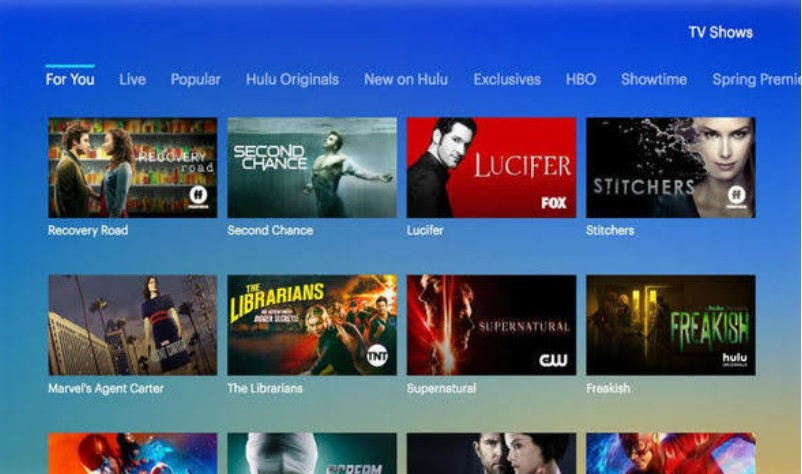
If you enjoy live channels, you have several options.
Pluto TV
Pluto TV is one of the best-known free live-channel services.
The Roku Channel
The Roku Channel also offers live channels.
Peacock
Peacock offers selected live programming and sports.
Paramount+
Paramount+ offers selected live content depending on the plan and location.
Live streaming can be more expensive than simple movie streaming.
That is why free services such as Pluto TV can be useful for people who want a traditional TV-style experience without a large monthly bill.
Best Prime Video Alternatives for Free Movies
If your main goal is watching movies without paying, start with legal free services.
Tubi is one option.
Pluto TV is another.
The Roku Channel also offers free movies.
Plex has free streaming content too.
You may also have access to Kanopy or Hoopla through your library.
The main trade-off with many free services is advertising.
You may have to watch a few ads while watching a movie or show.
Prime Video Alternatives With Fewer Ads
If you dislike ads, look at the plan details before signing up.
Many streaming services now have different plans.
One plan may include ads.
Another plan may cost more but have fewer or no ads.
However, even an ad-free plan may have some promotional material or ads during live events.
Always check the current details of the plan you are buying.
Prime Video Alternatives for 4K
Some viewers care about picture quality.
If you have a 4K TV, you may want a service that supports 4K streaming.
But 4K is not available for every movie or show.
It can depend on:
- The title
- Your plan
- Your device
- Your internet speed
- Your country
You should check these details before paying more for a premium plan.
Prime Video Alternatives for Mobile Phones
Most major streaming services work on phones and tablets.
You can use services such as:
- Netflix
- Disney+
- Hulu
- HBO Max
- Paramount+
- Peacock
- Apple TV+
- Tubi
- Pluto TV
Mobile features can be different from one service to another.
Some services allow downloads for offline viewing.
Others may limit downloads based on the plan.
If you often travel, offline downloads can be very useful.
Prime Video Alternatives for Offline Viewing
Offline viewing lets you download content before you leave home.
You can then watch it without an internet connection.
This is useful when:
- Traveling
- Flying
- Using mobile data
- Staying somewhere with weak internet
- Going on a long trip
Prime Video supports downloads on several compatible devices. Amazon says supported Prime Video apps can allow users to download movies and TV episodes for offline viewing.
Other streaming services also support downloads, but the rules can be different.
Always check your chosen service before subscribing.
Prime Video Alternatives vs Prime Video
Here is a simple comparison.
| Feature | Prime Video | Other Services |
| Movies | Yes | Yes |
| TV shows | Yes | Yes |
| Original shows | Yes | Yes |
| Rentals | Yes | Some services |
| Movie purchases | Yes | Some services |
| Free streaming | Limited | Several free services |
| Live content | Yes | Depends on service |
| Sports | Selected events | Depends on service |
| 4K | Selected titles | Depends on service |
| Downloads | Yes | Depends on service |
| Ads | Depends on plan/content | Depends on service |
| Family content | Yes | Disney+ is a strong option |
| Live channels | Selected content | Pluto TV and others |
The biggest difference is that these services are not all designed in the same way.
Some focus on subscriptions.
Some focus on free content.
Some focus on live channels.
Some focus on one type of entertainment.
Are Free Prime Video Alternatives Legal?
Yes, many free streaming services are legal.
Tubi, Pluto TV, The Roku Channel, and Plex are examples of services that provide legitimate free streaming options.
Tubi states that its service is free and legal and is supported by advertising.
However, you should be careful with unknown websites.
A website offering every new movie for free may not have the rights to show that content.
Avoid websites that:
- Ask you to download unknown software
- Show many suspicious pop-ups
- Send you to strange websites
- Ask for unusual payment details
- Promise brand-new movies for free
- Do not explain where their content comes from
A website being free does not automatically mean it is safe or legal.
Why Do Free Streaming Services Show Ads?
This is easy to understand.
Paid services make money from subscriptions.
Free services often make money from advertising.
You watch the movie or show for free, but you may see ads during the program.
This allows the service to offer content without charging a monthly fee.
Tubi, for example, says advertising supports its free service.
This model is now common in streaming.
Can You Replace Prime Video Completely?
Yes, but you may need more than one service.
Prime Video offers several ways to watch content.
You can watch included titles.
You can rent movies.
You can buy movies and shows.
You can also add other streaming services through Prime Video in supported markets.
Other streaming services usually focus on a smaller part of this experience.
For example:
- Netflix focuses on its streaming library.
- Disney+ focuses on Disney-related content.
- Tubi focuses on free streaming.
- Pluto TV focuses on live channels.
- Apple TV+ focuses on original shows.
- Kanopy focuses on library-based streaming.
Because of this, there may not be one perfect replacement.
You may get better results by using one or two services that match your interests.
Best Free Combination Instead of Prime Video
If you want to spend less money, you can combine free services.
For example:
Tubi + Pluto TV + The Roku Channel
This gives you:
- Free movies
- Free TV shows
- Live channels
- On-demand content
- Different libraries
You can also add Kanopy or Hoopla if your library provides access.
This approach can reduce the number of paid subscriptions you need.
How to Choose the Right Prime Video Alternative
Choosing a streaming service does not have to be difficult.
Start with what you actually watch.
Step 1: Think About Your Favorite Content
Ask yourself:
Do I watch movies?
Look at Netflix, HBO Max, Paramount+, Peacock, and Tubi.
Do I watch TV shows?
Look at Netflix, Hulu, Peacock, Paramount+, and HBO Max.
Do I watch family content?
Look at Disney+ and Netflix.
Do I watch sports?
Check the current sports rights for Peacock, Paramount+, Prime Video, and other services.
Do I want free content?
Try Tubi, Pluto TV, The Roku Channel, or Plex.
Step 2: Decide Your Budget
Think about how much you want to spend each month.
You do not need five or six paid services.
One or two may be enough.
Free services can fill the gaps.
Step 3: Check the Content Before Paying
Do not subscribe just because a service is popular.
First, check whether it has the movies and shows you want.
A streaming service is only useful if you actually watch it.
Step 4: Check Your Country
Streaming libraries are not the same everywhere.
A service may have different content in the United States, United Kingdom, Pakistan, Canada, Australia, or another country.
Some services may not officially operate in your country at all.
Always check local availability before subscribing.
Prime Video Alternatives for Different Viewers
For Movie Fans
Consider:
- Netflix
- HBO Max
- Paramount+
- Peacock
- Tubi
For TV Fans
Consider:
- Netflix
- Hulu
- Peacock
- Paramount+
- HBO Max
For Families
Consider:
- Disney+
- Netflix
- Peacock
For Free Streaming
Consider:
- Tubi
- Pluto TV
- The Roku Channel
- Plex
For Live Channels
Consider:
- Pluto TV
- The Roku Channel
- Peacock
- Paramount+
For Library Users
Consider:
- Kanopy
- Hoopla
Pros and Cons of Prime Video Alternatives
Pros
More Choices
You can watch movies and shows that may not be available on Prime Video.
More Original Content
Many streaming services create their own shows and movies.
Free Options
Tubi, Pluto TV, The Roku Channel, and Plex offer free options.
Different Types of Entertainment
You can choose between movies, TV shows, live channels, sports, documentaries, and more.
You Can Mix Services
You do not have to rely on just one platform.
Cons
More Monthly Bills
Using many paid services can become expensive.
Too Many Apps
You may need to switch between several apps.
Shows Can Move
A movie or show can leave a service when its rights change.
Different Country Libraries
The content available in one country may not be available in another.
Ads
Free services usually use ads to pay for their content.
How to Save Money on Streaming
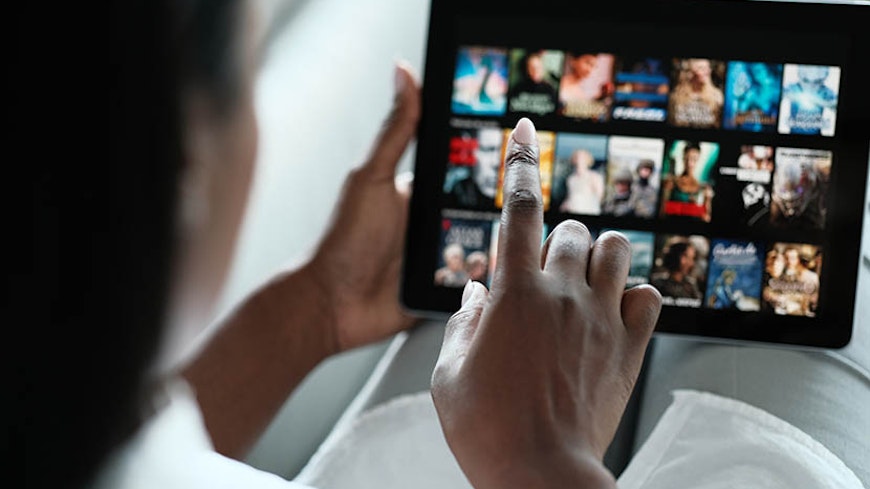
Streaming can become expensive if you subscribe to too many services.
Here are some simple ways to save money.
Cancel Services You Do Not Use
If you have not watched a service in a long time, consider canceling it.
Use Free Services
Tubi and Pluto TV can give you free entertainment with ads.
Rotate Your Subscriptions
You do not need to keep every service all year.
You can subscribe to one service for a month.
Watch the shows you want.
Then cancel it and try another service.
Look for Bundles
Some companies offer bundles with two or more services.
A bundle can sometimes be cheaper than buying each service separately.
Check Your Library
Your library may offer Kanopy or Hoopla at no extra cost.
Do You Need More Than One Streaming Service?
Not always.
If you only watch a few shows, one service may be enough.
If you watch many types of content, two services may be useful.
For example:
Netflix + Tubi
This gives you a paid service and a free service.
Or:
Disney+ + Pluto TV
This gives you family content plus free live channels.
The right combination depends on your viewing habits.
Prime Video Alternatives in 2026
The streaming market continues to change.
New shows are released every week.
Services add and remove movies.
Prices can change.
Some services add cheaper plans with ads.
Others offer bundles.
Free services are also becoming more popular.
Recent 2026 streaming coverage shows that viewers now have a very large number of choices, with major services such as Netflix, Disney+, Hulu, HBO Max, Prime Video, Peacock, Paramount+, and Apple TV+ competing alongside free services.
This gives viewers more choice.
But it can also make choosing a service harder.
The best way to avoid confusion is to focus on your own viewing habits.
For practical SEO ideas, search trends, and content optimization guidance, keep up with Search Engine Insight.
Frequently Asked Questions About Prime Video Alternatives
What are the best Prime Video alternatives?
Popular alternatives include Netflix, Disney+, Hulu, HBO Max, Paramount+, Peacock, Apple TV+, Tubi, Pluto TV, and The Roku Channel.
Each service offers different content.
What is the best free Prime Video alternative?
Tubi, Pluto TV, The Roku Channel, and Plex are popular free choices.
Your library may also offer Kanopy or Hoopla.
Is Netflix a Prime Video alternative?
Yes.
Netflix is one of the biggest alternatives to Prime Video.
It focuses heavily on movies, TV shows, and original content.
Is Disney+ better than Prime Video?
Disney+ and Prime Video are different.
Disney+ focuses heavily on Disney-related content.
Prime Video offers a wider mix of movies, shows, rentals, purchases, and other content.
Is Tubi really free?
Yes.
Tubi offers free streaming supported by advertising.
You do not need a normal paid subscription to use its free service.
Is Pluto TV free?
Yes.
Pluto TV provides free live channels and on-demand content.
It makes money through advertising.
What is the best Prime Video alternative for families?
Disney+ is a popular choice for families because of its large collection of Disney, Pixar, Marvel, Star Wars, and National Geographic content.
What is the best Prime Video alternative for movies?
Netflix, HBO Max, Paramount+, Peacock, and Tubi are all worth considering.
The best choice depends on the movies you want to watch.
What is the best Prime Video alternative for live TV?
Pluto TV and The Roku Channel are useful free choices for live channels.
Peacock and Paramount+ also offer selected live content.
Can I watch movies for free without Prime Video?
Yes.
Tubi, Pluto TV, The Roku Channel, and Plex offer free content.
Kanopy and Hoopla may also be free if you qualify through a library or educational institution.
Are free streaming services safe?
Many legal free streaming services are safe to use.
However, be careful with unknown websites.
Use well-known services and official apps.
Are free streaming services legal?
Many are.
Tubi, for example, says its service is free and legal.
However, not every free movie website is legal.
Which Prime Video alternative has original shows?
Netflix, Apple TV+, Disney+, HBO Max, Hulu, Paramount+, and Peacock all offer original programming.
The amount and type of content can change over time.
Can I use more than one streaming service?
Yes.
Many people use two or more services.
However, too many paid subscriptions can quickly increase your monthly costs.
Are Prime Video alternatives available worldwide?
Not always.
Streaming services can have different rules and content in different countries.
Some services are only available in certain markets.
Always check local availability.
Final Thoughts on Prime Video Alternatives
There are many Prime Video Alternatives to choose from.
You do not have to use Prime Video just because it is popular.
Netflix is a strong choice for movies, TV shows, and original content.
Disney+ is useful for families and fans of Disney, Pixar, Marvel, and Star Wars.
Hulu is a good option for TV fans.
HBO Max offers HBO and Warner Bros. content.
Paramount+ offers movies, shows, sports, and CBS content.
Peacock offers NBC content, movies, shows, and sports.
Apple TV+ focuses on original productions.
If you want free entertainment, Tubi, Pluto TV, The Roku Channel, and Plex are useful choices.
If you have access to a participating library or school, Kanopy and Hoopla can also provide free digital entertainment.
The most important thing is to choose based on what you watch, your budget, and where you live.
You do not need every streaming service.
You may only need one or two paid services, plus a few free options.
That can give you plenty to watch while helping you control your monthly streaming costs.