What Is llms.txt? A Simple Guide for 2026
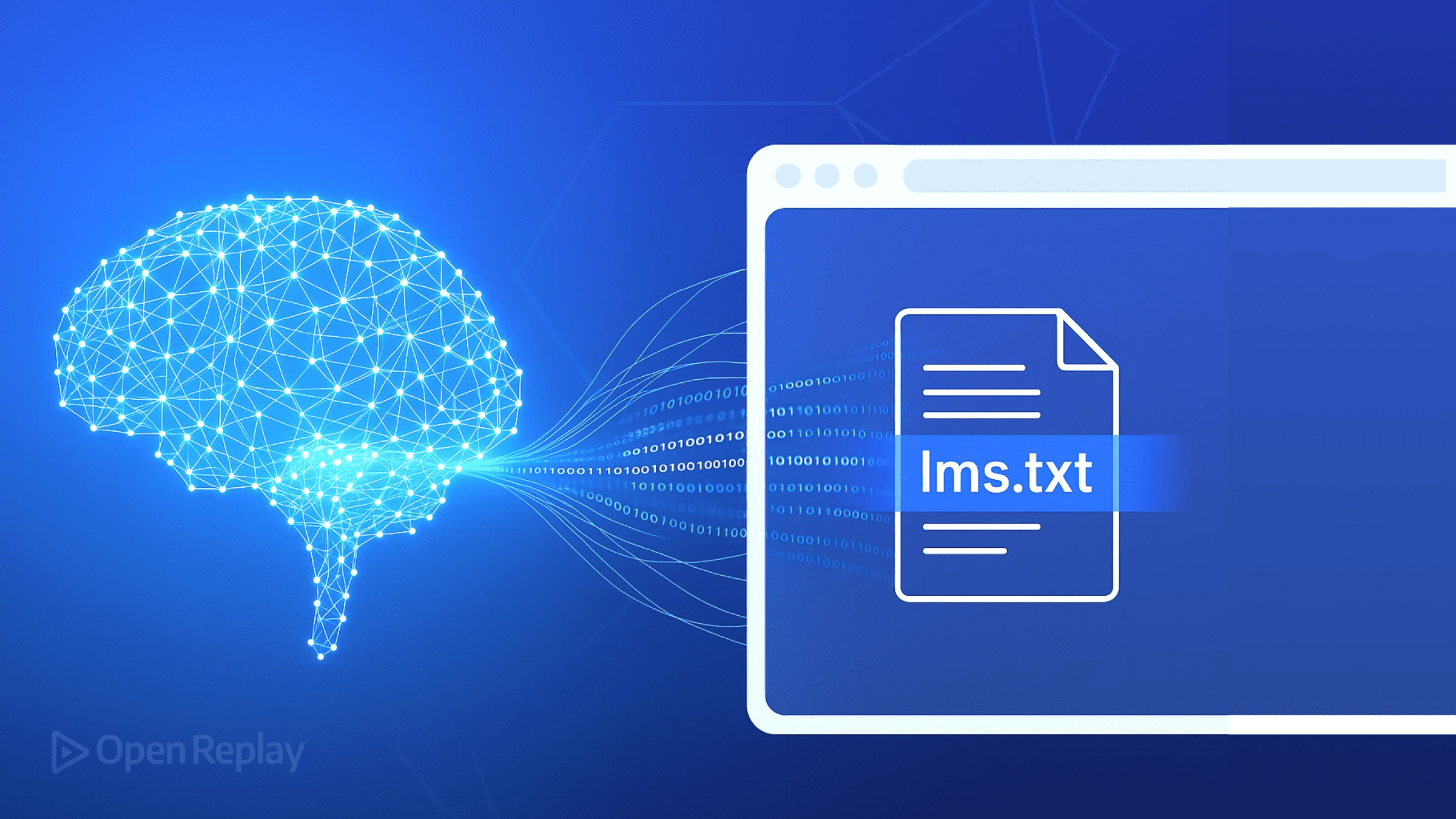
If you are asking what is llms.txt, here is the short answer: it is a simple text file that helps AI tools understand your website. You place it at your site’s root, and it gives large language models a clean, structured summary of what your site offers and where to find it.
This guide explains everything in plain English. You will learn how llms.txt works, what goes inside it, how it differs from robots.txt, and whether your site actually needs one. No coding background required.
What Is llms.txt? The Simple Definition
llms.txt is a markdown-formatted text file that lives at the root of your website (for example, yoursite.com/llms.txt). It gives AI systems a short, organized guide to your site: what it is about, which pages matter most, and where to find key information.
The name breaks down simply. “LLM” stands for large language model, the technology behind tools like ChatGPT, Claude, and Gemini. The “.txt” means it is a plain text file. So llms.txt literally means “a text file for LLMs.”
llms.txt Explained in Plain English
Imagine a new employee joining your company. On day one, you hand them a one-page cheat sheet: what the company does, who does what, and where the important documents live. That cheat sheet saves them hours of wandering around confused.
llms.txt is that cheat sheet for AI. Instead of an AI tool crawling hundreds of your pages to figure out what your site offers, it can read one short file and get oriented fast. The file points the AI to your most important pages in a format it reads easily.
This does not replace your website. Humans still browse your pages normally. The file is an extra layer written specifically for machines that process text.
Where the Idea Came From
The llms.txt concept was proposed by Jeremy Howard, co-founder of Answer.AI, in September 2024. His argument was straightforward. Websites were designed for human browsers, with navigation menus, images, and JavaScript. AI models work best with clean, structured text.
He suggested a simple convention: a markdown file at /llms.txt following a predictable format. Because markdown is just formatted text, both humans and AI can read it. The proposal spread quickly among developers and SEO professionals, and many sites adopted it early.
It is important to know that llms.txt is a proposed convention, not an official web standard. No single authority controls it. Adoption is growing, but it is still early days.
How llms.txt Works
The mechanics are simple. You write a markdown file, upload it to your website’s root directory, and AI tools that know about the convention can fetch and read it. Let us break down each part.
What the File Contains
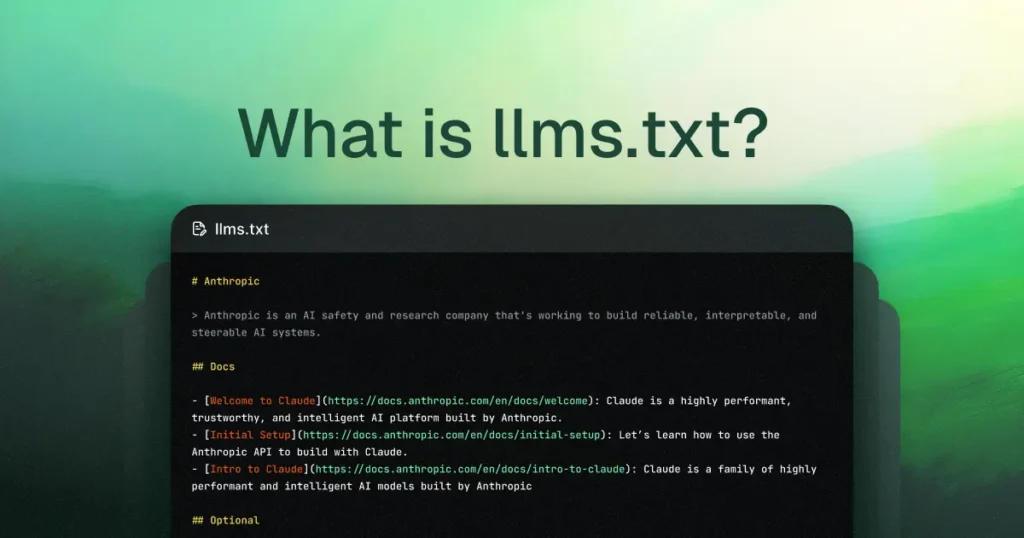
An llms.txt file has a predictable structure. It starts with an H1 heading containing your site or project name. Below that, a blockquote gives a short summary of what the site is about.
Then come H2 sections that organize your key links. Common sections include documentation, guides, API references, or main product pages. Each section lists links with brief descriptions, one per line.
Here is a tiny example of what the format looks like:
Acme Widgets
Acme Widgets makes durable kitchen tools for home cooks.
Free shipping on orders over $50.
Guides
- Knife care guide: How to sharpen and store kitchen knives.
- Cutting board care: Keep wooden boards in top shape.
Products
- Chef’s knife: Our best-selling 8-inch knife.
That is the whole idea. Clean headings, short descriptions, and direct links. Nothing fancy.
Where the File Lives on Your Site
By convention, the file sits at the root of your domain: yoursite.com/llms.txt. Just like robots.txt lives at yoursite.com/robots.txt, AI tools know to look in this standard spot.
Placing it anywhere else defeats the purpose. The whole point is predictability. An AI tool should be able to guess the URL without being told.
How AI Tools Read It
When an AI tool wants to understand your site, it can request your llms.txt file directly. Because the file is plain markdown, the model parses it easily. It learns your site’s purpose from the summary and finds your key pages from the link lists.
Think of it as a shortcut. Without the file, an AI might need to fetch and process dozens of pages to build the same picture. With the file, it gets the essentials in one quick read. For sites with lots of JavaScript-heavy pages, this shortcut is especially valuable.
Why llms.txt Matters for Your Website
You might wonder why a simple text file deserves your attention. The reason is the shift in how people find information. More and more users ask AI assistants for recommendations instead of browsing search results. A file that helps AI understand your site positions you for that future.
It Helps AI Tools Recommend Your Site
When someone asks an AI assistant for the best knife care guide, the AI draws on what it knows. If your llms.txt file clearly describes your knife care guide and links to it, you have given the AI clean material to work with.
This does not guarantee a recommendation. AI tools weigh many factors. But clear, structured information about your site can only help. Sites that are hard to understand get skipped in favor of sites that are easy to grasp.
It Points AI to Your Best Pages
Most websites have a few pages that matter most. Maybe it is your pricing page, your main guide, or your documentation hub. But AI tools do not automatically know which pages those are.
Your llms.txt file lets you choose. You decide which pages to feature and how to describe them. Instead of leaving it to chance, you curate the AI’s first impression of your site.
It Costs Almost Nothing to Add
This is the most practical argument. Creating an llms.txt file takes an hour or less for most sites. There is no ongoing cost. No subscription. No complex maintenance.
For that tiny investment, you get a foothold in AI-driven discovery. Even if the payoff is uncertain today, the cost is so low that most sites have little to lose.
Key Parts of an llms.txt File
Let us look at each component in detail so you can write your own with confidence.
The Title and Summary
Every llms.txt file starts with an H1 heading. This is your site or project name, written as a markdown heading:
Your Site Name
Directly below, add a blockquote summary. This is a two-to-three sentence description of what your site does and who it serves:
A beginner-friendly blog about indoor gardening.
We publish step-by-step guides for apartment dwellers.
Keep it factual and specific. This summary is often the first thing an AI reads about you. Make it count.
The Main Sections and Links
After the summary, organize your key pages under H2 headings. Use section names that describe the content type:
Beginner Guides
- Growing herbs indoors: Start your first herb garden on a windowsill.
- Best grow lights: Affordable lighting for small spaces.
Each link gets a short description after the colon. Write descriptions that explain what the reader will get, not just what the page is called. Aim for one clear sentence each.
Optional Sections You Can Add
The format is flexible. Beyond the basics, many sites add sections like these:
· Documentation: links to technical docs or API references
· About: a link to your about page with a one-line description
· Contact: how to reach you, useful for AI tools that answer “how do I contact X”
· Policies: links to privacy policy or terms, helpful for trust questions
Only include sections that genuinely help. A short, accurate file beats a long, padded one every time.
llms.txt vs robots.txt: What’s the Difference?
Beginners often confuse these two files because they live in the same place and have similar names. They do very different jobs.
| llms.txt | robots.txt | |
| Purpose | Helps AI understand your site | Tells crawlers which pages to skip |
| Audience | Large language models | Search engine crawlers |
| Format | Markdown with links and descriptions | Special crawl directives |
| Effect on SEO | Indirect; aids AI discovery | Direct; controls what gets indexed |
| Required? | No, it is optional | Recommended for most sites |
| Blocks anything? | No | Yes, it can block crawling |
Think of it this way. robots.txt is a set of instructions: “Do not go here.” llms.txt is an invitation: “Start here, this is what matters.” One restricts, the other guides.
You can and should have both. They do not conflict. robots.txt manages crawler access while llms.txt offers AI a helpful summary.
Examples of llms.txt in the Real World
Early adopters tend to be documentation sites, developer tools, and tech blogs. These sites have lots of structured content that AI tools frequently reference, so they benefit most.
A typical documentation site’s llms.txt lists its getting-started guide, API reference, and FAQ. A SaaS company’s version highlights its pricing page, feature overviews, and help center. A blog might feature its most popular guides and its about page.
What they share is curation. None of them list every page. They list the pages that best represent the site and that an AI would most likely need.
If you want to see real examples, visit the llms.txt proposal site and look at the sites that adopted it early. Studying two or three examples teaches you more than any guide can.
Common Myths and Misconceptions

llms.txt is new, and new things attract myths. Let us clear up the biggest ones.
What Is llms.txt NOT? Separating Myth From Reality
Myth: llms.txt controls what AI says about you. It does not. The file offers guidance, but AI tools decide for themselves what to say. Think of it as a suggestion, not a command.
Myth: llms.txt is required for AI visibility. It is not. AI tools learn about websites from many sources, including regular crawling and training data. The file is a helpful extra, not a requirement.
Myth: llms.txt boosts Google rankings. There is no evidence for this. Google has not said llms.txt affects search rankings. Treat it as an AI-discovery aid, not an SEO ranking tactic.
Myth: llms.txt replaces good content. It never will. The file points AI to your pages, but those pages still need to be excellent. A great llms.txt file linking to thin content helps nobody.
Myth: Only tech sites need one. Any site can benefit, but content-rich sites gain the most. If your site is mostly images with little text, the file has less to work with.
Best Practices for Your llms.txt File
· Keep it short and focused. Feature your most important pages only. Ten to twenty well-chosen links beat a hundred-link dump.
· Write clear descriptions. Each link needs a one-sentence description of what the reader gets. Avoid vague phrases like “click here” or “learn more.”
· Use valid markdown. Stick to the standard format: H1 title, blockquote summary, H2 sections, bulleted links. Predictability is the point.
· Keep links working. Check your file’s links regularly. Dead links in your AI cheat sheet send AI tools to dead ends.
· Update it when your site changes. New flagship guide? Add it. Retired a product? Remove it. Treat the file as a living document.
· Do not include sensitive URLs. The file is public. Never link to admin pages, staging sites, or anything you would not want the world to see.
· Match your site’s real content. Descriptions should reflect what pages actually contain. Misleading summaries erode trust fast.
Important Things to Consider Before You Add One
First, set honest expectations. llms.txt is a proposed convention with growing but still limited adoption. Adding the file is cheap and sensible, but it is not a magic switch for AI traffic.
Second, prioritize your website itself. The file is a supplement, not a substitute. Clear site structure, good content, and solid technical SEO matter far more. Get those right first.
Third, watch how the space evolves. AI companies may develop their own preferred formats or official standards. What works today might need adjusting tomorrow. Check your file a few times a year.
Finally, remember that the file is public. Anyone can read it, including competitors. Do not put anything in it you would not publish openly.
Visit Search Engine Insight for practical guidance on keyword targeting, on-page improvements, and building a search-friendly website.
Frequently Asked Questions
What is llms.txt in simple terms?
llms.txt is a short markdown file placed at your website’s root that summarizes your site for AI tools. It lists your most important pages with brief descriptions, helping large language models understand what you offer quickly.
Is llms.txt an official web standard?
No. It is a proposed convention introduced in 2024, not an official standard controlled by any authority. Adoption is growing among developers and publishers, but it remains voluntary and informal.
Do I need llms.txt for my website to appear in AI answers?
No. AI tools learn about websites through regular crawling, training data, and many other signals. llms.txt is a helpful extra that makes your site easier to understand, not a requirement for AI visibility.
Will llms.txt improve my Google rankings?
There is no evidence that it does. Google has not stated that llms.txt affects search rankings. Think of it as an aid for AI discovery and comprehension, separate from classic SEO ranking factors.
What should I put in my llms.txt file?
Include your site name, a short summary, and curated links to your most important pages, each with a one-sentence description. Organize links under clear H2 sections like Guides, Products, or Documentation.
How is llms.txt different from robots.txt?
robots.txt tells search engine crawlers which parts of your site to avoid. llms.txt invites AI models to understand your site by summarizing it. One restricts crawling, the other guides comprehension. They serve different purposes and can coexist.
Can llms.txt contain private or sensitive links?
It should not. The file is publicly accessible to anyone who requests it. Only include pages and information you are comfortable sharing openly with the entire internet.
How often should I update my llms.txt file?
Review it whenever your site changes significantly: new flagship content, retired products, or restructured navigation. A quick check every few months keeps it accurate without much effort.
Does llms.txt work for non-English websites?
Yes. The format works in any language. Write the summaries and descriptions in your site’s primary language so AI tools get an accurate picture of your content.
Where can I see real llms.txt examples?
Visit the official proposal site at llmstxt.org, which documents the format and links to early adopters. You can also view any site’s file directly by adding /llms.txt to its domain in your browser.
Conclusion:What Is llms.txt?
So what is llms.txt? It is a simple markdown file that gives AI tools a clear, structured introduction to your website. Born from a 2024 proposal, it costs almost nothing to create and offers a foothold in the growing world of AI-driven discovery.
The key takeaways are straightforward. Keep the file short and curated. Describe each link clearly. Do not expect ranking boosts or guaranteed AI mentions. And always remember that great content matters far more than any single file.
If you run a content-rich site, adding llms.txt is a sensible hour of work. Write it well, keep it updated, and let it quietly help AI understand what you have built.