llms.txt Implementation Guide: Easy Steps for 2026
This llms.txt implementation guide walks you through creating and publishing your llms.txt file from scratch, even if you have never touched one before. By the end, you will have a working file live at yoursite.com/llms.txt, written in clean markdown that AI tools can read easily.
We will keep everything practical. No theory overload. Just the exact steps: what to include, how to format it, where to upload it, and how to check that it works.
What Is llms.txt? A Quick Refresher
llms.txt is a markdown text file that sits at the root of your website. It gives AI systems a short, structured summary of your site: what it is about and which pages matter most.
The concept was proposed in 2024 as a simple convention. Because the file uses plain markdown, both humans and AI models can read it without special tools.
The 30-Second Version
Your website was built for human browsers. Menus, images, popups, and JavaScript all assume a person is looking at a screen. AI models prefer clean text.
llms.txt bridges that gap. It is a one-page cheat sheet that tells an AI what your site offers and where to find it. The AI reads the file instead of guessing from dozens of pages.
What the File Looks Like
Here is the smallest valid example:
Example Bakery
A neighborhood bakery in Portland known for sourdough.
Guides
- Sourdough starter guide: Start your own starter in 7 days.
That is it. A title, a summary, and organized links with descriptions. The rest of this guide shows you how to build a complete version for your own site.
Why Implement llms.txt on Your Website
Before doing the work, it helps to know why it is worth an hour of your time.
AI Discovery Is Growing
More people now ask AI assistants for recommendations instead of scrolling search results. They ask for the best tools, the clearest guides, the most trusted shops. A file that helps AI understand your site positions you for this shift.
Early adopters get a head start. While competitors ignore AI discovery, your site is already speaking the AI’s language.
You Control the Narrative
Without llms.txt, AI tools form their impression of your site from whatever they happen to crawl. That might be an outdated page or a thin category archive.
With llms.txt, you choose. You decide which pages represent you and how to describe them. It is the difference between letting strangers describe your business and introducing yourself.
The Effort Is Minimal
Most implementations take under an hour. There are no ongoing fees, no complex integrations, and no maintenance burden beyond occasional updates. Few website improvements offer this much potential for this little work.
What You Need Before You Start
Gather these three things and the actual implementation will go smoothly.
Access to Your Site’s Root Directory
You need the ability to upload a file to your domain’s root, so it is reachable at yoursite.com/llms.txt. This usually means hosting file manager access, FTP credentials, or a WordPress plugin that can create root-level files.
If you are not sure you have access, check with your hosting provider. Most shared hosting plans include a file manager in the control panel.
A List of Your Most Important Pages
Before writing, list the 10 to 20 pages that best represent your site. Think like a first-time visitor. Which pages would you show them?
Good candidates include your homepage, flagship guides, product or service pages, pricing, documentation, and your about page. Skip thin pages, tag archives, and anything outdated.
A Plain Text Editor
You do not need special software. Notepad, TextEdit, VS Code, or any code editor works. Avoid word processors like Microsoft Word, which add hidden formatting that breaks the file.
If you are comfortable with markdown, great. If not, this guide will show you the only syntax you need. It is simpler than it sounds.
llms.txt Implementation Guide: The 7-Step Process
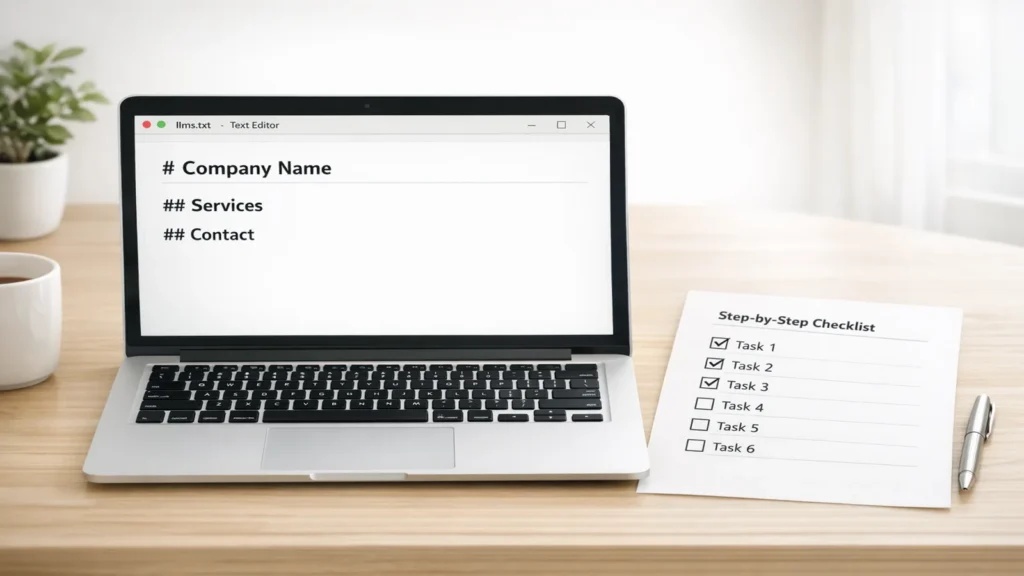
Here is the complete workflow. Follow each step in order. By step 7, your file will be live and verified.
Step 1: Plan Your File’s Content
Start with your page list from the preparation stage. Group the pages into two to four logical sections. Typical sections include Guides, Products, Services, Documentation, or Resources.
Decide on your one-paragraph summary. Write two to three sentences describing what your site does and who it serves. Be specific. “We publish beginner gardening guides for apartment dwellers” beats “We are a lifestyle website.”
Keep the total scope tight. A focused file with 15 great links outperforms a bloated file with 80 mediocre ones.
Step 2: Write the Title and Summary
Open your text editor and create a new file. Start with your site name as an H1 markdown heading. In markdown, that means one hash symbol followed by a space:
Green Thumb Apartments
On the next lines, add your summary as a blockquote. In markdown, that means each line starts with a greater-than symbol and a space:
Beginner-friendly indoor gardening guides for apartment dwellers.
Step-by-step tutorials, product picks, and troubleshooting help.
This title and summary are the first things an AI reads. Make them accurate and inviting.
Step 3: Organize Your Links Into Sections
Below the summary, add your first H2 section. In markdown, that is two hash symbols:
Beginner Guides
Under each heading, list your links as bullet points. Each bullet follows this pattern: a linked page title in square brackets, the URL in parentheses, a colon, then a one-sentence description.
Beginner Guides
- Growing herbs indoors: Start your first herb garden on a sunny windowsill.
- Best grow lights under $50: Affordable lighting for small apartments.
Repeat for each section. Use absolute URLs (the full https:// address), not relative ones. AI tools reading the file may not know your domain context.
Step 4: Write Clear Descriptions for Each Link
The description after each link matters more than most people realize. It tells the AI what the reader will actually get. Compare these:
· Weak: “A page about herbs.”
· Strong: “Start your first herb garden on a sunny windowsill, with watering schedules for 12 common herbs.”
Write every description as if the AI will quote it when recommending your page. Because it might. One clear sentence each. No hype, no keyword stuffing, just facts.
Step 5: Save and Upload the File
Save your file with the exact name llms.txt. The name must be all lowercase. Even a small difference like LLMS.txt breaks the convention.
Upload it to your website’s root directory. That is the top-level folder of your site, the same place where your homepage file lives. Common methods:
· Hosting file manager: log in to your hosting control panel, open the file manager, navigate to the public_html or www folder, and upload the file there.
· FTP: connect with an FTP client, navigate to the root directory, and drag the file over.
WordPress plugin: some SEO and file-manager plugins let you create files at the root without leaving WordPress.
After uploading, visit yoursite.com/llms.txt in your browser. You should see your file’s contents rendered as text.
Step 6: Test Your File With This llms.txt Implementation Guide Checklist
Run through these checks before calling the job done:
· [ ] The file loads at yoursite.com/llms.txt with no errors
· [ ] The filename is exactly llms.txt (all lowercase)
· [ ] Every link in the file works when clicked
· [ ] All URLs are absolute (full https:// addresses)
· [ ] The markdown renders cleanly with no broken syntax
· [ ] The file contains no sensitive or private URLs
· [ ] Descriptions accurately match the linked pages
If any link is broken, fix it now. A cheat sheet with dead ends helps nobody.
Step 7: Maintain and Update the File
Set a calendar reminder to review the file every three months. Add new flagship content. Remove retired pages. Refresh descriptions that no longer match.
Also re-check the file after any site redesign or migration. URLs sometimes change during rebuilds, and your llms.txt file will not update itself.
A Complete Example llms.txt File
Here is a full example for a fictional gardening blog, annotated so you can adapt it:
Green Thumb Apartments
Beginner-friendly indoor gardening guides for apartment dwellers.
Step-by-step tutorials, product picks, and troubleshooting help.
Beginner Guides
- Growing herbs indoors: Start your first herb garden on a sunny windowsill.
- Best grow lights under $50: Affordable lighting for small apartments.
- Watering schedules explained: How often to water 20 common houseplants.
Troubleshooting
- Why are my leaves turning yellow?: Diagnose and fix the five most common causes.
- Pest control without chemicals: Safe methods for dealing with gnats and aphids.
About
- Our story: Who writes these guides and why we started.
- Contact us: Questions, corrections, and partnership inquiries.
Notice the pattern. Short sections. Real descriptions. Nothing padded. Copy this structure and replace the content with your own pages.
Best Practices for Implementation

· Follow the standard format. H1 title, blockquote summary, H2 sections, bulleted links. Predictability helps every AI tool parse your file the same way.
· Curate ruthlessly. Include only pages you are proud of. Your llms.txt file is a greatest-hits list, not a sitemap.
· Write descriptions for AI, not for clicks. Factual summaries beat marketing copy. “Step-by-step sourdough tutorial with photos” beats “The amazing guide everyone loves!”
· Use absolute URLs everywhere. Full https:// addresses work no matter how the file is fetched or processed.
· Keep the file under a reasonable size. Aim for something readable in a minute or two. If it takes ten minutes to read, it is too long.
· Match descriptions to page content. If the page changes, update the description. Mismatches erode trust.
· Do not duplicate your sitemap. An XML sitemap lists everything for crawlers. llms.txt highlights the best for AI. Different jobs, different files.
7 Common Mistakes to Avoid
- Wrong filename or location. LLMS.txt in a subfolder does not follow the convention. It must be lowercase llms.txt at the domain root.
- Listing every page. Dumping 200 links turns a cheat sheet into a phone book. AI tools gain nothing from an unfiltered list.
- Vague descriptions. “Click here to learn more” tells the AI nothing. Every link needs a real description of what the page delivers.
- Broken or redirected links. Test every URL. Chains of redirects and 404 errors make your file unreliable.
- Including private URLs. Admin panels, staging sites, and internal tools must never appear in a public file. Audit before publishing.
- Setting and forgetting. Sites change. A file that still links to a discontinued product line misleads AI tools and wastes the opportunity.
- Expecting instant results. llms.txt is a long-term positioning move. It will not transform your traffic overnight, and that is fine.
Expert Tips for a Better File
· Study early adopters. Find two or three sites in your niche with llms.txt files and note what they include. Real examples teach faster than guides.
· Prioritize pages AI already references. If AI tools already mention your site for certain topics, feature those pages prominently in your file.
· Add an llms-full.txt for deep content. Some sites offer an extended version with full page content for AI training and reference. Consider it once the basic file works.
· Coordinate with your content team. When new flagship content launches, add it to the file the same week. Make it part of the publishing checklist.
· Validate markdown syntax. Paste your file into any free online markdown previewer to catch formatting errors before uploading.
· Monitor AI mentions. Periodically ask AI assistants about your niche and see if your site comes up. Track whether mentions improve after implementation.
· Keep a changelog. Note the date of each update in an HTML comment at the top of the file. Future you will appreciate the history.
Real-World Examples: Implementation in Action
Example 1: A Documentation Site
A developer tools company creates an llms.txt file featuring its quickstart guide, API reference, and FAQ. Support tickets asking “where do I start?” drop noticeably because AI assistants now point users straight to the quickstart. Implementation took one afternoon.
Example 2: A Niche Blog
A personal finance blogger lists her ten most popular guides with one-line descriptions each. When readers ask AI assistants about those topics, her pages surface more often in the AI’s suggestions. She updates the file quarterly when she publishes new cornerstone content.
Example 3: A Local Service Business
A plumbing company adds an llms.txt file highlighting its service pages, pricing guide, and emergency contact page. The file is short, just twelve links. AI assistants answering “find a plumber near me” style questions now have clean, structured facts about the business to draw on.
Implementation in 2026: What Changed

Adoption has grown steadily since the 2024 proposal. More CMS platforms and SEO tools now mention llms.txt in their documentation. Some offer one-click generation from your existing sitemap.
The format itself has stayed stable, which is good news. Files written to the original spec still work. The community has added optional conventions, like the extended llms-full.txt variant, but the core remains simple.
AI companies continue to evolve how they discover web content. While no major lab has announced official llms.txt support as a standard feature, the file’s growing adoption means more tools know to look for it. The trend favors early implementers.
Important Things to Consider
Keep expectations honest. llms.txt helps AI understand your site, but it does not control what AI says. It is one signal among many, not a remote control.
Do not neglect the basics. A brilliant llms.txt file cannot compensate for thin content, slow pages, or poor site structure. Implementation should follow good SEO, not replace it.
Remember the file is public. Competitors can read it. That is fine for most sites, but never include anything sensitive. When in doubt, leave it out.
Finally, treat the file as a living document. The web changes, AI changes, and your site changes. A quick quarterly review keeps your implementation useful instead of letting it rot.
Search Engine Insight provides actionable digital marketing knowledge, SEO recommendations, and content improvement ideas to help businesses grow their online reach.
Frequently Asked Questions
How long does llms.txt implementation take?
For most sites, under an hour. Planning your page list takes the most time. Writing the markdown and uploading the file usually takes 15 to 30 minutes once you know what to include.
Where exactly do I upload the llms.txt file?
Upload it to your domain’s root directory so it is reachable at yoursite.com/llms.txt. In most hosting setups, this is the public_html or www folder. The filename must be all lowercase.
Do I need coding skills to implement llms.txt?
No. The file uses basic markdown: headings, quotes, and link lists. If you can write a bulleted list, you can write an llms.txt file. No programming is required.
Will llms.txt hurt my SEO?
No. It is a passive text file that does not affect crawling, indexing, or rankings. It simply offers AI tools a structured summary. It coexists fine with robots.txt and XML sitemaps.
Should small websites bother with llms.txt?
Yes, if the site has useful content. The effort is tiny and the potential upside grows as AI-driven discovery expands. Content-rich small sites often benefit most because the file highlights their best pages.
Can I generate llms.txt automatically?
Some tools and plugins can draft one from your sitemap, but review the output carefully. Auto-generated files often include too many pages with weak descriptions. Human curation produces better results.
What is llms-full.txt?
It is an optional extended variant containing fuller page content, not just links and summaries. Some sites offer it for AI tools that want deeper context. Start with the standard llms.txt file first.
How do I know if AI tools are reading my file?
There is no direct notification system. Indirect signs include your site being mentioned more accurately by AI assistants. Server logs may also show requests for the /llms.txt URL from known AI crawler user agents.
Can llms.txt replace my XML sitemap?
No. They serve different purposes. XML sitemaps help search engine crawlers discover all your pages. llms.txt helps AI models understand your most important pages. Use both.
Does llms.txt work with WordPress?
Yes. You can upload the file via your hosting file manager, FTP, or a WordPress file-manager plugin. Once uploaded to the root, it works the same as on any other platform.
Conclusion:llms.txt Implementation Guide
This llms.txt implementation guide has walked you through the entire process: planning your content, writing clean markdown, uploading to your root directory, testing with the checklist, and maintaining the file over time.
The key points are simple. Keep the file short and curated. Write honest descriptions. Put it at yoursite.com/llms.txt with the exact lowercase name. Review it quarterly.
llms.txt will not transform your traffic overnight. But for less than an hour of work, it gives AI tools a clear introduction to your site in a world where AI-driven discovery keeps growing. That is a trade worth making.