
Link Building for Beginners Step by Step: Your First Campaign in 2026
Link building for beginners step by step means turning a confusing process into a simple workflow you can repeat every week. Most beginners do not fail because link building is hard. They fail because they have no system. They send a few random emails, hear nothing back, and quit.
This guide fixes that. It is a true beginner’s tutorial on the operational side of link building: the mindset, the preparation, and the numbered workflow of research, prospecting, outreach, follow-up, and tracking. Follow it in order, and you will run your first real link building campaign with confidence.
Note: this guide focuses on the process. If you want a broader overview of backlink tactics for new sites, that is a different article. Here, we go deep on how to actually do the work, day by day.
What Is Link Building? A Simple Definition
Link building is the process of getting other websites to link to your website. Each link, called a backlink, acts like a vote of confidence. When a real site links to your page, it tells Google that your page is worth noticing.
Link Building in Plain English
Imagine you wrote the best beginner’s guide to indoor gardening on the internet. Nobody knows it exists yet. Link building is how you change that. You find bloggers, journalists, and site owners who write about gardening. You show them your guide. Some of them link to it because it helps their readers.
That is the whole process. You are not tricking anyone. You are putting useful content in front of the right people and asking for a link. Do this consistently, and your site slowly collects votes that help it rank higher on Google.
Link Building vs Link Earning: A Quick Note
You will hear two terms: link building and link earning. Link building is active. You reach out and ask. Link earning is passive. You publish great content and links come on their own.
In practice, beginners need both. Great content earns some links naturally. But outreach speeds everything up, especially for new sites nobody has heard of yet. This guide focuses on the active side: building.
Do Backlinks Still Matter for SEO in 2026?
Yes, backlinks still matter for SEO in 2026. Google has added many ranking factors over the years, but links remain one of the strongest signals that a page deserves to rank. Pages with strong backlink profiles consistently outrank similar pages without them.
What changed is the standard for what counts. Old tricks like buying links, joining link schemes, or blasting automated comments can now get your site penalized. Google is far better at spotting fake links than it used to be. The links that work today come from real websites and are earned through genuinely useful content and honest outreach.
For beginners, this is good news. You do not need tricks or secret tactics. You need a simple, repeatable workflow and the patience to run it. That is exactly what the steps below give you.
The Beginner’s Mindset: What to Know Before You Start
Before you touch a spreadsheet or send a single email, get your head right. Most failed campaigns fail here, not in the tactics.
Think Relationships, Not Transactions
The beginners who succeed treat site owners like people, not targets. They read the blog before pitching. They reference a specific article they liked. They offer something genuinely useful.
The beginners who fail treat outreach like a numbers game. They blast the same generic email to five hundred strangers and wonder why nobody replies. Site owners can smell a mass email in seconds. Personal beats volume every time.
Set Realistic Expectations
Link building is slow. Your first campaign might take weeks to earn its first link. That is normal. A realistic beginner goal is two to five quality backlinks per month from real, relevant sites.
Do not compare your week one to someone’s year three. Every site owner you admire started with zero links and a lot of ignored emails. The ones who won are the ones who kept going.
Commit to a Weekly Rhythm
Link building works through consistency, not intensity. Two focused hours per week beats one frantic weekend per month. Pick a weekly slot, protect it, and run the workflow below each time. Small, steady effort compounds into real results over a few months.
Before Step 1: Your Link Building Prep Checklist
Do not start outreach until these three things are ready. Skipping preparation is the most common reason beginner campaigns flop.
Pick One Page Worth Linking To
You need at least one page on your site that deserves a link. This is your “linkable asset.” Nobody links to thin, generic pages. They link to pages that genuinely help their readers.
Good linkable assets for beginners include:
· A detailed beginner’s guide on a topic in your niche
· A free template, checklist, or calculator
· Original data from a small survey you ran yourself
· A case study with real numbers from your own experience
· A curated list of the best tools or resources on a topic
You only need one strong page to start. Make it the best resource a beginner could find on that topic. Then every outreach email has something worth offering.
Set Up a Simple Tracking Spreadsheet
You need one place to track everything. A simple spreadsheet works perfectly. Create columns for:
· Prospect website name
· Page URL you are pitching to
· Contact name and email
· Date first contacted
· Follow-up dates
· Status (contacted, replied, link live, no response)
· Notes
This sheet becomes your campaign headquarters. Without it, you will lose track of who you emailed, send duplicate pitches, and miss follow-ups. The sheet takes ten minutes to set up and saves you hours of confusion later.
Gather Your Free Tools
You do not need paid software to start. Here is a free starter kit:
· Google Search Console. Shows which sites already link to you. Free with any Google account.
· A free backlink checker. Several SEO blogs offer free backlink lookup tools with limited daily searches. Enough to research competitors when you are starting out.
· A broken link checker extension. Free browser extensions can scan any page for dead links in seconds.
· An email finder. Free tiers of email-finding tools give you a handful of lookups per month. Enough for a beginner’s prospect list.
· Your spreadsheet. Already covered above. This is your most important tool.
Start with these. Add paid tools later, only when free options actually limit your work.
Link Building for Beginners Step by Step: The 7-Step Workflow
This is the core of the guide. Work through these steps in order each week. The whole cycle takes a few hours once you get the hang of it.
Step 1: Choose Your Target Page and Set a Goal
Every campaign starts with one page and one goal. Pick the page from your prep checklist — your strongest, most useful piece of content. Then set a simple goal, such as earning five backlinks to that page in the next 60 days.
Why one page? Focus. When you pitch ten different pages to ten different people, your effort scatters. When every email points to one excellent page, your prospecting gets sharper, your pitch gets tighter, and your results are easier to measure.
Write your goal at the top of your tracking spreadsheet. Check your starting point too: note how many websites currently link to the page. You can see this in Google Search Console under the Links report. Tracking from day one keeps you honest about what is working.
Step 2: Research What Earns Links in Your Niche
Before you build a prospect list, study what already works. Search Google for your topic and open the top results. Ask three questions about each one:
- What format is it? (Guide, list, tool, data study, case study?)
- Why would someone link to it? (What makes it reference-worthy?)
- What is missing? (What could your page do better?)
Then look at who links to those top pages. A free backlink checker can show you a sample of their backlinks. These linking sites are gold. They have already shown they link to content like yours, which makes them your warmest prospects.
Spend a full session on research before you contact anyone. Good research makes every later step easier. You will know exactly what kind of sites to target and exactly why your page deserves a spot.
Step 3: Build Your Prospect List
Now turn your research into a list of real websites to contact. Aim for 30 to 50 prospects for your first campaign. Here is how to find them:
· Resource pages. Search Google for phrases like “best [topic] resources,” “[topic] useful links,” or “[topic] recommended reading.” Site owners who maintain resource pages are actively looking for pages like yours.
· Blogs that link to competitors. From your Step 2 research, list every site that links to the top-ranking pages on your topic. If they linked to a similar guide once, they may link to yours.
· Niche directories and roundups. Look for “best blogs about [topic]” or “[topic] experts to follow” articles. Getting mentioned in these is often as simple as asking.
· Sites that mention your topic without linking. Search for your topic plus “statistics” or “guide” and look for articles that mention the subject but do not link to a good resource. Your page can fill that gap.
Add each prospect to your spreadsheet with the site name, the specific page URL, and why you think they are a good fit. Quality matters more than quantity. Fifty well-chosen prospects beat five hundred random ones.
Step 4: Vet Every Prospect Before You Email
Not every site deserves your time. Before you write a single email, spend two minutes vetting each prospect. Check:
· Is it a real site? Look for an about page, real author names, and recent posts. If the site looks abandoned or auto-generated, skip it.
· Is it relevant? A link from a site in your niche is worth far more than a link from an unrelated one. Ask yourself: would a reader of that site genuinely care about my page?
· Does it link out? Check whether the site actually links to external resources. Some sites never link out. Pitching them wastes your time.
· Does it look trustworthy? Avoid sites stuffed with ads, sites with no clear owner, and sites that openly sell links. One bad link neighborhood can do more harm than good.
Delete any prospect that fails these checks. A clean list of 25 strong prospects will outperform a messy list of 100 weak ones. This vetting step is what separates beginners who get replies from beginners who get silence.
Step 5: Find the Right Person to Contact
Generic “info@” addresses and contact forms get the worst response rates. You want the actual person who manages the site or writes the content. Here is how to find them:
- Check the site’s about page and author bios for names.
- Look for the site owner or editor on social media profiles linked from the site.
- Use a free email finder tool to guess the email pattern, then verify it.
- As a last resort, use the contact form — but personalize the message heavily.
Record the person’s name in your spreadsheet. Using their name in your email subject line or opening sentence immediately separates you from mass outreach. It signals that you did your homework.
Step 6: Send Outreach Emails That Get Replies
Now you write the emails. Keep them short: under 150 words. Busy site owners skim. Your email needs to pass the five-second test: who are you, why are you writing, and what is in it for them.
Every good outreach email has four parts:
- A personal opening. Reference something specific about their site. One genuine sentence beats three generic compliments.
- A clear reason for writing. State why you are contacting them in one line.
- Your ask. Say exactly what you want: a link to your guide from their resource page, a mention in their article, a replacement for a broken link.
- An easy yes. Make replying simple. Link directly to your page. Offer the exact anchor text or placement if relevant.
Send emails in small batches of five to ten per day. This keeps the work manageable and lets you improve your pitch as replies come in. Log every email in your spreadsheet the moment you send it.
Step 7: Follow Up Politely and Track Everything
Most links come from follow-ups, not first emails. People are busy. Your first email gets buried. A polite follow-up a week later often gets the reply the first one missed.
Follow this simple cadence:
· Day 1: Send your first email.
· Day 7: Send a short follow-up. Reference your first email in one line and restate the ask briefly.
· Day 21: Send one final follow-up. Keep it light and give them an easy out, such as “If now is not a good time, no worries.”
After three touches with no reply, move on. Do not keep emailing. Mark the prospect as closed in your spreadsheet and focus on new ones.
When someone says yes, thank them warmly. When the link goes live, verify it: click it, confirm it points to the right page, and log the win in your spreadsheet. Watching your list of live links grow is the best motivation to keep going.
Your Link Building for Beginners Step by Step Checklist
Your link building for beginners step by step checklist, in short: pick one page, research the niche, build a clean prospect list, vet every site, find the right person, send short personal emails, follow up twice, and track it all. Run that loop weekly.
3 Link Building Outreach Email Templates You Can Copy

Templates save time, but they only work if you personalize them. Fill in every bracket with real details. Never send a template unchanged.
Template 1: The Broken Link Building Strategy Email
The broken link building strategy works like this: you find a dead link on someone’s site, tell the owner, and suggest your working page as a replacement. It gets replies because you are helping them fix a problem.
Subject: Quick heads-up about a broken link on [Site Name]
Hi [Name],
I was reading your [article title] page today and noticed the link to [dead page topic] no longer works — it leads to a dead page.
I recently published a guide on [your topic] that covers the same ground: [your URL]. It might work well as a replacement if you are updating the page.
Either way, thanks for the great resource. It helped me a lot.
Best,
[Your Name]
Why it works: you lead with value (the broken link report), not with your ask. The site owner benefits even if they do not use your page.
Template 2: The Guest Posting for Link Building Email
Guest posting for link building means writing an article for someone else’s blog in exchange for a backlink, usually in your author bio. Pitch only blogs you actually read.
Subject: Guest post idea for [Site Name]
Hi [Name],
I have been reading [Site Name] for a while — your post on [specific article] was especially useful for [specific reason].
I would love to contribute a guest post. A few ideas that might fit your readers:
- [Specific headline idea]
- [Specific headline idea]
- [Specific headline idea]
I write about [your topic] at [your site]. Happy to share writing samples if helpful.
Thanks for considering it,
[Your Name]
Why it works: specific headline ideas prove you understand their audience. Most guest post pitches fail because they are vague. Yours will not be.
Template 3: The Resource Page Pitch
Resource pages exist to link out, which makes their owners the friendliest prospects for beginners.
Subject: Resource suggestion for your [topic] page
Hi [Name],
I found your [topic] resources page while researching [subject]. It is one of the most thorough lists I have seen — the section on [specific section] was particularly good.
I recently published [your guide title]: [your URL]. It covers [one-line description of what makes it useful]. I thought it might be a good fit for your list.
No worries at all if it is not a match. Thanks for maintaining such a helpful page.
Best,
[Your Name]
Why it works: it is short, specific, and low pressure. The “no worries if not” line paradoxically increases replies because it removes the guilt of saying no.
How Many Backlinks Do I Need to Rank?
This is the most common beginner question, and the honest answer is: it depends. There is no magic number. A page can rank with five great backlinks or fail to rank with five hundred weak ones.
What actually matters:
· Your competition. Look at the pages already ranking for your target keyword. If the top results have links from dozens of strong sites, you will need a serious campaign. If they have few links, a handful of good ones might be enough.
· Link quality. One backlink from a respected site in your niche can outweigh dozens from low-quality directories. Relevance and trust beat raw numbers.
· Your content. Links amplify good content. If your page is the best answer to the search query, you need fewer links than a mediocre page does.
A practical beginner target: aim for 10 quality backlinks to your main page within your first 90 days. That is enough to see movement in most low-competition niches. From there, keep building steadily. Link building is a habit, not a one-time project.
Dofollow vs Nofollow Backlinks: Which Is Better?
Not all backlinks pass the same value. Here is the difference in plain English.
A dofollow backlink is a normal link. It passes ranking power from the linking site to yours. These are the links that move the needle most in search results. When people say “build backlinks,” they usually mean dofollow links.
A nofollow backlink carries a small tag that tells Google not to pass ranking power. You see these on blog comments, forum posts, and many social media links. They do not boost rankings directly.
So which is better? Dofollow links help rankings more, and they should be your main target. But do not ignore nofollow links. They still send real visitors to your site. They also make your link profile look natural — a site with only dofollow links can look suspicious. A healthy mix of both is what real, popular sites have.
When you earn a link, you usually do not get to choose which type it is. That is fine. Accept links from real, relevant sites regardless of type, and focus your outreach on earning editorial dofollow links inside actual content.
Digital PR vs Link Building: What’s the Difference?
You will hear these two terms used together, and they overlap. Here is the simple distinction.
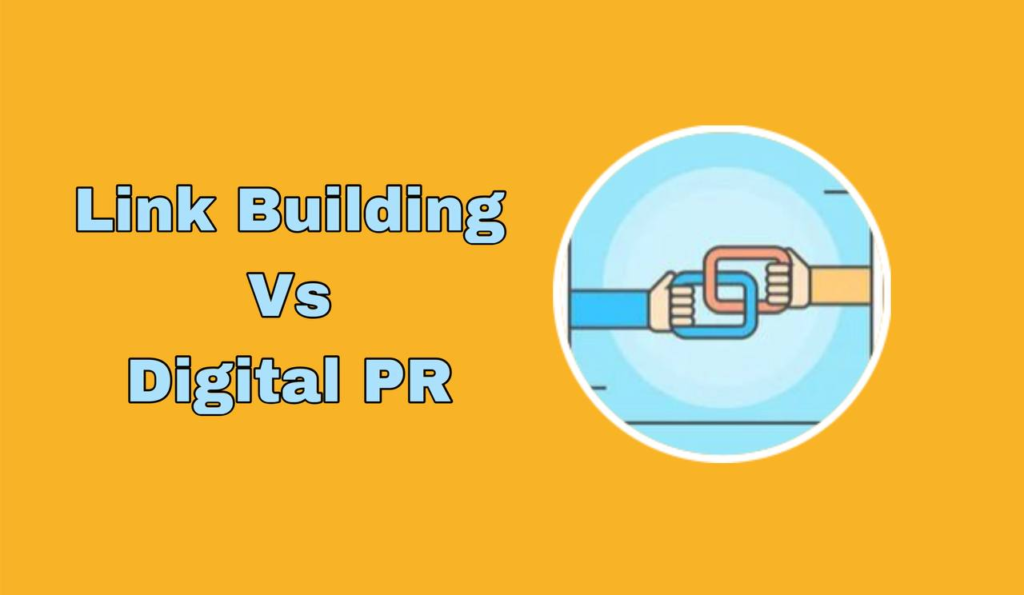
Link building is the direct process of earning backlinks, usually through outreach to site owners. You find prospects, pitch your content, and ask for links. It is targeted, repeatable, and fully in your control.
Digital PR is earning coverage and links through newsworthy stories. You create something journalists want to write about — original data, a survey, a unique angle — and pitch it to publications. When they cover your story, they often link to you.
Think of it this way: link building asks site owners for links to useful content. Digital PR gives journalists a story worth covering. Digital PR links tend to come from bigger publications and carry more authority, but they are harder to earn and less predictable.
For beginners, start with link building. It is more predictable and teaches you the outreach skills that digital PR also requires. Once you have a few campaigns under your belt, try a small digital PR angle, like a survey of your audience with interesting results.
7 Mistakes That Kill Beginner Campaigns
- Pitching a page nobody would link to. If your page is thin, generic, or worse than what already ranks, no email template will save you. Fix the page first. Outreach amplifies good content; it cannot rescue bad content.
- Sending mass, impersonal emails. “Dear webmaster, I loved your website” fools nobody. One personalized email beats fifty generic ones. If you would not reply to your own email, rewrite it.
- Giving up after the first email. Most positive replies come after a follow-up. If you send one email and quit, you leave most of your results on the table. Follow up twice before moving on.
- Targeting sites that are too big. Pitching a major publication with zero track record rarely works. Start with small and mid-size blogs in your niche. They reply more often, and their links still count.
- Ignoring relevance. A link from an unrelated site helps little and can look strange. Stay in your niche or in closely related topics. Relevance is a quality signal Google takes seriously.
- Buying links or joining link schemes. Paid links violate Google’s guidelines and can get your site penalized. As a beginner, the risk is never worth it. Earn links honestly, even if it is slower.
- Not tracking anything. Without a spreadsheet, you will email the same person twice, forget follow-ups, and have no idea what worked. Tracking takes minutes and makes every campaign smarter than the last.
Visit Search Engine Insight for fresh perspectives on ranking factors, technical SEO, and ways to make your website easier for search engines and visitors to navigate.
Frequently Asked Questions
How long does link building take to show results?
Expect weeks to months, not days. After you earn a link, Google needs to find it, crawl it, and factor it into rankings. Most beginners see first movement within one to three months of steady effort. New sites take longer because Google is still learning to trust them. Patience is part of the process.
How many outreach emails should I send per week?
Start with five to ten personalized emails per week. That is enough to build momentum without burning out or sacrificing quality. As you get faster at research and writing, you can scale up. Never trade personalization for volume — ten thoughtful emails beat one hundred generic ones.
What should I do if nobody replies to my emails?
First, check your basics: are you emailing the right person, is your subject line specific, and is your email under 150 words? Then improve one thing at a time. Try a stronger personal opening. Try a better prospect list. Low reply rates usually mean the targeting or the personalization needs work, not that link building is broken.
Is it safe to buy backlinks as a beginner?
No. Buying links violates Google’s spam policies and can lead to penalties that are hard to recover from. Beginners are also the most likely to buy low-quality links from sellers who promise fast results. Build links through honest outreach instead. It is slower, but the links last and the risk is zero.
What is the difference between link building and link earning?
Link building is active: you reach out and ask for links. Link earning is passive: you publish great content and links arrive on their own. In reality, most sites need both. Outreach gets your content in front of people faster, especially when your site is new and unknown.
Can I do link building without a blog?
Yes, but it is harder. You still need at least one page worth linking to — a tool, a resource page, original data, or a detailed guide. It does not have to be a blog post. But without any linkable content, outreach has nothing to offer, and your reply rate will show it.
How do I track my backlinks for free?
Use Google Search Console. Its Links report shows which sites link to you and which of your pages get the most links. It is free and it shows exactly what Google sees. Combine it with your outreach spreadsheet, where you log every email sent, every reply, and every live link.
Should I use automated outreach tools as a beginner?
Not at first. Automation tempts you to send more emails with less personalization, which is the opposite of what works. Learn the manual process first: research, vetting, personal emails, follow-ups. Once you truly understand what gets replies, you can consider tools that speed up the repetitive parts.
What is a good reply rate for outreach emails?
It varies widely by niche, list quality, and how personal your emails are. Beginners often get few replies at first, and that is completely normal. Instead of chasing a benchmark, track your own rate and try to improve it each month. Better targeting and stronger personalization are what move the number.
Do I need to disavow bad links as a beginner?
Almost certainly not. The disavow tool is for sites with serious spam problems, usually from past link schemes. If you are building links honestly, you will not accumulate toxic links. Do not touch the disavow tool unless you have a clear penalty or a manual action in Search Console.
When should I stop building links to one page?
When the page ranks well for its target keyword or when additional links stop moving the needle. At that point, shift your effort to the next important page. Most sites rotate link building across their key pages over time rather than pushing one page forever.
Conclusion: Link Building for Beginners Step by Step
You now have a complete link building for beginners step by step workflow: set your mindset, prepare one linkable page and a tracking sheet, then run the seven steps — choose a target, research the niche, build a prospect list, vet every site, find the right person, send short personal emails, and follow up twice.
Remember the fundamentals. Personal beats volume. Relevance beats raw numbers. Consistency beats intensity. Two focused hours a week, run through this workflow, will earn you real backlinks within a few months.
Start this week. Pick your page, build your first list of 30 prospects, and send your first five emails. Your future rankings are built one honest email at a time.