How to Check If Google Penalized My Site: A Beginner’s Guide (2027)
Knowing how to check if Google penalized my site is the first skill every site owner needs when traffic suddenly drops. One morning your rankings look fine, and the next your pages have slid from page one to page ten. Your gut says “penalty,” but your gut is often wrong. A real penalty is just one of several possible causes.
This guide shows you exactly how to find out. You will learn the difference between a manual penalty and an algorithmic ranking drop, how Google’s penalty system works, and a clear 7-step diagnostic you can run yourself — mostly with free tools. By the end, you will know whether Google penalized your site, what caused it, and what to do next.
What Is a Google Penalty? A Simple Definition
A Google penalty is a punishment Google applies to your website when it breaks Google’s spam policies. The punishment can lower your rankings, remove pages from search results, or remove your entire site from Google.
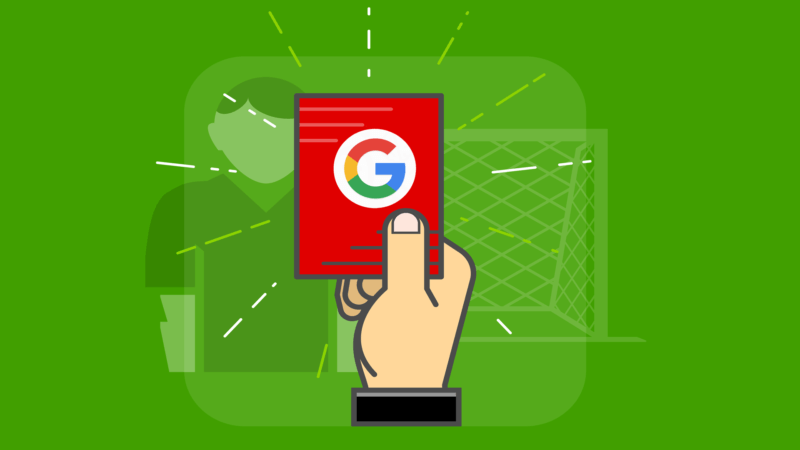
Think of Google’s spam policies as the rules of a game. Play fair and you compete normally. Break the rules — for example, by stuffing keywords into pages or buying hundreds of spammy links — and the referee can bench you. That benching is the penalty.
Here is the important part: Google rarely hands out formal penalties. Most traffic drops are not penalties at all. They are caused by algorithm updates, technical problems, or stronger competition. That is why checking properly matters before you start “fixing” things.
What a Penalty Is Not
A penalty is not every ranking drop. Rankings move up and down every day for normal reasons. A competitor publishes a better article. Google tests a new layout. Search demand changes with the season. None of these are penalties, and none of them need a penalty-style fix.
A penalty is also not a sandbox or a slow start. New websites often rank poorly for months while Google learns to trust them. That is normal for new sites, not a punishment.
Why the Word “Penalty” Causes So Much Confusion
People use the word “penalty” for any drop in traffic. SEO forums are full of site owners convinced Google penalized them when the real cause was a server outage or a bad plugin update. This loose language causes real damage. Site owners disavow good links, delete good pages, and submit reconsideration requests for problems that were never penalties.
The goal of this guide is simple: replace panic with a process. Follow the steps below and you will have an answer based on evidence, not fear.
Manual Penalty vs Algorithmic Drop: Know the Difference
There are two different things people call a “penalty.” A manual action and an algorithmic drop work differently, look different, and need different fixes. Mixing them up wastes weeks of effort.
What a Manual Penalty (Manual Action) Is
A manual action is a penalty applied by a real person at Google. A human reviewer looked at your site, found it violated Google’s spam policies, and applied a penalty by hand.
Manual actions are serious but rare. Google publishes clear rules about what triggers them: buying or selling links that pass ranking power, sneaky redirects, hidden text, spammy auto-generated content, and similar tricks. When Google applies one, it tells you. The message appears in Google Search Console under the Manual Actions report. No guesswork needed.
What an Algorithmic Ranking Drop Is
An algorithmic drop happens when Google’s automated systems re-rank your pages. No human reviewed your site. The algorithm simply decided other pages deserve to rank above yours, or that your content no longer meets its quality bar.
The most common cause is a core algorithm update. Google updates its ranking systems several times a year. Each update reshuffles winners and losers. Your content did not change, but the rules for judging it did. These drops feel like penalties but are not. There is no message in Search Console, and there is no penalty to “remove.”
How to Tell Them Apart at a Glance
Use this quick comparison before you dig deeper:
| Manual Action (Penalty) | Algorithmic Drop | |
| Who applies it | A human reviewer at Google | Automated ranking systems |
| Notification | Yes — message in Search Console | No message anywhere |
| Trigger | Breaking spam policies | Updates, competition, quality reassessment |
| Recovery | Fix the issue, file a reconsideration request | Improve content and wait for the next update |
| How common | Rare | Very common |
If you see a message in the Manual Actions report, you have a manual penalty. If you do not, your drop is almost certainly algorithmic or technical. That single check answers the question for most site owners.
Why You Should Check for a Penalty Right Away
When traffic drops, every day of guessing costs you visitors, leads, and sales. A fast, correct diagnosis saves you from two expensive mistakes: fixing the wrong thing, and doing nothing while a real penalty gets worse.
A Real Penalty Can Escalate
Manual actions sometimes start small. Google may penalize a few pages first. If the underlying problem — say, paid links across your whole site — stays in place, the action can spread to more pages or the entire domain. Checking early and cleaning up fast limits the damage.
The Wrong Fix Can Hurt More Than the Drop
Site owners who assume a penalty often take drastic steps. They disavow links that were actually helping them. They delete pages that were ranking for long-tail keywords. They rewrite content that was fine. Each of these “fixes” can push rankings down further. A proper check tells you whether any fix is needed at all.
Knowing the Cause Sets the Timeline
A manual action can be resolved in weeks once you fix the issue and Google accepts your reconsideration request. An algorithmic drop usually requires waiting for the next core update after you improve your content — often months. Knowing which one you face keeps your expectations realistic and stops you from abandoning good fixes too early.
How Google Penalties Work Behind the Scenes
Understanding the system makes the checks easier. Google’s spam fighting happens in layers, and only one of those layers is what experts call a penalty.
Layer 1: Automated Spam Filters
Most spam never reaches a human reviewer. Google’s automated systems catch it first. These filters can lower a page’s rankings or block it from indexing when they detect things like hacked content, keyword stuffing, or obvious link schemes.
This is automation, not a manual penalty. You will not get a notification. The fix is to clean up the spammy elements so the automated systems reassess your pages on the next crawl.
Layer 2: Human Reviewers and Manual Actions
When automated systems flag something unclear, or when Google runs a focused spam review, a human reviewer steps in. If they confirm a spam policy violation, they apply a manual action. Google then sends a notification to the site’s verified owners in Search Console.
Manual actions come in two scopes. A partial action affects specific pages or sections. A site-wide action affects the whole domain. The notification tells you which scope applies and which policy was violated.
Layer 3: Core Algorithm Updates
Separately from spam fighting, Google regularly updates how it judges content quality and relevance. These updates are not penalties. They are Google raising or changing the bar. Pages that cleared the old bar may not clear the new one.
Recovery from an update is not about filing a request or removing a penalty. It is about genuinely improving your content so it deserves to rank under the new standards. Google’s own advice is consistent on this point: focus on helpful, people-first content.
How the Pieces Fit Together
A traffic drop can involve more than one layer. A site hit by a core update might also have technical problems. A site with a manual action might have been losing ground to competitors for months before the action landed. Work through the diagnostic steps in order so you catch every layer, not just the loudest one.
How to Check If Google Penalized My Site: The 7-Step Diagnostic Guide
This is the core of the guide. Work through the steps in order. Each one rules out a cause. Most site owners find their answer by Step 4. The full sequence takes about an hour, and you only need Google Search Console plus a browser.
Before you start, confirm that Google Search Console is set up and verified for your site. Search Console is Google’s free tool for site owners, and it is the only place Google posts manual action notifications. If you do not have it yet, verify your site first — this takes about ten minutes.
Step 1: Check the Manual Actions Report
This is the single most important check. It gives you a yes-or-no answer on manual penalties.
- Log in to Google Search Console.
- In the left menu, click Manual actions under the Security & Manual Actions section.
- Read the result.
If the page says “No issues detected,” you do not have a manual penalty. That is the official answer, straight from Google. Move on to Step 2.
If you see one or more manual actions listed, click each one. Google tells you the type of violation (for example, “Unnatural links to your site”), the scope (specific pages or site-wide), and a link to learn more about that policy. Take a screenshot for your records.
Do not panic if you see an action. Manual actions are fixable. Note exactly what Google flagged, fix it completely, and then submit a reconsideration request from the same report page. Google’s reviewers will check your site again.
Step 2: Check the Security Issues Report
Right below Manual actions in the menu sits the Security issues report. Open it.
This report shows problems like hacked content, malware, or phishing pages on your site. These are not manual penalties, but they can destroy your traffic. Google may show warning labels on your pages in search results, which kills clicks, or remove hacked pages from the index entirely.
If the report says “No issues detected,” move on. If it lists hacked pages, treat it as urgent. Clean the hack, secure your site, and request a review from the same report. Hacked sites often look penalized to their owners because traffic falls off a cliff. The fix is security work, not SEO work.
Step 3: Compare Your Traffic Before and After the Drop
Now measure the drop itself. In Search Console, open the Performance report and look at clicks and impressions over the last 3 to 6 months. Switch the date comparison on to compare with the previous period.
Ask three questions:
· When did the drop start? Pin down the exact date or week. A sudden drop on one day points to something specific — an update, a penalty, or a technical change. A slow slide over months points to competition or declining content quality.
· How big was the drop? A 10 percent dip is normal noise. A 50 percent or larger drop on one date deserves a full investigation.
· Which pages dropped? If one page fell, the problem is likely page-specific. If every page fell on the same day, the problem is site-wide — which fits a penalty, a major update, or a technical failure.
Also check your analytics tool. If Search Console shows fewer clicks but your analytics shows steady traffic, the issue might be tracking, not rankings. Always verify the drop is real before diagnosing it.
Step 4: Match the Drop to a Recent Google Update
Take the date your drop started and compare it with Google’s update history. Google announces core updates and spam updates on its Search Central channels and the Google Search Status Dashboard.
If your drop lines up with a confirmed core update, you are almost certainly looking at an algorithmic drop, not a penalty. Your recovery plan is content improvement, not penalty removal. Many site owners skip this step and waste months chasing a penalty that never existed.
If your drop does not line up with any announced update, keep going. The cause may be technical or link-related.
A useful habit: keep a simple log of your traffic next to update dates. When the next update rolls out, you will spot the connection in minutes instead of days.
Step 5: Audit Your Backlink Profile
Bad backlinks are a classic penalty trigger. Even without a manual action, a spammy link profile can drag rankings down when Google’s automated filters catch up.
In Search Console, open the Links report. Look at your top linking sites. Ask yourself a simple question about each one: would a real person ever visit that site and click that link? If the answer is no for many of them, you may have a problem.
Red flags to look for:
· Links from sites in languages you never targeted, with no connection to your topic
· Hundreds of links from low-quality directories, forums, or blog comment spam
· Links with overly optimized anchor text — for example, dozens of sites linking with the exact phrase “cheap car insurance” instead of your brand name
· A sudden spike in new links you did not earn, which can signal a negative SEO attack or a cheap link package someone bought for you
You do not need to panic about a few odd links. Google ignores most low-quality links automatically. But if you find a clear pattern of link schemes — paid links, private blog networks, or mass directory submissions — document it. If a manual action for unnatural links appears later, you will already know what to clean up.
Only use the disavow tool as a last resort. It tells Google to ignore specific links, and misuse can hurt you. Most sites never need it. If you do need it, disavow carefully and only after a proper audit.
Step 6: Run a Site: Search Test
This quick test shows whether Google still has your pages in its index. In Google’s search box, type:
site:yourwebsite.com
Replace yourwebsite.com with your actual domain. Google shows the pages it has indexed for your site.
What to look for:
· Your pages appear normally. Good — your site is indexed. A penalty would more likely show as lower rankings, not missing pages.
· Very few pages appear, or none at all. This is serious. Your site may be deindexed, which can follow a severe site-wide manual action — or a technical disaster like a stray noindex tag.
· Your homepage is missing but inner pages show. Odd, and worth investigating for hacked redirects or canonical tag problems.
Also search for your brand name. If your site does not rank first for its own brand name, that is a classic sign of a severe penalty or a major trust problem. Healthy sites almost always rank first for their own name.
Step 7: Check Robots.txt, Noindex Tags, and Indexing Status
Many “penalties” turn out to be technical accidents. Before you conclude anything, rule these out.
Check robots.txt. Visit yourwebsite.com/robots.txt. Look for a line like Disallow: /. That single line tells Google not to crawl your entire site. It sometimes appears after a site migration or a staging-site mix-up where development settings went live.
Check for noindex tags. Open one of your dropped pages, view the page source, and search for “noindex.” A noindex tag tells Google to remove the page from its index. SEO plugins sometimes add these during updates, or a developer may have left them on after launch.
Check the Page Indexing report. In Search Console, open Pages under Indexing. Look for spikes in excluded pages around your drop date. Common culprits include “Crawled — currently not indexed,” server errors (5xx), and redirect errors. Any of these can mimic a penalty’s traffic pattern.
Check your server and hosting. If your site was down or very slow for days, Google may have temporarily dropped pages. Check your hosting uptime logs for the drop period.
If any technical issue lines up with your drop date, fix it first. Technical fixes often restore traffic faster than any penalty recovery process.
What If You Cannot Access Search Console?
Sometimes you need answers before you can get Search Console verified — for example, when auditing a site you just bought or helping a client who lost access.
How to Check If Google Penalized My Site Without Search Console
Without Search Console you cannot see the Manual Actions report, so you cannot confirm a manual penalty directly. But you can still gather strong evidence:
- Run the site: search test from Step 6. Indexed pages with normal snippets suggest no severe penalty.
- Search your brand name. Missing from position one is a red flag.
- Check traffic patterns in analytics. A sudden, site-wide drop on one date still points to an update, penalty, or technical event.
- Look up the domain’s history. Free archive tools show whether the domain hosted spam or unrelated content before. Old spam history can haunt a new site.
- Scan for obvious spam. View the site’s pages and check for hidden text, keyword stuffing, or hacked content you can spot visually.
Treat these as clues, not proof. Get Search Console verified as soon as possible for the definitive answer.
Signs That Point Away From a Penalty
Some patterns almost never mean a penalty. A slow decline over many months usually means competitors outgrew you. A drop on a single page after you edited it usually means the edit hurt relevance. A drop that matches your industry’s slow season is just seasonality. Recognizing these saves you from penalty-chasing.
Best Practices That Keep Your Site Penalty-Free
The best penalty check is the one you never need. These habits keep your site on the safe side of Google’s spam policies.
Publish Content for People, Not Search Engines
Write every page as if Google did not exist. Answer the visitor’s question fully, in clear language. Avoid keyword stuffing — repeating the same phrase unnaturally — and never publish auto-generated pages that add nothing new. Google’s spam policies specifically target scaled, low-value content.
Earn Links Instead of Buying Them
Paid links that pass ranking power violate Google’s spam policies. So do excessive link exchanges and large-scale guest posting with keyword-rich anchor text. Build links the slow way: create useful content, build relationships, and let links come naturally. It takes longer, but the links stick and never trigger penalties.
Keep Your Technical Foundation Clean
Review your robots.txt and noindex settings after every site update or migration. Keep your software, themes, and plugins updated to prevent hacking. Set up uptime monitoring so you know within minutes if your site goes down. Most technical “penalties” are preventable with basic maintenance.
Monitor Search Console Weekly
Make the Manual Actions, Security Issues, and Page Indexing reports part of a weekly routine. A five-minute check catches problems while they are small. Set up email notifications in Search Console so Google alerts you to critical issues automatically.
Document Every Change You Make
Keep a simple change log: dates of redesigns, plugin changes, content rewrites, and link-building campaigns. When traffic moves, the log tells you what changed. Site owners without a log spend weeks guessing.
Common Mistakes People Make When Checking for Penalties
Even smart site owners make these errors. Avoid them and your diagnosis will be faster and more accurate.
Assuming Every Drop Is a Penalty
This is the number one mistake. Most drops are algorithmic or technical. Starting from “I must be penalized” leads to destructive fixes for problems that do not exist. Start from the evidence instead.
Disavowing Links Too Quickly
The disavow tool is powerful and easy to misuse. Site owners often disavow links that were helping them, based on advice from automated “toxic link” scores. Those scores are guesses made by third-party tools, not Google’s judgment. Never disavow without a manual action for unnatural links or a careful manual audit.
Filing a Reconsideration Request Without Fixing Everything
A reconsideration request asks a human reviewer to re-check your site. If you file it before fully fixing the violation, Google will reject it. Worse, repeated sloppy requests can slow down future reviews. Fix every instance of the problem first, document what you changed, and then file once.
Changing Everything at Once
When panicking, owners rewrite content, disavow links, change themes, and submit requests all in the same week. Then they cannot tell what worked — or what made things worse. Change one thing at a time and give each change time to take effect.
Ignoring the Security Issues Report
Owners fixate on the Manual Actions report and skip the Security Issues report right below it. Hacked content causes some of the steepest traffic drops in SEO. Always check both reports together.
Trusting Third-Party “Penalty Checker” Tools Blindly
Many tools claim to detect Google penalties. They cannot see Google’s internal data. They guess based on traffic estimates and update dates. Use them as rough clues at best. The only authoritative sources are Search Console and Google’s own announcements.
Expert Tips From People Who Recover Sites for a Living
These are the habits that separate professionals from panicking site owners.
Screenshot Everything Before You Touch Anything
Capture your Manual Actions report, Security Issues report, traffic graphs, and indexed page counts before making changes. If recovery stalls, this baseline proves what the starting point was. It also protects you if a client or boss asks what happened.
Check the Obvious Technical Causes First
Professionals rule out robots.txt, noindex tags, server errors, and DNS problems before they even think about penalties. These checks take ten minutes and solve a surprising share of cases. Amateurs start with conspiracy theories. Experts start with the server log.
Separate Correlation From Causation
Your traffic dropped the same week you installed a new plugin. That does not prove the plugin caused it. Check whether the plugin actually changed anything Google-facing — page speed, structured data, indexation — before blaming it. Coincidence is common in SEO.
Read the Exact Policy Google Cited
If you get a manual action, click through to the policy documentation Google links to. Read every word. Many failed recoveries happen because owners fixed the obvious spam but missed the subtler violations the policy describes. Google’s documentation is the grading rubric — study it.
Give Algorithmic Recoveries Time
After improving content following a core update, most sites do not recover until the next update rolls out. That wait can be months. Professionals use the time to keep improving. Amateurs declare the fix a failure after three weeks and start over with a new theory.
Keep a Recovery Journal
For every action you take — links removed, pages rewritten, requests filed — log the date and the details. If you later hire an SEO consultant, this journal is the first thing they will ask for. It turns a mystery into a timeline.
Real-World Examples: What Penalties Look Like in Practice
These simplified scenarios show how the diagnostic steps play out on real sites. Details are generalized to protect privacy, but the patterns are ones practitioners see repeatedly.
Example 1: The Paid Link Network
A small e-commerce site bought a monthly “SEO package” that added hundreds of links from unrelated blogs. Traffic grew for a year, then collapsed overnight. Step 1 revealed a manual action for unnatural links. The owner canceled the package, removed what links they could, disavowed the rest, documented everything, and filed a reconsideration request. Recovery took about two months after the request was accepted.
The lesson: shortcuts that work for a while tend to end badly. If an SEO service promises fast rankings without explaining how, ask hard questions before you pay.
Example 2: The Hacked Blog
A local business blog lost 80 percent of its traffic in a week. The owner assumed a penalty. Step 2 — the Security Issues report — showed hacked pages injecting spammy pharmaceutical text. The owner had never checked that report. After cleaning the hack, updating all software, and requesting a review, traffic returned over several weeks.
The lesson: check security before assuming a penalty. Hacked sites mimic penalty patterns almost exactly.
Example 3: The Core Update Casualty
A content site publishing thin, rewritten articles saw traffic halve during a confirmed core update. No manual action. No security issues. No technical problems. The diagnosis was algorithmic: competitors published deeper, original content, and Google preferred it. The owner spent four months rewriting the site’s top pages with original research and expert quotes. Rankings recovered with the next core update.
The lesson: sometimes the honest answer is that your content needs to be better. That is frustrating, but it is also fully within your control.
Example 4: The Staging Site Disaster
After a redesign, a company’s traffic fell 90 percent in three days. The culprit was found in Step 7: the new site launched with the staging site’s robots.txt, which blocked all crawling. Removing one line of text fixed it, and traffic recovered within two weeks.
The lesson: the scariest drops sometimes have the simplest causes. Always check the technical basics first.
Penalties in 2027: What Changed in the AI Overviews Era

Google’s search results look different than they did a few years ago. AI Overviews — Google’s AI-generated answers at the top of results — changed how traffic flows. They also changed the penalty landscape.
Spam Policies Now Target Scaled AI Content
Google updated its spam policies to address mass-produced content, including content generated by AI tools at scale with little human review. Publishing hundreds of thin AI-written pages can trigger spam classifications. The policy targets the behavior — scaled, low-value publishing — not the tool. AI-assisted content with real expertise, editing, and original value is fine.
What this means for your check: if your drop followed a spam update and your site publishes high volumes of lightly edited AI content, that is a strong lead. Review whether your pages demonstrate real experience and original insight.
Site Reputation Abuse Enforcement Continues
Google continues to enforce its policy against site reputation abuse — sometimes called “parasite SEO.” This is when a trusted site hosts low-quality third-party content to ride on the host’s rankings. Coupon pages, low-quality sponsored articles, and unrelated content sections on reputable domains have drawn manual actions. If your site hosts third-party content, make sure it meets the same quality bar as your own.
AI Overviews Changed What a “Drop” Looks Like
Some site owners mistake AI Overview traffic shifts for penalties. When Google shows an AI-generated answer above the organic results, fewer people click through — even though your ranking did not change. Before diagnosing a penalty, check whether your rankings actually fell or whether clicks fell while positions held steady. The Performance report in Search Console shows both.
Recovery Expectations in 2027
Google’s systems now reassess content quality continuously, but major recoveries from core updates still tend to arrive with subsequent updates. Manual action reconsideration requests are still reviewed by humans, and thorough, honest requests still succeed. The fundamentals have not changed: fix the real problem completely, document it, and be patient.
Important Considerations Before You Panic
A few final reality checks before you act on your diagnosis.
Not every drop needs a fix. If your drop is small and your site is otherwise healthy, the best move may be to keep publishing good content and monitor. Constant tinkering can do more harm than a minor dip.
Penalties are rare; competition is constant. For every site with a manual action, there are hundreds losing traffic because a competitor simply did better. Be honest about which camp you are in.
Do not pay for “penalty removal” guarantees. No one outside Google can guarantee penalty removal or recovery timelines. Services promising guaranteed recovery are selling hope, not expertise. A trustworthy consultant explains the process, the uncertainty, and the timeline honestly.
Keep perspective on timelines. Manual action recovery often takes weeks. Algorithmic recovery often takes months. Set expectations with anyone waiting on results — your boss, your client, or yourself — before you begin.
Prevention beats recovery. The weekly five-minute Search Console habit described earlier costs almost nothing and catches most problems early. The cheapest penalty is the one that never happens.
Search Engine Insight shares practical guidance on improving website structure, refining on-page elements, and aligning content with what users are searching for.
Frequently Asked Questions
How do I know if Google penalized my website?
Open Google Search Console and check the Manual Actions report. If it says “No issues detected,” you have no manual penalty. If it lists an action, Google tells you the violation type and scope. Also check the Security Issues report, since hacked content can mimic a penalty. These two reports give you Google’s official answer.
What is the difference between a Google penalty and an algorithm update?
A penalty (manual action) is applied by a human reviewer for breaking spam policies, and Google notifies you in Search Console. An algorithm update is an automated re-ranking with no notification and no message. Penalties are fixed with cleanup plus a reconsideration request. Update drops are fixed by improving content and waiting for the next update.
Can my site drop in rankings without being penalized?
Yes, and this is the most common situation. Rankings fall because of algorithm updates, stronger competitors, technical problems like server errors or bad robots.txt settings, seasonal demand changes, or AI Overviews reducing clicks. Most traffic drops have nothing to do with penalties. Run the full diagnostic before assuming the worst.
How long does it take to recover from a Google penalty?
It depends on the type. After fixing a manual action and filing a successful reconsideration request, recovery often takes a few weeks. Algorithmic drops usually require waiting for the next core update after you improve your content, which can take months. Severe site-wide actions and hacked sites fall somewhere in between, depending on the cleanup work involved.
Will Google tell me if my site is penalized?
Yes, for manual penalties. Google sends a notification to verified site owners in Search Console, and the Manual Actions report shows the details permanently until resolved. For algorithmic drops, Google does not notify anyone — there is nothing to notify you about, since no penalty was applied. This is why the Manual Actions report is always Step 1.
What triggers a Google manual penalty?
Common triggers include buying or selling links that pass ranking power, participating in link schemes, publishing scaled spammy or auto-generated content, sneaky redirects, hidden text or links, and hosting hacked spam. Google’s spam policies list each violation type. If you received a manual action, the report names the exact policy you broke.
Should I use the disavow tool if I think I have bad links?
Only as a last resort. Google ignores most low-quality links on its own, so disavowing without a clear reason can remove links that were helping you. Consider the disavow tool when you have a manual action for unnatural links, or after a careful manual audit finds a clear link scheme. Never disavow based only on a third-party tool’s “toxic” score.
How do I file a reconsideration request?
Fix every instance of the violation first — not just the examples Google listed. Document what you changed with dates and details. Then open the Manual Actions report in Search Console, select the action, and submit the reconsideration request explaining what caused the problem, what you fixed, and what you will do to prevent it. Be honest and thorough. Then wait for Google’s human reviewers to respond.
Can AI-generated content get my site penalized?
Google does not penalize content just for being AI-generated. Its spam policies target scaled, low-value content regardless of how it was produced — hundreds of thin pages with no original insight, whether written by AI or humans. AI-assisted content that is edited, fact-checked, and genuinely helpful does not violate the policy. The question is always about value, not the tool.
Why did my traffic drop but my rankings look the same?
This often happens when AI Overviews answer the query above the organic results, so fewer people click even though your position did not change. It can also happen when search demand drops seasonally, or when Google changes how it displays results for your keywords. Compare clicks and average position separately in Search Console’s Performance report to see which one actually moved.
Is it possible my site was penalized by mistake?
Mistakes are rare but not impossible. Automated spam filters can misclassify legitimate pages, and hacked content can make a clean site look spammy. If you are confident your site follows the spam policies, document your case carefully and use the reconsideration request or the appropriate review channel. Most “mistake” cases turn out to have a real, fixable cause once investigated properly.
How often should I check for Google penalties?
Check the Manual Actions and Security Issues reports in Search Console weekly — it takes five minutes. Run a deeper diagnostic, including traffic comparisons and link audits, monthly or whenever you notice a sharp drop. Enable Search Console email notifications so Google alerts you to critical issues between your checks.
Conclusion:How to Check If Google Penalized My Site
Now you know how to check if Google penalized my site — or rather, how to check whether Google penalized your site — using evidence instead of guesswork. Start with the Manual Actions report in Search Console for the official yes-or-no answer. Check Security Issues next, then measure your traffic drop, match it against recent updates, audit your backlinks, test indexing with a site: search, and rule out technical accidents.
Most of the time, you will find no penalty at all. The drop will trace back to an algorithm update, a technical glitch, or tougher competition — each with its own fix. And when you do find a real manual action, you will know exactly what Google flagged and the path to recovery: fix it completely, document everything, and file one careful reconsideration request.
Make the five-minute weekly Search Console check a habit. The site owners who catch problems early are the ones who recover fastest. Stay on the right side of Google’s spam policies, keep improving your content, and you will rarely need this guide again.