
How to Submit Website to Bing: A Beginner’s Guide (2027)
Learning how to submit website to Bing is one of the quickest SEO wins that most site owners ignore. Everyone focuses on Google, but Bing quietly sends real traffic — and it also powers Yahoo search and Microsoft’s AI tools. This is a simple Bing SEO for beginners guide: no jargon, just the steps that work.
Submitting your site tells Bing you exist. It speeds up how fast your pages get discovered and indexed. The whole process takes about 20 minutes, and you only do it once. This guide walks you through every step in plain English.
What Does “Submitting Your Website to Bing” Mean?
Submitting your website to Bing means registering your site with Bing Webmaster Tools and handing Bing a map of your pages. That map is called a sitemap. It lists every page you want Bing to know about.
Without submission, Bing will still find your site eventually by following links from other websites. But “eventually” can mean weeks or months for a new site. Submission skips the waiting. You introduce yourself directly instead of hoping Bing stumbles across you.
Bing Webmaster Tools Explained
Bing Webmaster Tools is Bing’s free dashboard for site owners, and this Bing Webmaster Tools guide walks you through it. Think of it as mission control for how Bing sees your website. You can submit sitemaps and URLs, check which pages are indexed, see crawl errors, and view the search queries bringing you traffic.
If you have used Google Search Console, the idea is identical. The two tools even look similar. Many site owners set up both on the same day. It takes a few extra minutes and gives you twice the data.
How to Submit Website to Bing vs Waiting to Be Crawled: What’s the Difference?
Crawling is when Bing’s robot visits your pages on its own. Submission is you telling Bing where to look. Crawling happens automatically and forever. Submission is a one-time nudge that speeds up the first crawl.
You need both. Submission gets Bing’s attention fast. Good site structure and fresh content keep Bing’s crawler coming back on its own afterward.
Why Submitting to Bing Is Worth Your Time
Most site owners skip Bing entirely. That is exactly why you should not. Here is what makes those 20 minutes worthwhile.
Bing Powers More Search Than You Think
Bing runs its own search engine, and it also powers Yahoo search results. That means one submission reaches multiple search engines at once — Yahoo search submission is covered by the same step. While Google dominates overall, Bing holds a meaningful share of desktop searches in many markets.
For some niches, Bing traffic converts well. Bing’s audience skews slightly older and more desktop-based, which fits industries like finance, home services, and B2B. Free traffic is free traffic — there is no reason to leave it on the table.
Less Competition Than Google
Fewer site owners optimize for Bing. Fewer SEO tools focus on it. That means the competition for rankings is softer. Pages that sit on page three of Google sometimes rank on page one of Bing with the same content.
This is especially true for new websites. Google can take months to trust a new domain. Bing often indexes and ranks new sites faster, giving you traffic while you wait for Google to catch up.
It Feeds Microsoft’s AI Search
Microsoft Copilot and Bing’s AI features draw heavily on the Bing index. If you want your content cited in AI answers on Microsoft’s platforms, being properly indexed in Bing is step one. As AI search grows, this reason alone justifies the 20-minute setup.
How Bing Finds and Indexes Websites
Understanding the basics helps you avoid mistakes. Bing’s process has three stages, and submission helps with the first two.

Crawling. Bing’s robot, called Bingbot, visits pages by following links. Bingbot crawling starts from known pages and follows links to discover new ones. Your sitemap submission gives Bingbot a shortcut to your most important pages.
Indexing. After crawling a page, Bing decides whether to store it in its index — the giant database of pages it can show in results. Thin, duplicate, or blocked pages may be crawled but not indexed.
Ranking. When someone searches, Bing picks the best indexed pages for that query. Ranking depends on relevance, quality, backlinks, and user signals. Submission does not directly boost rankings, but you cannot rank at all without being indexed first.
How to Submit Website to Bing: Step by Step
Here is the full process. Do these steps in order. You will need access to your website’s code or DNS settings for the verification step.
Step 1: Create a Bing Webmaster Tools Account
Go to Bing Webmaster Tools and sign in with a Microsoft, Google, or Facebook account. If you already use Google Search Console, you can import your verified sites directly — Bing offers a one-click import that copies your verification over. This is the fastest path.
If you do not use Search Console, choose the manual setup. Enter your website’s full URL exactly as it appears, including https and whether you use www. Getting this wrong is the most common setup mistake, so double-check it.
Step 2: Add and Verify Your Site
Bing needs proof that you own the site before showing you its data. Pick whichever verification method is easiest for you:
- HTML file upload. Download Bing’s verification file and upload it to your website’s root folder using FTP or your hosting file manager.
- Meta tag. Paste a small meta tag into the
<head>section of your homepage. Most SEO plugins for WordPress have a field for this. - DNS record. Add a TXT record to your domain’s DNS settings at your registrar. This is clean because it survives redesigns.
After adding your chosen method, click Verify in Bing Webmaster Tools. Verification usually works instantly. If it fails, wait a few minutes and try again — DNS changes can take time to spread.
Step 3: Submit Your Sitemap
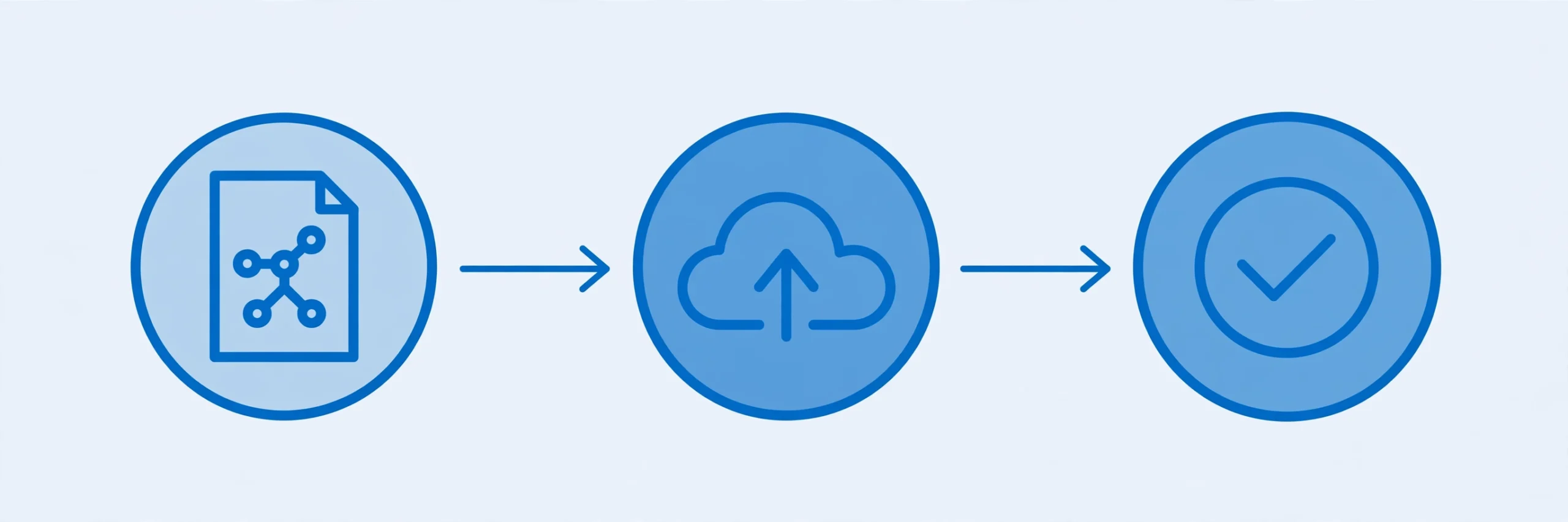
A sitemap is an XML file listing your pages. Most WordPress SEO plugins generate one automatically, usually at yoursite.com/sitemap.xml. Open that URL in your browser first to confirm it exists. This Bing sitemap submission step is what tells Bing about all your pages at once.
In Bing Webmaster Tools, go to Sitemaps in the left menu and click Submit Sitemap. Paste your sitemap URL and submit. Bing will fetch it and start discovering your pages. You can submit more than one sitemap if your site uses separate ones for pages, posts, or images.
Step 4: Submit Individual URLs
For your most important pages — homepage, key service pages, new articles — submit URL to Bing directly. In Webmaster Tools, use the URL Submission feature and paste up to 10,000 URLs per day (far more than a beginner needs).
This is useful when you publish something new and want Bing to notice it today, not next week. Submit the URL right after publishing as part of your routine.
Step 5: Set Up IndexNow for Automatic Updates

IndexNow is a protocol that tells search engines about new or updated pages instantly. Instead of waiting for Bingbot to revisit, your site pings Bing the moment something changes. Bing co-created IndexNow, so support here is excellent. This IndexNow setup takes only a minute in most SEO plugins.
Many WordPress SEO plugins and CDNs now include IndexNow with a simple toggle. Turn it on in your SEO plugin’s settings. Once active, every new post or page update notifies Bing automatically. This single setting does more for fast indexing than almost anything else.
Step 6: Confirm Bing Indexed Your Pages
Wait 24 to 48 hours, then check your work and confirm you did get indexed on Bing. In Bing Webmaster Tools, use URL Inspection: paste a page URL and see whether Bing has indexed it. You can also search Bing for site:yoursite.com to see which of your pages appear in results.
If pages are missing, check the Crawl section for errors. Common culprits are accidental blocks in robots.txt, noindex tags left over from development, or server errors. Fix what you find, then resubmit the URL.
Best Practices After You Submit
Submission is the start, not the finish. These habits keep Bing happy long after day one.
Keep Your Sitemap Fresh and Accurate
Your sitemap should list only pages you want indexed — no thin tag pages, no admin pages, no duplicates. Most SEO plugins handle this automatically, but check yours once. A clean sitemap helps Bing spend its crawl time on pages that matter.
When you delete pages, remove them from the sitemap and let them return a proper 404 or 410 status. Do not leave dead URLs in the sitemap. Bing notices stale sitemaps and crawls those sites less often.
Fix Crawl Errors Promptly
Check the Crawl Errors report monthly. Fix broken internal links, redirect deleted pages to the closest live page, and resolve server errors. A site that is easy to crawl gets crawled more often, which means new content gets indexed faster.
Publish on a Steady Schedule
Bingbot learns your rhythm. Sites that publish regularly get crawled regularly. You do not need daily posts — even one quality article a week trains the crawler to check back often. Combined with IndexNow, steady publishing keeps your index coverage fresh.
Common Mistakes to Avoid
- Submitting the wrong URL version. If your site uses https without www, submit exactly that. Submitting the http or www version creates a separate, empty property.
- Blocking Bingbot in robots.txt. Some security plugins and staging setups block all bots. Make sure your live site’s robots.txt allows Bingbot to crawl.
- Leaving noindex tags on. Developers often add noindex during staging and forget to remove it. One stray tag can keep your whole site out of the index.
- Submitting a sitemap full of junk. Tag archives, thin pages, and duplicates waste Bing’s crawl budget. Submit only pages worth ranking.
- Expecting instant rankings. Submission speeds up indexing, not ranking. Your pages still need good content, relevance, and links to rank well.
- Ignoring Bing Webmaster Tools afterward. Set a monthly reminder to check for crawl errors and coverage issues. Ten minutes a month prevents silent problems.
Expert Tips for Faster Indexing
- Import from Google Search Console. If your site is verified in Search Console, Bing’s import tool verifies you in one click. No file uploads, no DNS edits.
- Turn on IndexNow and forget about it. Automatic pings beat manual URL submissions for every future post you publish.
- Build a few backlinks. Links from indexed sites help Bing discover you even faster. Submission plus one or two real backlinks is a powerful combo.
- Share new pages on social and Bing-friendly channels. Bingbot follows links from social platforms. A quick share after publishing adds another discovery path.
- Keep page speed fast. Bingbot has limited time per site. Fast pages mean more pages crawled per visit, which means deeper index coverage.
- Use clear internal linking. Link new articles from your homepage or popular pages. Internal links guide Bingbot to fresh content quickly.
Real Examples: Submission in Action
A New Food Blog
A food blogger launched her site and submitted it to Bing Webmaster Tools on day one, with IndexNow enabled through her SEO plugin. Her recipes appeared in Bing within three days. Google took five weeks to index the same pages. For the first two months, Bing sent more traffic than Google — small numbers, but real visitors and real motivation to keep publishing.
A Local HVAC Company
An HVAC company had a website for years but had never touched Bing Webmaster Tools. After submitting their sitemap and fixing the crawl errors the tool revealed — including a blocked service area page — their Bing visibility improved within a month. They now get a steady stream of quote requests from Bing and Yahoo that competitors, who all ignore Bing, never see.
Bing in 2027: What Changed
IndexNow adoption keeps growing, and Bing now expects fresh sites to use it. Manual submission still works, but automatic pinging is the modern standard. If your SEO plugin offers IndexNow, there is no reason not to enable it.
Bing’s AI features also raise the stakes for being indexed. Copilot answers cite pages from the Bing index. A site that is fully and cleanly indexed has more chances to appear in AI-generated answers, not just classic search results.
Finally, Bing Webmaster Tools keeps adding useful reports, including deeper keyword data and clearer crawl stats. It is worth logging in monthly — the tool shows you things about your site that Google’s tools do not.
Important Considerations Before You Start
You need website access to verify ownership. If a developer built your site, ask them for help with the meta tag or file upload method. It takes five minutes with the right access.
Do not submit the same site twice under different URL versions. Pick your canonical version — the one with https and your www choice — and stick with it everywhere.
Remember that submission is free and safe. You cannot be penalized for submitting your site. The only risk is in neglecting the tool afterward and missing the errors it reports.
Want more help getting found in search? Read more search engine guides on SearchEngineInsight.
Frequently Asked Questions
How do I submit my website to Bing?
Sign up for Bing Webmaster Tools, add your site, and verify ownership with an HTML file, meta tag, or DNS record. Then submit your XML sitemap and key URLs through the dashboard. Enable IndexNow in your SEO plugin so future pages get indexed automatically.
Is Bing Webmaster Tools free?
Yes, completely free. There are no paid tiers and no limits that matter for small or medium sites. You can submit sitemaps, inspect URLs, and view search performance data at no cost, for as many sites as you own.
How long does it take Bing to index my website?
Most sites see their first pages indexed within 24 to 72 hours of submission. Full coverage of a larger site can take one to three weeks. Enabling IndexNow and submitting key URLs directly speeds things up. If nothing appears after two weeks, check for crawl blocks.
Do I need to submit to Bing if I already submitted to Google?
Yes. Google and Bing are separate systems with separate indexes. Submitting to Google does nothing for Bing. The good news is that Bing lets you import verified sites from Google Search Console, so setup takes about two minutes if you already use Google’s tool.
What is IndexNow and how do I implement it?
IndexNow is a protocol that instantly notifies search engines when you publish or update a page. To implement it, enable the IndexNow option in your WordPress SEO plugin or CDN settings. The plugin handles key generation and pinging automatically. No coding required.
How do I submit a sitemap to Bing Webmaster Tools?
First confirm your sitemap exists by opening yoursite.com/sitemap.xml in a browser. In Bing Webmaster Tools, go to Sitemaps in the left menu, click Submit Sitemap, and paste the URL. Bing will fetch it within hours and begin discovering your pages.
Why is Bing not indexing my pages?
The most common causes are a robots.txt block, a noindex tag left from development, server errors, or a sitemap listing the wrong URLs. Check the Crawl Errors report and run URL Inspection on a missing page. Fix the issue, then resubmit the URL manually.
Bing Webmaster Tools vs Google Search Console: which should I use?
Use both. They are free, take minutes to set up, and show different data about your site. Search Console covers Google traffic; Webmaster Tools covers Bing and Yahoo. Bing’s tool also offers the one-click import from Search Console, so there is no reason to skip it.

Can I submit individual URLs to Bing instead of a whole sitemap?
Yes. Use the URL Submission feature to submit up to 10,000 URLs per day. This is ideal for new articles you want indexed today. For ongoing coverage, still submit a sitemap — it keeps Bing discovering your full site automatically.
Does submitting to Bing help with Yahoo search?
Yes. Yahoo search results are powered by Bing’s index, so submitting your site to Bing automatically makes you eligible to appear on Yahoo. One submission covers both search engines, which is part of what makes it such an efficient task.
Conclusion: How to Submit Website to Bing
Now you know exactly how to submit website to Bing, from creating your Webmaster Tools account to verifying ownership, submitting your sitemap, and turning on IndexNow. The whole job takes about 20 minutes, and most of it is one-time setup.
Do not leave this traffic on the table. Submit your site today, check that your pages get indexed this week, and make IndexNow part of your publishing routine. While your competitors ignore Bing, you will be collecting visitors from Bing, Yahoo, and Microsoft’s AI search — all from one short afternoon of work.