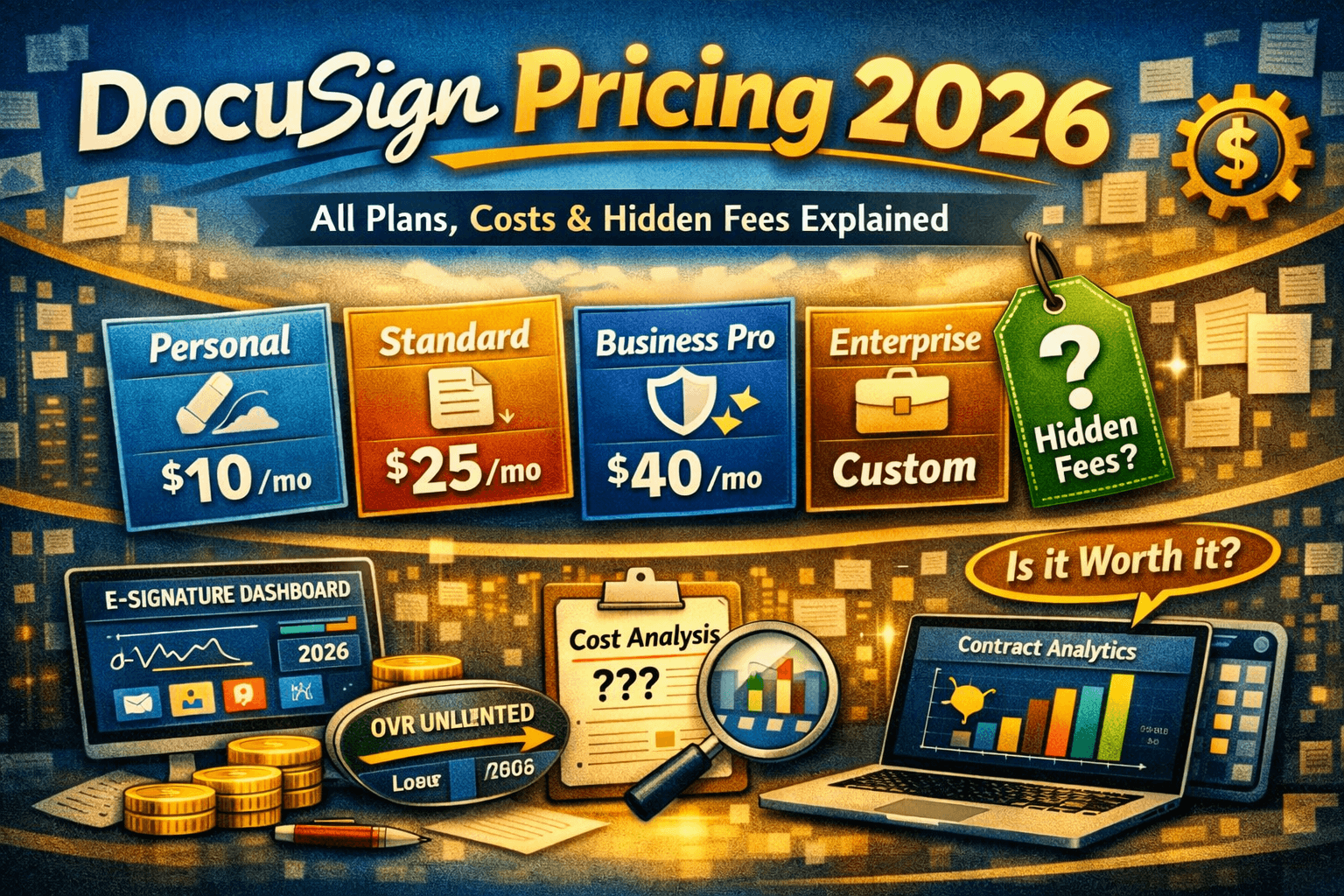
DocuSign Pricing 2026: All Plans, Costs & Hidden Fees Explained
DocuSign pricing in 2026 starts at $0 for a limited free account and goes up to $65/user/month (billed monthly) for Business Pro. Billed annually, plans are: Personal at $10/month (1 user, 5 envelopes/month), Standard at $25/user/month (100 envelopes/user/year), and Business Pro at $40/user/month (100 envelopes/user/year). Enterprise plans are custom-priced via sales. Key hidden costs include SMS delivery fees ($0.40+/send), ID verification ($2.50+/attempt), API access premiums, and significant renewal price increases. A 30-day refund policy applies to annual plans. DocuSign is the gold standard for enterprise e-signature trust and compliance, but for most small to mid-sized businesses, alternatives like PandaDoc or Signeasy offer comparable features at substantially lower prices.
What Does DocuSign Actually Cost in 2026?
DocuSign is the name most people think of first when it comes to electronic signatures. It’s become so synonymous with e-signing that ‘DocuSign it’ has entered everyday business language. But widespread brand recognition doesn’t always equal best value — and when it comes to pricing, DocuSign has a reputation for being opaque.
The headline prices look manageable: $10/month for Personal, $25/month for Standard. But the real cost story involves envelope caps, per-send fees, renewal hikes, and add-on charges that push total cost of ownership significantly above what the marketing page suggests.
This guide cuts through the noise. We break down every DocuSign pricing plan for 2026, expose the fees that don’t make the front page, compare DocuSign against its strongest competitors, and give you a straight verdict on whether it’s worth your money — and for whom.
DocuSign Pricing Plans: Full Comparison Table (2026)
All prices shown in USD. Annual billing reflects the lowest available advertised rate. Monthly billing can cost up to 63% more for some plans.
| Plan | Annual ($/mo) | Monthly ($/mo) | Envelopes | Users | Best For |
| Free | $0 | $0 | 3/mo | 1 | Testing only |
| Personal | $10 | $15 | 5/mo | 1 | Freelancers, occasional signers |
| Standard | $25 | $45 | 100/user/yr | 2+ | Small teams & internal workflows |
| Business Pro | $40 | $65 | 100/user/yr | 2+ | Sales & ops teams, advanced workflows |
| Enhanced/Ent. | Custom | Custom | Custom | Unlimited | Large orgs, compliance-heavy industries |
* Standard and Business Pro annual plans include 100 envelopes per user per year. Monthly plans include 10 envelopes per user per month. Envelopes count when sent, regardless of whether signing is completed.
1. DocuSign Free Account — $0
What You Get
DocuSign’s free account allows you to sign documents sent to you at no cost — forever. Signers never need to pay to access or sign a document. As a sender, you get 3 envelopes per month to try the platform. The free tier includes basic mobile signing, email delivery, and audit trails.
Limitations
- Only 3 outgoing envelopes per month — essentially a trial, not a working plan
- No reusable templates
- No advanced fields or conditional logic
- DocuSign branding on all documents
- No team management or admin controls
Best For
Evaluating the platform before committing, or for signers who only need to receive and complete documents sent by others. Not viable for anyone with consistent signing workflows.
2. Personal Plan — $10/Month (Annual) | $15/Month (Monthly)
What You Get
- 5 envelopes per month (60 total per year)
- Reusable templates for frequently used documents
- Mobile app access (iOS and Android)
- Audit trail and certificate of completion
- Basic authentication options
Limitations
- Single user only — no team features whatsoever
- Only 5 envelopes per month — maxing out costs $120/year for 60 total sends
- No bulk send, payment collection, or advanced fields
- No API access or integrations beyond basic connectors
Pros
- Lowest cost entry to a paid DocuSign account
- Includes templates, which the free tier doesn’t offer
- Trusted DocuSign brand and legally binding signatures
Cons
- 5 envelopes/month is genuinely restrictive — one active contract per week
- No team functionality makes it impossible to share workloads
- Poor cost-per-envelope ratio compared to alternatives
Best For
Freelancers or sole traders who send fewer than five contracts per month and value DocuSign’s legal standing over features. If you send more than five documents monthly, you’ll hit the cap and need to upgrade.
3. Standard Plan — $25/User/Month (Annual) | $45/User/Month (Monthly)
What You Get
- 100 envelopes per user per year (or 10/user/month on monthly billing)
- Multi-user team support with admin controls
- Reusable templates and collaborative commenting
- Scheduled sending and pre-filled fields
- Basic reporting and document status tracking
- Integrations with Google Drive, Dropbox, Salesforce (basic), and Microsoft 365
- 24/7 customer support
Limitations
- 100-envelope annual cap means about 8 sends per user per month — easily exceeded
- No bulk send or payment collection
- No PowerForms (web forms for self-service signing)
- Per-user pricing means costs multiply with every seat added
Pros
- Best plan for small internal teams with moderate signing volume
- Admin controls let you manage team permissions and monitor usage
- Strong integration library for common business tools
Cons
- At $25/user/month annually, a 5-person team costs $1,500/year — before add-ons
- Monthly billing at $45/user is expensive for testing
- Annual cap is surprisingly easy to hit in active sales or HR environments
Best For
Small teams (2–10 users) handling internal approvals, HR onboarding, vendor agreements, or sales contracts with moderate volume. Not suitable for high-frequency senders without a usage review first.
4. Business Pro Plan — $40/User/Month (Annual) | $65/User/Month (Monthly)
What You Get
- 100 envelopes per user per year (same cap as Standard)
- Everything in Standard, plus:
- Bulk send — distribute documents to hundreds of recipients at once
- Payment collection via Stripe, PayPal, or credit card
- PowerForms — shareable, self-service signing links (no sender required)
- Advanced fields including calculated fields and conditional logic
- Signer attachments — request supporting documents from signers
- Salesforce native integration and advanced CRM connectors
- Expanded reporting and analytics
Limitations
- Still capped at 100 envelopes per user per year — identical to Standard
- Bulk send counts each recipient as a separate envelope, which depletes allowances fast
- API access for developers requires an upgraded or separate developer plan
Pros
- Bulk send is a game-changer for sales teams and real estate agents
- Payment collection removes the need for a separate invoicing step
- PowerForms enable scalable workflows without sender involvement
Cons
- At $40/user/month, a 10-person team costs $4,800/year — just for base access
- The envelope cap doesn’t increase despite the higher price point
- Monthly billing at $65/user makes trial access expensive
Best For
Sales teams, real estate professionals, HR departments, and operations teams that need advanced workflow automation, bulk sending, and integrated payment collection. The envelope cap remains the key risk — audit your volume before committing.
5. Enhanced / Enterprise Plan — Custom Pricing
DocuSign’s enterprise tier is negotiated directly with their sales team and varies based on user count, envelope volume, integrations, and compliance requirements. Common inclusions are:
- Unlimited envelopes (negotiated volume agreements)
- Advanced identity verification — Knowledge-Based Authentication (KBA), ID check, biometrics
- Conditional routing and complex multi-party workflows
- Full API access with dedicated support
- Salesforce, Workday, SAP, and custom CRM integrations
- HIPAA compliance configuration for healthcare
- Dedicated Customer Success Manager
- SLA-backed uptime and enterprise-grade security
Based on market data, enterprise contracts typically start around $17,940/year (median across verified purchases), with large organizations often spending significantly more once add-ons are factored in.
Best For
Large organizations in regulated industries — healthcare, financial services, legal, and government — that require advanced identity verification, compliance documentation, and high-volume processing with dedicated support.
6. DocuSign IAM Plans: The New Tier (2025–2026)
In 2025, DocuSign launched Intelligent Agreement Management (IAM) — a platform layer built on top of standard eSignature. IAM plans (Standard, Professional, Enterprise) bundle three key capabilities:
- Docusign Maestro — no-code workflow automation for complex agreement processes
- Docusign Navigator — AI-powered agreement repository for searching, managing, and analyzing signed contracts
- Advanced AI analytics — contract insights, obligation tracking, and renewal alerts
IAM plans are priced higher than standard eSignature and are designed for organizations managing hundreds or thousands of contracts that need a centralized contract intelligence layer. For most small to mid-sized businesses, standard eSignature plans remain the more practical choice. IAM pricing is available through DocuSign’s sales team.
Hidden Costs & Fees: What DocuSign Doesn’t Advertise
This is where DocuSign’s pricing gets complicated. The listed plan prices are just the starting point. Here are the additional costs that frequently catch buyers off guard:
1. Envelope Overage Fees
Standard and Business Pro plans cap at 100 envelopes per user per year (about 8/month). Exceeding this limit typically requires either a contract renegotiation or paying overage fees. Buyers on active sales or HR teams frequently hit this cap faster than expected.
2. SMS Delivery Fees
Sending documents via SMS for authentication or delivery costs $0.40 or more per send. For teams that rely on SMS-based authentication or use SMS notifications for signers, this can add up to hundreds of dollars per month at scale.
3. ID Verification Fees
Advanced identity verification (ID check, Knowledge-Based Authentication) costs $2.50 or more per attempt. This is essential for regulated industries but represents a substantial hidden cost for high-volume verifications.
4. API Access Premiums
Standard and Business Pro plans do not include meaningful API access. Developer API plans are separate products priced by envelope volume. Organizations building DocuSign into custom applications should budget $5,700–$7,200+ annually for API access, per market data from verified purchases.
5. Renewal Price Increases
DocuSign has a well-documented history of increasing per-user pricing at contract renewal, often without clear advance notice. Buyers report increases of 5–20% at renewal, particularly if volume targets specified in negotiated contracts weren’t met.
6. Professional Email Not Included
Unlike some all-in-one platforms, DocuSign doesn’t bundle email or document editing tools. You’ll need a separate word processor and email service for document creation.
7. Implementation Costs
Enterprise implementations requiring custom integrations, SSO setup, or compliance configuration are not included in license fees. Enterprise implementation overhead can add 15–25% to the first-year total cost.
Annual vs. Monthly Billing Gap
The gap between annual and monthly pricing is significant — up to 63% more for Business Pro ($40/mo annual vs. $65/mo monthly). If you’re testing before committing, factor in the refund window (30 days on annual plans) rather than paying monthly rates long-term.
Discounts, Free Trials & Ways to Save
30-Day Refund Policy
Annual plans purchased directly through DocuSign’s website include a 30-day money-back guarantee. This is your risk-free window to test any paid plan with full features before committing.
Free Signing Account
Signing documents sent to you via DocuSign is always free — no account or credit card required. This means your clients and partners never need to pay to receive and sign your documents.
Annual and Multi-Year Commitments
Annual billing is the most effective way to reduce cost. For Business Pro, annual billing saves approximately $300/user/year vs. monthly. Multi-year deals often unlock additional negotiated discounts for larger teams.
Negotiation for Business Buyers
DocuSign pricing is negotiable for teams buying Standard or Business Pro with 25+ users. Vendr data shows buyers with 25–100 users typically achieve 20–30% off list pricing through competitive pressure (referencing Adobe Acrobat Sign or PandaDoc), multi-year commitments, and prepayment. Enterprise buyers with 100+ users frequently secure custom bundle pricing.
Real Estate & NAR Discounts
DocuSign offers specialized plans for real estate professionals and National Association of Realtors (NAR) members at discounted rates. If you’re in real estate, check DocuSign’s dedicated real estate pricing page before purchasing a standard plan.
Nonprofit Pricing
Nonprofit organizations may qualify for discounted DocuSign plans. Contact DocuSign’s sales team directly with proof of nonprofit status to request adjusted pricing.
Is DocuSign Worth It in 2026?
The honest answer: it depends on your volume, your industry, and your negotiating leverage.
DocuSign IS worth it if:
- You’re in a regulated industry (healthcare, legal, financial services, government) where DocuSign’s compliance credentials and legal standing matter
- Your clients or counterparties specifically request or expect DocuSign
- You’re a large organization that can negotiate enterprise pricing and absorb the total cost
- You need advanced identity verification, conditional routing, or complex multi-party workflows that competitors can’t match
DocuSign is NOT worth it if:
- You send fewer than 8 documents per user per month — the envelope cap makes higher plans poor value
- You’re a small team or startup where per-user scaling makes costs spike quickly
- You need unlimited document sends at a predictable, flat price
- You want bundled document creation, CRM, and signing in one platform at a lower price
The core issue with DocuSign is the envelope cap. Standard and Business Pro both cap at 100 envelopes per user per year — meaning you’re paying $25–$40/user/month for a ceiling most active business users can hit in three or four months. The price jump to Enterprise is steep, and the negotiation process isn’t always fast.
For many small to mid-sized businesses, DocuSign’s brand prestige doesn’t translate to proportional value. Alternatives like PandaDoc (unlimited free signing), Signeasy (20–25% cheaper with no envelope caps), or Adobe Acrobat Sign (better for Adobe ecosystem users) offer compelling alternatives at lower prices — often with more flexible terms.
Bottom line: DocuSign earns its premium in enterprise environments where trust, compliance, and integrations matter most. For everyone else, the math often favors a capable alternative.
Best DocuSign Alternatives in 2026
| Platform | Starting Price | Free Plan | Best For | Envelope Limits |
| DocuSign | $10/mo | ✓ (3/mo) | Enterprise trust & compliance | 100/user/yr |
| Adobe Acrobat Sign | $12.99/mo | ✗ | Adobe ecosystem users | 150/user/yr |
| PandaDoc | $0 (Free) | ✓ Unlimited | Docs + eSign bundled | Unlimited (free) |
| HelloSign (Dropbox) | $15/mo | ✓ (3/mo) | Dropbox users, simple signing | 3/mo (free) |
| Signeasy | $8/mo | ✓ trial | Budget-conscious teams | Unlimited |
| Xodo Sign | $0 (Free) | ✓ Unlimited | Unlimited sends on a budget | Unlimited (free) |
Adobe Acrobat Sign
Adobe’s e-signature solution is the most direct DocuSign competitor at the enterprise level. It integrates seamlessly with the full Adobe Creative and Document Cloud. Pricing starts at $12.99/month for individuals, with team plans comparable to DocuSign. Slightly more generous envelope allowances (150/user/year) and a strong Microsoft 365 integration make it attractive for organizations already in the Adobe ecosystem.
PandaDoc
PandaDoc combines document creation, e-signature, and contract management in a single platform. Its free eSign plan allows unlimited document signing, making it the strongest free alternative to DocuSign’s 3-envelope limit. Paid plans start at $19/user/month and include templates, approval workflows, and analytics. Best for sales teams that want proposals and contracts managed in one place.
Dropbox Sign (formerly HelloSign)
Dropbox Sign offers a clean, simple signing interface with seamless Dropbox integration. Its free plan allows 3 sends per month, similar to DocuSign’s free tier. Paid plans start at $15/month for individuals. Strong for Dropbox-centric teams but lacks DocuSign’s depth in enterprise compliance and identity verification.
Signeasy
Signeasy consistently prices 20–25% below DocuSign at every comparable tier and removes envelope caps that frustrate DocuSign users. It’s a practical choice for teams that need straightforward, unlimited signing without complex enterprise workflows. Plans start around $8/user/month.
Xodo Sign
Xodo Sign (formerly eversign) offers a genuinely unlimited free plan — no envelope caps, no send limits. Paid plans are affordable and include team management and API access. It’s one of the strongest budget alternatives for small businesses that need volume without DocuSign’s price tag.
Frequently Asked Questions (FAQ)
How much does DocuSign cost per month in 2026?
DocuSign pricing starts at $10/user/month (Personal, billed annually) and goes up to $40/user/month (Business Pro, billed annually). Monthly billing is more expensive: $15/month for Personal and $65/month for Business Pro. Enterprise pricing is custom and negotiated through DocuSign’s sales team.
Does DocuSign have a free plan?
Yes. DocuSign offers a free account that allows you to sign documents sent to you at no cost — forever. As a sender, the free account gives you 3 outgoing envelopes per month to test the platform. Signing documents others send you via DocuSign is always free, even without an account.
What is an ‘envelope’ in DocuSign?
An envelope is DocuSign’s unit of usage measurement. It represents one document (or a set of documents) sent out for signature in a single transaction. An envelope can include multiple signers and multiple documents — it still counts as one envelope. Envelopes count toward your plan limit when sent, even if they aren’t ultimately signed or completed.
How many envelopes do I get with DocuSign?
The Personal plan includes 5 envelopes per month (60 per year). Standard and Business Pro annual plans include 100 envelopes per user per year (approximately 8 per user per month). Monthly Standard and Business Pro plans cap at 10 envelopes per user per month. Enterprise plans negotiate custom volume agreements.
Does DocuSign offer a free trial?
DocuSign’s free account (3 envelopes/month) functions as an ongoing trial. Additionally, a 30-day refund policy applies to annual plan purchases made directly through DocuSign’s website, allowing you to test any paid plan risk-free for 30 days.
Can I negotiate DocuSign pricing?
Yes. DocuSign pricing is negotiable for teams purchasing Standard or Business Pro plans with 25 or more users. Common negotiation levers include multi-year commitments, prepayment, competitive alternatives (Adobe Acrobat Sign, PandaDoc), and end-of-quarter purchasing timing. Enterprise buyers with 100+ users routinely secure 20–30% off list pricing.
What are DocuSign’s hidden fees?
Beyond plan costs, DocuSign charges: SMS delivery fees ($0.40+/send), ID verification fees ($2.50+/attempt), API access premiums (separate developer plans), envelope overage fees when caps are exceeded, and renewal price increases (typically 5–20%). Implementation and custom integration costs are also not included in standard plan pricing.
Is DocuSign HIPAA compliant?
Yes. DocuSign offers HIPAA-compliant configurations available through Enterprise and Enhanced plans. HIPAA compliance requires a Business Associate Agreement (BAA) with DocuSign and specific account configuration — it is not automatically included in standard plans. Healthcare organizations should confirm BAA availability and configuration requirements before purchasing.
What happened to DocuSign’s older pricing tiers?
DocuSign streamlined its lineup in 2025 with the introduction of IAM (Intelligent Agreement Management) plans alongside the existing eSignature tiers. The core eSignature structure — Personal, Standard, Business Pro, and Enterprise — has remained consistent, though prices and envelope limits have been adjusted over time.
Is DocuSign cheaper than Adobe Acrobat Sign?
At the individual level, Adobe Acrobat Sign starts slightly higher ($12.99/month vs. $10/month for DocuSign Personal). For teams, pricing is broadly comparable, though Adobe Sign offers slightly more envelopes per user per year (150 vs. 100). The better value depends on your existing software ecosystem — Adobe users typically find Acrobat Sign more cost-effective overall.
Final Verdict: Which DocuSign Plan Should You Choose?
Here’s the fast decision guide based on your situation:
- Occasional signing only (fewer than 3 docs/month) → Free plan
- Solo freelancer sending fewer than 5 contracts/month → Personal ($10/mo annual)
- Small team with moderate signing needs → Standard ($25/user/mo annual) — but track volume carefully
- Sales, HR, or ops teams needing bulk send and payments → Business Pro ($40/user/mo annual)
- Large enterprise with compliance requirements → Enterprise (negotiate directly)
- Budget-conscious teams needing unlimited sends → Consider PandaDoc or Xodo Sign instead
DocuSign remains the industry standard for legal trust and enterprise-grade e-signature. Its brand recognition, compliance depth, and integration ecosystem are genuinely best-in-class. But that premium comes at a price — and the envelope caps mean the advertised tiers serve fewer use cases than they appear to at first glance.
If DocuSign’s compliance credentials and brand recognition are critical to your business, the Standard or Business Pro plans offer a workable foundation. Just go in with clear eyes on envelope limits, negotiate aggressively if you have more than 25 users, and budget for the hidden costs outlined in this guide.
If you’re a small business primarily looking for reliable, legally binding e-signatures at a fair price, exploring alternatives first will likely save you money without sacrificing the core functionality you actually need.