
Is Hurawatch Safe? Complete Safety Guide, Risks, and Tips
Is Hurawatch Safe? This is an important question for anyone who has found a Hurawatch website while looking for free movies or TV shows online.
Hurawatch has been associated with free online streaming, but the name is now used across different websites and domains. This makes safety harder to judge than it may seem. A website using the Hurawatch name today may not be the same website that used the name in the past.
Recent security checks also show why you should be careful. Some Hurawatch-related domains have received clean or mostly clean automated scans, while others have been marked as suspicious or risky. For example, PCrisk reported no detected threats on hurawatch.cx during its September 2026 scan, while other Hurawatch-related domains have received much more serious warnings.
So, is Hurawatch safe?
The safest answer is not to treat the Hurawatch name itself as proof that a website is safe. Different domains may have different owners, advertisements, redirects, files, and security conditions.
This guide explains the main Hurawatch safety risks, what to look for before visiting a streaming site, how to protect your device, and what to do if you have already clicked something suspicious.
What Is Hurawatch?
Hurawatch is a name associated with websites that provide online access to movies and TV shows.
Unlike major streaming services with a clearly identified company, official apps, customer support, and well-known subscription systems, Hurawatch has appeared across multiple domains.
This is one of the main reasons that answering “Is Hurawatch safe?” with a simple yes or no can be misleading.
The exact website matters.
A person may search for Hurawatch and find one domain today and a different domain tomorrow. Some sites may offer free streaming. Others may ask users to create an account. Some may advertise paid plans. Others may redirect visitors to completely different websites.
Recent research into the Hurawatch name has also found that there is no reliable evidence that every current Hurawatch-branded website is operated by the same organization. Some may be replacement domains, mirrors, clones, or unrelated websites using the same name.
That means you should check the full domain name, not just the logo or website name.
Is Hurawatch Safe?
There is no single safety answer for every website using the Hurawatch name.
Security reports from 2026 show very different results for different Hurawatch domains.
For example, a PCrisk scan of hurawatch.cx on September 11, 2026 reported no detected threats from the engines checked. The same report noted that the domain was very new and that some related streaming domains or pages raised additional concerns.
By comparison, Gridinsoft reported a very low trust score for hurawatch.cz in a September 17, 2026 check and categorized it as a scam risk.
Another Hurawatch-related domain, hurawatch.ca, had two security-engine detections and several flagged files in a PCrisk scan.
These examples show an important point:
A security result for one Hurawatch domain does not automatically apply to another Hurawatch domain.
The domain, page, redirects, downloads, advertisements, and third-party services all matter.
Because of this, users should be cautious with Hurawatch-branded websites, especially when a page asks them to:
- Download an app
- Install an extension
- Allow browser notifications
- Enter a password
- Enter payment information
- Disable antivirus protection
- Turn off browser security
- Run a command
- Complete an unusual “verification”
- Download a video player
- Install a codec
- Provide personal information
If a streaming website asks for something that is not needed to play a video, stop and check what it is requesting.
Why Is Hurawatch Safety Difficult to Verify?
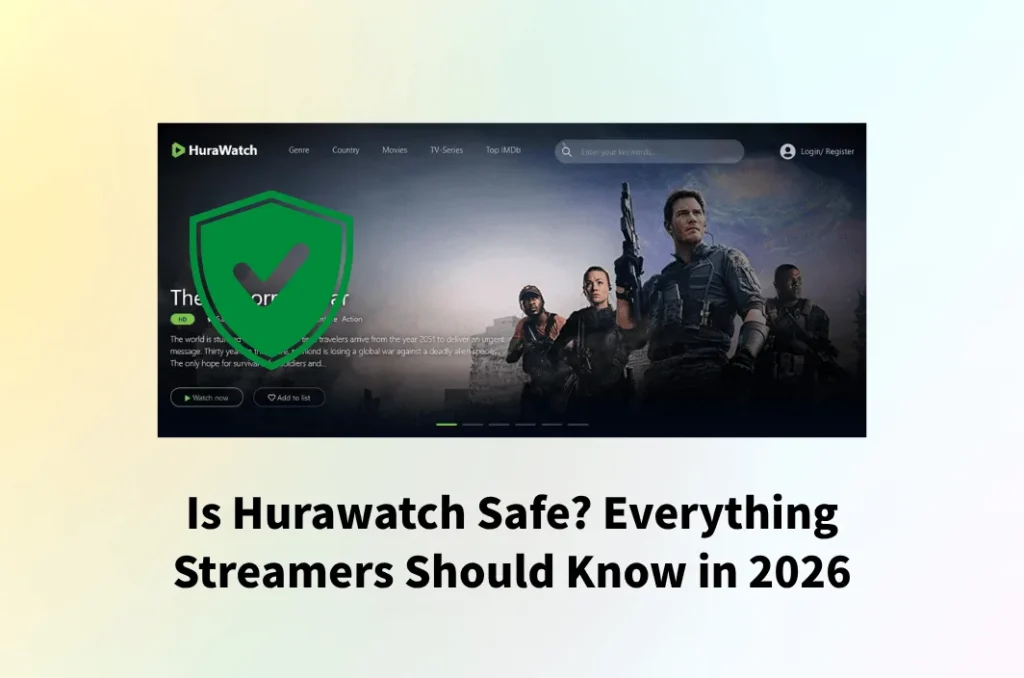
There are several reasons why Hurawatch safety can be difficult to determine.
1. Multiple Hurawatch Domains Exist
One of the biggest problems is the number of domains using the Hurawatch name.
A website may use one domain today and another domain later. Some domains may stop working while others appear.
This can happen for many reasons, including:
- Domain changes
- Hosting problems
- ISP blocking
- Copyright enforcement
- Website abandonment
- Domain expiration
- Operators moving to another address
- Copycat websites
- Unrelated websites using the same name
Recent reporting has described Hurawatch as a streaming brand affected by domain changes, blocking, and possible clones or replacement websites.
This creates a major safety problem.
You may think you are returning to the same website when you are actually visiting a completely different domain.
2. The Hurawatch Name Does Not Prove Ownership
A logo can be copied.
A website design can be copied.
A domain name can be created by another person.
Even a website that looks exactly like an older Hurawatch site may not be operated by the same people.
This is why you should never assume that a website is safe simply because:
- It has the Hurawatch logo
- It appears in Google results
- Someone posted the link online
- A friend sent you the URL
- It has thousands of movies
- It has an HTTPS connection
- The website looks professional
These things do not prove who operates a website.
3. Some Hurawatch Domains Have Been Flagged
Security tools do not agree on every Hurawatch domain.
That is expected because security services examine individual domains at different times.
For example, PCrisk’s September 2026 scan of hurawatch.cx found no threats from the security engines checked. However, the same report noted that the domain was only a few months old and that some related domains or paths had suspicious indicators.
On the other hand, hurawatch.ca received more concerning results, including flagged files and security-engine detections.
A different September 2026 report classified hurawatch.cz as a scam risk.
This means you should not search for one general statement such as “Hurawatch is safe.”
Instead, ask:
Is this exact domain safe right now?
Even then, remember that automated security scans are not guarantees.
Is Hurawatch Legal?

Safety and legality are two different questions.
A website can be technically free from malware and still have copyright concerns.
The Motion Picture Association listed hurawatch.cc in its 2023 Notorious Markets filing as an example of an infringing website operating under the .CC domain.
This does not prove that every website using the Hurawatch name today is operated by the same people.
However, it does provide important historical context about the Hurawatch name and copyright concerns.
Recent reporting has also described Hurawatch as an unauthorized streaming brand rather than a conventional licensed streaming company.
The legal rules around streaming and copyright can also differ from one country to another.
For that reason, users should check the copyright laws that apply in their own country instead of assuming that free streaming is automatically legal.
Is Hurawatch Free?
Some websites using the Hurawatch name advertise free streaming.
Other Hurawatch-branded sites have advertised paid subscriptions.
This is another reason to be careful.
A website offering free movies may suddenly display a page asking for payment. Another website may claim to be a premium version of Hurawatch.
Do not assume that a payment page is legitimate simply because it appears after clicking a Hurawatch link.
Before paying for any service, check:
- The exact domain
- Who operates the website
- Whether the company is clearly identified
- Whether the payment page belongs to the same organization
- Whether there is a real privacy policy
- Whether there are clear terms and conditions
- Whether there is a legitimate support system
- Whether independent sources recognize the service
If these details are missing, avoid entering card information.
Main Hurawatch Safety Risks
The risks associated with unofficial streaming websites are not limited to viruses.
There are several types of risks to consider.
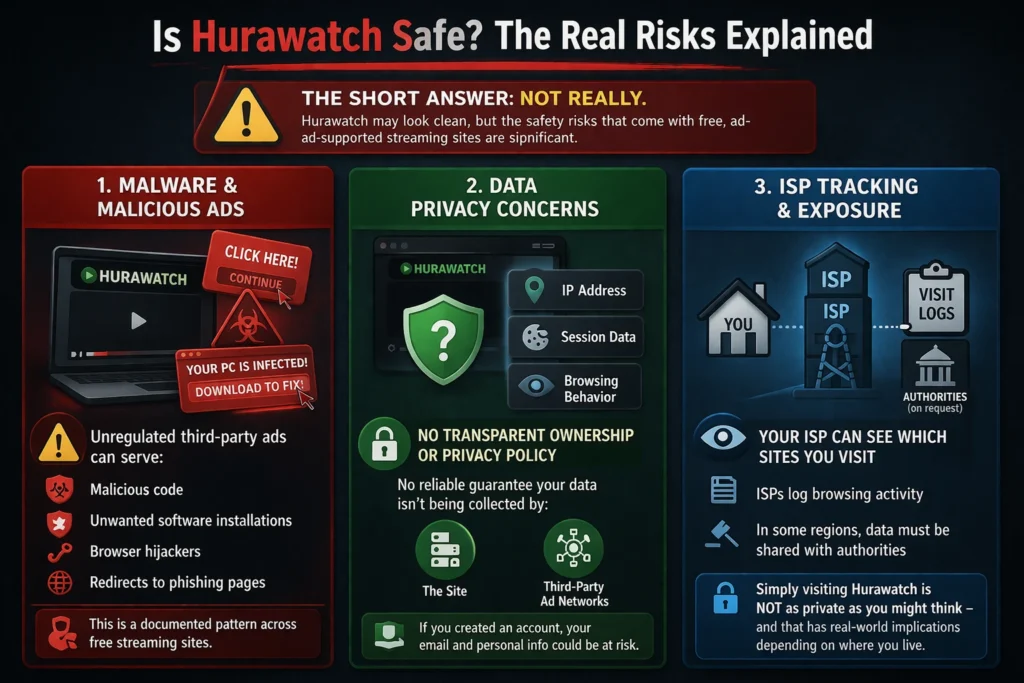
1. Malware Risk
Malware is harmful software that can damage a device or steal information.
It can include:
- Viruses
- Trojans
- Spyware
- Ransomware
- Password stealers
- Unwanted programs
The U.S. Federal Trade Commission warns that malware can steal sensitive information such as credit-card details and account credentials. It also recommends keeping security software and operating systems updated.
This does not mean every visit to a Hurawatch-branded website will infect your device.
It means you should not assume that a free streaming page is harmless.
2. Malicious Pop-Ups
Pop-ups are common on many websites, but unexpected pop-ups can be dangerous.
A pop-up might say:
Your device is infected!
Or:
Your video player is outdated.
Or:
Click Allow to continue.
Or:
Download this player to watch the movie.
These messages may be designed to make you click quickly.
A legitimate browser warning should be treated differently from a website-created warning.
Google Chrome’s Safe Browsing system can warn users about dangerous websites, downloads, phishing, malicious ads, and unwanted software.
If Chrome displays a red warning that a website is dangerous, do not ignore it simply because you want to watch a movie.
3. Fake Download Buttons
Unofficial streaming pages can contain multiple buttons.
Some may look like:
- Play
- Watch Now
- Download
- HD
- 4K
- Continue
- Start Video
But not every button necessarily starts a video.
A fake button may open another website or start a download.
Google says Chrome blocks certain dangerous downloads because they may contain malware or unwanted software.
A simple rule is:
You normally should not need to install unknown software just to watch a video in a modern browser.
If a website tells you that you must install an unknown player, extension, or file, stop and investigate first.
4. Browser Notification Spam
Some websites ask:
“Allow notifications?”
Users may click Allow without reading the message.
Once permission is granted, a website can send browser notifications.
Those notifications may later advertise:
- Fake security warnings
- Gambling websites
- Questionable downloads
- Fake prizes
- Adult content
- Suspicious offers
- Other unwanted websites
If a website asks for notification permission and you do not need notifications from it, choosing Block is usually the safer option.
5. Phishing Risk
Phishing is an attempt to trick people into giving away information.
A fake Hurawatch page could ask for:
- Email address
- Password
- Phone number
- Credit-card information
- Verification code
- Banking information
This becomes especially dangerous if you use the same password on other websites.
For example, if you enter your normal email password on an unknown streaming website, that password could potentially be used against your email account.
Never reuse an important password on an unfamiliar website.
6. Payment Risk
Some Hurawatch-branded websites advertise paid subscriptions.
This creates another question:
Who receives the money?
If the operator is unclear, paying can be risky.
A suspicious payment page may collect card information without providing a reliable service.
Before paying, look for:
- A clear business name
- Secure and recognizable payment processing
- Terms of service
- Refund information
- Customer support
- Privacy information
- A consistent company identity
If the website uses pressure such as “pay now” or “offer ends in five minutes,” slow down.
Urgency is not proof of legitimacy.
7. Privacy Risk
Streaming websites can collect information about visitors.
This may include information such as:
- IP address
- Browser type
- Device information
- Cookies
- Pages visited
- Advertising identifiers
The exact information collected depends on the website.
Because different Hurawatch domains may be operated separately, you should not assume that every site has the same privacy practices.
Read the privacy policy if one is available.
If a website does not clearly explain how it handles personal information, be cautious about providing any personal data.
8. Redirect Risk
Another concern is automatic redirects.
You may click a movie and suddenly be taken to another website.
That website may then send you to another page.
A redirect chain can make it difficult to know which company or website you are actually dealing with.
If you are repeatedly redirected to unfamiliar websites, close the tabs rather than continuing to click.
Can Hurawatch Give You a Virus?
It is possible for unsafe streaming websites to expose users to malware, but it would be inaccurate to say that every Hurawatch page automatically gives visitors a virus.
The risk depends on the exact domain, advertisements, scripts, downloads, redirects, and other content being served.
Security scans of Hurawatch domains have produced mixed results.
Some recent scans found no detected threats, while other domains produced suspicious or malicious indicators.
The biggest risk often comes when users interact with suspicious content.
For example:
- You visit a streaming page.
- A pop-up appears.
- It claims your device needs an update.
- You download a file.
- You install it.
- The file turns out to be unwanted or malicious software.
The safest approach is to avoid unknown downloads.
The FTC also advises users to download software only from websites they know and trust and warns that free downloads can hide malware.
Is Hurawatch Safe on Mobile Phones?
The same safety concerns apply to mobile devices.
A common mistake is thinking that smartphones cannot get malware.
They can still be exposed to:
- Malicious websites
- Fake apps
- Phishing pages
- Harmful downloads
- Fake updates
- Excessive notifications
- Account theft
Be especially careful with APK files or apps offered outside official app stores.
If a Hurawatch website tells you to download a special APK to watch movies, do not install it without independently verifying the app and publisher.
A website should not automatically receive permission to access:
- Contacts
- Photos
- Microphone
- Camera
- Location
- Files
If an app requests permissions that do not make sense for its purpose, stop and investigate.
Is Hurawatch Safe on a Smart TV?
Smart TVs can also be affected by unsafe apps and websites.
The safest approach is to use official streaming applications from your TV’s trusted app store.
Avoid installing unknown apps from random websites.
If a website tells you to:
- Install an unknown TV app
- Enter a strange activation code
- Scan an unfamiliar QR code
- Give your account password
- Disable security settings
be cautious.
A large-screen device is not automatically protected from online threats.
Is Hurawatch Safe for Children?
Hurawatch and similar unofficial streaming websites may not provide the same level of parental controls, content ratings, and child safety features found on established streaming platforms.
Children may also be more likely to click:
- Flashing advertisements
- Fake play buttons
- Download links
- Pop-ups
- Fake prize messages
- “Your device has a virus” warnings
For children, it is safer to use established services with clear parental controls and age ratings.
Parents should also enable appropriate browser protections and avoid allowing children to install unknown apps or browser extensions.
How to Tell If a Hurawatch Website Is Suspicious
Before interacting with a Hurawatch-branded website, check several warning signs.
Warning Sign 1: Very New Domain
A domain registered recently has little history.
This does not automatically mean it is dangerous.
However, a new domain combined with other warning signs deserves extra attention.
For example, recent scans showed that some Hurawatch domains were only weeks or months old.
Warning Sign 2: Strange URL
Look carefully at the address.
A small change in spelling can indicate a completely different website.
For example, scammers may create names that look similar to familiar websites.
Google Chrome warns users about websites that look similar to sites they expected to visit.
Warning Sign 3: Too Many Pop-Ups
If every click opens another page, close the website.
Many pop-ups are not necessarily proof of malware, but excessive redirects make it harder to control what you are visiting.
Warning Sign 4: Download Required
Be careful if a website says:
“Download this player before watching.”
You should not install unknown software just because a streaming page tells you to.
Warning Sign 5: Payment Pressure
If a page suddenly asks for card details, do not rush.
First verify the company and exact domain.
Warning Sign 6: Security Warning
If your browser displays a dangerous-site warning, take it seriously.
Google recommends avoiding sites identified as unsafe and warns that unsafe sites may involve phishing, malware, unwanted software, or social engineering.
Does HTTPS Mean Hurawatch Is Safe?
No.
This is an important point.
You may see a padlock icon next to a Hurawatch URL.
That means the connection uses HTTPS encryption.
It does not mean:
- The website is legitimate
- The website is legal
- The website has no malware
- The website will protect your privacy
- The website will not redirect you
- The website will not display harmful advertisements
Some suspicious websites also use HTTPS.
So, treat HTTPS as one technical security feature, not as a complete safety certificate.
What Should You Do If Hurawatch Shows a Security Warning?
If Chrome, your antivirus program, or another security tool warns you about the website, do not ignore the warning just to continue watching.
Close the page.
Google explains that Safe Browsing can warn users about malware, phishing, malicious advertisements, and social engineering.
If you already downloaded something, do not open it.
Instead:
- Cancel the download.
- Delete the suspicious file.
- Run your security software.
- Update your operating system.
- Update your browser.
- Run a malware scan.
- Change important passwords if you entered them.
- Monitor your accounts for unusual activity.
What If You Accidentally Clicked a Hurawatch Pop-Up?
Do not panic.
Simply clicking a page does not automatically mean that your device has been infected.
Risk becomes more serious if you:
- Downloaded a file
- Installed software
- Installed an extension
- Entered a password
- Entered card details
- Allowed suspicious notifications
- Followed instructions to run commands
If you only opened the page and closed it, update your browser and security software and run a scan if you are concerned.
The FTC recommends keeping operating systems, browsers, and security software updated.
What If You Downloaded a Hurawatch APK?
If you downloaded an APK from an unknown website, do not install it.
If you already installed it:
- Disconnect from the internet if you suspect malicious activity.
- Uninstall the app if possible.
- Run your device’s security scan.
- Check recently installed apps.
- Review app permissions.
- Change important passwords from a clean device if necessary.
- Monitor your email and financial accounts.
If the APK requested unusual permissions, take the situation more seriously.
Do not assume an app is safe because its name contains “Hurawatch.”
What If You Entered Your Password on Hurawatch?
If you entered a password on an unknown or suspicious site, change it.
If you used the same password somewhere else, change it there too.
Use unique passwords for important accounts.
You should especially protect:
- Banking
- Shopping accounts
- Social media
- Cloud storage
- Work accounts
Enable two-factor authentication where available.
Do not wait for suspicious activity before securing an account if you believe the password may have been exposed.
What If You Entered Your Card Details?
If you entered payment information on a suspicious website, contact your card provider or bank.
Tell them that you may have entered your information on a suspicious website.
Monitor your account for unfamiliar transactions.
If your bank recommends replacing the card, follow its instructions.
Do not provide additional information to someone who contacts you claiming they can “refund” the payment unless you independently verify who they are.
How to Browse Streaming Websites More Safely

If you decide to visit any unfamiliar streaming website, follow basic security practices.
Keep Your Browser Updated
Browser updates often include security improvements.
Do not ignore important update notices.
Keep Your Operating System Updated
This applies to:
- Windows
- macOS
- Android
- iPhone
- Smart TVs
- Other connected devices
Use Security Software
Use reputable security software and keep it updated.
The FTC recommends reliable security software and automatic updates.
Keep Safe Browsing Enabled
Chrome’s Safe Browsing feature helps detect dangerous websites and downloads.
Google recommends keeping Safe Browsing protection enabled.
Do Not Install Unknown Extensions
A streaming website should not convince you to install a random browser extension.
Extensions can have significant access to browser activity.
Only install extensions from trusted sources and check the publisher.
Do Not Disable Antivirus Protection
If a website says:
“Turn off your antivirus to watch this movie.”
leave the website.
A request like this is a serious warning sign.
How to Check a Hurawatch Domain
If you want to investigate a particular Hurawatch domain, use several checks.
Step 1: Check the Exact URL
Do not check only “Hurawatch.”
Check the complete domain.
Step 2: Search for Security Reports
Search the exact domain with terms such as:
- Scam
- Malware
- Phishing
- Security
- Reviews
- Virus
Remember that third-party reports are snapshots and may disagree.
Step 3: Check the Domain Age
A brand-new domain deserves extra caution.
Step 4: Check Browser Warnings
If Chrome or another browser warns you, stop.
Step 5: Watch for Redirects
If the site repeatedly sends you to unrelated websites, close it.
Step 6: Never Trust a Logo Alone
Branding can be copied.
Step 7: Avoid Unknown Downloads
This is one of the most important safety rules.
Hurawatch Safety vs. Legal Streaming Services
If your main goal is watching movies safely, established streaming services generally provide a clearer service structure.
Examples include:
- Tubi
- Pluto TV
- Plex
- The Roku Channel
- Kanopy
- Hoopla
- Netflix
- Disney+
- Prime Video
The exact content and availability depend on your country.
Established services usually provide clearer information about their apps, accounts, privacy policies, content rights, and customer support.
That does not mean every large streaming service is completely risk-free.
No online service is.
The difference is that a recognized service normally provides a clearer company identity and more established security and support systems.
Is Hurawatch Safe Without an Account?
Some Hurawatch-branded sites claim that users can watch without creating an account.
Not requiring an account can reduce the amount of personal information you have to provide.
However, it does not automatically make a website safe.
A site can still expose users to:
- Malicious ads
- Redirects
- Tracking
- Fake downloads
- Phishing pages
- Suspicious scripts
So “no registration required” should not be treated as a safety guarantee.
Is Hurawatch Safe Without Downloading Anything?

Avoiding downloads reduces one major category of risk.
However, it does not eliminate every risk.
Websites can still contain:
- Malicious advertisements
- Phishing pages
- Browser notification traps
- Fake login pages
- Suspicious redirects
- Tracking scripts
The FTC has warned about malware connected with illegal streaming services and advises consumers to avoid pirated content as a way to reduce malware risk.
What About Hurawatch Apps?
Be careful with any app claiming to be an official Hurawatch app.
If an app is not available through a recognized app store, verify it carefully before installing it.
Look at:
- Publisher name
- Download source
- Permissions
- Reviews
- Update history
- Security warnings
- Website associated with the publisher
Never install an APK just because a streaming website tells you to.
A file can use the Hurawatch name without being connected to any legitimate Hurawatch operator.
What Happened to Hurawatch?
The history of Hurawatch is another reason users should be cautious.
Recent reporting suggests that Hurawatch did not simply disappear through one clearly documented worldwide shutdown.
Instead, the brand has been associated with domain changes, blocking, hosting problems, and possible replacement or clone websites.
The Motion Picture Association previously identified hurawatch.cc in its Notorious Markets material.
More recent reporting has also described legal blocking involving Hurawatch in Sweden in 2026.
This history helps explain why there are now many different Hurawatch-related domains.
It also explains why users should not assume that a new domain is automatically an official continuation of an older one.
Is Hurawatch Safe for Watching Movies Online?
The answer depends on the exact website.
However, there are enough warning signs around different Hurawatch-branded domains that users should approach them with caution.
Recent security reports are mixed:
| Hurawatch Domain | Recent Security Finding |
| hurawatch.cx | No threats detected in the cited PCrisk scan |
| hurawatch.sx | No threats detected in the cited PCrisk scan, but domain was new |
| hurawatch.cz | Later report classified the domain as a scam risk |
| hurawatch.ca | Scan reported security detections and flagged files |
| hurawatchtv.tv | Third-party warnings and suspicious classification |
| hurawatch.mn | Very low trust rating in the cited ScamAdviser report |
These results should not be treated as permanent ratings. Security conditions can change, domains can change owners, and new websites can appear.
The important lesson is that Hurawatch is not one stable website that can receive one permanent safety rating.
Pros and Cons of Using Hurawatch-Branded Sites
Potential Advantages
Some users may be attracted to Hurawatch-branded websites because they may offer:
- Free access
- Large movie selections
- TV shows
- Simple browsing
- No traditional subscription on some domains
- Easy access through a browser
These are the features that can make unofficial streaming sites attractive.
Potential Disadvantages
However, users may also face:
- Changing domains
- Unclear ownership
- Pop-ups
- Redirects
- Fake download buttons
- Phishing attempts
- Malware exposure
- Privacy concerns
- Copyright concerns
- Unclear payment systems
- Fake or copycat websites
- Unreliable availability
For safety purposes, these concerns deserve serious attention.
Safer Alternatives to Hurawatch
If your goal is free or low-cost entertainment, consider established services available in your region.
Tubi
Tubi offers free ad-supported movies and TV shows in supported markets.
Pluto TV
Pluto TV provides free streaming channels and on-demand content in supported regions.
Plex
Plex provides both free ad-supported content and other streaming features.
The Roku Channel
The Roku Channel offers free and paid entertainment options, depending on the market.
Kanopy
Kanopy is available through participating libraries and educational institutions.
Hoopla
Hoopla allows eligible library users to borrow digital movies, TV shows, music, ebooks, and other content.
Availability varies by country and provider, so check each service’s official website for current access.
How to Protect Your Family From Unsafe Streaming Websites
Parents can take several simple steps.
Use Child-Friendly Streaming Services
Choose platforms with clear parental controls and content ratings.
Create Separate Profiles
When supported, create children’s profiles instead of giving children access to an unrestricted account.
Teach Children About Fake Pop-Ups
Explain that messages such as “Your phone has a virus” can be fake.
Do Not Let Children Install Unknown Apps
Require permission before installing apps.
Keep Devices Updated
Automatic updates can help close known security problems.
Use Browser Protection
Keep browser security features turned on.
Google recommends Safe Browsing protection against unsafe sites, malicious downloads, phishing, and unwanted software.
For fresh SEO perspectives, website performance insights, and practical digital marketing resources, connect with Search Engine Insight.
Frequently Asked Questions About Hurawatch Safety
Is Hurawatch safe?
There is no single safety answer because multiple websites use the Hurawatch name. Recent security scans have produced mixed results, with some domains appearing clean and others receiving serious warnings.
Can Hurawatch give you malware?
An unsafe streaming website can expose visitors to malicious downloads, advertisements, redirects, or phishing. The risk depends on the exact domain and content being served.
Is Hurawatch legal?
Hurawatch has been associated with unauthorized streaming and copyright concerns. The Motion Picture Association previously listed hurawatch.cc in its Notorious Markets filing. Laws vary by country.
Is Hurawatch free?
Some websites using the Hurawatch name advertise free streaming, while other Hurawatch-branded websites have advertised paid plans. Always check the exact domain.
Does Hurawatch require registration?
Some Hurawatch-branded websites claim that registration is not required. Others may request an account. Do not provide personal information unless you trust the exact website.
Is Hurawatch safe on Android?
The same risks apply on Android. Be particularly careful with APK downloads from unknown websites.
Is Hurawatch safe on iPhone?
Using an iPhone does not make an unfamiliar website automatically safe. Avoid suspicious downloads, pop-ups, redirects, and requests for personal information.
Should I download a Hurawatch app?
Avoid installing an app from an unknown source simply because a website recommends it. Verify the publisher and download source first.
Does HTTPS mean Hurawatch is safe?
No. HTTPS protects the connection between your browser and the website, but it does not prove that the website itself is trustworthy.
What should I do if Hurawatch asks me to download a player?
Do not install an unknown player. Modern browsers can normally play web video without requiring random software.
What if Hurawatch asks me to allow notifications?
Choose Block unless you have a specific reason to receive notifications from the website.
What if I clicked a suspicious Hurawatch ad?
Close the page. If you downloaded or installed something, run a security scan and review your device for unwanted software.
What if I entered my password?
Change the password immediately, especially if you use it on other websites. Enable two-factor authentication where possible.
What if I entered my credit-card details?
Contact your bank or card provider, explain what happened, and monitor your account for unfamiliar transactions.
Can Hurawatch websites disappear?
Yes. Hurawatch-branded domains have changed or become unavailable over time. Recent reporting also points to blocking, domain changes, hosting problems, and possible clones.
Final Thoughts: Is Hurawatch Safe?
So, is Hurawatch safe?
The answer is not a simple yes or no because the Hurawatch name is now associated with multiple domains and websites.
Recent security reports show very different results. Some domains have had no detected threats during particular scans, while others have been flagged for suspicious activity, malicious files, or scam-related concerns.
There are also legal and copyright concerns surrounding the Hurawatch name. The Motion Picture Association previously identified hurawatch.cc as an infringing website in its Notorious Markets filing.
For users, the biggest lesson is simple:
Do not trust a Hurawatch website simply because it has the Hurawatch name.
Check the exact domain. Watch for browser warnings. Avoid unknown downloads. Do not install random apps or extensions. Never enter important passwords or payment details into an unfamiliar website. Keep your browser, operating system, and security software updated.
If a website asks you to disable security protection, run a command, install unknown software, or provide sensitive information before watching a movie, leave the website.
For a safer streaming experience, established services with clear ownership, official apps, transparent policies, and recognized support systems are generally easier to evaluate than constantly changing unofficial streaming domains.
Your online safety is more important than getting access to one movie or TV show for free.



