
Is Peacock Safe? A Simple Guide to Security, Privacy, and Streaming
Is Peacock safe? Yes, Peacock is generally safe and is a legitimate streaming service when you use the official website or app.
Peacock is owned by NBCUniversal. It offers movies, TV shows, sports, news, kids’ content, live events, and original shows.
Millions of people use streaming services every day. Still, it is normal to have questions about safety.
You may be wondering:
- Is Peacock safe to use?
- Is the Peacock app safe?
- Can Peacock give your device a virus?
- Is Peacock legal?
- Does Peacock protect your information?
- Are there fake Peacock websites?
- Are free Peacock APKs safe?
- Is Peacock safe for kids?
This guide answers these questions in simple language. It also covers privacy, passwords, scams, ads, parental controls, and safe streaming tips.
What Is Peacock?
Peacock is a streaming service operated by NBCUniversal.
It offers a wide range of entertainment, including:
- Movies
- TV shows
- Sports
- News
- Reality shows
- Kids’ programs
- Peacock Originals
- WWE content
- Live events
- Spanish-language programming
Peacock works much like other popular streaming platforms.
You create an account, choose a plan, and watch content through the official Peacock website or supported apps.
Peacock is a legitimate service. You do not need to use third-party websites to watch its content.
This is important because some unofficial websites use names that sound similar to real streaming services.
Is Peacock Safe to Use?
Yes. Peacock is generally safe to use when you access it through official sources.
Peacock is a legitimate streaming service owned by NBCUniversal.
The safest way to use it is simple:
Use the official Peacock website or official Peacock app.
You should be careful with websites or apps that promise:
- Free Peacock accounts
- Free Peacock Premium
- Cracked subscriptions
- Modified Peacock apps
- Free premium movies
- Pirated Peacock content
- Unofficial Peacock APK files
These are not the same as the official Peacock service.
Some unofficial websites may contain harmful downloads, fake login pages, aggressive ads, or phishing scams.
So, if you want to stay safe, stick to official sources.
Is the Peacock App Safe?
Yes. The official Peacock app is generally safe.
The most important thing is where you download it.
Download Peacock from a trusted app store that is supported by your device.
This may include the official store for your:
- Android phone
- iPhone
- Smart TV
- Roku device
- Fire TV device
- Gaming console
Avoid downloading the app from random websites.
A fake app may look almost identical to the real Peacock app. However, it may have been changed by someone else.
This is especially important with APK files.
If a website offers a “Peacock Premium Free APK,” be careful. It is not worth risking your phone, account, or personal information.
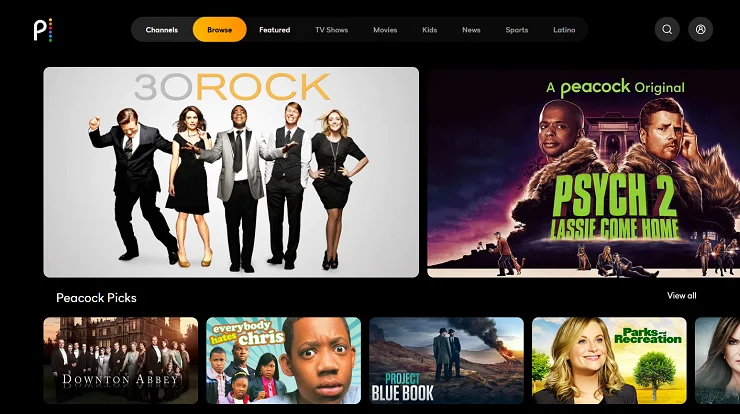
Is Peacock a Legitimate Streaming Service?
Yes.
Peacock is a legitimate streaming platform operated by NBCUniversal.
It provides movies, TV shows, sports, and other content through its official service.
This makes Peacock different from many unauthorized streaming websites.
With an official streaming service, you have a known company behind the platform. You can also use official apps and support channels.
You do not need to search for unknown websites to watch Peacock content.
Is Peacock Legal?
Yes. Peacock is a legal streaming service.
It provides content through licensed agreements and NBCUniversal’s own media properties.
You can legally watch movies, shows, sports, and other programming through the official Peacock service.
Be careful with websites that claim:
“Watch all Peacock content for free.”
If the website is not an official Peacock service, it may not have permission to provide the content.
Such websites may also contain unsafe ads, fake download buttons, or harmful software.
Using the official Peacock service is the safer choice.
Can Peacock Give Your Device a Virus?
The official Peacock website and app are not designed to infect your device with viruses.
However, problems can happen when people use fake Peacock websites or unofficial apps.
For example, you could download malware by installing a fake app from an unknown website.
You may also run into problems after clicking a suspicious ad or link.
To reduce the risk:
- Download Peacock from trusted sources.
- Keep your device updated.
- Keep your browser updated.
- Avoid strange pop-ups.
- Do not install unknown software.
- Do not download modified Peacock apps.
If a pop-up suddenly says your device has a virus, do not panic.
Do not download the software it recommends. These warnings can sometimes be fake.
Is Peacock Safe on a Phone?
Yes. The official Peacock app is generally safe on supported smartphones.
For the safest experience, download the app from your phone’s official app store.
You should also keep your phone updated.
Software updates often include important security fixes.
Before installing an app, check its name and publisher. If an app claims to be Peacock but comes from an unknown source, do not install it.
You should also avoid giving unknown apps unnecessary permissions.
Is Peacock Safe on Smart TVs?
Yes. Peacock can be safely used on supported smart TVs.
The safest method is to install the app through your TV’s official app store.
Avoid installing unknown apps just to watch Peacock content.
If your TV officially supports Peacock, there is no reason to use an unofficial streaming app.
Keeping your smart TV updated is also a good security habit.
Is Peacock Safe on Roku?
Yes. Peacock is available on supported Roku devices.
If you use Roku, install the official Peacock app through Roku’s normal app and channel system.
Avoid websites that tell you to install unknown software on your Roku device.
You should not need unofficial tools to watch Peacock.
Using the official app keeps the setup simple and reduces unnecessary risks.
Is Peacock Safe on Fire TV?
Yes. Peacock can be used on supported Fire TV devices.
Use the official Amazon app marketplace to find and install the Peacock app.
Be careful with websites offering modified streaming apps.
Some apps claim to provide free access to paid content. These apps may create security risks.
For a safer experience, use the official Peacock app.
Is Peacock Safe for Kids?

Peacock has content for children and families.
However, it also has programs made for adults.
This means parents should not assume that every Peacock title is suitable for children.
Before allowing a child to watch something, check:
- The age rating
- The content description
- The type of program
- Available parental controls
Parents should also teach children basic online safety.
Children should never share passwords, payment details, home addresses, or other private information online.
Parental controls can add another layer of protection, but parents should still supervise younger children.
Does Peacock Have Parental Controls?
Peacock offers features that can help families manage what children watch.
The exact options may change as the service is updated.
Parents should check the current account settings and profiles after creating an account.
It is also important to use a strong password.
Parental controls are useful, but they should not completely replace parental supervision.
Does Peacock Protect Your Privacy?
Like most major streaming platforms, Peacock collects some information when you use the service.
This information can help Peacock:
- Provide the streaming service
- Manage your account
- Process payments
- Improve its platform
- Recommend content
- Understand how people use the service
- Support advertising
The information collected and the way it is used can change over time.
If privacy is important to you, read Peacock’s current privacy policy before creating an account.
You should also review the privacy settings on your account and device.
What Information Can a Streaming Service Collect?
Streaming services may collect different types of information.
This can include:
- Account information
- Email address
- Subscription details
- Device information
- IP address
- Viewing activity
- App usage
- Technical information
The exact information depends on the service and how you use it.
Data collection does not automatically mean that a service is unsafe.
Most large online services collect some information because they need it to operate.
The important thing is to understand the privacy policy and protect your account.
Is Peacock Safe for Credit Card Payments?
Using the official Peacock website or app for payments is generally safe.
The key is to make sure you are using the real service.
Be careful with emails or messages asking you to confirm payment information through an unfamiliar link.
Scammers often create fake pages that look like real streaming services.
Before entering your payment details, check the website carefully.
If something looks strange, close the page.
Then open Peacock directly through its official website or app.
How to Protect Your Peacock Account
A strong password is one of the easiest ways to protect your account.
Do not use the same password for Peacock and other important accounts.
For example, avoid using one password for:
- Peacock
- Banking
- Social media
- Shopping websites
If someone gets a reused password, they may try it on your other accounts.
Instead, create a unique password for Peacock.
A password manager can also help you create and store strong passwords.
Watch Out for Peacock Phishing Scams
Phishing is a common online scam.
A phishing message tries to trick you into giving away private information.
For example, you might receive an email saying:
“Your Peacock account has been suspended.”
The message may tell you to click a link.
That link could open a fake login page.
The page may look almost exactly like the real Peacock website.
If you enter your email and password, the scammer may receive them.
That is why you should be careful with unexpected messages.
How to Spot a Fake Peacock Email
A suspicious email may contain:
- Strange spelling
- Urgent warnings
- Unusual links
- Requests for your password
- Requests for payment information
- Unexpected attachments
- Promises of free subscriptions
Do not trust an email just because it uses the Peacock name or logo.
Scammers can easily copy company logos.
If you receive a message about your Peacock account, do not click the link immediately.
Instead, open Peacock directly through the official website or app.
Beware of Fake Peacock Websites
You may find websites that use the Peacock name or a similar name.
Some may simply be unrelated websites.
Others may be designed to trick visitors.
A fake website might claim:
“Watch Peacock Premium for free.”
It may then ask you to:
- Download an app
- Enter your email
- Enter your credit card
- Install a browser extension
- Complete a survey
Be careful with these offers.
You do not need a strange third-party website to use Peacock.
Are Free Peacock APKs Safe?
Be very careful with unofficial Peacock APK files.
An APK is an Android application file.
Some websites offer modified versions of popular apps. They may promise free Premium access or remove ads.
For example, you may see claims such as:
- “Peacock Premium Free”
- “Peacock No Ads APK”
- “Peacock Mod APK”
These files are not official Peacock apps.
Installing them may expose your device to malware or unwanted software.
The safer choice is to download Peacock from a trusted app store.
Saving money is not worth putting your device or personal information at risk.
Is Peacock Safe Without a VPN?
Yes.
You do not need a VPN simply to make Peacock safe.
A VPN can offer privacy benefits in some situations, but it is not required to use the official Peacock service.
You can normally stream Peacock through its official website or app without a VPN.
Keep in mind that a VPN may affect streaming speed or content availability.
If you choose to use one, select a reputable provider and understand its privacy policy.
Does Peacock Track What You Watch?
Streaming services commonly collect information about viewing activity.
This can help them understand what users like.
It may also help with recommendations, service improvements, and advertising.
Peacock may collect information about how you interact with its service.
If this concerns you, review Peacock’s current privacy information and the settings available on your account.
Does Peacock Sell Your Personal Information?
Privacy questions are important.
However, privacy practices and legal definitions can change.
The best way to understand how Peacock handles information is to read its current privacy policy.
The policy explains how information may be collected, used, shared, and protected.
Advertising-supported services may also use information for advertising and measurement.
If privacy is one of your main concerns, review the available privacy settings before subscribing.
Are Peacock Ads Safe?
Peacock uses advertising on some plans and content.
Normal advertisements are not automatically dangerous.
However, you should still be careful with ads that make extreme claims.
For example, do not click an ad that says:
- “Your device has a virus.”
- “You won a prize.”
- “Claim free money.”
- “Download this security tool.”
- “Your account will be deleted.”
These are common scam messages.
If an advertisement looks suspicious, do not interact with it.
Close it and return to the Peacock app or official website.
Can Peacock Pop-Ups Be Dangerous?
Normal website messages and advertisements can appear while using online services.
However, scary virus warnings and strange pop-ups are more often linked to fake websites or harmful advertising.
If a pop-up suddenly says your computer has a virus, stay calm.
Do not:
- Download the suggested software
- Call a phone number shown in the pop-up
- Enter your personal information
- Give someone remote access to your device
Close the window instead.
If you are worried about your device, use a trusted security tool to check it.
Peacock Safety Tips
Here are some simple ways to stay safe while using Peacock.
1. Use the Official Website
Access Peacock through its official website.
Avoid unknown websites that claim to offer free Peacock access.
2. Download the Official App
Use a trusted app store.
Do not download Peacock from random APK websites.
3. Use a Strong Password
Create a unique password that you do not use anywhere else.
4. Do Not Share Your Password
Keep your login details private.
5. Avoid Free Subscription Scams
Be careful with websites promising free Peacock Premium accounts.
6. Watch for Phishing Emails
Do not click unknown links in emails or messages.
7. Keep Your Devices Updated
Install important security and software updates.
8. Protect Your Payment Details
Only enter payment information on trusted pages.
9. Check Your Account
Look for unusual account activity or unexpected charges.
10. Use Parental Controls
Parents should use available controls when children use the account.
Is Peacock Safe on Public Wi-Fi?

Using any online service on public Wi-Fi can create general security risks.
The main concern is usually the network, not Peacock itself.
An unsafe public network may expose users to certain online attacks.
If you use public Wi-Fi:
- Keep your device updated.
- Use secure websites.
- Avoid unknown downloads.
- Do not enter sensitive information on suspicious pages.
- Consider a trusted VPN when appropriate.
- Log out of shared devices.
Streaming is usually not the biggest concern.
Your account and personal information are more important to protect.
Is Peacock Safe on a Shared Computer?
Yes, but you should be careful.
If you use Peacock on a shared computer, do not save your password.
Always log out when you finish.
You should also avoid entering payment information on a computer that you do not trust.
A personal device is usually better for account security.
What Should You Do If Your Peacock Account Is Hacked?
If you think someone has accessed your Peacock account, act quickly.
First, change your password.
Use a new password that you have never used on another website.
Then check your account for unusual activity.
If you used the same password on another service, change that password too.
You should also protect your email account.
Your email is important because it may be used to reset your Peacock password.
If you notice an unexpected charge, contact the appropriate support team or payment provider.
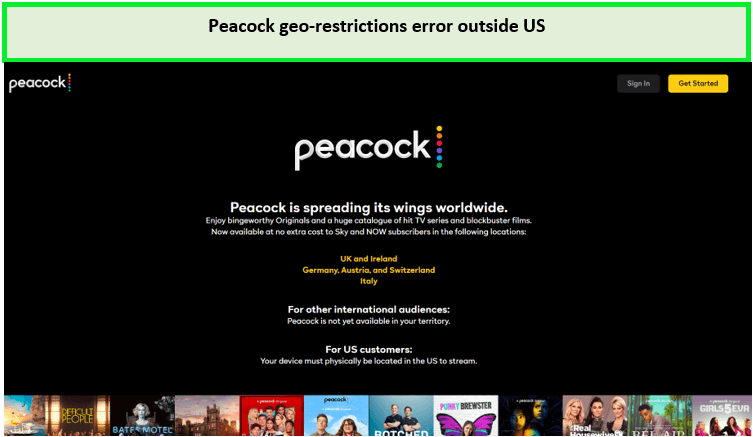
Can Peacock Be Used Safely Outside the United States?
Peacock availability can vary by country.
The service is mainly associated with the U.S. market, and content availability may differ by location.
If you are outside the United States, check the official Peacock information for your region.
Do not trust websites that claim to provide “official international Peacock APKs” or hacked access.
These websites may not be connected to Peacock.
Is Peacock Better Than Illegal Streaming Sites?
Yes, if your goal is a safer and legal streaming experience.
Unauthorized streaming websites can expose users to risks such as:
- Aggressive pop-ups
- Fake download buttons
- Malware
- Phishing pages
- Fake surveys
- Copyright issues
Peacock provides an official way to watch licensed entertainment.
You also get a more predictable streaming experience.
Peacock vs. Unofficial Streaming Websites
| Peacock | Unofficial Streaming Sites |
| Legitimate streaming service | May be unauthorized |
| Official apps | May use unknown apps |
| Licensed content | May contain pirated content |
| Account features | Security may be unclear |
| Official support | Support may be limited |
| Clear subscription options | May use misleading offers |
| Regular service updates | Unknown software risks |
If safety and legality matter to you, an official streaming service is usually the better choice.
Common Peacock Scams to Avoid
Scammers often use popular brands to make their messages look real.
Here are some common Peacock-related scams to watch for.
Fake Subscription Offers
A website may promise a full Peacock subscription for an unusually low price.
Fake Account Warnings
You may receive a message saying your account will be closed unless you act immediately.
Fake Refunds
A scammer may claim that Peacock owes you money.
Fake Customer Support
A search result may take you to a fake support page.
Fake Apps
A modified app may promise free Peacock Premium access.
Fake Giveaways
A message may claim that you won a free Peacock subscription.
The safest response is simple:
Do not click suspicious links. Open Peacock directly through an official source.
Is Peacock Safe for Seniors?
Yes, but seniors should be aware of common online scams.
Scammers often create a sense of urgency.
For example, you may receive a message saying:
“Your Peacock subscription has expired. Click here now.”
The message may look real.
Instead of clicking the link, open the official Peacock website directly.
Never give your password or payment information to someone who contacts you unexpectedly.
Is Peacock Safe for Teens?
Peacock can be used safely by teens with proper supervision.
However, not every show is suitable for every age.
Parents should review available profiles and content controls.
Teens should also understand that they should never share:
- Passwords
- Home addresses
- Payment information
- Personal identification
- Account recovery information
Good online habits are important even when using a legitimate streaming service.
Does Peacock Have Malware?
The official Peacock service is not malware.
The bigger risks come from fake websites, unofficial apps, suspicious downloads, and harmful links pretending to be Peacock.
Using the official app and website helps you avoid many of these risks.
If unusual pop-ups start appearing after you install an unofficial Peacock app, remove the suspicious app and run a trusted security check.
How to Know You Are Using the Real Peacock Service
Before signing in, check the website carefully.
Do not click links from suspicious emails.
Instead, open the official Peacock website directly or use a trusted bookmark.
When downloading an app, check the app store listing.
Be careful with apps that have:
- Strange names
- Unknown publishers
- Very few reviews
- Promises of free Premium access
- Requests for unusual permissions
If an offer seems too good to be true, take a closer look before continuing.
Is Peacock Safe for Streaming Movies?
Yes.
Peacock is designed to provide movies and other licensed content through its official platform.
You do not need to visit questionable movie websites.
This is one of the main benefits of using a legitimate streaming service.
You know where the content comes from, and you can avoid many of the risks found on unauthorized streaming websites.
Is Peacock Safe for Sports Streaming?
Yes.
Peacock provides legitimate access to selected sports and live events.
Sports availability can change based on broadcasting rights and location.
Be careful with websites that promise “free Peacock sports streams” when they are not official.
Such sites may contain suspicious ads, fake buttons, or unsafe downloads.
For safer sports streaming, use the official Peacock service.
Is Peacock Worth Using?
For many people, yes.
Peacock offers a wide range of entertainment in one place.
It can be useful if you enjoy:
- NBC shows
- Universal movies
- Bravo
- WWE
- Premier League soccer
- Other sports
- Peacock Originals
- Reality TV
- Kids’ programs
Peacock also offers different subscription options.
This allows users to choose an option that fits their viewing needs and budget.
Peacock Safety: Pros and Cons

Pros
- Legitimate streaming service
- Owned by NBCUniversal
- Official apps are widely available
- Large content library
- Legal access to entertainment
- Sports and live programming
- Family and kids’ content
- Account management features
- Multiple subscription options
Cons
- Fake Peacock websites can exist
- Scammers may use the Peacock name
- Unofficial apps can be risky
- Some online ads may be misleading
- Privacy-conscious users should read the privacy policy
- Content availability can vary by location
Most of these concerns are related to general online safety rather than Peacock itself.
Explore Search Engine Insight for practical SEO knowledge, content ideas, and helpful strategies to build a stronger online presence.
Frequently Asked Questions
Is Peacock safe?
Yes. Peacock is a legitimate streaming service operated by NBCUniversal. It is generally safe when you use the official website or app.
Is the Peacock app safe?
Yes. The official Peacock app is generally safe. Download it from a trusted app store instead of an unknown website.
Is Peacock legal?
Yes. Peacock is a legal streaming service that provides licensed entertainment.
Can Peacock give my phone a virus?
The official Peacock app is not designed to infect your phone. The bigger risk comes from fake or modified apps downloaded from unofficial websites.
Is Peacock safe for kids?
Peacock offers children’s content, but it also has programs for adults. Parents should check ratings and use available controls.
Is Peacock safe for credit cards?
Using the official Peacock website or app for payment is generally safe. Avoid entering payment details on suspicious websites.
Does Peacock protect user privacy?
Peacock collects certain information to operate its service. If privacy is important to you, review its current privacy policy and account settings.
Are free Peacock subscription offers safe?
Be careful. Fake websites may use free subscription offers to collect personal information. Use official Peacock promotions instead.
Are Peacock APK files safe?
Unofficial Peacock APK files can be risky. It is safer to download the official app from a trusted app store.
Is Peacock safe without a VPN?
Yes. You do not need a VPN to safely use the official Peacock service. A VPN may provide extra privacy in some situations, but it is not required.
Can Peacock track what I watch?
Streaming services commonly collect information about viewing activity. Check Peacock’s current privacy information to understand how this information is handled.
Is Peacock better than illegal streaming sites?
For safety and legality, using the official Peacock service is a better choice than using unauthorized streaming websites.
Final Verdict: Is Peacock Safe?
So, is Peacock safe?
Yes.
Peacock is a legitimate streaming service operated by NBCUniversal. When you use the official website or official app, it is generally safe for streaming movies, TV shows, sports, news, and other content.
The biggest risks usually come from websites, apps, and messages that pretend to be Peacock.
Fake websites, phishing emails, modified apps, suspicious APK files, and fake subscription offers can put your information or device at risk.
The good news is that staying safe is simple.
Follow these basic rules:
- Use the official Peacock website.
- Download the official app.
- Use a strong and unique password.
- Do not share your login details.
- Be careful with unexpected emails.
- Do not click suspicious links.
- Avoid cracked or modified Peacock apps.
- Do not download unknown APK files.
- Check your account regularly.
- Protect your payment information.
- Use parental controls when needed.
Parents should also check content ratings before allowing children to use the service.
Overall, Peacock is safe for streaming when you use the official service and follow basic online safety practices.
You do not need complicated security steps.
The most important rule is simple:
Stick to the official Peacock website and official apps, and avoid websites or downloads that promise free, cracked, or hacked Peacock access.



