
Is The Roku Channel Safe? A Complete Safety Guide
Is The Roku Channel Safe? Yes, The Roku Channel is generally considered a safe and legitimate streaming service when you use the official website, official apps, and supported devices.
The Roku Channel is a popular platform for watching movies, TV shows, live TV, Roku Originals, and other entertainment. One of its biggest advantages is that it offers a large amount of free content. However, like any online streaming service, you may have questions about privacy, ads, account security, malware, children’s safety, and scams.
You may also wonder:
- Is The Roku Channel legal?
- Can The Roku Channel give your device a virus?
- Is Roku safe for kids?
- Does The Roku Channel collect personal information?
- Are the ads on The Roku Channel safe?
- Can someone hack your Roku account?
- Is The Roku Channel safe to use on a smart TV?
These are all reasonable questions.
In this guide, we will explain The Roku Channel safety, privacy, security, ads, parental controls, scams, and common risks. We will also share simple tips to help you use the service more safely.
What Is The Roku Channel?
The Roku Channel is a streaming service operated by Roku. It offers free movies, TV shows, live TV channels, Roku Originals, kids’ content, and other entertainment.
You can access The Roku Channel through compatible Roku devices and other supported platforms. Depending on your location and device, you may also be able to use it through a web browser, mobile device, smart TV, or other streaming hardware.
One important thing to understand is that The Roku Channel is not the same thing as every service you can access through a Roku device.
Roku devices can give you access to many different streaming apps and services. The Roku Channel itself is Roku’s own streaming platform.
The service includes both free and paid content.
The free content is supported by advertisements. Roku also offers optional Premium Subscriptions, which can provide access to additional streaming services.
Because the platform includes different types of content, it is useful to understand how safety works before using it.
Is The Roku Channel Legit?
Yes. The Roku Channel is a legitimate streaming service operated by Roku.
Roku is a well-known streaming technology company that provides streaming devices, smart TV software, and entertainment services.
The Roku Channel is not an illegal streaming website or a random third-party movie platform.
This is important because there are many websites online that use names similar to popular streaming services. Some may attempt to trick users into downloading unwanted software, entering personal information, or paying fake fees.
The safest approach is to use Roku’s official services and supported applications.
If you see a website claiming to be The Roku Channel but the web address looks unusual, be careful.
Do not enter your Roku password or payment information unless you are sure you are using an official Roku service.
Is The Roku Channel Safe to Use?
Yes, The Roku Channel is generally safe to use when accessed through official and supported platforms.
The service is designed for normal streaming. You do not need to install unknown software or use questionable websites to watch its content.
However, “safe” does not mean there are zero risks.
Almost every online service has some risks.
For The Roku Channel, the main things to consider are:
- Advertisements
- Privacy
- Account security
- Phishing scams
- Fake Roku websites
- Third-party apps
- Children’s access to content
- Internet security
- Paid subscriptions
Most of these risks can be reduced by following basic online safety practices.
Can The Roku Channel Give You a Virus?
The official Roku Channel is not designed to distribute viruses or malware.
If you access The Roku Channel through an official app, supported Roku device, or legitimate Roku website, you are using a mainstream streaming service rather than a suspicious file-sharing website.
However, you should be careful about websites that imitate Roku.
Scammers may create websites that look similar to legitimate companies. They may use familiar logos, colors, and names to appear trustworthy.
These fake websites can try to:
- Steal your login details
- Collect payment information
- Install unwanted software
- Show misleading security warnings
- Ask you to call a fake support number
- Trick you into downloading a suspicious application
The easiest way to avoid these problems is to use official Roku apps and websites.
Never download a “special Roku player” or unknown browser extension simply because a pop-up tells you that you need one.
Is The Roku Channel Safe for Your Computer?
The Roku Channel can be used safely on a compatible computer through its legitimate website.
Your computer should still have normal security protections enabled.
For example:
- Keep your operating system updated.
- Keep your browser updated.
- Use a trusted security program.
- Avoid suspicious pop-ups.
- Do not download unknown files.
- Do not enter passwords into suspicious websites.
These tips apply to almost every streaming website.
The biggest danger often comes from fake websites rather than the official streaming service itself.
If a pop-up suddenly tells you that your computer has a virus and asks you to call a phone number, do not assume the warning is real.
Close the page and run your normal security check instead.
Is The Roku Channel Safe on Smart TVs?
Yes, using The Roku Channel on a supported smart TV is generally safe.
Smart TVs are designed to run streaming applications. Using an official Roku application or built-in Roku software is much safer than installing unknown applications from unofficial sources.
Still, your smart TV should receive regular software updates.
Updates can improve:
- Security
- Performance
- App compatibility
- System stability
If your TV offers automatic updates, keeping them enabled can make maintenance easier.
You should also avoid installing applications from unknown sources.
Is The Roku Channel Safe for Kids?
The Roku Channel offers family-friendly and children’s content, but parents should still pay attention to what children watch.
The platform contains content made for different age groups.
Not every movie or TV show is suitable for young children.
Parents should:
- Check ratings.
- Choose age-appropriate programs.
- Use available parental controls.
- Monitor younger children’s viewing.
- Talk to children about online safety.
- Avoid allowing children to make purchases without permission.
It is also important to remember that advertisements can appear alongside free content.
Children may see advertisements for products, services, or other entertainment.
Parental supervision can help younger viewers understand what is programming and what is advertising.
Does The Roku Channel Have Parental Controls?
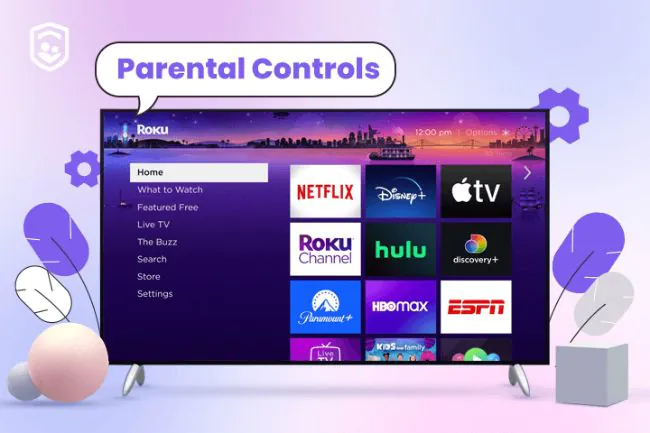
Roku provides parental control and account features that can help parents manage what children access.
However, parental controls do not replace supervision.
Parents should check the current settings on their particular Roku device or account because features and options can change over time.
If you have young children, take a few minutes to review:
- Content restrictions
- Purchase settings
- Account security
- PIN settings
- App access
- Viewing habits
A Roku account PIN can also help prevent unauthorized purchases or certain account changes.
The exact controls available can depend on the Roku device and software version.
Are The Roku Channel Ads Safe?
The Roku Channel’s free content is supported by advertising.
Seeing ads does not mean the service is unsafe.
Advertising is a common way for free streaming services to make money.
However, users should still be careful when clicking on advertisements.
An advertisement may lead to another website. Once you leave The Roku Channel, you are dealing with a different website and its own privacy and security policies.
A good rule is:
Do not click on ads that look suspicious.
Be especially careful with advertisements that:
- Promise extremely expensive products for almost nothing
- Claim you won a prize
- Say your device has a virus
- Ask for your password
- Ask for your credit card immediately
- Use urgent or threatening language
- Tell you to call an unknown phone number
These signs can indicate a scam.
Can Roku Ads Contain Scams?
Advertising platforms have systems designed to review advertisements, but no online advertising system can guarantee that every ad or destination is risk-free forever.
This is why users should remain cautious.
If an advertisement looks strange, simply skip it.
You do not need to interact with every ad you see.
If an ad redirects you to a suspicious website, close the page.
Never provide sensitive information just because an advertisement claims to be associated with Roku.
Remember that Roku’s name can be misused by scammers.
A website using a Roku logo does not automatically mean that Roku operates it.
Is The Roku Channel Legal?
Yes. The Roku Channel is a legitimate streaming service.
Its content is provided through licensing and other legitimate distribution arrangements.
This is different from illegal streaming websites that offer copyrighted movies and TV shows without permission.
Using an official Roku service means you do not need to rely on piracy websites to watch content.
This is one reason it is better to use official streaming platforms instead of websites offering unauthorized copies.
Illegal streaming sites can carry additional risks, including aggressive pop-ups, misleading downloads, malicious advertisements, and scams.
Is The Roku Channel Safe Without a VPN?
For most users, a VPN is not required simply to use The Roku Channel.
A VPN is a separate privacy tool. Some people use VPNs to protect their internet traffic on public Wi-Fi or to add another layer of privacy.
However, using a VPN does not automatically make every online activity safe.
You still need:
- A secure password
- Updated software
- A trusted streaming application
- Safe browsing habits
You should also remember that streaming services can have location-based content restrictions.
Trying to bypass geographic restrictions may violate a service’s terms.
If you use a VPN, choose a reputable provider and understand its privacy policy.
Does The Roku Channel Collect Your Data?
Like many modern streaming platforms, The Roku Channel can collect certain information related to your use of the service.
This can include information needed to provide the service, improve products, understand viewing activity, personalize experiences, or support advertising.
The exact information collected can depend on:
- Your device
- Your account
- Your settings
- Your location
- How you use the service
- The products and services you access
Roku publishes privacy information explaining how it handles information and how users can manage certain privacy choices.
Before using any online service, it is a good idea to review its current privacy policy.
Is Roku Tracking What You Watch?
Streaming services commonly collect viewing and usage information.
Roku may use information about how its products and services are used for purposes such as improving the user experience and supporting advertising.
This does not automatically mean that someone is personally watching you through your television.
There is an important difference between collecting viewing data and spying on users through a camera.
Roku devices and TVs can have different hardware features, so privacy concerns should be considered based on the specific device you own.
If your TV has a microphone or camera, check the manufacturer’s privacy and device settings.
Does The Roku Channel Use Cookies?
When you use The Roku Channel through a web browser, cookies and similar technologies may be used.
Cookies can help websites remember settings, understand how users interact with pages, and support advertising or analytics.
You can usually control some cookies through your browser settings.
However, blocking all cookies can sometimes affect how websites work.
For the most accurate information about Roku’s current data practices, users should review Roku’s official privacy documentation.
Is The Roku Channel Safe for Your Privacy?
The Roku Channel can be used safely from a general privacy perspective, but users should understand that free streaming comes with data and advertising considerations.
There is no need to panic.
Instead, take a few simple steps.
Use a strong password
Do not use the same password for your Roku account and every other website.
A unique password is safer.
Protect your account
Never share your Roku login information with strangers.
Review privacy settings
Check your Roku account and device settings from time to time.
Limit unnecessary information
Only provide information that is needed for the service.
Be careful with emails
Do not click suspicious links in emails claiming to be from Roku.
Can Someone Hack Your Roku Account?
Any online account can potentially be targeted by hackers.
The best protection is good account security.
Create a strong, unique password for your Roku account.
A strong password should be:
- Long
- Difficult to guess
- Unique
- Not based on your name
- Not based on your birthday
- Not reused on other websites
If you receive an email saying someone tried to access your account, do not automatically click the link in the email.
Instead, visit the official Roku website directly and check your account.
This reduces the risk of phishing.
How to Recognize a Fake Roku Email
Scammers sometimes send emails pretending to be companies people know.
A fake Roku email may claim:
- Your account is suspended.
- Your payment failed.
- Your subscription will end.
- You won a prize.
- You need to verify your account.
- Your Roku device has a problem.
- You must pay a fee immediately.
The goal is usually to make you act quickly without thinking.
Look for warning signs.
Suspicious sender
The sender’s email address may not match the company.
Strange links
Hover over links before clicking them on a computer. If the destination looks strange, do not open it.
Urgent language
Scammers often try to create panic.
Requests for sensitive information
Never provide passwords or payment details simply because an email asks for them.
When in doubt, go directly to the official Roku website instead of using an email link.
What Is a Roku Tech Support Scam?
Roku users may encounter fake technical support scams.
These scams can appear as:
- Fake support websites
- Fake phone numbers
- Fake virus warnings
- Fake account problems
- Fake subscription renewal notices
- Fake Roku representatives
A scammer may tell you that your Roku device has a serious problem and that you need to pay money for support.
Do not trust unexpected technical support messages.
If you have a Roku problem, use official Roku support resources rather than a random phone number found in a pop-up.
This is one of the most important Roku safety tips to remember.
How to Avoid Fake Roku Websites
Fake websites are one of the biggest online risks for people searching for technical help.
A fake website may look almost identical to a real company website.
Before entering your information, check the web address.
You should also avoid websites that:
- Use unusual domain names
- Contain many spelling mistakes
- Ask for unnecessary payment
- Show aggressive pop-ups
- Tell you to download unknown software
- Claim your device is infected
- Ask you to call a suspicious number
The safest method is to find Roku’s official website through a trusted search engine or a bookmarked page.
Is It Safe to Download The Roku Channel App?
Yes, if you download it from an official app store or supported platform.
Do not download a modified APK or unofficial Roku application from a random website.
Unofficial downloads can create unnecessary risks.
They may contain:
- Malware
- Spyware
- Adware
- Unwanted programs
- Modified software
You do not need an unofficial version of The Roku Channel.
Use the official application whenever possible.
Is The Roku Channel Safe on Android?
If The Roku Channel is available for your Android device and you download the legitimate app through an official app marketplace, it can be used safely.
Keep your Android device updated.
You should also check the developer name before installing an application.
Be careful with apps that use names such as:
- Roku Free Movies
- Roku Premium Hack
- Roku Channel Mod
- Free Roku APK
- Roku Unlimited
These may not be official Roku products.
The official app store listing is a safer choice.
Is The Roku Channel Safe on iPhone?
The same general rule applies to iPhone users.
Use the official App Store and verify the application before downloading it.
Avoid links from suspicious websites that ask you to install unknown profiles or applications.
Apple’s built-in security features provide additional protection, but safe browsing habits still matter.
Is The Roku Channel Safe on Fire TV?
If The Roku Channel is officially available on your Fire TV device in your location, use the official application.
Avoid installing unofficial versions from unknown websites.
Do not disable important security settings simply because a website tells you to.
The safest setup is simple:
Official app + updated device + strong account security.
Is The Roku Channel Safe on Public Wi-Fi?
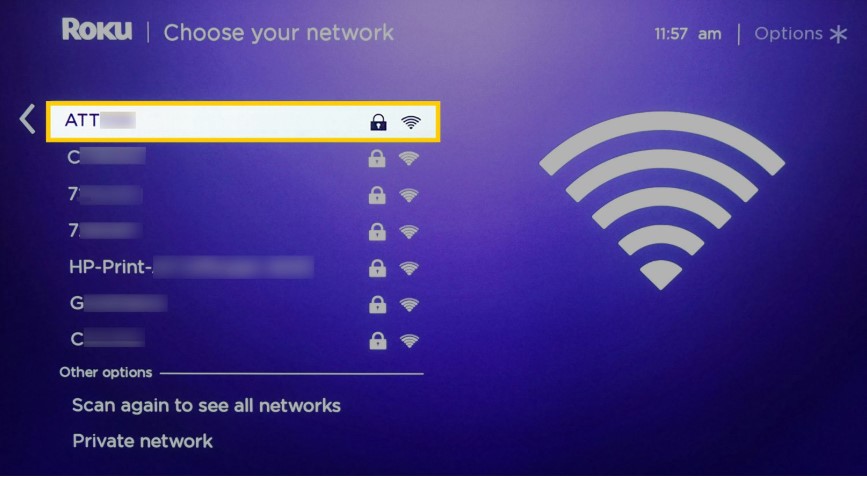
You can use streaming services on public Wi-Fi, but public networks can have additional security risks.
If you use public Wi-Fi at a hotel, airport, café, or other location:
- Avoid entering sensitive information on suspicious websites.
- Make sure you are connected to the correct network.
- Keep your device updated.
- Use a trusted VPN if you normally rely on one for public Wi-Fi.
- Avoid logging into important accounts on unknown networks when possible.
Streaming a movie is generally less sensitive than entering banking information.
Still, good internet security habits are useful.
Does The Roku Channel Have Dangerous Pop-Ups?
The official streaming experience should not require you to install random software through pop-ups.
If a pop-up says:
“Your Roku is infected!”
or
“Your TV has a virus! Call support now!”
do not follow its instructions.
These messages are often designed to scare users.
Close the browser or exit the page.
You do not need to call a random number shown in a pop-up.
What Should You Do If You See a Suspicious Roku Message?
Stay calm.
Do not click immediately.
Instead:
- Close the message.
- Do not call the number shown.
- Do not download software.
- Do not provide your password.
- Do not provide payment information.
- Visit the official Roku website directly.
- Check your account if you are concerned.
- Run a security scan if you downloaded something suspicious.
Following these steps can prevent many common scams.
How to Make The Roku Channel Safer
You can improve your security with a few simple habits.
Use the official Roku service
Avoid unofficial websites and modified applications.
Create a strong password
Make your Roku password unique.
Protect purchases
Use the available purchase PIN or account controls where appropriate.
Keep devices updated
Install software updates when they become available.
Avoid suspicious links
Do not click links from unexpected messages.
Be careful with ads
You do not have to click every advertisement.
Monitor children
Use parental controls and supervise younger viewers.
Review subscriptions
Check your account regularly for paid services you no longer need.
The Roku Channel Safety vs Illegal Streaming Sites
This is an important comparison.
Illegal streaming websites can look attractive because they sometimes claim to provide newly released movies for free.
However, these websites can create more risks.
They may use:
- Aggressive advertisements
- Fake download buttons
- Suspicious redirects
- Malware
- Phishing pages
- Fake security warnings
The Roku Channel is different because it is a legitimate streaming service.
If a movie is not available for free on The Roku Channel, it is better to use another legitimate streaming platform rather than visiting a suspicious piracy website.
Does The Roku Channel Cost Money?
The basic Roku Channel is free.
However, Roku also offers paid Premium Subscriptions and other optional purchases.
This is important from a safety perspective because scams can sometimes use fake billing messages.
If you receive a message saying you owe Roku money, do not immediately click the payment link.
Check your actual Roku account.
You should be able to determine whether you have an active subscription or recent purchase.
Are Roku Premium Subscriptions Safe?
Premium Subscriptions offered through The Roku Channel are legitimate paid services.
However, you should still understand what you are signing up for.
Before starting a subscription, check:
- Monthly price
- Trial period
- Renewal date
- Cancellation policy
- What content is included
A free trial can become a paid subscription if you do not cancel before it ends.
This is not a security problem, but it can become an unexpected billing problem.
Is The Roku Channel Safe to Use in 2026?
Yes. The Roku Channel remains a legitimate and generally safe streaming option in 2026.
The main safety risks are not usually the basic act of streaming a movie.
Instead, users should focus on common online risks such as:
- Fake websites
- Phishing
- Weak passwords
- Suspicious advertisements
- Unofficial apps
- Fake tech support
- Unwanted subscriptions
- Inappropriate content for children
Most of these risks can be avoided with basic online safety.
The Roku Channel Safety Checklist
Before using The Roku Channel, keep this checklist in mind:
Use official apps: Download applications from trusted app stores.
Use official websites: Avoid suspicious websites that imitate Roku.
Use a strong password: Make your Roku account password unique.
Protect purchases: Use account security and purchase controls.
Update your device: Keep Roku devices, smart TVs, phones, and computers updated.
Watch children: Check ratings and use parental controls.
Ignore fake warnings: Do not trust random pop-ups claiming your device has a virus.
Be careful with emails: Verify messages before clicking links.
Check subscriptions: Review paid services regularly.
Do not share passwords: Keep your Roku login information private.
Pros and Cons of The Roku Channel Safety
Pros
- Legitimate streaming service
- Official Roku platform
- Large selection of free content
- Available on supported devices
- Free content does not require a standard monthly fee
- Offers family and kids’ programming
- Uses normal account security features
- Provides legitimate paid subscriptions
Cons
- Advertisements are part of the free experience
- Content may not be suitable for every age group
- Fake Roku websites can confuse users
- Phishing scams can target Roku users
- Premium subscriptions can create unexpected charges if users forget to cancel
- Privacy and advertising settings may require attention
Overall, the advantages outweigh the risks when you use the service responsibly.
Get reliable SEO insights, search engine updates, and content optimization ideas from Search Engine Insight.
Frequently Asked Questions
Is The Roku Channel safe?
Yes. The Roku Channel is a legitimate streaming service operated by Roku and is generally safe when used through official platforms.
Is The Roku Channel safe for kids?
It can be, but parents should check content ratings, use parental controls where available, and supervise younger children.
Can The Roku Channel give my device a virus?
The official Roku Channel is not intended to distribute viruses. The bigger risk comes from fake Roku websites, unofficial applications, malicious downloads, and suspicious links.
Is The Roku Channel legal?
Yes. The Roku Channel is a legitimate streaming platform that provides licensed content and other authorized programming.
Is The Roku Channel free?
The Roku Channel offers a large free library supported by advertising. Optional Premium Subscriptions and other paid content can cost extra.
Does The Roku Channel have ads?
Yes. Advertising helps support the free streaming content.
Can someone hack my Roku account?
Any online account can be targeted, but using a strong, unique password and protecting your account can reduce the risk.
Is Roku safe to use on a smart TV?
Yes. Roku and supported Roku applications are designed for use on compatible smart TVs and streaming devices.
Does Roku collect personal information?
Roku may collect information related to account use, devices, viewing, advertising, and other interactions with its services. Users should review Roku’s current privacy policy and available privacy settings.
Should I use a VPN with The Roku Channel?
A VPN is not normally required just to use The Roku Channel. Some people use VPNs for general privacy or security on certain networks, but a VPN does not replace basic account and device security.
How can I avoid Roku scams?
Use official Roku websites and apps, ignore suspicious pop-ups, avoid unknown downloads, never share your password with strangers, and verify account problems directly through your Roku account.
Final Verdict: Is The Roku Channel Safe?
So, is The Roku Channel safe?
Yes. The Roku Channel is generally safe, legal, and legitimate when you use the official service.
It is operated by Roku and offers free movies, TV shows, live TV, Roku Originals, and other content. The free service is supported by advertisements, while optional Premium Subscriptions provide access to additional paid content.
The biggest risks usually come from outside the official platform.
Fake Roku websites, phishing emails, suspicious advertisements, unofficial applications, and fake technical support can all create problems.
Fortunately, these risks are easy to reduce.
Use the official Roku website and apps. Keep your devices updated. Create a strong password. Be careful with unexpected emails and pop-ups. Do not download unofficial applications. Review your subscriptions and payment settings regularly.
Parents should also check the content their children watch and use parental controls where appropriate.
In simple terms, The Roku Channel is a safe choice for streaming when you follow basic online safety rules.
You do not need to be an internet security expert.
Just use the official service, protect your account, avoid suspicious links, and think twice before entering personal or payment information.
For most users, that is enough to enjoy The Roku Channel with confidence.



