Sling Freestream Pricing: Is Sling Freestream Really Free?
Sling Freestream Pricing starts at $0 because Sling Freestream is a free, ad-supported streaming service. You can watch free live TV and on-demand content without paying a monthly subscription, and Sling says no account is required for basic viewing. A free account can also unlock features such as 10 hours of DVR storage, favorites, and watchlists.
For people trying to reduce their monthly streaming bills, Sling Freestream can be a useful option.
But there is often confusion between Sling Freestream and paid Sling TV plans.
They are not the same thing.
Sling Freestream is free.
Paid Sling plans cost money and provide access to additional live channels and premium programming.
In this guide, we will explain Sling Freestream Pricing, what you get for $0, how the free DVR works, whether you need a credit card, how Sling’s paid plans compare, and whether Freestream is worth using.
We will also answer common questions about Sling Freestream costs in simple language.
What Is Sling Freestream?
Sling Freestream is Sling’s free, ad-supported streaming service.
It provides free live TV and on-demand entertainment through supported devices.
Sling currently advertises 600+ free live TV channels and free on-demand content. The service can be used without an account, and Sling says it does not require a credit card.
This makes Sling Freestream different from a traditional paid streaming subscription.
You do not have to choose a monthly plan.
You do not have to enter payment information.
You do not have to sign a contract.
You can simply open Freestream and start watching.
There are advertisements, though.
The ads help support the free service.
What Does Sling Freestream Include?
The free service includes different types of entertainment, such as:
- Live TV
- News
- Movies
- TV shows
- Reality TV
- Comedy
- Drama
- Sports-related programming
- International programming
- Family content
- On-demand entertainment
Sling also offers free international programming, including South Asian, Arabic, European, East Asian, Brazilian, and sports content.
Is Sling Freestream Really Free?
Yes.
This is the most important point about Sling Freestream Pricing.
Sling Freestream costs $0.
It is not simply a seven-day or 30-day free trial.
Sling describes Freestream as a free service that remains available after a trial period because there is no trial period for Freestream.
You can keep using the free service without paying a monthly fee.
That makes it different from many streaming services that advertise a free trial but later require a subscription.
With Freestream, you can continue using the free service.
Do You Need a Credit Card?
No.
Sling says you do not need a credit card to watch Freestream.
You can also watch without creating a Sling account.
A free account is optional.
You may choose to create one if you want extra features.
Sling Freestream Pricing at a Glance
Here is a simple look at the current pricing structure.
| Feature | Sling Freestream |
|---|---|
| Monthly price | $0 |
| Annual price | $0 |
| Credit card required | No |
| Account required for basic viewing | No |
| Ads | Yes |
| Live TV | Yes |
| On-demand content | Yes |
| Free DVR | 10 hours with an account |
| Watchlist | Yes, with account |
| Favorite channels | Yes, with account |
| User profiles | Yes, with account |
| Parental controls | Available with account |
| Paid upgrade | Optional |
| Contract | No |
The biggest benefit is obvious.
You can start watching without paying.
How Does Sling Freestream Pricing Work?
Sling has two different sides.
The first is Freestream.
The second is paid Sling TV.
Freestream gives you free content.
Paid Sling gives you access to larger channel packages and additional programming.
You can think of Freestream as the free entry point into Sling.
You can use it without paying.
If you later decide that you want additional channels, you can move to a paid Sling option.
This gives viewers flexibility.
You do not have to become a paid subscriber just to use Sling TV.
What Do You Get for $0?
When discussing Sling Freestream Pricing, the biggest question is:
What do I actually get for free?
You get access to free live TV and on-demand entertainment.
Sling currently promotes more than 600 free live channels through Freestream.
The available programming covers many categories.
You can find:
- News channels
- Entertainment channels
- Reality TV
- Movies
- Drama
- Comedy
- Lifestyle programming
- Sports-related channels
- International TV
- Family entertainment
The lineup changes over time.
That means you should check Sling’s current guide if you are looking for a particular channel or program.
Does Sling Freestream Have Ads?
Yes.
Sling Freestream is an ad-supported streaming service.
This means you will see advertisements while watching free programming.
This is one of the main differences between free and paid streaming.
You are not paying money for the service.
Instead, advertising helps support the content.
For many viewers, this is a fair trade.
You get free entertainment, but you have to watch commercials.
Are the Ads Worth It?
That depends on you.
If you strongly dislike advertisements, a paid service may be a better choice.
But if your main goal is saving money, ads may be an easy trade-off.
For many people, watching a few commercials is better than paying another $10, $15, or $20 every month.
Does Sling Freestream Have a Free DVR?
Yes.
This is one of the most useful features of Freestream.
Sling currently gives Freestream account holders 10 hours of free DVR storage.
This means you can record selected movies, shows, news, and sports programming and watch them later.
You need a free Sling account to use the DVR.
Basic Freestream viewing does not require an account.
How Much Does Freestream DVR Cost?
It costs:
$0.
The 10 hours of DVR storage are included free with a Sling Freestream account.
That is an important part of Sling Freestream Pricing.
You do not have to pay extra for the basic Freestream DVR.
How Long Do Freestream Recordings Last?
Sling’s current DVR help page says Freestream recordings expire after 30 days.
So the free DVR is useful for short-term recording.
It is not designed to be a permanent media library.
Can You Upgrade the Sling Freestream DVR?
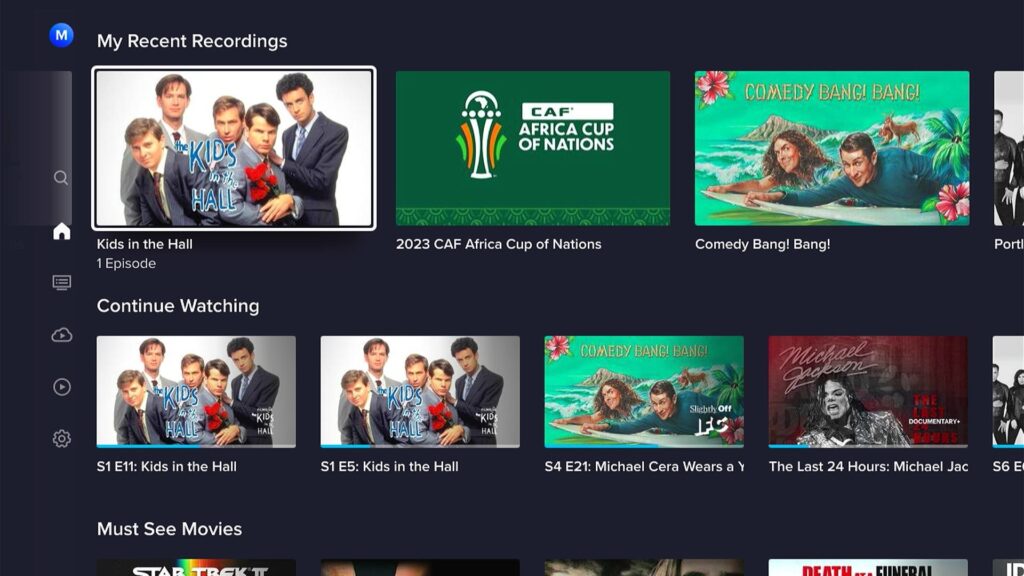
The free Freestream DVR gives you 10 hours of storage.
Sling also offers Unlimited DVR for $5 per month on its paid service.
However, it is important not to confuse the free Freestream service with a paid Sling subscription.
If you only want free TV, you do not need to pay for Unlimited DVR.
The free 10-hour DVR is enough for casual users.
Heavy users may want more storage.
Does Sling Freestream Require an Account?
No.
Sling says you can watch Freestream without logging in.
This makes getting started very easy.
You can simply open the service and browse the available programming.
However, creating a free account has advantages.
With an account, you can access features such as:
- Free DVR
- Favorite channels
- Watchlists
- User profiles
- Parental controls
- Rewards
- Personalized viewing
Sling says creating an account is free and does not require a credit card.
Is There a Sling Freestream Free Trial?
This question causes confusion.
Sling Freestream is not a free trial.
It is a free streaming service.
Sling specifically says Freestream is available at no charge and does not end after a few days like a normal free trial.
This means you can keep watching the free service.
Sling does have paid options and short-term passes, but those are separate from Freestream.
Sling Freestream vs Paid Sling TV
The difference is easy to understand.
Sling Freestream
- Free
- Ad-supported
- 600+ free live channels
- Free on-demand content
- No account required for basic viewing
- No credit card required
- 10-hour DVR with free account
Paid Sling TV
- Monthly cost
- More premium channels
- More sports options
- More news and entertainment channels
- 50 hours of free DVR
- Optional Unlimited DVR
- Optional channel extras
- Premium add-ons
Sling’s current help information says paid Sling subscribers receive 50 hours of free DVR storage, while Freestream account holders receive 10 hours.
How Much Does Paid Sling Cost?
If you want more channels than Freestream offers, you can upgrade to a paid Sling plan.
Sling’s current pricing includes Sling Essentials starting at $19.99 per month.
Sling also offers other packages, combinations, extras, international plans, and short-term passes.
For example, Sling currently lists:
- Essentials from $19.99/month
- Essentials + Sports Extra from $30.99/month
- Essentials + News Extra from $25.99/month
Prices and promotional offers can change, so check the current Sling plan page before subscribing.
This is where the difference between Sling Freestream Pricing and regular Sling pricing becomes important.
You can use Freestream for $0.
You only pay if you choose additional paid programming.
What Is Sling Essentials?
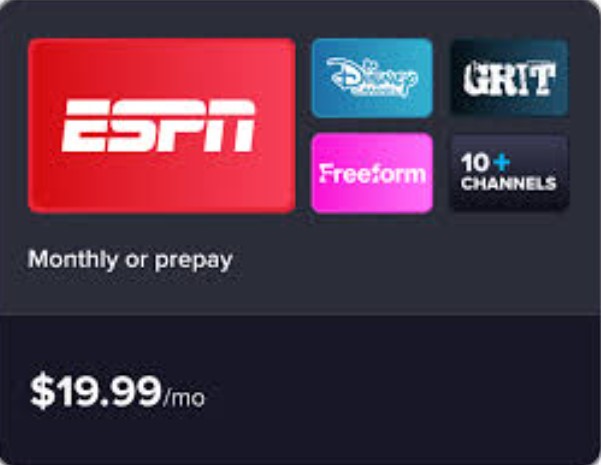
Sling Essentials is one of Sling’s paid options.
The current listed starting price is $19.99 per month.
It is designed as a compact paid package.
Sling describes Essentials as a package focused on ESPN and family channels.
It is aimed at people who want more than the free Freestream lineup but do not want a large traditional cable-style package.
This can be useful for viewers who want selected paid channels without paying for dozens of channels they never watch.
Sling Essentials and Sports Extra
Sports fans may want to add a Sports Extra package.
Sling currently lists Essentials + Sports Extra from $30.99 per month.
The Sports Extra option gives access to additional sports programming.
This is a good example of Sling’s flexible approach.
Instead of paying for a huge package, you can start with a base plan and add a smaller package based on your interests.
Sling Essentials and News Extra
News viewers can also add a News Extra package.
Sling currently lists Essentials + News Extra from $25.99 per month.
This can be useful if the free news programming on Freestream is not enough for you.
Again, the choice is yours.
You can stay with the free service or pay for additional channels.
Does Sling Freestream Have Hidden Fees?
For basic Freestream viewing, there is no monthly subscription fee.
There is also no requirement to enter a credit card.
Sling says the free service can be watched without an account.
However, you should understand that Sling also offers paid products.
You may see options for:
- Paid channel packages
- Premium channels
- Add-ons
- Movie rentals
- Short-term passes
- Additional DVR storage
These are optional.
You do not need to purchase them to use the basic Freestream service.
What Are Sling Day Passes?
Sling also offers short-term passes.
These can be useful if you do not want a full monthly subscription.
Sling currently lists:
- 1 Day Pass — $4.99
- 3 Day Pass — $9.99
- 7 Day Pass — $14.99
These prices are for paid Sling access and are separate from Freestream.
The idea is simple.
You pay for a short period rather than committing to a full month.
This can be useful if you want to watch a specific event, weekend of sports, or short period of programming.
Does Sling Have a Long-Term Contract?
Sling promotes flexible subscription options.
Monthly subscribers can cancel at any time, and Sling says they keep access through the period they have already paid for.
Short-term passes also end automatically rather than requiring a traditional cancellation process.
This flexibility is one of Sling’s biggest advantages.
You are not locked into traditional cable-style contracts.
Sling Freestream Pricing for International TV

Another interesting part of Sling is its international programming.
Sling’s free international section includes programming from several regions and languages.
The current free lineup includes content from areas such as:
- South Asia
- Middle East
- Europe
- East Asia
- Brazil
- International sports
Sling’s international Freestream page also lists channels and programming such as Aaj Tak, ARY Digital, Shemaroo Bollywood, Sony Kal, and Willow Sports.
For viewers interested in international TV, this can add significant value to the $0 price.
Is Sling Freestream Good for Sports?
It can be useful for casual sports viewers.
Sling’s free service includes sports-related programming, and its international Freestream offering includes sports channels.
However, Freestream should not be treated as a complete replacement for a paid sports package.
Major sports leagues and events often have expensive broadcasting rights.
If you want every game from a particular league, you may need a paid plan or another service.
The free service is better for selected sports programming and casual viewing.
Is Sling Freestream Good for Movies?
Yes.
Sling Freestream includes free on-demand movies and TV shows.
The selection changes over time.
You may find older movies, popular TV shows, reality programming, dramas, comedies, and other entertainment.
The main benefit is that you do not have to pay a monthly subscription to browse the free catalog.
If you do not mind advertisements, it can be a useful addition to your streaming setup.
Is Sling Freestream Good for Families?
It can be.
Families can use Freestream for free entertainment without adding another monthly bill.
If you create a free Sling account, you also get access to features such as profiles and parental controls.
Parents should still check individual programs.
A service with hundreds of channels will naturally contain many different types of content.
Parental controls can help, but they should be used together with normal parental supervision.
Can You Watch Sling Freestream on a Phone?
Yes.
Sling says Freestream is available on mobile devices through the Sling TV app.
The app is available for supported iOS and Android devices.
This means you can watch free TV while away from your main television.
Remember that video streaming can use a lot of mobile data.
If you have a limited data plan, Wi-Fi may be a better choice.
Can You Watch Sling Freestream on a Smart TV?
Yes.
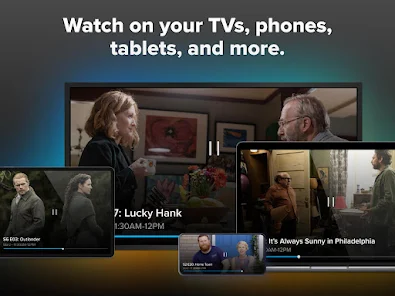
Sling supports Freestream on many supported TVs and streaming devices.
It also supports phones, tablets, and computers.
This makes it easy to move between devices.
You can watch on your TV at home and use your phone or tablet when you are away.
What Internet Speed Does Sling Freestream Need?
Sling recommends a continuous internet speed of at least:
- 3 Mbps for portable devices such as phones and tablets
- 5 Mbps for a single stream on a PC or Mac
- 25 Mbps for households using multiple devices
These recommendations come directly from Sling’s current information.
If your connection is slower or unstable, you may experience:
- Buffering
- Lower video quality
- Freezing
- Longer loading times
A faster and more stable connection usually provides a better experience.
Sling Freestream Pricing vs Tubi
Tubi is another free, ad-supported streaming service.
Both services allow viewers to watch content without a normal monthly subscription.
However, they have different strengths.
Sling Freestream
Best for:
- Live TV
- Channel browsing
- News
- International channels
- Free DVR
Tubi
Best for:
- Movies
- TV shows
- On-demand content
- Live channels
- Large free entertainment catalog
There is no reason you cannot use both.
In fact, combining free services can be a smart way to reduce streaming costs.
Sling Freestream Pricing vs Pluto TV
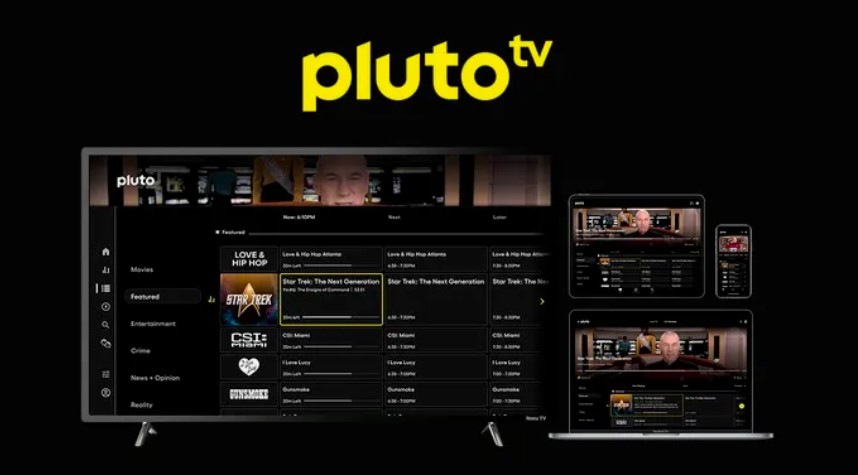
Pluto TV is another major free streaming competitor.
It focuses heavily on live, channel-style streaming.
Sling Freestream has a similar concept.
Both provide:
- Live channels
- On-demand content
- Free viewing
- Advertising-supported programming
The best option depends on which channels you prefer.
If one service does not have a show you want, the other may.
Sling Freestream Pricing vs The Roku Channel
The Roku Channel is another free streaming option.
It provides free live channels and on-demand entertainment.
Sling Freestream may have an advantage for people who want Sling’s international content and free DVR.
The Roku Channel may be more attractive to people already using Roku devices.
Both are worth trying because neither requires you to commit to a traditional monthly subscription for the free content.
Sling Freestream Pricing vs Xumo Play
Xumo Play is another free, ad-supported streaming service.
Like Sling Freestream, it offers live channels and on-demand entertainment.
Xumo is useful for viewers who want another free channel guide.
Sling Freestream has the advantage of its free DVR feature.
Xumo can still be a useful second service.
Does Sling Freestream Save Money?
Yes, especially if you use it instead of adding another paid subscription.
Imagine you already pay for several streaming services.
Adding another $10 or $15 service may not seem expensive.
But over a year, the cost adds up.
A $10 monthly service costs $120 per year.
A $15 monthly service costs $180 per year.
A $20 monthly service costs $240 per year.
Sling Freestream costs $0.
That is why free streaming services can be useful for people trying to control entertainment spending.
Who Should Use Sling Freestream?
Sling Freestream may be a good choice if you:
- Want free live TV
- Want to save money
- Enjoy news
- Like reality TV
- Watch movies
- Want international programming
- Want free DVR
- Do not want a credit card requirement
- Do not want a contract
- Want another streaming service
- Want to try Sling without paying
It may not be ideal if you:
- Want completely ad-free TV
- Need premium sports
- Want every cable channel
- Need a large DVR library
- Only watch new movie releases
- Want every local broadcast channel
Sling Freestream Pricing: Pros and Cons

Pros
Free
The biggest advantage is the $0 price.
No Credit Card
You can use Freestream without adding payment information.
No Account Required
Basic viewing does not require a Sling account.
Free DVR
Account holders get 10 hours of DVR storage.
Live TV
You can watch hundreds of free live channels.
On-Demand Content
You also get free movies and TV shows.
International Content
Sling provides a range of free international programming.
Flexible Upgrade Options
If you need more channels, you can move to a paid Sling package.
Cons
Advertisements
Free viewing comes with ads.
Limited DVR
The free DVR only provides 10 hours of storage.
Paid Channels Cost Extra
Premium programming is not included with Freestream.
Sports Coverage Is Limited
Major sports events may require a paid plan.
Content Changes
The available free lineup can change.
Is Sling Freestream Worth It?
For most people who want free TV, yes.
The service costs nothing.
You can watch live channels and on-demand content.
You can create a free account and get 10 hours of DVR storage.
You can also access additional personalization features.
The biggest downside is advertising.
But ads are expected from free ad-supported streaming services.
If you are comfortable watching commercials, the value is strong.
Is Paid Sling Worth It If Freestream Is Free?
This depends on what you watch.
If Freestream already has your favorite channels, you may not need to upgrade.
But if you want more premium sports, entertainment, news, or specialty channels, a paid Sling package can make sense.
The advantage is that you can start with Freestream.
You do not have to pay immediately.
Try the free service first.
If it meets your needs, stay with $0.
If it does not, look at the paid packages.
How to Start Using Sling Freestream
Starting is simple.
Step 1: Open Sling
Visit Sling through its official website or supported app.
Step 2: Choose Freestream
Open the free streaming section.
Step 3: Browse the Guide
Look through the available live channels.
Step 4: Pick a Program
Choose a movie, show, or live channel.
Step 5: Start Watching
You can begin watching without paying.
Step 6: Create an Account if You Want
A free account unlocks additional features such as DVR, favorites, and watchlists.
Tips to Get the Most From Sling Freestream
Create a Free Account
If you plan to use Freestream regularly, creating an account is worth considering.
You get access to more features without paying.
Use the Free DVR
Ten hours may not sound like much, but it can be useful for recording occasional programs.
Save Your Favorite Channels
This makes it easier to find your favorite content later.
Explore International Channels
Sling’s free international programming is worth checking if you enjoy content from different countries.
Combine Free Services
Use Freestream alongside Tubi, Pluto TV, The Roku Channel, or Xumo Play.
This can give you more entertainment without adding another subscription.
Check Before Upgrading
Before paying for a Sling package, see whether your desired channel is already available for free.
You may be surprised by how much free content is available.
Get practical tips on SEO, content performance, and search visibility with Search Engine Insight.
Sling Freestream Pricing FAQs
Is Sling Freestream really free?
Yes. Sling Freestream is a free, ad-supported streaming service. Sling says you can watch without an account and without a credit card.
How much does Sling Freestream cost per month?
Sling Freestream costs $0 per month.
Do I need a credit card for Sling Freestream?
No. A credit card is not required for basic Freestream viewing.
Do I need a Sling account?
No. You can watch basic Freestream content without an account.
What do I get with a free Sling account?
A free account can provide features such as 10 hours of DVR, favorite channels, watchlists, profiles, parental controls, and rewards.
How much does Sling Freestream DVR cost?
The basic 10-hour Freestream DVR costs nothing.
How many DVR hours does Freestream include?
Freestream currently includes 10 hours of DVR storage for account holders.
Do Freestream DVR recordings expire?
Yes. Sling’s current DVR help page says Freestream recordings expire after 30 days.
Does Sling Freestream have ads?
Yes. Freestream is ad-supported.
Is Sling Freestream a free trial?
No. Sling says Freestream is not a limited free trial. It is an ongoing free service.
Can I upgrade from Freestream to paid Sling?
Yes. You can choose a paid Sling plan or add additional services if you want more channels.
How much is Sling Essentials?
Sling currently lists Essentials starting at $19.99 per month.
How much is Sling Essentials with Sports Extra?
Sling currently lists Essentials + Sports Extra starting at $30.99 per month.
How much is Sling Essentials with News Extra?
Sling currently lists Essentials + News Extra starting at $25.99 per month.
How much does Sling Unlimited DVR cost?
Sling currently lists Unlimited DVR at $5 per month.
Does paid Sling include DVR?
Yes. Paid Sling subscribers currently receive 50 hours of free DVR storage.
Can I watch Sling Freestream on my phone?
Yes. Sling Freestream is available on supported mobile devices through the Sling TV app.
Can I watch Sling Freestream on a smart TV?
Yes. Freestream is available on supported TVs and streaming devices.
Does Sling Freestream have international channels?
Yes. Sling offers free international programming from several regions, including South Asia, the Middle East, Europe, East Asia, and Brazil.
Is Sling Freestream good for cord-cutters?
Yes. It can be a useful free alternative to traditional cable and can help reduce the number of paid streaming subscriptions you need.
Does Sling Freestream have sports?
Yes, selected sports-related programming is available, including international sports content. However, major sports events may require a paid Sling package or another service.
Can I cancel Sling Freestream?
There is nothing to cancel because basic Freestream does not require a paid subscription.
If you later subscribe to a paid Sling plan, you can manage or cancel that subscription separately.
Final Verdict on Sling Freestream Pricing
Sling Freestream Pricing is one of the simplest parts of Sling: the basic service costs $0.
You can watch free live TV and on-demand entertainment without paying a monthly subscription.
You do not need a credit card.
You do not even need an account for basic viewing.
If you create a free account, you can unlock useful extras.
The biggest is the 10-hour free DVR, which allows you to record selected content and watch it later. Sling currently says Freestream recordings expire after 30 days.
For viewers who want even more channels, Sling provides paid options.
Its current Essentials plan starts at $19.99 per month, while add-on combinations such as Sports Extra and News Extra increase the monthly price.
There are also short-term passes and premium add-ons.
The important thing is that none of these are required to use Freestream.
You can stay completely free.
That makes Sling Freestream a useful option for people who want to reduce streaming costs.
It is especially attractive to cord-cutters, casual viewers, families, students, sports fans who want selected free programming, and viewers interested in international channels.
The main trade-off is advertising.
You also will not get every premium channel or every major sporting event for free.
But for $0, Sling Freestream offers a lot.
If you are trying to cut your entertainment budget, it is worth starting with Freestream before paying for another streaming package.