
YTMP3 Converter Review: Download YouTube to MP3 Safely
For years, offline listening has remained a top priority for music enthusiasts, podcast lovers, and commuters. While streaming platforms dominate our day-to-day routines, having local audio files saved to a phone or computer remains highly useful. One of the most famous names in the free media-downloading space is YTMP3.
This comprehensive review evaluates the features, safety profile, usability, and top alternatives to YTMP3 Converter to help you make an informed decision when downloading YouTube videos to MP3.
Part 1: What is YTMP3 Converter?
YTMP3 is a long-standing, web-based tool designed to extract the audio track from YouTube videos and convert it into downloadable formats—most commonly MP3 (audio) or MP4 (video). It is completely free, does not require you to register an account, and functions directly within any standard desktop or mobile web browser without requiring a software installation.
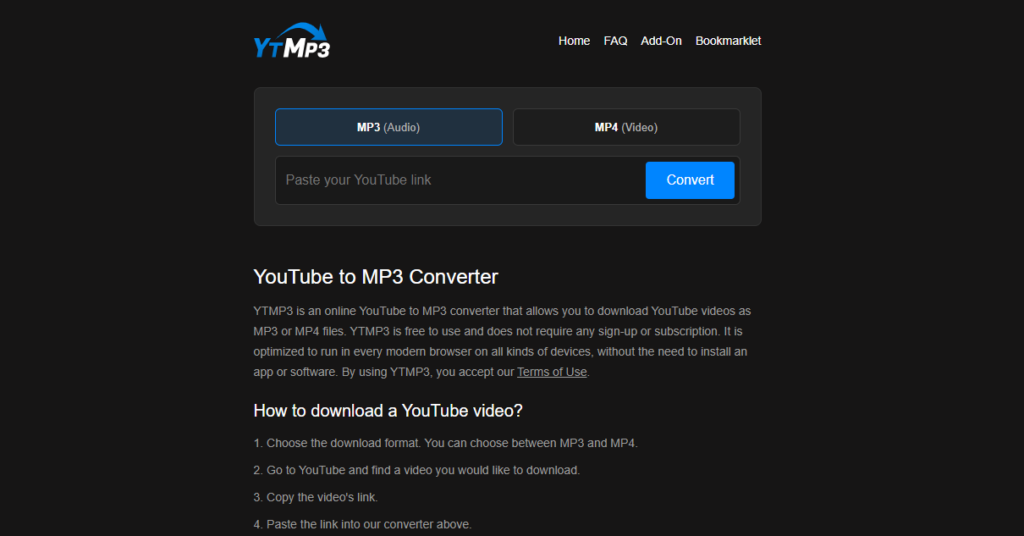
The service gained immense popularity because of its speed and simplicity. However, because it operates in a gray area regarding copyright laws and digital rights management (DRM), the official domain for YTMP3 frequently changes (switching between extensions like .cc, .nu, .ch, and .is) to bypass search engine bans and legal actions.
Part 2: Step-by-Step Guide to Using YTMP3 Converter
Using YTMP3 is straightforward. If you decide to use this tool, here is the standard process for extracting an MP3:
Step 1: Copy the YouTube Video URL
Go to YouTube, find the video or song you wish to convert, and copy the link from your browser’s address bar. (On mobile, click Share and select Copy Link).
Step 2: Paste the URL into YTMP3
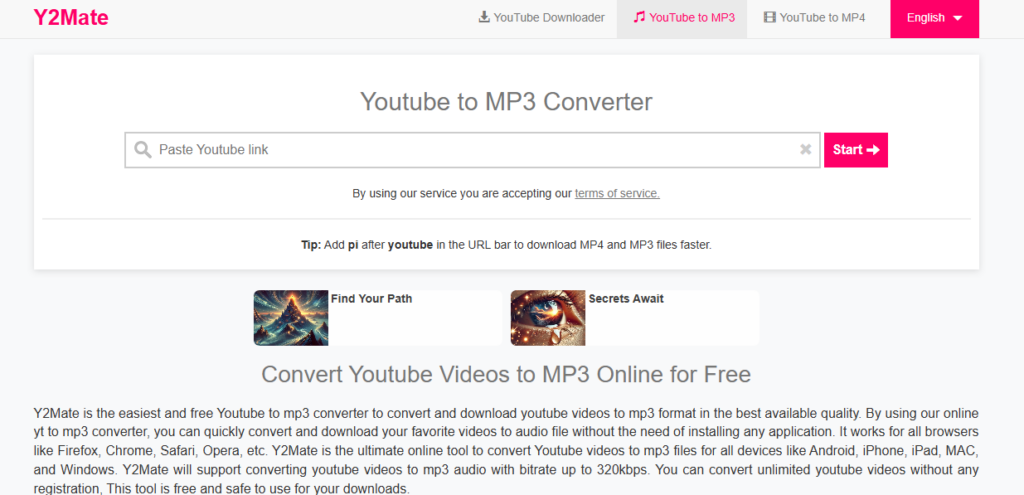
Navigate to the active YTMP3 website. Paste your copied link into the search box located prominently in the center of the homepage.
Step 3: Choose Your Format and Convert
Select your preferred format (usually MP3 for audio) and click the Convert button[2]. The server will parse the YouTube link and prepare your download.
Step 4: Download Your Audio File
Once the conversion progress bar finishes, a Download button will appear[2]. Click it to save the audio file to your local storage.
Important Safety Note: Online converters like YTMP3 often prompt sudden browser redirects, pop-up ads, or push notification requests when you click the convert or download buttons. Make sure you have an active antivirus program and an ad-blocker enabled before using these sites.
Top 3 Alternatives to YTMP3 Converter
If you are uncomfortable with the potential security risks or the quality limitations of online-only converters, several reliable alternatives offer higher quality, better security, or legal peace of mind.
1: TunePat Music One
For users looking to download high-fidelity audio from multiple platforms rather than just YouTube, TunePat Music One is a professional desktop application.
- How it works: TunePat is a dedicated desktop client for Windows and macOS that logs into your favorite streaming accounts (including YouTube Music, Spotify, Apple Music, and Tidal) to record and save music directly to your drive.
- Audio Quality: Capable of preserving original metadata (ID3 tags) and saving audio in high-resolution, uncompressed formats like WAV, FLAC, AAC, or high-bitrate MP3.
- Pros: Safe from malware, no intrusive pop-ups, supports batch conversions (downloading entire playlists at once).
- Cons: Unlike YTMP3, this is a premium software program that requires a subscription for full access.
2: Addoncrop YouTube Downloader (Browser Extension)
If you prefer an on-page download option without copying and pasting links, Addoncrop is an advanced browser extension.
- How it works: Once installed, Addoncrop embeds a customizable download dashboard directly beneath the YouTube video player on your screen.
- Audio Quality: Offers direct extraction to MP3 up to 320kbps.
- Key Feature: Includes an integrated audio cutter/trimmer, letting you download only a specific portion of a video (perfect for creating ringtones).
- Pros: Extremely convenient; no need to leave the YouTube website.
- Cons: Major web stores (like the Chrome Web Store) often ban YouTube download extensions due to Web Store policies, requiring manual installation through third-party extension managers (such as Crosspilot).
3: YouTube Premium
For those looking for a completely legal, virus-free, and high-quality experience, the official subscription model is the best route.
- How it works: YouTube Premium allows subscribers to download music and videos directly within the mobile app for offline playback.
- Audio Quality: Downloads audio tracks via YouTube Music in high-quality AAC format.
- Pros: 100% legal, clean, safe, supports the creators, and works flawlessly offline.
- Cons: Requires a recurring monthly subscription fee, and audio files are encrypted (meaning you can only play them within the YouTube or YouTube Music apps, rather than transferring them to external media players).
FAQs About Using YTMP3 Converter
Q1: Why is YTMP3 Not Safe?
Free converter sites rely heavily on aggressive third-party ad networks to generate revenue. Clicking anywhere on the screen frequently opens new tabs with misleading pop-ups, adware, fake security alerts, or prompts to download suspicious browser extensions. Furthermore, some domains may host malicious scripts that target older browser vulnerabilities.
Q2: What is the Safest YouTube to MP3 Converter Website?
Strictly speaking, no free, ad-supported online YouTube to MP3 converter is entirely safe. Websites like NoAdsDL or YT1s try to minimize user risk by limiting pop-ups, but their safety profile can change overnight. The safest converters are offline desktop programs (like TunePat or 4K Video Downloader) and official platforms like YouTube Premium.
Q3: What is the Audio Quality of YTMP3?
Most free web-based converters compress audio heavily to save bandwidth on their servers. Standard YTMP3 sites deliver audio in 128kbps or 192kbps MP3 format, which is fine for casual listening or podcasts but may sound flat to audiophiles. High-end tools or premium apps can deliver true CD-quality 320kbps audio.
Q4: How Does YTMP3 Converter Work?
When you paste a link, the YTMP3 server accesses YouTube, downloads the target video format to its own database, strips away the video channel, and encodes the remaining audio track into a standard MP3 file. The server then hosts this newly created MP3 file on a temporary link so you can download it directly to your device.
Q5: Why Do Some Converter Sites Shut Down?
Downloading copyrighted material without explicit permission violates YouTube’s Terms of Service and infringes on copyright laws. Major record labels and video hosting platforms frequently file DMCA takedown notices or pursue legal injunctions, forcing the operators of these conversion websites to shut down, change domains, or block traffic from specific countries.
Q6: Can I Convert Entire Playlists?
Websites like YTMP3 typically only convert one video at a time. Attempting to convert a playlist URL on YTMP3 will usually result in an error or only convert the very first video in the list. If you need to convert entire playlists, desktop tools like TunePat Music One are far more suitable.
Conclusion
YTMP3 remains a popular quick-fix tool due to its ease of use and zero signup barriers. However, its unpredictable safety risks, endless redirects, and average audio quality limit its long-term viability.
If security and audio fidelity are highly important to you, upgrading to a desktop solution like TunePat Music One or subscribing to YouTube Premium provides a smoother, safer, and cleaner experience for offline listening.



