
Hoopla Pricing: Is Hoopla Free or Paid?
Hoopla Pricing is one of the most common questions people ask when they discover this digital library service. The good news is simple: Hoopla is free for eligible library members. You do not need to pay Hoopla a monthly subscription fee to use the service.
Instead, Hoopla works with participating public libraries. Your library pays for access to digital content, while you use your library card to borrow movies, TV shows, ebooks, audiobooks, comics, music, and more.
This makes Hoopla different from services such as Netflix, Hulu, or other paid streaming platforms.
However, there is more to Hoopla pricing than simply saying “it’s free.”
The way Hoopla charges libraries can affect how many borrows you receive, what content is available, and how your library manages its digital budget. Hoopla also has features such as BingePass, SeasonPass, Bonus Borrows, Instant, and Flex that can change how digital content is provided.
In this guide, we will explain how much Hoopla costs, whether Hoopla is really free, how Hoopla makes money, how library pricing works, whether there are hidden fees, and what you can expect as a user.
Is Hoopla Free?
Yes. Hoopla is free for patrons who have access through a participating library.
You do not normally pay Hoopla directly.
According to Hoopla, users can sign up with a valid library card and, where required, a PIN and email address. Once your account is connected to a participating library, you can browse and borrow available digital content.
This means there is:
- No monthly Hoopla subscription
- No standard annual subscription
- No separate payment for the Hoopla app
- No membership fee charged directly to patrons
- No late fees for normal digital borrowing
Your library handles the cost of providing the service.
That is why having a library card can give you access to a large amount of digital entertainment without adding another monthly bill.
How Does Hoopla Pricing Work?
The most important thing to understand about Hoopla pricing is that there are two sides to the service.
There is the patron side and the library side.
Patron Side
As a patron, you use your library card to access Hoopla.
You can borrow available content according to your library’s rules.
Library Side
Libraries pay Hoopla and content providers under different licensing and pricing models.
Hoopla’s current system includes different options, including Hoopla Instant, Hoopla Flex, and Hoopla Instant Bundles. These models give libraries different ways to control their digital collections and budgets.
For patrons, this can feel very simple.
You find a title.
You click borrow.
You watch, read, or listen.
You do not see a bill.
The library handles the underlying cost.
Does Hoopla Have a Monthly Subscription?
No.
Hoopla is not a normal monthly subscription service.
You do not sign up for a plan such as:
- $9.99 per month
- $14.99 per month
- $19.99 per month
Instead, you access Hoopla through a participating library.
This is one of the biggest differences between Hoopla and traditional streaming services.
With Netflix, for example, you pay the company directly.
With Hoopla, your library provides access as part of its digital services.
Do You Need a Library Card for Hoopla?
Usually, yes.
Hoopla is built around library access.
To sign up, Hoopla says you need a valid library card number and a valid email address. Some libraries may also require a PIN.
Not every library offers Hoopla.
If your library participates, you can normally connect your card and start using the service.
If your library does not participate, you may not be able to access Hoopla through that library.
How to Check
You can:
- Visit your public library’s website.
- Look for digital services.
- Search for Hoopla.
- Check whether your library offers access.
- Sign up using your library card if eligible.
How Much Does Hoopla Cost the User?
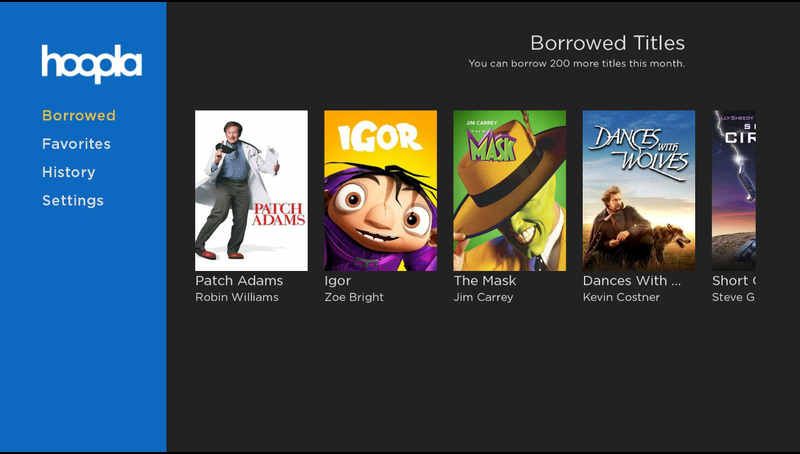
For an eligible library member, the direct cost is generally:
$0.
That means you can use Hoopla without paying a monthly subscription.
But remember that “free for users” does not mean the service costs nothing to operate.
Libraries pay for the digital content and services they provide to their members.
This is similar to borrowing a physical book.
You do not pay every time you borrow a book from your public library. The library pays for and manages its collection.
Hoopla brings a similar idea into the digital world.
How Much Does Hoopla Cost Libraries?
This is where Hoopla pricing becomes more complicated.
Hoopla’s library pricing is based on the content and licensing model.
For its Instant model, Hoopla says libraries pay when patrons borrow titles rather than paying a traditional annual platform subscription. Hoopla’s developer information describes a catalog of more than 1.8 million titles and says libraries are charged when a patron borrows a title.
Hoopla has also said that its average cost per circulation is around $2 and that no Instant title costs more than $3.99 in the U.S. market. The company says less than 1% of its Instant catalog is priced at $3.99.
These figures are important because they explain why your library may set borrowing limits.
Libraries have budgets.
They need to decide how much they can spend on digital content each month or year.
What Is Hoopla Instant?
Hoopla Instant is one of the main pricing models used by libraries.
It allows patrons to access a large catalog of digital content immediately.
There are no normal hold queues for Hoopla Instant titles.
You find an available title and borrow it.
Hoopla describes Instant as a pay-per-use model. Libraries are charged when a patron borrows a title.
The model can include:
- Audiobooks
- Ebooks
- Comics
- Manga
- Music
- Movies
- TV shows
- BingePass content
This model helps explain one of Hoopla’s biggest advantages.
You can often get instant access instead of waiting for another user to return a digital copy.
What Is Hoopla Flex?
Hoopla also offers Flex.
Flex works more like a traditional library digital lending model.
With this system, a library can purchase licenses for ebooks and audiobooks. Depending on the license, only one user may be able to borrow a copy at a time.
Other users may have to wait.
Hoopla describes Flex as a one-copy/one-user model that complements the Instant catalog.
This gives libraries another way to build their digital collections.
What Are Hoopla Instant Bundles?
Hoopla introduced Instant Bundles as another option for libraries.
With Instant Bundles, a library can pre-purchase a set number of Instant circulations for individual titles.
The goal is to help libraries control costs while giving patrons access to popular titles.
For users, the experience can still feel simple.
You see a title.
You borrow it.
You watch or read it.
The difference happens behind the scenes.
The library has already planned for the cost of those borrows.
What Is Hoopla BingePass?
BingePass is another feature that can affect how much value you get from Hoopla.
Instead of borrowing one individual title, BingePass can provide access to an entire collection or platform for a set period.
Hoopla says a single BingePass borrow can provide seven days of unlimited access to participating collections and platforms.
This can be a good deal for heavy users.
Imagine you want to explore an entire collection instead of watching one movie.
Instead of using a separate borrow for every item, one BingePass can provide access to the collection for the available period.
What Is Hoopla SeasonPass?
SeasonPass is designed for television.
Instead of borrowing each episode separately, a SeasonPass can allow users to access an entire TV season with one borrow.
Hoopla introduced SeasonPass in 2025 and said participating libraries could offer selected full TV seasons through a single borrow.
This can make Hoopla more useful for people who enjoy TV series.
For example, instead of borrowing:
- Episode 1
- Episode 2
- Episode 3
- Episode 4
you may be able to borrow the entire season through a SeasonPass title.
Availability depends on the library and the titles offered.
What Are Hoopla Bonus Borrows?
Bonus Borrows are another feature worth knowing about.
Hoopla says Bonus Borrows allow patrons to borrow selected titles without using a normal borrow. These titles can be offered during the last seven days of a month.
This can be useful if you have already used most of your regular monthly borrows.
For example, imagine your library gives you a limited number of borrows each month.
You use them all.
Then Bonus Borrows become available.
You may still be able to access selected titles without using another regular borrow.
The exact availability depends on the program and participating library.
Does Hoopla Have Hidden Fees?
For normal patrons, Hoopla does not work like a subscription service with hidden monthly charges.
Hoopla’s current library materials also emphasize that its BingePass model has no upfront costs, minimum commitments, individual subscriptions to manage, or hidden fees for libraries under that offering.
For users, the important point is simple:
You should not be asked to pay Hoopla just to maintain a normal library-connected account.
If a website claims that you must enter payment information to activate a standard Hoopla library account, be careful.
Always use the official Hoopla service and your library’s official website.
Why Does Hoopla Have Borrowing Limits?
This is one of the most common questions about Hoopla pricing.
If Hoopla is free, why can’t you borrow unlimited titles every month?
The answer is library budgets.
When you borrow certain Hoopla content, the library may incur a cost.
If every patron could borrow an unlimited number of expensive titles, the library’s digital budget could be used very quickly.
As a result, libraries can set patron borrowing limits and spending controls.
Hoopla says its partner libraries can manage patron borrows, price limits, and spending caps.
Your library decides how its available budget is used.
This means one library may offer a different number of monthly borrows than another.
How Many Hoopla Borrows Do You Get Each Month?
There is no single monthly borrow limit for every Hoopla user.
Your library decides the limit.
For example, one library might offer:
- 5 borrows per month
Another might offer:
- 10 borrows per month
Another might offer a different number.
Some libraries may change their limits based on budget conditions.
This is why you should check your local library’s Hoopla policy instead of assuming that every user gets the same number.
Does Hoopla Charge for Movies?
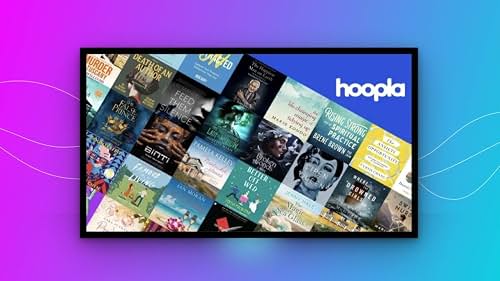
As a patron, you normally do not pay separately for a Hoopla movie.
If the title is available through your library and you have a borrow available, you can borrow it without making a separate payment.
Behind the scenes, the library may pay for the circulation under Hoopla’s licensing system.
Hoopla says Instant titles are priced at no more than $3.99 in the U.S., with an average cost per circulation around $2 according to its 2025 pricing statement.
That does not mean you personally pay $2 for every movie.
The cost is part of the library’s digital collection budget.
Does Hoopla Charge for Audiobooks?
No direct payment is normally required from the patron for an audiobook borrowed through a participating library.
However, audiobooks can have different licensing and pricing arrangements for libraries.
Hoopla’s digital content includes audiobooks, and its Instant model can charge libraries when patrons borrow content.
This is another reason your library may control the number of borrows you receive.
Does Hoopla Charge for Ebooks?
For eligible users, ebooks can be borrowed through Hoopla without a direct payment to Hoopla.
The underlying cost is handled through the library’s digital collection.
Hoopla supports both Instant and Flex models.
That means ebooks may be available under different licensing arrangements depending on the title.
Does Hoopla Charge for Music?
Hoopla also offers music.
You can borrow available music titles through your library.
Hoopla’s developer information lists music as one of its supported content types.
Again, the patron normally does not pay separately.
Your access depends on your library’s Hoopla service and its policies.
Does Hoopla Have Free Movies?
Yes.
One of the main reasons people use Hoopla is to watch movies without paying for another streaming subscription.
You can access available movies through your participating library.
The main difference between Hoopla and commercial free streaming platforms is the business model.
Services such as Tubi and Pluto TV generally use advertising to support free viewing.
Hoopla is connected to libraries.
That means you may be able to watch without traditional commercial advertising while your library provides the service.
Does Hoopla Have Ads?
Hoopla promotes its service as providing digital content without the traditional subscription model, and its current consumer information describes the service as having no ads and no subscription fees.
This is a major advantage for people who dislike advertisements.
Instead of watching a movie and seeing several commercial breaks, Hoopla can offer a library-based viewing experience.
However, always remember that individual content experiences can vary.
How Long Can You Borrow Hoopla Content?
The lending period depends on the type of content.
Hoopla’s developer documentation lists these standard periods:
| Content | Standard Lending Period |
|---|---|
| Ebooks | 21 days |
| Audiobooks | 21 days |
| Comics | 21 days |
| Music | 7 days |
| Movies | 3 days |
| TV | 3 days |
Hoopla notes that lending periods can vary based on individual provider agreements.
This is useful to remember before borrowing something.
A movie may have a shorter borrowing period than an ebook.
Does Hoopla Have Late Fees?
No traditional late fees are charged to patrons.
Digital content automatically expires when the borrowing period ends.
You do not have to drive back to the library.
You do not have to return a DVD.
You do not have to pay a late fee because you forgot to return a digital book.
This is one of the biggest advantages of digital library services.
Can You Download Hoopla Content?
Hoopla supports streaming and downloading for supported content and devices.
This can be helpful if you are traveling or have limited internet access.
For example, you may download an audiobook before a trip and listen later.
Availability of downloads can depend on the content type and device.
Is Hoopla Cheaper Than Netflix?
For an eligible library user, Hoopla can be much cheaper because there is no separate monthly subscription fee.
You can use your library card instead.
However, Hoopla and Netflix are designed differently.
Netflix is a commercial subscription service.
Hoopla is a library-based digital service.
Netflix may have more mainstream entertainment in some categories, while Hoopla can offer a mix of movies, TV, books, audiobooks, music, comics, and educational material.
If your library offers Hoopla, it can be a great way to reduce the number of paid subscriptions you need.
Hoopla Pricing vs Kanopy Pricing
Hoopla and Kanopy are often compared because both can be available through libraries.
Both services can provide digital entertainment without requiring users to pay a normal monthly subscription.
However, their content and library pricing models are different.
Hoopla provides a broader mix of formats.
Kanopy focuses more heavily on movies, documentaries, independent films, and educational content.
For users, the key question is not only price.
You should also ask:
- Which service does your library offer?
- How many monthly borrows do you get?
- What titles are available?
- Do you prefer movies or books?
- Are there waiting lists?
- Can you download content?
Hoopla Pricing vs Tubi
Tubi is another popular free entertainment service.
However, Tubi and Hoopla use different business models.
Tubi is a free ad-supported streaming service.
Hoopla is connected to libraries.
If you want free movies and TV without a library card, Tubi may be easier.
If you have a library card and want books, audiobooks, comics, music, and movies in one place, Hoopla can be more useful.
Is Hoopla Worth It?
For eligible library users, Hoopla is definitely worth trying.
The biggest reason is simple.
There is no normal monthly subscription fee.
You can access a large range of digital content through your library card.
You can read.
You can listen.
You can watch.
You can explore comics and manga.
You can discover music.
You can also use features such as BingePass and SeasonPass when they are available through your library.
The main limitation is your library’s borrowing policy.
If your library gives you only a small number of monthly borrows, you need to choose titles carefully.
Pros and Cons of Hoopla Pricing
Pros
- Free for eligible library users
- No regular monthly subscription
- No traditional late fees
- Large variety of digital formats
- Movies and TV shows
- Ebooks
- Audiobooks
- Comics and manga
- Music
- Instant access to many titles
- BingePass options
- SeasonPass options
- Works across supported devices
- Can help reduce paid streaming costs
Cons
- Requires a participating library
- Borrowing limits can apply
- Content varies by library
- Some titles have short lending periods
- Popular content may not always be available
- Libraries have different digital budgets
- Not every country or library has the same access
How to Sign Up for Hoopla
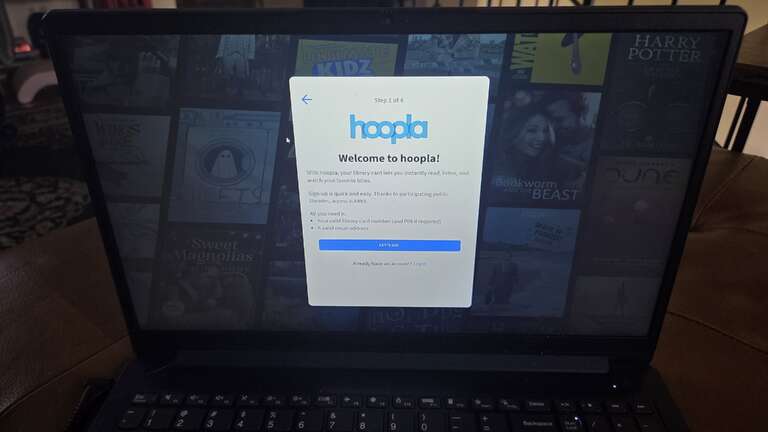
Signing up is usually simple.
Step 1: Find a Participating Library
Check whether your public library supports Hoopla.
Step 2: Open Hoopla
Visit the official Hoopla website or download the official app.
Step 3: Enter Your Library Information
You will generally need your library card number and, if required, your PIN.
Step 4: Add Your Email
Hoopla’s signup page asks for a valid email address.
Step 5: Start Browsing
Once your account is connected, you can browse available titles.
Step 6: Borrow
Choose a title and select the borrow option.
If you have an available borrow, you can begin using the content.
How to Save Your Hoopla Borrows
If your library gives you a limited number of borrows, use them wisely.
Here are some simple tips.
Check the Lending Period
Do not borrow five movies if you will not have time to watch them.
Look for BingePass
If a BingePass is available for something you enjoy, it may provide more value from a single borrow.
Look for SeasonPass
TV fans should check whether the series they want is available through SeasonPass.
Use Bonus Borrows
Check for Bonus Borrows toward the end of the month.
Plan Your Audiobooks
Audiobooks can take many hours to finish.
Make sure you have enough time before borrowing one.
Why Does Hoopla Need Different Pricing Models?
Digital content is not priced in the same way as physical library materials.
A library can buy a physical book and keep it on a shelf for years.
Digital content can involve different licensing agreements.
A publisher may offer an ebook under a limited-term license.
A music company may have different rules.
A movie studio may have another agreement.
Hoopla uses different models to help libraries manage these differences.
Its current approach includes Instant, Flex, and Instant Bundles.
This gives libraries more control over how they spend their digital budgets.
Does Hoopla Make Money?
Yes, Hoopla is a business that works with libraries and content providers.
However, its model is different from a consumer subscription service.
The library pays for access to digital content under the applicable licensing model.
Hoopla says its Instant service uses a pay-per-use approach where libraries are charged when patrons borrow titles.
This is why Hoopla can be free for patrons while still being a paid service for libraries.
Why Is Hoopla Free for Users?
The answer goes back to the purpose of public libraries.
Libraries provide services to their communities.
People may borrow:
- Physical books
- DVDs
- Audiobooks
- Digital books
- Online databases
- Music
- Digital movies
Hoopla simply brings part of that library experience online.
Your library pays for the service so that eligible members can use it.
That is why Hoopla pricing for users is usually $0.
Can Hoopla Pricing Change?

Library pricing and licensing models can change over time.
Hoopla said in a November 2025 statement that it had not increased its U.S. Instant prices and that no Instant title cost more than $3.99 at that time.
However, library policies can still change.
Your library may adjust:
- Monthly borrow limits
- Available collections
- Spending controls
- Supported digital services
- Access rules
So if your Hoopla experience changes, the reason may be your library’s policy rather than a new subscription fee from Hoopla.
For reliable SEO guidance, content optimization tips, and search industry insights, keep up with Search Engine Insight.
Frequently Asked Questions About Hoopla Pricing
Is Hoopla completely free?
For eligible users with access through a participating library, Hoopla is free to use. You do not normally pay a monthly subscription fee.
Does Hoopla require a subscription?
No. Hoopla does not require a traditional monthly subscription from patrons.
Does Hoopla require a library card?
Yes, access is generally connected to a participating library and a valid library card.
Why does Hoopla have borrow limits?
Libraries have digital budgets. Because some Hoopla borrowing models charge libraries when patrons borrow content, libraries can set limits to control spending.
How much does Hoopla cost libraries?
It depends on the content and licensing model. Hoopla’s Instant model is pay-per-use, while other models such as Flex and Instant Bundles work differently.
Does Hoopla have hidden fees?
Patrons do not normally pay hidden fees for standard library access. Hoopla’s BingePass materials also state that participating libraries have no hidden fees under that offering.
Does Hoopla charge for movies?
Not directly to eligible patrons. Movies are provided through your library’s Hoopla service.
Does Hoopla charge for audiobooks?
No direct payment is normally required from eligible patrons. Your library manages the underlying digital collection costs.
Does Hoopla have ads?
Hoopla describes its service as having no ads and no subscription fees for patrons.
How long can you borrow a Hoopla movie?
The standard lending period listed by Hoopla is three days for movies, although provider agreements can vary.
How long can you borrow an audiobook?
The standard lending period is 21 days, although individual provider agreements can vary.
Can I use Hoopla without a library?
Normally, no. Hoopla is designed to work with participating public libraries.
Is Hoopla cheaper than paid streaming services?
For eligible library users, Hoopla can be cheaper because there is no separate monthly subscription fee.
Can I use Hoopla and Netflix together?
Yes. They are separate services and can complement each other.
Is Hoopla worth using?
Yes, especially if your library offers it. It provides access to several types of digital content without requiring a separate monthly subscription.
Final Verdict: Is Hoopla Free?
So, is Hoopla free?
For eligible library members, yes.
You do not normally pay Hoopla a monthly subscription fee. Instead, your participating library provides access through your library card.
The more interesting part of Hoopla pricing happens behind the scenes.
Libraries pay for digital content under different licensing models. Hoopla’s current system includes Instant, Flex, and Instant Bundles, while features such as BingePass and SeasonPass can help libraries and patrons get more value from digital borrowing.
This also explains why your monthly borrow limit may vary from one library to another.
If your library offers Hoopla, it is one of the easiest ways to get more value from your library card.
You can watch movies.
You can listen to audiobooks.
You can read ebooks.
You can explore comics.
You can listen to music.
And you can do much of it without adding another monthly subscription to your budget.
The bottom line: Hoopla pricing for patrons is generally $0, but the service is not free to libraries. Libraries pay for digital access through different pricing and licensing models, while patrons enjoy the service as part of their library benefits.



