
Is Hoopla Safe? A Simple Guide to Hoopla Safety
Is Hoopla Safe? Yes, Hoopla is generally safe and legal to use. It is a digital service that works with libraries. You can use it to watch movies, read books, listen to audiobooks, enjoy music, and more.
Hoopla is different from many free streaming websites.
You do not need to visit a strange website to find free content. Instead, you use your library card to access Hoopla through an official website or app.
Still, it is normal to have questions.
Is the Hoopla app safe?
Can Hoopla give your phone a virus?
Is Hoopla legal?
Is Hoopla safe for children?
Does Hoopla protect your information?
In this guide, we will answer all of these questions.
We will also share simple tips to help you use Hoopla safely.
What Is Hoopla?
Hoopla is a digital service offered through participating libraries.
It lets library members borrow digital content online.
You can find many types of content on Hoopla, including:
- Movies
- TV shows
- eBooks
- Audiobooks
- Music
- Comics
- Manga
- Children’s content
You can use Hoopla on many devices.
For example, you can use it on a:
- Smartphone
- Tablet
- Computer
- Smart TV
- Roku device
- Fire TV
- Apple TV
You usually need a valid library card from a participating library.
You can then create a Hoopla account and start borrowing content.
This makes Hoopla a useful choice for people who want digital entertainment without another monthly streaming bill.
Is Hoopla Safe to Use?
Yes, Hoopla is generally safe to use.
It is a legitimate digital library service.
You can use the official Hoopla website or official app to access its content.
The biggest safety rule is simple:
Use the official Hoopla service.
Do not download Hoopla apps from random websites.
Do not click strange links that claim to be Hoopla.
Do not give your password to anyone.
These simple steps can help keep your account and device safe.
Is Hoopla Legit?
Yes.
Hoopla is a legitimate digital service that works with libraries.
It is not the same as an unknown website offering free movies.
Hoopla has official apps, an official website, customer support, terms, and privacy information.
Libraries use Hoopla to give their members access to digital content.
This is one of the main reasons Hoopla is considered a trusted service.
Is Hoopla Legal?
Yes, Hoopla is legal.
Hoopla works with libraries and content owners to provide digital media.
When you borrow a movie, book, audiobook, or other item, you are using it through the Hoopla service.
You are not downloading a pirated copy from a random website.
Hoopla also has rules about how its content can be used.
For example, users cannot simply copy and share Hoopla content with other people.
Downloads are also temporary.
Once your borrowing period ends, you no longer have access to the downloaded content.
So, if you are asking, “Is Hoopla legal?”, the simple answer is yes.
Is the Hoopla App Safe?
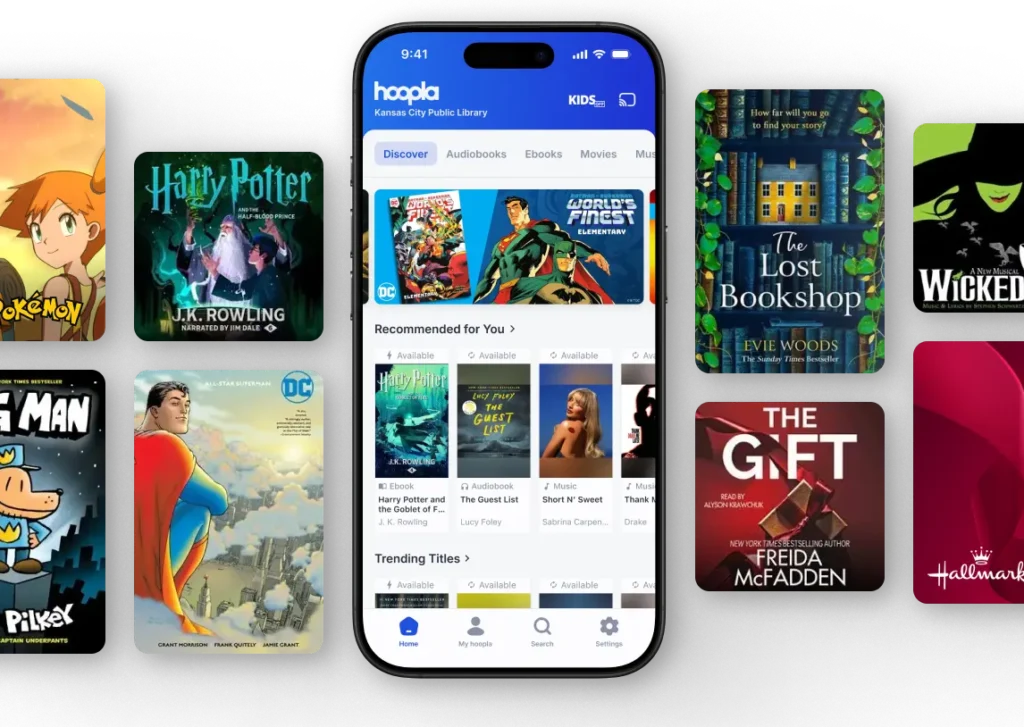
Yes, the official Hoopla app is generally safe.
You should download it from a trusted app store.
For example, use:
- Google Play
- Apple App Store
- Amazon Appstore
Avoid websites that offer modified or “unlocked” versions of the Hoopla app.
You do not need a special version of the app.
You only need the official one.
Why Should You Avoid Unofficial Apps?
A fake app can cause problems.
It may contain:
- Malware
- Spyware
- Unwanted ads
- Harmful software
- Fake login screens
- Other security threats
A fake app may also ask for information that the real Hoopla app does not need.
So always check the app before installing it.
Can Hoopla Give Your Phone a Virus?
The official Hoopla service is not known as a virus website.
However, you could run into problems if you use a fake Hoopla website or unofficial app.
For example, a website may claim:
“Download free Hoopla movies.”
It may then ask you to install an unknown program.
That is a warning sign.
You should close the website.
Do not download the file.
Do not enter your password.
The safest option is to use the official Hoopla website or app.
How Can You Tell if a Hoopla Website Is Fake?
Fake websites can look real.
They may copy the Hoopla logo.
They may use similar colors.
They may even copy parts of the real website.
So you need to be careful.
Before entering your information, look at the website address.
Be careful if you see:
- Strange spelling
- A strange domain name
- Too many pop-ups
- Fake download buttons
- Promises of free premium access
- Requests for your bank details
- Requests for your password through email
If something does not look right, leave the website.
It is better to be safe than sorry.
Is Hoopla Safe for Personal Information?
Hoopla has a privacy policy that explains how it handles user information.
Like other online services, Hoopla needs some information to provide its service.
You should still protect your account.
Use a strong password.
Do not share your password.
Do not use the same password for every website.
Also, be careful with emails that appear to come from Hoopla.
Hoopla’s terms warn users about messages asking for passwords or sensitive banking information.
If you receive a strange message, do not provide your information.
Instead, go directly to the official Hoopla website.
Does Hoopla Sell Your Information?
Privacy policies can change over time.
For that reason, it is always a good idea to check the latest privacy policy before using an online service.
Hoopla provides privacy information for users.
If you are concerned about your privacy, read the current policy and learn what information the service collects and why.
You should also avoid sharing information that is not needed.
A good rule is:
Only provide the information needed to use the service.
Is Hoopla Safe for Kids?
Yes, Hoopla can be safe for children.
However, parents should still check what their children are watching or reading.
Hoopla offers a feature called Kids Mode.
Kids Mode helps make the service more family-friendly.
It filters adult content from children’s browsing and search areas.
This can be useful if your child wants to browse Hoopla alone.
However, no filter is perfect.
Parents should still pay attention to what their children are accessing.
Simple Tips for Parents
If your child uses Hoopla:
- Turn on Kids Mode.
- Check the content they borrow.
- Keep your password private.
- Teach them not to click strange links.
- Keep their device updated.
- Talk to them about online safety.
These small steps can make a big difference.
What Is Hoopla Kids Mode?
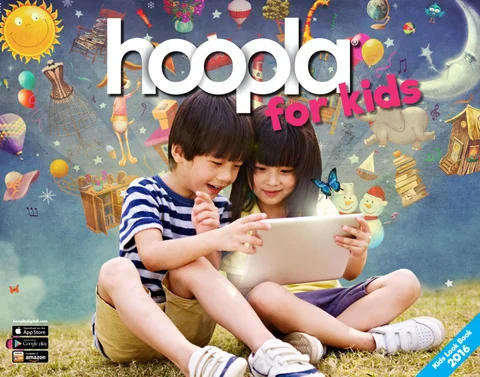
Hoopla Kids Mode is designed for younger users.
It helps hide adult-oriented content from normal searches and browsing.
This makes it easier for children to find suitable books, movies, comics, and other content.
Kids Mode is especially helpful for families.
Still, parents should remember that children have different needs.
A young child and a teenager may not need the same level of supervision.
So use Kids Mode together with normal parental guidance.
Is Hoopla Safe for Students?
Yes.
Hoopla can be very useful for students.
It gives students access to digital books, audiobooks, movies, comics, and other content.
Students can use Hoopla for:
- Reading
- Learning
- Research
- Audiobooks
- School projects
- Entertainment
Students should still follow copyright rules.
They should not copy or share content illegally.
Hoopla is designed for borrowing content, not for permanent ownership.
Is It Safe to Download From Hoopla?
Yes, downloading supported content directly through the official Hoopla app is generally safe.
But there is an important difference between an official download and a third-party download.
An official download comes from Hoopla.
A third-party download comes from another website.
The second option can be risky.
For example, a website might promise:
“Download Hoopla movies forever.”
Be careful.
Hoopla downloads are temporary.
They are connected to your borrowing period.
When that period ends, you lose access to the downloaded content.
Are Hoopla Downloads Safe?
Yes, official Hoopla downloads are generally safe.
The safest way to download content is through the official Hoopla app.
Do not use websites that offer Hoopla movies, books, or audiobooks as separate files.
Those websites may not be connected to Hoopla.
They may also contain harmful files.
If you want to download something, use the official Hoopla app.
Does Hoopla Have Ads?
Hoopla is different from many free streaming websites.
You do not need to visit a website covered with suspicious advertisements to watch its content.
Instead, Hoopla works through participating libraries.
This makes the experience much cleaner than many unofficial free-streaming websites.
Your library may have its own rules about how many items you can borrow.
Those limits can vary from one library to another.
Is Hoopla Safe on Public Wi-Fi?
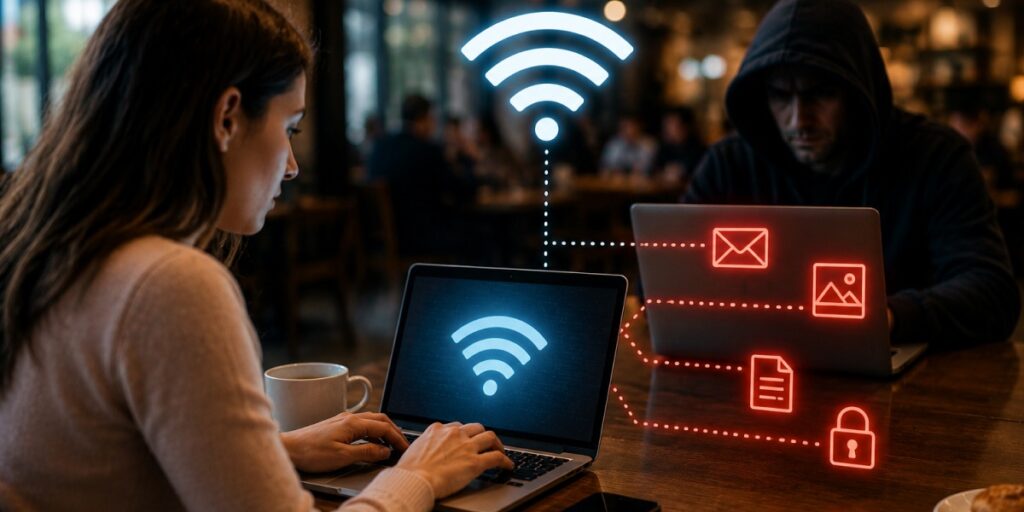
Yes, you can use Hoopla on public Wi-Fi.
But you should still be careful.
Public Wi-Fi can be less secure than your home network.
You may use public Wi-Fi at:
- Libraries
- Cafés
- Hotels
- Airports
- Schools
- Universities
When using public Wi-Fi, make sure you are connected to the correct network.
Avoid entering sensitive information on a suspicious network.
Also, never save your password on a public computer.
Is Hoopla Safe on a Shared Computer?
Yes, but you need to be careful.
You may use Hoopla on a computer at a library, school, or other public location.
When you finish, always log out.
Do not save your password.
Do not let the browser remember your login details.
This is important because another person may use the computer after you.
They could potentially access your account if you stay logged in.
How to Keep Your Hoopla Account Safe
Keeping your Hoopla account safe is easy.
Follow these simple tips.
Use a Strong Password
Avoid passwords such as:
123456
password
your name
your birthday
Use a password that is difficult to guess.
Do Not Share Your Password
Never give your password to strangers.
You should also avoid sharing it through social media or email.
Use a Different Password
Do not use your Hoopla password for every website.
If another website gets hacked, your Hoopla account could also be at risk.
Keep the App Updated
Updates can fix bugs and improve security.
Install official updates when they become available.
Use Official Apps
Only install Hoopla from trusted app stores.
Be Careful With Emails
Do not click suspicious links.
If an email looks strange, visit Hoopla directly instead.
How to Avoid Fake Hoopla Emails
Scammers sometimes pretend to represent popular companies.
They may send messages that say:
“Your Hoopla account has been suspended.”
They may then ask you to click a link.
Do not panic.
Check the message carefully.
Look for:
- Spelling mistakes
- Strange email addresses
- Urgent threats
- Suspicious links
- Requests for passwords
- Requests for financial information
If you are unsure, do not click anything.
Open Hoopla directly instead.
Does Hoopla Ask for Your Bank Details?
Hoopla is primarily a library-based digital service.
If you receive a random email asking for your credit card, bank account, or password, be very careful.
Hoopla’s terms warn users about emails requesting sensitive information.
Never send your password through email.
Never give banking information to a suspicious website.
When in doubt, contact the service through its official support channels.
Is Hoopla Safe for Watching Movies?
Yes.
Watching movies through the official Hoopla website or app is generally safe.
You do not need to use a third-party movie website.
You simply borrow the movie through Hoopla.
You can then watch it during the available borrowing period.
This is safer than visiting unknown websites that offer unauthorized movie streams.
Is Hoopla Safe for Audiobooks?
Yes.
Hoopla offers many audiobooks through participating libraries.
You can listen using the official service.
You do not need to download audiobooks from unknown websites.
This makes Hoopla a convenient option for readers who prefer listening.
Is Hoopla Safe for eBooks?
Yes.
Hoopla provides eBooks through participating libraries.
You can borrow them using your library account.
You should always use the official Hoopla platform when accessing these books.
Avoid websites that offer unauthorized copies of Hoopla titles.
Is Hoopla Safe for Comics and Manga?
Yes.
Hoopla also offers comics and manga.
Families can use Kids Mode to help filter adult content.
Parents should still check what younger children are reading.
This is especially important because some comics and manga are created for older audiences.
Is Hoopla Safe Compared With Free Streaming Websites?
This is where Hoopla has a major advantage.
There are many websites that advertise free movies and TV shows.
Some are legitimate.
Others may offer unauthorized content.
Some may also have:
- Aggressive pop-ups
- Fake download buttons
- Redirects
- Suspicious advertisements
- Malware risks
Hoopla is different.
It works with libraries and provides digital content through its official platform.
You do not need to search for random movie websites.
That makes Hoopla a much safer choice for people who want legal digital entertainment.
Hoopla vs. Netflix: Which Is Safer?
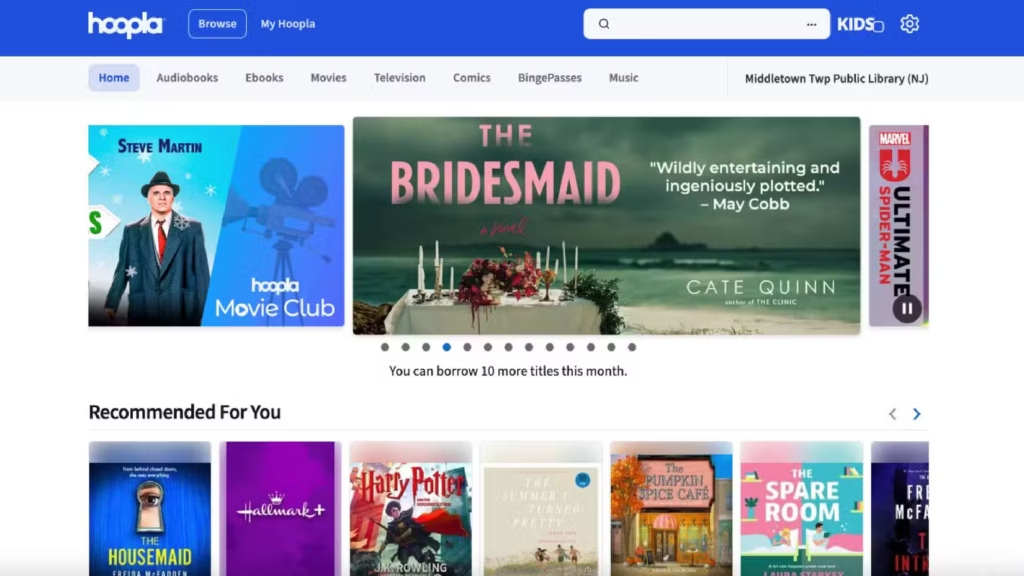
Both services can be safe when used correctly.
But they work differently.
Netflix is a paid streaming service.
Hoopla works through participating libraries.
With Netflix, you pay for a subscription.
With Hoopla, eligible library members can borrow available content.
Both services should be used through their official apps and websites.
Hoopla vs. Kanopy: Which Is Safer?
Hoopla and Kanopy are both connected to libraries.
Both provide digital content.
Both can be useful alternatives to traditional paid streaming services.
The main difference is how their libraries, catalogs, borrowing systems, and limits work.
If your library offers both, you can use both services.
From a safety point of view, use the official website or app for either service.
What Are the Main Hoopla Safety Risks?
Hoopla itself is generally safe.
Most risks come from how people use the internet.
Here are the main risks to know.
Fake Websites
A fake website may look like Hoopla.
It may try to steal your login information.
Fake Apps
An unofficial app may contain harmful software.
Phishing
A fake email may try to steal your password.
Weak Passwords
A simple password can make an account easier to break into.
Shared Computers
Someone else may access your account if you forget to log out.
Suspicious Downloads
Unknown files can contain harmful software.
These risks are common across the internet.
They are not unique to Hoopla.
Hoopla Safety Checklist
Use this simple checklist before using Hoopla.
| Safety Tip | What You Should Do |
|---|
| Official website | Use it |
| Official app | Use it |
| Strong password | Use one |
| Password sharing | Avoid it |
| Random APKs | Avoid them |
| Suspicious emails | Do not click |
| App updates | Install them |
| Kids Mode | Use it for children |
| Public computers | Log out |
| Unknown downloads | Avoid them |
Following these steps can help you enjoy Hoopla with fewer worries.
What If Hoopla Stops Working?
Sometimes Hoopla may have technical problems.
For example, the app may:
- Stop loading
- Buffer
- Crash
- Fail to download
- Stop playing a video
- Log you out
This does not automatically mean that Hoopla is unsafe.
It may simply be a technical issue.
Try these basic fixes:
- Check your internet connection.
- Restart the app.
- Restart your device.
- Update the Hoopla app.
- Sign out and sign in again.
- Reinstall the official app if needed.
- Contact Hoopla support.
Technical problems and security problems are not always the same thing.
What If You Think Someone Hacked Your Hoopla Account?
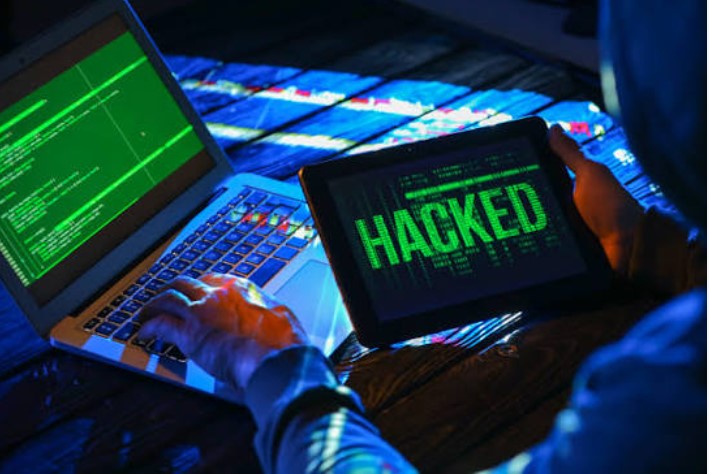
Do not panic.
Take action quickly.
First, change your password.
Then check your account for anything unusual.
If you think someone accessed your account without permission, contact Hoopla support.
You should also change your password on other websites if you used the same password there.
This is why using different passwords is important.
Is Hoopla Safe in 2026?
Yes.
Hoopla remains a legitimate digital library service in 2026.
It continues to provide digital content through participating libraries.
Its official service includes movies, TV shows, books, audiobooks, music, comics, and other content.
However, online safety is always partly about user behavior.
Even a safe website can become risky if you:
- Download fake apps
- Share your password
- Click suspicious links
- Use unsafe websites
- Ignore security warnings
So the best approach is simple:
Use Hoopla through official channels and follow basic online safety rules.
Pros of Hoopla
There are several reasons people like Hoopla.
Free With a Participating Library
You can access Hoopla without paying a normal monthly streaming fee if your library participates.
Legal Content
Hoopla provides content through a legitimate library-based system.
Many Types of Content
You can find movies, books, audiobooks, music, comics, and more.
Official Apps
Hoopla has apps for supported devices.
Kids Mode
Parents can use Kids Mode to help filter adult content.
Easy to Use
The service is designed to make borrowing digital content simple.
Cons of Hoopla
Hoopla also has some limitations.
Not Every Library Offers It
Your library needs to participate.
Borrowing Limits
Your library may limit how many items you can borrow.
Content Can Change
A title available today may not always be available.
Internet May Be Needed
Some features require an internet connection.
Parents Still Need to Supervise
Kids Mode is helpful, but parents should still pay attention.
How to Use Hoopla Safely
Using Hoopla safely is not difficult.
Just follow these steps:
Step 1: Use the Official Website
Go directly to Hoopla.
Avoid random links.
Step 2: Download the Official App
Use a trusted app store.
Step 3: Protect Your Account
Create a strong password.
Step 4: Avoid Fake Downloads
Never install an unofficial Hoopla app.
Step 5: Watch Out for Scams
Do not respond to suspicious emails.
Step 6: Use Kids Mode
Turn it on when younger children use Hoopla.
Step 7: Keep Your Device Updated
Install important system and app updates.
Step 8: Log Out
Always log out when using a shared computer.
For useful search insights, SEO best practices, and digital marketing guidance, explore Search Engine Insight.
Frequently Asked Questions
Is Hoopla safe?
Yes. Hoopla is generally safe when you use the official website or app.
Is Hoopla legal?
Yes. Hoopla is a legitimate digital library service that provides licensed content.
Is the Hoopla app safe?
Yes. The official Hoopla app is generally safe. Download it only from trusted app stores.
Can Hoopla give my phone a virus?
The official Hoopla app is not known as a virus source. The bigger risk comes from fake apps and websites.
Is Hoopla safe for kids?
Yes. Hoopla offers Kids Mode to help filter adult content. Parents should still supervise children.
Is Hoopla free?
Hoopla is generally free for users with a valid library card from a participating library.
Can I download movies from Hoopla?
Yes, supported content can be downloaded through the official Hoopla app for temporary offline access.
Are Hoopla downloads permanent?
No. Hoopla downloads are temporary and expire when the borrowing period ends.
Does Hoopla have viruses?
The official Hoopla service is not a virus website. Avoid unofficial apps and suspicious downloads.
Is Hoopla safe on a smart TV?
Yes. Hoopla can be used on supported smart TVs and streaming devices through official applications.
Is Hoopla safe for students?
Yes. Students can use Hoopla to access books, audiobooks, movies, comics, and other digital content through participating libraries.
Does Hoopla steal personal information?
Hoopla has privacy information explaining how user information is handled. Users should review the latest privacy policy if they have specific privacy concerns.
Final Verdict: Is Hoopla Safe?
So, is Hoopla safe?
Yes. Hoopla is generally safe, legal, and legitimate.
It is a digital library service that lets eligible library members borrow movies, TV shows, books, audiobooks, music, comics, and more.
The safest way to use Hoopla is simple.
Use the official website.
Use the official app.
Keep your password private.
Avoid strange links.
Do not download unofficial apps.
Keep your device updated.
If children use Hoopla, turn on Kids Mode and keep an eye on what they access.
The important thing to remember is that Hoopla itself is not the main concern.
The bigger risks usually come from fake websites, fake apps, phishing messages, and unsafe downloads.
As long as you use the official Hoopla service and follow basic online safety rules, you can enjoy its digital library features with confidence.
Overall, Hoopla is a safe and useful option for people who want free, legal digital entertainment through their library.



