What Is IndexNow and How to Implement It: A Beginner’s Guide (2027)
What Is IndexNow and How to Implement It? If you publish new content and wait days for search engines to find it, IndexNow can help speed up the process. It is a free protocol that lets your website notify participating search engines when you publish, update, or delete a page.
Instead of waiting for search engine bots to discover every change, your website can send them a quick notification. This can help search engines find important updates sooner.
In this guide, you will learn what IndexNow is, how the IndexNow protocol works, which search engines support it, and how to implement IndexNow on your website. You will also learn how to set it up on WordPress, generate an IndexNow API key, submit URLs, and check whether your setup is working.
You do not need advanced technical skills to get started. Many popular SEO plugins make the process simple.
What Is IndexNow? A Simple Definition
IndexNow is an open protocol that allows website owners to notify participating search engines when a page is added, updated, or deleted.
In simple words, IndexNow helps search engines discover changes on your website. You do not have to wait for search engine crawlers to find every update on their own. Your website sends a notification when something changes.
Microsoft Bing and Yandex introduced the IndexNow protocol in 2021. Website owners can use it for free. They need to create an API key, verify their website, and connect their website to the service.
IndexNow is mainly useful for website owners who publish content regularly. This includes bloggers, news websites, online stores, and business websites.
IndexNow Explained in Simple Words
Imagine that you own a library. Whenever you add a new book, you want the librarian to know about it.
Without IndexNow, the librarian must visit the shelves and find the new book. This may take some time.
With IndexNow, you send the librarian a message as soon as the book arrives. The librarian knows about the new book and can check it sooner.
That is how IndexNow SEO works. Your website sends a notification to participating search engines when you make important changes.
Which Search Engines Support IndexNow?
IndexNow is supported by several search engines. Bing and Yandex helped introduce the protocol. Other participating search engines include Seznam.cz and Naver.
DuckDuckGo may also benefit indirectly because it uses Bing’s search results for some of its results.
However, there is one important point: Google does not currently support IndexNow.
Google uses its own crawling and indexing systems. It can discover pages through links, XML sitemaps, and other signals.
This means IndexNow can help with search engine indexing on participating platforms, but it does not replace the normal SEO work needed to appear in Google search results.
You should continue using XML sitemaps and Google Search Console while using IndexNow for supported search engines.
How Does IndexNow Work?
The IndexNow process is simple. It has three main parts:
- Create an IndexNow API key.
- Place a verification file on your website.
- Send a notification whenever a page changes.
The API key helps search engines confirm that the URL submission comes from an authorized website.
Once your setup is ready, your website can send notifications automatically. This can happen when you publish a new article, update an existing page, or delete old content.
The Old Way of Search Engine Crawling
Traditionally, search engine crawlers visit websites to discover new pages and check existing content.
Large and popular websites may receive frequent visits. Smaller or newer websites may not be crawled as often.
As a result, a new blog post might take some time to appear in search results.
This is why website indexing can be a challenge for new websites. Search engines may not know about a page until their crawlers discover it.
The New Way With IndexNow
IndexNow gives website owners another way to share updates.
When you publish or update a page, your website sends its URL to an IndexNow endpoint. The participating search engine receives the notification and can decide when to crawl the page.
Here is a simple example of how the process works:
- You publish a new article on your WordPress website.
- Your IndexNow plugin detects the new page.
- The plugin sends the URL and your API key to the service.
- A participating search engine receives the notification.
- The search engine can crawl the submitted URL.
- If the page meets its requirements, it may appear in search results.
- The same process can work for updated and deleted pages.
Remember that sending a notification does not guarantee immediate crawling or indexing. It simply helps search engines learn about your changes sooner.
Why IndexNow Matters for Your Website
IndexNow can make website URL indexing more efficient. It helps participating search engines learn about important changes without waiting for their regular crawling schedule.
Here are some key benefits of IndexNow for SEO.
1. Helps Search Engines Discover New Pages Faster
When you publish a new article, you want search engines to find it as soon as possible.
IndexNow lets your website send a notification about the new URL. This can reduce the time search engines need to discover the page.
It is especially useful for websites that publish:
- News articles
- Product updates
- Event announcements
- New blog posts
- Seasonal offers
- Time-sensitive information
For example, a news website may publish several articles every day. IndexNow can notify participating search engines whenever a new article goes live.
2. Helps Search Engines Find Updated Content
Updating old content is an important part of SEO.
You may change an article’s information, add new sections, fix outdated details, or improve its content. IndexNow can notify participating search engines about these changes.
This gives search engines a signal that the page has been updated.
However, an update notification does not guarantee better rankings. Your content still needs to be useful, accurate, and relevant to readers.
3. Supports More Efficient Crawling
Search engine crawlers visit websites to discover and check pages.
IndexNow helps search engines focus on URLs that website owners have identified as changed. This can make crawling more efficient, especially for websites with many pages.
For large websites, this may help reduce unnecessary visits to pages that have not changed.
4. Helps Small Websites Get Discovered
New websites often have fewer backlinks and less search engine visibility than established websites.
IndexNow gives smaller websites a simple way to notify participating search engines about new content.
You can also connect your website to Bing Webmaster Tools. This gives you another way to monitor your website’s search presence and indexing activity.
5. Helps Keep Search Results Updated
Imagine that you run an online store. You remove an old product or update its information.
If search engines still have old information, visitors may find outdated pages in search results.
IndexNow allows you to notify participating search engines about deleted or updated URLs. This can help them discover the changes sooner.
IndexNow vs. XML Sitemaps vs. Manual Submission
Many beginners think IndexNow replaces an XML sitemap. However, these tools have different purposes.
An XML sitemap provides search engines with a list of important URLs on your website. IndexNow notifies participating search engines when specific URLs change.
Manual URL submission lets you send an individual page to a search engine through its webmaster tools.
Here is a simple comparison:
| Method | Main Purpose | How It Works |
|---|---|---|
| XML Sitemap | Shows search engines important website URLs | Provides a list of pages |
| IndexNow | Notifies participating search engines about changes | Sends URL notifications |
| Manual Submission | Shares a specific URL with a search engine | Requires manual action |
Does IndexNow Replace an XML Sitemap?
No. IndexNow does not replace your XML sitemap.
Your sitemap helps search engines understand your website structure and discover important pages. IndexNow focuses on notifying participating search engines about new, updated, or deleted URLs.
You should use both tools.
Keep your XML sitemap updated for Google and other search engines. Use IndexNow to notify supported search engines when important changes happen.
Manual submission can also be useful when you need to share a specific URL through a webmaster tool.
How to Implement IndexNow: A Step-by-Step Guide

Now let’s look at how to implement IndexNow on your website.
The setup usually involves creating an API key, adding a verification file, and connecting your website to the IndexNow service.
If you use WordPress, a plugin can handle most of these steps. If you have a custom website, you may need help from a developer.
Step 1: Generate an IndexNow API Key
The first step is to generate an IndexNow API key.
An API key is a unique combination of letters and numbers. It helps participating search engines verify that your URL submissions are connected to your website.
Many SEO plugins can generate this key automatically.
If you are setting up IndexNow manually, create a secure key that follows the protocol’s current requirements.
For example, a key may look like this:
a1b2c3d4e5f6789012345678abcdef90
Keep your API key safe. You will need it when configuring your website and sending URL notifications.
Step 2: Create and Upload the API Key File
After generating your key, you need to create a verification file.
This file proves that you control the website sending the notifications.
The file should be available at your website’s root level. Its name should contain your API key.
For example:
https://www.yoursite.com/YOUR-API-KEY.txt
The file should contain the API key as required by the protocol.
If your key is abc123, the file name would be:
https://www.yoursite.com/abc123.txt
The file should contain:
abc123
Make sure the file is available at the correct location. A file placed inside an unrelated subfolder may not pass verification.
Step 3: Send Your First Test URL
After uploading the key file, you can test your IndexNow setup.
The Bing IndexNow endpoint supports URL submissions. A basic example looks like this:
https://www.bing.com/indexnow?url=https://www.yoursite.com/your-page/&key=YOUR-API-KEY
Replace the example page address with a real URL from your website. Also replace YOUR-API-KEY with your actual key.
You can use the request to test whether the service accepts your submission.
Check the official IndexNow website for the latest endpoint details and submission requirements.
Step 4: Enable Automatic URL Submission
Manual URL submission is useful for testing. However, submitting every new page by hand can take a lot of time.
A better option is to enable automatic URL submission.
Your website should send notifications when you:
- Publish a new page.
- Update an existing page.
- Delete an old page.
- Change important website content.
WordPress users can use supported SEO plugins to automate this process.
If you have a custom website, a developer can connect the IndexNow API to your content management system.
Step 5: Check Whether IndexNow Is Working
After completing the setup, test it with a new or updated page.
Check your Bing Webmaster Tools account and available IndexNow reporting options to see whether your submissions are being received.
If you do not see the expected activity, review your setup.
Check these points:
- Is your API key correct?
- Is the verification file available?
- Is the file in the correct location?
- Is your website sending the correct URL?
- Is your plugin or custom integration active?
Testing your setup helps you find problems before they affect your regular content publishing process.
What Is IndexNow and How to Implement It on WordPress
WordPress users have several ways to enable IndexNow.
Many SEO plugins offer built-in support, so you may not need to write any code.
Before installing another plugin, check whether your current SEO plugin already supports IndexNow. Using an existing feature can help keep your website simple.
Option A: Use Rank Math
Rank Math offers IndexNow support.
To configure it:
- Log in to your WordPress dashboard.
- Open the Rank Math SEO settings.
- Find the IndexNow or Instant Indexing settings.
- Enable the available IndexNow feature.
- Follow the instructions to generate or verify your API key.
- Save your settings.
After setup, Rank Math can send notifications for supported content changes.
The exact menu names may vary depending on your plugin version.
Option B: Use Yoast SEO
Yoast SEO users should check the current plugin settings and available integrations for IndexNow support.
If your version provides an IndexNow integration, follow its setup instructions.
After enabling the feature, test it by publishing or updating a page. Check the plugin documentation if you cannot find the required settings.
Option C: Use All in One SEO
All in One SEO is another popular WordPress SEO plugin.
Check its current settings for IndexNow support and follow the setup instructions provided by the plugin.
If the feature is available, it may help automate URL notifications when you publish or update content.
Option D: Use the Official IndexNow Plugin
You can also look for the official IndexNow plugin in the WordPress plugin directory.
To use it:
- Open your WordPress dashboard.
- Go to Plugins.
- Select Add New Plugin.
- Search for IndexNow.
- Check that you are selecting the official plugin.
- Install and activate it.
- Follow the setup instructions to generate your key and enable notifications.
After setup, publish a test post and check whether the plugin sends the expected notification.
Option E: Use Cloudflare
If your website uses Cloudflare, you can check whether its Crawler Hints feature is available for your account.
Crawler Hints can help share website change information with participating search engines through supported services.
Open your Cloudflare dashboard and look for the relevant settings. Follow Cloudflare’s current instructions to enable the feature.
This option may be useful for websites that do not use WordPress.
How to Implement IndexNow Without a Plugin
You do not need WordPress to use IndexNow.
You can also connect it to a custom website or another content management system.
However, this method usually requires basic development knowledge.
How to Configure IndexNow Manually
Follow these general steps:
- Generate an API key that meets the protocol requirements.
- Create the required verification file.
- Upload the file to the correct location on your website.
- Add an integration to your website’s content management system.
- Configure it to detect new, updated, and deleted pages.
- Send the changed URLs to the correct IndexNow endpoint.
- Record submission responses so you can identify errors.
Your developer can use the official IndexNow documentation to follow the correct request format.
How to Submit Multiple URLs to IndexNow
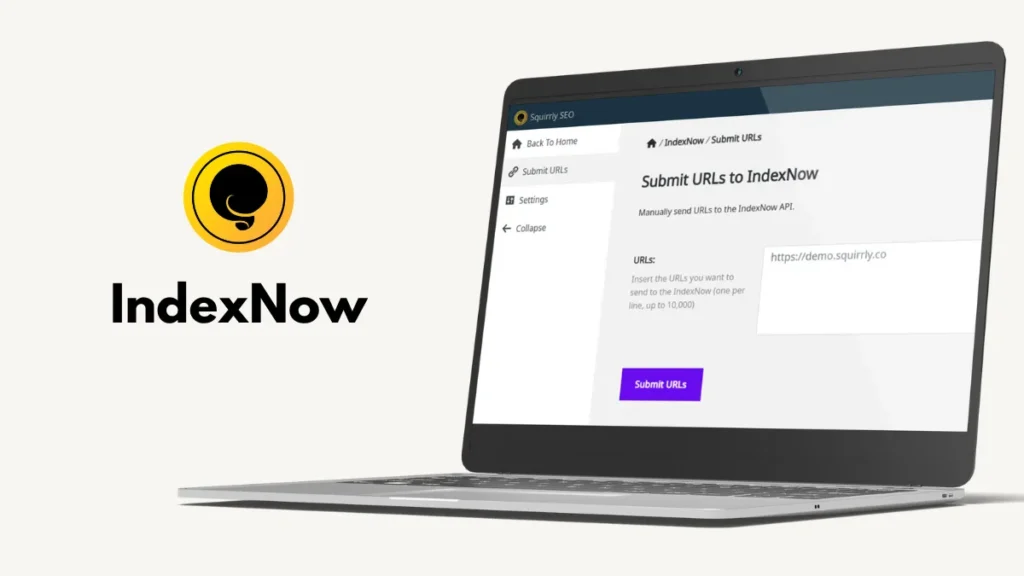
Some websites update many pages at the same time.
For example, an online store may update hundreds of product pages after changing prices or stock information.
IndexNow supports batch URL submission, allowing multiple changed URLs to be sent in one request.
This can make the process easier for websites with large numbers of pages.
However, only submit URLs that have actually changed. Sending repeated notifications for unchanged pages does not provide value and may lead to unnecessary requests.
IndexNow Best Practices
Setting up IndexNow is only the first step. You should also follow good practices to make your website integration work properly.
Here are some useful IndexNow best practices.
1. Submit Only URLs That Have Changed
Do not send notifications for every page on your website without a reason.
Submit URLs when you publish new content, make meaningful updates, or delete pages.
This keeps your URL submission process useful and avoids unnecessary requests.
2. Use the Correct URL Version
Always submit the correct version of your page.
For example, if your website uses HTTPS and a preferred www or non-www version, submit the canonical URL.
Avoid sending different versions of the same page without a good reason.
3. Keep Your API Key File Available
Your verification file is an important part of your IndexNow setup.
Do not delete it after the initial setup. Search engines may need to verify the key when processing your submissions.
If you change your key, update your website integration and verification file.
4. Automate URL Submission
Manual submissions can become difficult when you publish content regularly.
Use a supported plugin or custom integration to automate notifications.
This saves time and reduces the chance of forgetting to submit important URLs.
5. Keep Your XML Sitemap Updated
IndexNow and XML sitemaps work well together.
Your sitemap provides search engines with a broader view of your website. IndexNow helps notify participating search engines about individual changes.
Keep your sitemap updated, especially because Google does not support IndexNow.
6. Monitor Your Submissions
Check your available reports and logs from time to time.
Bing Webmaster Tools and your website integration can help you identify submission problems.
Look for errors related to API keys, verification files, and incorrect URLs.
Common IndexNow Mistakes to Avoid
Beginners sometimes make simple mistakes when setting up IndexNow.
These mistakes can prevent URL notifications from working correctly.
1. Uploading the Key File to the Wrong Folder
Your verification file must be available at the location required by the protocol.
Do not upload it to a random folder and assume the search engine will find it.
Check the file address in your browser after uploading it.
2. Using the Wrong API Key
Your API key must match the key used by your website integration.
If your plugin and manual setup use different keys, verification may fail.
Use a consistent key and follow the instructions for your chosen integration.
3. Submitting Unchanged URLs
Sending the same URLs repeatedly does not improve your SEO.
Only submit URLs when there is a real change.
This helps keep your IndexNow activity clean and useful.
4. Forgetting About Google
One common misunderstanding is that IndexNow submits pages to every search engine.
It does not.
Google does not currently support IndexNow. You should continue using XML sitemaps and Google Search Console for your Google SEO work.
5. Never Testing Your Setup
Enabling IndexNow does not mean everything is working correctly.
Always publish or update a test page after setup.
Then check your plugin settings, submission logs, and available webmaster reports.
Expert Tips for Faster Indexing

IndexNow can help search engines discover changes, but it works best as part of a wider SEO strategy.
Here are some extra tips to improve your website’s indexing process.
Submit Your Sitemap to Bing Webmaster Tools
Create a Bing Webmaster Tools account and add your website.
Verify ownership and submit your XML sitemap.
This gives Bing another way to discover your important pages.
Update Old Articles Regularly
Do not focus only on new blog posts.
Review older articles and update information that is no longer correct.
When you make a meaningful update, send the page URL through your IndexNow integration.
Notify Search Engines About Deleted Pages
If you remove an outdated page, notify participating search engines through IndexNow.
Also make sure the page returns the correct status code or redirects to a suitable replacement when appropriate.
This helps search engines understand what happened to the URL.
Use Internal Links
Internal links help search engine crawlers discover related pages on your website.
When you publish a new article, link to it from relevant older articles.
This gives visitors and search engine bots another way to find the new page.
Monitor Website Errors
Check your website for broken links, server problems, and indexing errors.
You can use tools such as Google Search Console and Bing Webmaster Tools to review available reports.
Fixing technical problems can make it easier for search engines to access your important pages.
Do Not Submit Private or Test Pages
Only use IndexNow on your live website.
Avoid submitting staging pages, private previews, and test URLs that should not appear in search results.
Real-World Examples of IndexNow
Let’s look at a few examples to understand how IndexNow can help different types of websites.
Example 1: A News Blog
Imagine that a blogger publishes technology news every day.
Without IndexNow, the blogger may need to wait for search engine crawlers to discover new articles.
After enabling IndexNow through a supported WordPress plugin, the website can notify participating search engines whenever a new article is published.
This can help search engines discover fresh news content sooner.
Example 2: An Online Store
An online store has thousands of products.
Product prices, stock levels, and descriptions change regularly.
With an IndexNow integration, the store can send notifications when important product pages are updated.
This helps participating search engines learn about the changes and decide when to crawl the pages again.
Example 3: A Website Content Cleanup
A business website removes hundreds of old articles during a content review.
Instead of waiting for search engines to discover every change, the website can submit the deleted URLs through IndexNow.
This helps participating search engines learn that those pages have changed or been removed.
IndexNow in 2027: What You Should Know
IndexNow remains a useful tool for website owners who want to notify participating search engines about content changes.
Its main purpose has not changed: it provides a simple way to share information about new, updated, and deleted URLs.
Website owners can use plugins, website integrations, and supported hosting services to automate the process.
However, you should understand its limitations.
Google does not currently support IndexNow. A successful URL notification also does not guarantee that a page will be crawled, indexed, or ranked.
For this reason, IndexNow should be part of your technical SEO strategy rather than your entire SEO strategy.
Continue improving your content, internal links, website speed, mobile experience, and XML sitemap.
Important Things to Consider Before You Start
Before enabling IndexNow, keep a few important points in mind.
IndexNow Does Not Guarantee Rankings
IndexNow helps participating search engines learn about URL changes.
It does not make your content rank higher automatically.
Search rankings still depend on many factors, including content quality, relevance, website experience, and competition.
A Notification Does Not Guarantee Indexing
IndexNow sends a signal to participating search engines. It does not force them to crawl or index a page.
A search engine may decide when to visit a submitted URL and whether the page should appear in its search results.
Google Does Not Support IndexNow
If most of your website traffic comes from Google, do not expect IndexNow to directly speed up Google’s indexing.
Keep using Google Search Console, XML sitemaps, internal links, and other standard SEO practices.
Use IndexNow Only on Your Live Website
Do not enable automatic URL submission on private test websites or staging environments.
Only notify search engines about URLs that you want them to discover.
Get informed about content quality, website usability, and modern search practices with Search Engine Insight, your resource for making better digital marketing choices.
Frequently Asked Questions
What Is IndexNow in Simple Terms?
IndexNow is a free protocol that allows your website to notify participating search engines when you publish, update, or delete a page. It helps search engines discover website changes sooner.
Is IndexNow Free to Use?
Yes. IndexNow is free to use. You need an API key and a verification file to get started. You may also need a plugin or developer support, depending on your website.
Does Google Support IndexNow?
No. Google does not currently support the IndexNow protocol. You should continue using XML sitemaps and Google Search Console to help Google discover your website pages.
Which Search Engines Support IndexNow?
Bing, Yandex, Seznam.cz, and Naver are among the search engines that support IndexNow. Check the official IndexNow website for the latest list of participating search engines.
Do I Need Coding Skills to Implement IndexNow?
No, not if you use a supported WordPress plugin or another service with built-in IndexNow support. Manual website integration may require basic development skills.
How Do I Generate an IndexNow API Key?
You can generate an API key through a supported SEO plugin or create one manually according to the protocol’s requirements. You then need to make the verification file available on your website.
Where Should I Upload the IndexNow Key File?
The verification file should be available at your website’s root level using the file name and format required by IndexNow. Check that the file opens correctly in your browser.
How Fast Does IndexNow Work?
IndexNow can notify participating search engines shortly after a page changes. However, crawling and indexing times vary. A successful notification does not guarantee that a page will appear in search results immediately.
Can IndexNow Improve SEO?
IndexNow can support your SEO work by helping participating search engines discover new and updated pages. However, it does not guarantee higher rankings or more organic traffic.
Does IndexNow Work With WordPress?
Yes. WordPress users can enable IndexNow through supported SEO plugins or the official plugin. These tools can automate URL notifications when content changes.
Should I Use an XML Sitemap With IndexNow?
Yes. An XML sitemap and IndexNow have different purposes. Your sitemap lists important website URLs, while IndexNow notifies participating search engines about changes. Using both is a good approach.
Can I Submit Deleted Pages Through IndexNow?
Yes. IndexNow supports notifications for deleted URLs. This helps participating search engines learn that a page has been removed.
How Can I Check If IndexNow Is Working?
Publish or update a test page and check your plugin’s activity, submission logs, or available reports in Bing Webmaster Tools. Also confirm that your API key and verification file are correct.
Can I Use IndexNow Without a WordPress Plugin?
Yes. You can connect IndexNow to a custom website using its API. However, this usually requires development work to detect content changes and send the correct requests.
Does IndexNow Replace Google Search Console?
No. IndexNow and Google Search Console serve different purposes. Google does not support IndexNow, so you should continue using Google Search Console to monitor your website’s Google search performance and indexing status.
Conclusion: What Is IndexNow and How to Implement It
Now you understand what IndexNow is and how to implement it on your website.
IndexNow is a free protocol that helps website owners notify participating search engines about new, updated, and deleted pages. It can make URL discovery more efficient and reduce the need to wait for regular crawling.
To get started, generate an IndexNow API key, upload the verification file, and connect your website to the service. WordPress users can often complete the setup with a supported plugin, while custom websites may need a developer.
Remember that IndexNow does not replace XML sitemaps, Google Search Console, or other SEO practices. Google does not currently support the protocol, and URL notifications do not guarantee indexing or rankings.
If you publish content regularly, IndexNow can be a useful addition to your technical SEO strategy. Set it up correctly, test your submissions, and keep creating helpful content for your visitors.