How to Learn SEO From Scratch Free: The 2027 Roadmap
Learning how to learn SEO from scratch free may seem difficult when you are new to digital marketing. There are many terms, tools, and techniques to understand. But you do not need to buy expensive courses or hire a teacher to get started.
You can learn search engine optimization using free websites, online lessons, and practice projects. Many trusted SEO experts also share helpful guides and tutorials at no cost.
The most important thing is to follow the right learning order. Start with the basics, learn keyword research, understand on-page SEO, and then move on to technical SEO and link building.
This beginner’s guide to SEO will show you how to learn each skill step by step. You will also discover free SEO courses, useful tools, and websites that can help you improve.
By the end, you will have a simple 90-day learning plan. You will know how to practice SEO, build your skills, and prepare for your first freelance project or SEO job.
What Is SEO and How Does It Work?
SEO stands for Search Engine Optimization. It is the process of improving a website so that it can appear higher in search engine results.
For example, imagine someone searches Google for “best running shoes for beginners.” Google shows a list of websites that may answer this question.
SEO helps your website appear in these results. When your pages rank well, more people can find them through organic search without clicking on paid ads.
Search engines use automated systems to discover pages, understand their content, and decide which results are most useful for a search.
SEO has three main parts.
1. On-Page SEO
On-page SEO focuses on the content and elements of your website pages.
It includes:
Writing useful and clear content
- Using relevant keywords naturally
- Creating helpful page titles
- Writing meta descriptions
- Organizing content with headings
- Adding useful internal links
- Using clear image descriptions
For example, if you write an article about healthy breakfast ideas, your title, headings, and content should clearly explain the topic.
2. Off-Page SEO
Off-page SEO focuses on activities outside your website that can help build its reputation.
Link building is an important part of off-page SEO. It means earning links from other websites that point to your pages.
You can earn backlinks by publishing useful content, working with other website owners, and sharing helpful resources.
However, quality matters more than quantity. Avoid buying links or using tricks to manipulate search rankings.
3. Technical SEO
Technical SEO helps search engines access, crawl, and understand your website.
It includes:
- Website speed
- Mobile-friendly design
- Website indexing
- XML sitemaps
- Robots.txt files
- Broken link checks
- Secure website connections
You do not need to become a web developer to learn technical SEO. Start by understanding the basic problems and how to find them.
Why Should You Learn SEO?

SEO is a useful skill for people who want to work in digital marketing, blogging, content writing, or website management.
Businesses need their websites to appear when people search for products and services. This creates opportunities for people who understand SEO.
Here are some reasons to learn it.
1. Build a Useful Digital Marketing Skill
SEO helps you understand how people search online and how websites attract visitors.
You can use this knowledge to improve your own website or help other businesses.
2. Find Freelance Opportunities
Many small businesses need help with keyword research, website content, and basic SEO improvements.
Once you have enough practice, you can offer services such as:
- Keyword research
- On-page SEO
- SEO content writing
- Website SEO audits
- Basic technical SEO checks
- Internal linking improvements
Start with small projects and build your experience over time.
3. Improve Your Own Website
If you own a blog or business website, SEO can help more people discover it.
You can learn how to choose useful topics, create better pages, and improve your website’s search visibility.
4. Explore Different Career Paths
SEO skills can help you apply for different digital marketing roles.
For example, you could work as an SEO assistant, SEO content writer, junior SEO specialist, or digital marketing executive.
You can also choose to work independently as a freelancer.
5. Learn Without Spending Money
One of the best things about SEO is that many learning resources are free.
Google provides official guides. SEO companies offer free courses and tutorials. You can also use free tools to practice important skills.
You may choose to pay for advanced tools later, but you do not need them to understand SEO basics for beginners.
How to Learn SEO From Scratch Free: The 5-Phase Roadmap
If you want to learn SEO for free, follow these five phases in order.
Each phase teaches a different skill. Take your time with each one and practice what you learn before moving forward.
Phase 1: Learn the Basics of SEO
Start by understanding how search engines work.
Before using SEO tools, learn what happens when someone searches for something on Google.
Focus on these basic terms:
- Crawling: Search engines discover website pages.
- Indexing: Search engines store and organize information about pages.
- Ranking: Search engines decide which pages to show for a search.
- SERP: This means Search Engine Results Page. It is the page you see after searching.
- Organic traffic: Visitors who reach a website through unpaid search results.
- Search intent: The reason behind a person’s search.
You should also learn the difference between organic results and paid advertisements.
Google’s Search Essentials and SEO Starter Guide are good places to begin. They explain how Google Search works and what website owners should know.
Your practice task:
Choose a topic you understand and search for it on Google. Look at the results, page titles, headings, and types of websites that appear.
Try to explain why some pages may be more useful than others.
Spend around one or two weeks learning these basics.
Phase 2: Learn Keyword Research for Beginners
Keyword research means finding the words and phrases people type into search engines.
It is one of the most important SEO skills because it helps you understand what your audience wants.
For example, someone who owns a fitness blog may target keywords such as:
- Home workouts for beginners
- Best exercises for weight loss
- How to build muscle at home
- Beginner workout plan
These phrases can become topics for website pages and blog posts.
Understand Different Types of Keywords
There are several types of keywords you should know.
Short-tail keywords
These are short and broad search phrases.
Examples:
- SEO
- Fitness
- Digital marketing
- Healthy food
They usually cover large topics and may have strong competition.
Long-tail keywords
These are longer and more specific phrases.
Examples:
- How to learn SEO from scratch for free
- Best home workout plan for beginners
- How to improve website rankings
Long-tail keywords often show a clearer search need.
Informational keywords
People use these when they want to learn something.
Examples:
- What is SEO?
- How does keyword research work?
- How to write an SEO-friendly article
Commercial keywords
People use these when they are comparing products or services.
Examples:
- Best SEO tools for beginners
- Ahrefs vs Semrush
- Best website hosting services
Transactional keywords
These show that someone may be ready to take action or buy something.
Examples:
- Buy SEO software
- Hire an SEO expert
- Purchase website hosting
How to Find Keywords for Free
You can use free resources to discover keyword ideas.
- Google Search suggestions
- Google’s related searches
- Google Keyword Planner
- Google Trends
- Search results from competing websites
Do not choose keywords only because they have high search volume. Think about whether the topic matches your website and whether you can create a useful page for it.
Your practice task:
Choose one topic and find 20 related keywords. Group them by search intent and select a few that match your website.
This exercise will help you understand how keyword research works in real SEO projects.
Phase 3: Learn On-Page SEO
On-page SEO means improving individual website pages so that visitors and search engines can understand them.
You should learn how to write useful content and organize it in a clear way.
Here are the main areas to focus on.
Write Clear SEO Titles
Your page title tells people what your page is about.
For example:
“How to Learn SEO From Scratch Free: A Beginner’s Guide”
A good title should describe the page clearly and encourage people to click.
Include your main keyword when it fits naturally.
Write Useful Meta Descriptions
A meta description is a short summary of a webpage. It may appear below the page title in search results.
Explain what readers will learn from the page. Keep it clear and relevant.
Use Headings Correctly
Headings organize your content and make it easier to read.
Use one clear H1 heading for the main page title. Use H2 headings for major sections and H3 headings for smaller topics within those sections.
For example:
- H1: How to Learn SEO
- H2: What Is SEO?
- H2: How to Learn Keyword Research
- H3: Free Keyword Research Tools
Add Keywords Naturally
Use your primary and secondary keywords where they make sense.
You can include relevant terms in your title, introduction, headings, and body content.
Avoid repeating the same keyword in every paragraph. Keyword stuffing makes content difficult to read and does not create a good experience for visitors.
Learn Internal Linking
Internal links connect one page on your website to another.
For example, an article about keyword research can link to another article about on-page SEO.
Use clear anchor text so readers understand what they will find after clicking.
Optimize Images
Use images that support your content.
Give important images descriptive file names and useful alt text. This helps explain what an image shows when it cannot be viewed.
Your practice task:
Choose three website pages. Review their titles, headings, meta descriptions, images, and internal links.
Find areas that need improvement and make simple changes.
Phase 4: Understand Technical SEO
Technical SEO helps search engines find and understand your website.
You should learn the basic technical elements before moving to advanced topics.
Learn About Website Crawling and Indexing
Search engines use automated programs called crawlers to discover website pages.
After discovering a page, a search engine may add it to its index.
A page that is not indexed may not appear in Google search results.
Learn how to check whether important pages are indexed and how to find common indexing problems.
Understand Robots.txt
A robots.txt file gives search engine crawlers instructions about which parts of a website they can access.
It is important to understand how this file works because incorrect settings can block important pages from crawling.
Learn About XML Sitemaps
An XML sitemap lists important pages on your website.
It can help search engines discover your content. You can submit your sitemap through Google Search Console.
Improve Website Speed
Visitors do not like slow websites.
Learn how to check page speed and identify issues that may affect website performance.
You can use Google’s PageSpeed Insights to find suggestions for improvement.
Make Your Website Mobile-Friendly
Many people browse websites on mobile phones.
Your website should have readable text, clear menus, and pages that fit different screen sizes.
Use Google Search Console
Google Search Console is one of the most useful free SEO tools.
It helps you:
Check website search performance
See which searches bring visitors
Find indexing problems
Submit XML sitemaps
Review page performance
Identify some technical issues
You do not need to learn every report at once. Start with the performance and indexing sections.
Your practice task:
Set up Google Search Console for a website you manage. Review its reports and learn how to check whether important pages are indexed.
You can also use the free version of Screaming Frog to crawl a small website and find issues such as broken links and redirects.
Phase 5: Learn Off-Page SEO, Link Building, and Content Strategy
Off-page SEO focuses on building your website’s reputation outside your own pages.
Link building is one important part of this work.
A backlink is a link from another website to your website. Relevant and trustworthy backlinks can help search engines understand how other websites refer to your content.
Understand What Makes a Good Backlink
Not every backlink is useful.
Pay attention to:
- Relevance of the linking website
- Quality of the website
- Context around the link
- Natural placement
- Value for the reader
Avoid buying large numbers of links or using spam methods.
Learn Safe Link-Building Methods
Beginners can try simple methods such as:
- Creating useful guides that people want to reference
- Writing guest articles for relevant websites
- Finding broken links and suggesting helpful replacement content
- Sharing useful resources with website owners
- Building relationships with businesses in the same industry
Focus on earning links rather than collecting as many as possible.
Understand Content Strategy
A content strategy is a plan for creating and improving website content.
Start by choosing a main topic. Then find related keywords and organize them into groups.
For example, a website about SEO may have separate articles about keyword research, on-page SEO, technical SEO, and link building.
Make sure every article answers a real question and matches the search intent.
Your practice task:
Write one useful article for your practice website. Then look for relevant websites that may find it helpful and consider reaching out to them.
Your first project does not need to be perfect. The goal is to understand how content and link building work.
Your 90-Day SEO Learning Plan

Learning SEO becomes easier when you follow a simple schedule.
You do not need to study for many hours every day. Try to spend around five to ten hours each week learning and practicing.
Here is a beginner-friendly 90-day plan.
Days 1–14: Learn SEO Basics
During the first two weeks, focus on understanding search engines.
Your tasks:
Read Google’s SEO Starter Guide.
- Learn what crawling and indexing mean.
- Understand organic search results.
- Study search intent.
- Learn basic SEO terms.
- Watch one beginner SEO tutorial.
By the end of this stage, you should be able to explain SEO in simple words.
Days 15–35: Practice Keyword Research and On-Page SEO
Now start learning how to find keywords and improve website pages.
Your tasks:
- Learn to use Google Keyword Planner.
- Find 20 to 30 keyword ideas.
- Group keywords by search intent.
- Write SEO titles and meta descriptions.
- Organize content with headings.
- Practice internal linking.
- Improve three existing website pages.
By the end of this stage, you should understand how to choose keywords and use them naturally.
Days 36–60: Learn Technical SEO
During this stage, focus on website health and search engine access.
Your tasks:
- Set up Google Search Console.
- Learn how XML sitemaps work.
- Understand robots.txt.
- Check website indexing.
- Test website speed.
- Review mobile usability.
- Find broken links and redirects.
Keep a record of the problems you find and the steps you take to fix them.
Days 61–90: Practice Link Building and Content Strategy
Use the final month to work on a real SEO project.
Your tasks:
- Choose a topic for your website.
- Create a useful article.
- Optimize its title and headings.
- Add relevant internal links.
- Find websites related to your topic.
- Try ethical link-building methods.
- Track your website’s search performance.
- Write a short report about your work.
At the end of 90 days, you should have a basic SEO project that you can show to potential clients or employers.
Best Free SEO Courses and Resources
You can find many free SEO resources online. The best approach is to choose a few reliable sources and study them step by step.
You do not need to follow every SEO blog or watch every video.
Here are some useful places to learn.
1. Google Search Central
Website: https://developers.google.com/search
Google Search Central is one of the best places to learn how Google Search works.
It provides official information about crawling, indexing, website content, and search performance.
Start with the SEO Starter Guide and Search Essentials.
2. Google Search Console Help
Website: https://support.google.com/webmasters
This resource teaches you how to use Google Search Console.
You can learn how to check website performance, understand reports, and find indexing problems.
3. Moz Beginner’s Guide to SEO
Website: https://moz.com/beginners-guide-to-seo
Moz offers a free beginner’s guide that explains important SEO topics.
It covers keyword research, on-page SEO, links, and search engine basics.
It is useful if you prefer learning through written lessons.
4. Ahrefs Free SEO Courses
Website: https://ahrefs.com/academy
Ahrefs Academy offers SEO lessons and educational videos.
You can learn about keyword research, backlinks, content, and other important topics.
Its free learning materials are useful for beginners who want practical examples.
5. Semrush Academy
Website: https://www.semrush.com/academy/
Semrush Academy offers online lessons about SEO and digital marketing.
Some courses also provide certificates after you complete the required lessons.
You can use these lessons to understand SEO concepts and learn how professionals approach different tasks.
6. Google Skillshop
Website: https://skillshop.withgoogle.com/
Google Skillshop offers training for different Google products and digital marketing topics.
Explore the available courses to find lessons that match your learning goals.
7. Search Engine Journal
Website: https://www.searchenginejournal.com/
Search Engine Journal publishes articles about SEO, content marketing, and search updates.
It can help you learn new techniques after you understand the basics.
8. Search Engine Land
Website: https://searchengineland.com/
Search Engine Land shares search industry news, guides, and expert opinions.
Use it to follow important changes in search marketing.
Learning tip: Start with Google’s official resources and one beginner course. Add more websites when you need help with a specific topic. This will keep your learning simple and organized.
Free SEO Tools for Beginners
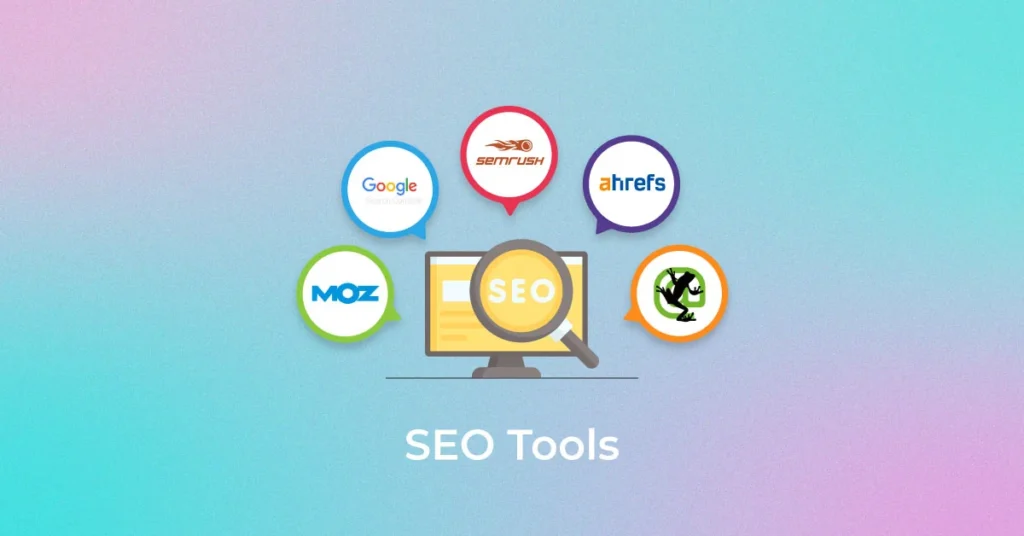
You do not need expensive software to start practicing SEO.
Several free SEO tools can help you research keywords, check website performance, and find technical problems.
Here are some useful tools to learn first.
1. Google Search Console
Website: https://search.google.com/search-console/
Google Search Console shows how your website performs in Google Search.
You can use it to check clicks, impressions, search queries, and indexing information.
It should be one of the first tools you learn.
2. Google Keyword Planner
Website: https://ads.google.com/home/tools/keyword-planner/
Google Keyword Planner helps you find keyword ideas and review search estimates.
It is useful when planning blog topics and website content. Some features and data may require a Google Ads account or campaign setup.
3. Google Analytics
Website: https://analytics.google.com/
Google Analytics helps you understand how people use your website.
You can review visitor activity, traffic sources, and other website performance data.
It is useful for understanding what happens after people visit your pages.
4. Google Trends
Website: https://trends.google.com/
Google Trends helps you compare topics and understand changes in search interest.
You can use it to discover seasonal topics and compare different search terms.
5. Ahrefs Webmaster Tools
Website: https://ahrefs.com/webmaster-tools
Ahrefs Webmaster Tools provides free website audit and backlink information for eligible verified websites.
It can help you find technical problems and understand which websites link to your content.
6. Screaming Frog SEO Spider
Website: https://www.screamingfrog.co.uk/seo-spider/
The free version of Screaming Frog can crawl smaller websites.
It helps you find issues such as broken links, missing page titles, and redirect problems.
7. PageSpeed Insights
Website: https://pagespeed.web.dev/
PageSpeed Insights checks website performance on mobile and desktop.
It also provides suggestions that may help improve loading speed and user experience.
Start with Google Search Console, Google Keyword Planner, and Google Analytics. Learn one tool at a time instead of trying to master everything together.
How to Practice SEO Without Spending Money
Reading articles and watching videos can teach you SEO basics, but practice is what helps you build real skills.
You need a place where you can test what you learn and see the results.
Here are three ways to practice without spending much money.
Option 1: Start Your Own Blog
Starting a blog is one of the best ways to learn SEO.
Choose a topic you enjoy, such as technology, food, travel, education, or fitness.
Then:
- Find keywords related to your topic.
- Plan useful blog posts.
- Write clear and helpful content.
- Optimize titles and headings.
- Add internal links.
- Set up Google Search Console.
- Review your search performance.
You can start with a free blogging platform. A custom domain and hosting may cost money, but they are not required for every early learning exercise.
Option 2: Help a Small Business
You can offer basic SEO help to a local business, charity, or community project.
For example, you might help improve its website titles, organize content, or check its Google Business Profile.
Ask for permission before making changes. Be clear about your experience and do not promise guaranteed rankings.
This gives you a chance to work with a real website and understand common business needs.
Option 3: Create a Practice Website
You can also build a small website just for learning.
Choose a topic with several related subtopics. Create a few pages and practice keyword research, content optimization, and internal linking.
You can use this website as your personal SEO practice project.
Keep a Record of Your Work
Create a simple learning journal.
Each week, write down:
- What you learned
- Which SEO tasks you completed
- What problems you found
- What changes you made
- What results you noticed
- What you want to learn next
This record can help you understand your progress and later become part of your SEO portfolio.
How Long Does It Take to Learn SEO?
The time needed to learn SEO depends on how much time you spend studying and practicing.
You may understand the basic concepts within a few weeks. However, becoming confident with real SEO projects usually takes longer.
Here is a simple guide:
| Learning stage | Main focus |
|---|---|
| First 2 weeks | SEO basics and search engines |
| Weeks 3–5 | Keyword research and on-page SEO |
| Weeks 6–8 | Technical SEO and website audits |
| Weeks 9–12 | Link building and content strategy |
| After 90 days | Real projects and advanced skills |
If you spend five to ten hours each week learning and practicing, you can build a useful foundation in about three months.
However, SEO is not a skill you finish learning after 90 days. Search engines change, websites face new problems, and new tools become available.
Keep practicing and improving your knowledge.
How to Get an SEO Job Without Experience

You do not always need years of experience to apply for an entry-level SEO role.
However, employers and clients want to see that you understand the work and can complete basic tasks.
Here are some steps that can help you prepare.
1. Build Your SEO Knowledge
Learn keyword research, on-page SEO, technical SEO basics, and link building.
Make sure you can explain these topics in simple words.
2. Create a Practice Project
Build a blog or work on a small website.
Show the steps you followed, the problems you found, and the improvements you made.
3. Build a Small Portfolio
Your portfolio can include:
- Keyword research examples
- SEO content samples
- Website audit reports
- Page title and meta description improvements
- Internal linking examples
- Search performance reports
A clear portfolio helps people understand what you can do.
4. Apply for Junior SEO Jobs
Look for roles such as:
- SEO Intern
- Junior SEO Executive
- SEO Assistant
- SEO Content Writer
- Digital Marketing Assistant
Read job descriptions carefully and apply for positions that match your current skills.
5. Start With Small Freelance Projects
You can also look for small projects on freelance platforms or through local business contacts.
Start with tasks you understand. Be honest about your experience and deliver work carefully.
6. Consider an SEO Certificate
Some free courses offer certificates when you complete their lessons.
A certificate can show that you have studied a topic, but it does not replace practical experience.
Your projects and ability to explain your work are often more useful when applying for a job.
Common SEO Mistakes Beginners Should Avoid
When you start learning SEO, it is easy to spend time on the wrong things.
Avoid these common mistakes.
1. Watching Courses Without Practicing
Watching tutorials is helpful, but it is not enough.
After learning a topic, try it on a real website. Practice helps you understand how SEO works outside the classroom.
2. Learning Advanced Topics Too Early
Do not start with complex technical SEO or advanced link-building methods.
Learn the basics first. Once you understand keyword research, content, and website structure, move to harder topics.
3. Trusting Every SEO Tip Online
Not every SEO tip is correct.
Check important advice against Google’s official documentation and reliable sources. Be careful with anyone promising instant rankings or guaranteed results.
4. Ignoring Writing Skills
Good writing is an important SEO skill.
Your content should answer questions clearly and provide useful information. Adding keywords to weak content will not make it valuable.
5. Expecting Fast Results
SEO usually takes time.
A new website may need months to build visibility. Do not give up because a page does not rank immediately.
6. Focusing Only on SEO Tools
Tools can help you find problems and collect data, but they do not replace understanding.
Learn why a page needs improvement instead of only learning which buttons to click.
7. Trying to Learn Everything at Once
There are many SEO topics, but you do not need to learn them all in one week.
Follow a clear plan and focus on one skill at a time.
Expert Tips to Learn SEO Faster
You can make your SEO learning easier by following a few simple habits.
Practice Every Week
Set aside time to work on a real website.
Even a small task, such as improving a title or checking broken links, can help you build experience.
Explain What You Learn
Try explaining each SEO topic in your own words.
You can write short notes or create simple blog posts. Teaching a topic helps you find gaps in your understanding.
Follow Reliable SEO Websites
Read trusted SEO blogs and official search documentation.
Do not follow every update or opinion you see online. Focus on information that helps you improve your skills.
Choose One Topic to Practice
If you are learning keyword research, spend a few days finding and grouping keywords.
When you move to on-page SEO, focus on titles, headings, content, and internal links.
This makes learning easier than switching between many topics.
Study Real Website Examples
Look at websites that perform well in search results.
Study their content, page structure, titles, and internal links. Think about how they answer the questions people search for.
Track Your Progress
Review your work at the end of each month.
Write down what you have learned, which tasks you can complete, and what you still find difficult.
This helps you choose the right next step.
SEO Learning Checklist
Use this checklist to track your progress as you learn SEO from scratch.
SEO Basics
Understand what SEO means.
- Learn how search engines work.
- Understand crawling and indexing.
- Learn what organic traffic means.
- Understand search intent.
- Learn how Google search rankings work.
Keyword Research
- Understand short-tail and long-tail keywords.
- Learn how to use Google Keyword Planner.
- Find keywords related to a topic.
- Group keywords by search intent.
- Review competing search results.
On-Page SEO
- Write clear SEO titles.
- Create useful meta descriptions.
- Organize pages with headings.
- Use keywords naturally.
- Add internal links.
- Write descriptive image alt text.
Technical SEO
- Understand XML sitemaps.
- Learn how robots.txt works.
- Set up Google Search Console.
- Check website indexing.
- Test website speed.
- Check mobile usability.
- Find broken links.
Off-Page SEO and Content
- Understand backlinks.
- Learn safe link-building methods.
- Create useful website content.
- Plan content around related keywords.
- Practice outreach.
- Build a small SEO project.
Career Preparation
- Create a portfolio.
- Prepare a website audit sample.
- Save keyword research examples.
- Write a short SEO case study.
- Explore junior SEO jobs.
- Apply for suitable freelance projects.
What Should You Do After 90 Days?
After three months of steady learning, you should have a basic understanding of SEO and some practical experience.
Now you can decide which direction you want to follow.
Start Freelancing
You can offer basic SEO services to small businesses.
Start with tasks you can complete confidently, such as keyword research, page optimization, and simple website audits.
As you gain experience, you can take on larger projects.
Apply for SEO Jobs
Look for internships and junior positions.
Show employers your portfolio and explain the work you have completed. A real project can help support your application.
Choose an SEO Specialization
Once you understand the basics, you may want to focus on one area.
Some options include:
- Technical SEO
- Local SEO
- E-commerce SEO
- SEO content writing
- Keyword research
- Link building
- SEO analytics
Specializing can help you build deeper knowledge in one part of search engine optimization.
Keep Learning New Search Trends
Search technology continues to change.
Learn about AI-powered search features, AI Overviews, and answer engine optimization after you understand traditional SEO.
Do not ignore the basics while chasing new trends. Keyword research, useful content, technical health, and a good user experience remain important parts of SEO work.
Search Engine Insight provides useful digital marketing perspectives, SEO learning resources, and practical recommendations to help website owners keep pace with industry changes.
Frequently Asked Questions
Can I learn SEO on my own for free?
Yes. You can learn SEO on your own using Google’s official guides, free online courses, SEO blogs, and free tools. Start with the basics and practice on a real website. You do not need to pay for a course to begin.
How can I learn SEO at home for free?
Start by reading Google’s SEO Starter Guide and watching a beginner SEO tutorial. Then learn keyword research, on-page SEO, technical SEO, and link building. Use free tools such as Google Search Console and Google Keyword Planner to practice.
How long does it take to learn SEO?
You can understand the basics within a few weeks. With regular practice, you may build a useful foundation in about three months. Becoming an experienced SEO professional takes longer because you need to work on different websites and projects.
What should I learn first in SEO?
Start with how search engines work. Learn crawling, indexing, ranking, and search intent. After that, move to keyword research and on-page SEO before studying technical SEO and link building.
What is the best free SEO course for beginners?
There is no single course that is best for everyone. Google’s Search Central documentation is a strong starting point. Moz offers a beginner’s guide, while Ahrefs Academy and Semrush Academy provide useful online lessons.
Can I practice SEO without a website?
You can learn SEO theory without a website, but practical work is much easier with one. Start a free blog, create a small practice website, or ask a local business if you can help with basic SEO tasks.
Do I need coding skills to learn SEO?
No. You do not need to be a programmer to start learning SEO. Basic knowledge of HTML can help you understand titles, headings, links, and images. You can learn more technical skills as you gain experience.
Which free SEO tools should beginners learn?
Start with Google Search Console, Google Keyword Planner, Google Analytics, and Google Trends. You can later explore Ahrefs Webmaster Tools, Screaming Frog, and PageSpeed Insights.
Can I get an SEO job without experience?
Yes, you can apply for internships and junior SEO roles as a beginner. Build a small portfolio with keyword research, website audits, and content optimization examples. Practical work can help show employers what you know.
Are SEO certificates important?
Certificates can show that you have completed a course, but they do not prove that you can manage a website. Employers and clients also look at practical skills, project experience, and your ability to explain your work.
Is SEO still worth learning in 2027?
Yes. Businesses still need people who understand search visibility, website content, and organic traffic. Search is changing, especially with AI features, but SEO knowledge remains useful for websites and digital marketing.
How can I become an SEO expert for free?
Start with SEO basics and learn one skill at a time. Use free courses, official guides, and SEO tools. Work on real websites, track your results, and keep improving. Becoming an expert takes time and experience, so focus on steady progress.
Conclusion: How to Learn SEO From Scratch Free
Learning how to learn SEO from scratch free is possible when you follow a clear plan and practice regularly.
Start with the basics of search engines. Then learn keyword research, on-page SEO, technical SEO, and link building. Use free courses and trusted websites to improve your knowledge.
You can also practice with free SEO tools such as Google Search Console, Google Keyword Planner, and Google Analytics. Start a blog or work on a small website to apply what you learn.
Remember that SEO is not only about rankings. It is about helping people find useful information and making websites easier to understand.
You do not need expensive courses or paid tools to take your first step. Give yourself 90 days, follow the learning plan, and work on real projects.
Start today with one lesson and one small task. With patience and regular practice, you can build strong SEO skills and prepare yourself for future freelance or career opportunities.