
ClickUp Pricing Explained (2026): Plans, Features & Hidden Costs
Modern businesses manage far more than simple task lists. Teams now coordinate projects, documents, goals, communication, reporting, automations, and collaboration across multiple departments and time zones.
This growing operational complexity has increased the demand for all-in-one productivity platforms like ClickUp.
ClickUp has become one of the fastest-growing project management tools because it combines:
- Task management
- Docs and collaboration
- Dashboards
- Time tracking
- Automation
- AI productivity tools
- Goal tracking
- Workflow customization
However, before adopting the platform, many businesses ask an important question:
How much does ClickUp cost, and which pricing plan offers the best value?
The answer depends on several factors including team size, workflow complexity, reporting needs, storage requirements, and automation usage.
In this detailed ClickUp pricing guide, we’ll break down every plan, compare features, discuss hidden costs, explore business use cases, and help you decide which ClickUp plan fits your workflow best.
What Is ClickUp?
ClickUp Official Website is a cloud-based productivity and project management platform designed to centralize workplace operations.
Instead of using separate tools for:
- Tasks
- Documentation
- Chat
- Reporting
- Time tracking
- Project planning
ClickUp combines these functions into one workspace.
Teams commonly use ClickUp for:
- Project management
- Marketing workflows
- Software development
- HR operations
- Client management
- Agency collaboration
- Product roadmaps
- Remote team coordination
Its flexibility is one of the biggest reasons businesses compare ClickUp pricing closely against competitors like Asana, Monday.com, Notion, and Trello.
Read More: Is Streameast Down? (2026 Update + Real Truth Behind the Outages)
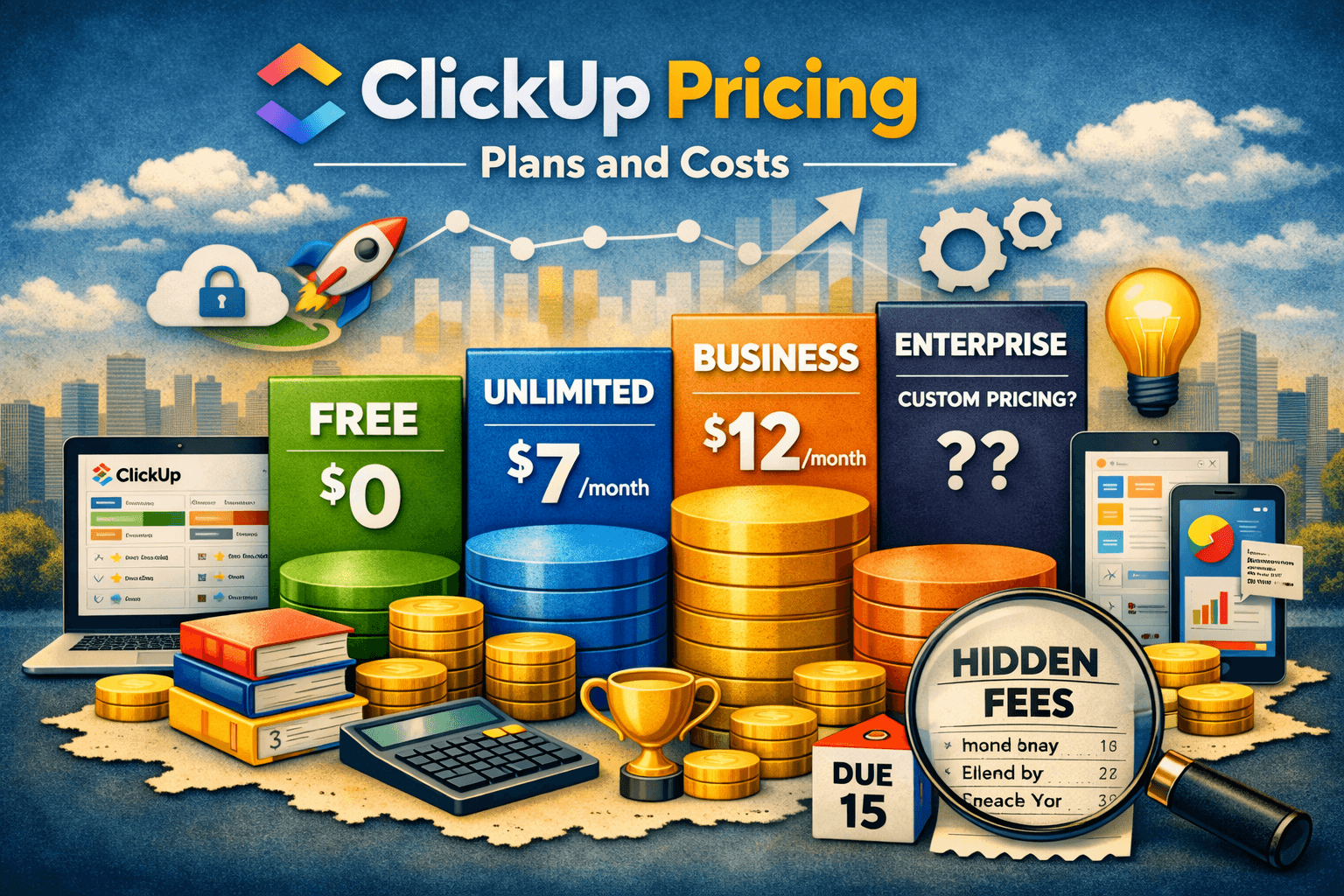
ClickUp Pricing Plans Overview
ClickUp generally offers multiple pricing tiers for different team sizes and operational needs.
| Plan | Best For | Starting Cost | Main Features |
|---|---|---|---|
| Free Forever | Individuals & small teams | Free | Basic productivity tools |
| Unlimited | Growing teams | Affordable per-user pricing | Unlimited storage & integrations |
| Business | Mid-sized organizations | Higher-tier pricing | Advanced automation & reporting |
| Enterprise | Large companies | Custom pricing | Enterprise security & governance |
| ClickUp AI Add-On | Teams using AI workflows | Additional cost | AI writing & productivity tools |
Pricing typically scales based on:
- User count
- Automation usage
- Storage requirements
- Advanced permissions
- Reporting features
- AI usage
ClickUp Free Forever Plan
The Free Forever plan is one of ClickUp’s biggest selling points.
Unlike many competitors with highly restrictive free plans, ClickUp provides surprisingly generous functionality.
Features Included
The free version often includes:
- Unlimited tasks
- Collaborative docs
- Kanban boards
- Sprint management
- Time tracking
- Whiteboards
- Basic dashboards
- Multiple project views
This makes it attractive for:
- Freelancers
- Students
- Startup founders
- Small remote teams
- Personal productivity users
Why So Many Startups Begin With ClickUp Free
Small businesses often want operational systems without immediately paying enterprise software costs.
For example, a startup content agency may use ClickUp Free for:
- Article assignments
- SEO workflows
- Client approvals
- Publishing schedules
- Team collaboration
Initially, this setup can operate efficiently without requiring paid upgrades.
This is one reason ClickUp rapidly gained popularity among startups and remote teams.
Where the Free Plan Becomes Limiting
As operations scale, businesses eventually encounter limitations.
Common restrictions include:
- Limited storage
- Reduced dashboards
- Restricted automation
- Advanced reporting limitations
- Permission restrictions
Growing teams often realize they need stronger workflow management once departments expand.
ClickUp Unlimited Pricing
The Unlimited plan is generally considered the best value for growing businesses.
It removes many frustrating restrictions from the Free plan while remaining relatively affordable.
Best For
- Small businesses
- Agencies
- Marketing teams
- Remote teams
- Growing startups
Features Included
- Unlimited storage
- Unlimited dashboards
- Guest access
- Integrations
- Gantt charts
- Agile reporting
- Advanced permissions
- Email integrations
Why Teams Upgrade to Unlimited
Imagine a digital marketing agency managing:
- SEO campaigns
- Social media projects
- Paid advertising
- Content calendars
- Client reporting
As workflows become more collaborative, storage and dashboard restrictions quickly become problematic.
The Unlimited plan improves visibility across projects and centralizes communication effectively.
ClickUp Business Pricing
The Business plan is designed for organizations managing more sophisticated workflows and operational structures.
This plan introduces more advanced administrative and automation capabilities.
Best For
- Mid-sized businesses
- SaaS companies
- Product teams
- Operations departments
- Large marketing organizations
Features Included
- Advanced automations
- Workload management
- Timeline planning
- Custom exporting
- Enterprise API support
- Enhanced dashboards
- Advanced time tracking
- Team workload balancing
Advanced Workflow Management Changes Productivity
As organizations grow, project complexity increases dramatically.
For example:
A SaaS company may use ClickUp to coordinate:
- Product development
- Engineering sprints
- Marketing launches
- Customer onboarding
- Technical support
- Internal documentation
Without centralized systems, departments often become disconnected.
ClickUp Business helps unify these operations into one collaborative environment.
This often improves:
- Team accountability
- Deadline tracking
- Project visibility
- Resource allocation
- Operational efficiency
ClickUp Enterprise Pricing
Enterprise pricing is customized for large organizations requiring advanced governance and security.
This plan focuses heavily on scalability and compliance.
Enterprise Features Included
Enterprise customers often receive:
- Dedicated success managers
- Advanced security controls
- Single sign-on (SSO)
- Custom permissions
- Enterprise APIs
- Compliance administration
- Audit logs
- Enterprise integrations
Industries commonly using Enterprise plans include:
- Healthcare
- Finance
- Technology
- Media companies
- Large remote organizations
ClickUp AI Pricing and Features
ClickUp has increasingly invested in AI-powered productivity tools.
AI functionality may include:
- AI writing assistance
- Task summarization
- Workflow suggestions
- Meeting notes
- Content generation
- Project summaries
However, AI features are typically priced separately as an add-on.
Is ClickUp AI Worth It?
For some teams, yes.
Imagine a content marketing department managing dozens of projects weekly.
AI-generated summaries and task automation can reduce repetitive administrative work significantly.
Similarly, managers overseeing large teams may benefit from AI-generated reporting and workflow insights.
However, smaller teams with basic task management needs may not require these additional costs.
Hidden ClickUp Costs Businesses Often Ignore
Many organizations only focus on subscription pricing initially.
However, operational costs may increase due to:
AI Add-Ons
Advanced AI features may require additional subscriptions.
User Expansion
Per-user pricing scales quickly for larger teams.
Automation Usage
Heavy workflow automation can increase platform dependency.
Integration Costs
Third-party tools connected with ClickUp may involve separate fees.
Examples include:
ClickUp vs Competitors
ClickUp vs Asana
Asana is one of ClickUp’s strongest competitors.
| Feature | ClickUp | Asana |
|---|---|---|
| Flexibility | Excellent | Strong |
| Customization | Very High | Moderate |
| Learning Curve | Higher | Easier |
| Automation | Advanced | Strong |
| Built-in Docs | Yes | Limited |
ClickUp is often preferred by teams wanting extensive customization.
ClickUp vs Monday.com
Monday.com focuses heavily on visual workflow management.
| Feature | ClickUp | Monday.com |
|---|---|---|
| Custom Workflows | Excellent | Strong |
| Ease of Use | Moderate | Easier |
| Dashboard Depth | Strong | Strong |
| Documentation | Built-in | Moderate |
| Pricing Flexibility | Competitive | Competitive |
Monday.com may feel more beginner-friendly, while ClickUp offers deeper operational flexibility.
ClickUp vs Notion
Notion is popular for documentation and knowledge management.
| Feature | ClickUp | Notion |
|---|---|---|
| Task Management | Excellent | Moderate |
| Docs | Strong | Excellent |
| Database Power | Strong | Strong |
| Workflow Automation | Advanced | Growing |
| Team Operations | Excellent | Moderate |
Teams focused heavily on operational workflows often prefer ClickUp.
A Practical Workflow Example
A remote SEO agency may organize its entire operation inside ClickUp.
The company could manage:
- Keyword research
- Client onboarding
- Link-building campaigns
- Content production
- Technical audits
- Team assignments
- Monthly reporting
Each department can track progress through customized dashboards and automation.
Instead of relying on disconnected spreadsheets and chats, ClickUp centralizes operations into one platform.
This reduces:
- Communication delays
- Missed deadlines
- Duplicate tasks
- Workflow confusion
Over time, the productivity gains often justify the subscription cost.
Why Remote Teams Like ClickUp
Remote businesses need centralized visibility.
ClickUp helps distributed teams coordinate across multiple time zones using:
- Shared dashboards
- Task assignments
- Status tracking
- Notifications
- Collaborative docs
- Time tracking
Many remote-first companies treat ClickUp as their operational headquarters.
ClickUp Automation Features
Automation is one of ClickUp’s biggest strengths.
Businesses can automate:
- Task assignments
- Due date updates
- Notifications
- Workflow transitions
- Recurring processes
- Status changes
For example:
When a blog article status changes to “Ready for Review,” ClickUp can automatically notify editors and assign approval tasks.
This minimizes repetitive manual coordination.
Is ClickUp Worth the Price?
For many businesses, absolutely.
ClickUp delivers strong value through:
- Workflow centralization
- Project visibility
- Automation
- Collaboration
- Reporting
- Documentation
- AI productivity tools
However, not every organization requires advanced functionality.
Smaller teams with very simple task management needs may prefer lighter tools.
Common Mistakes Businesses Make
Overcomplicating Workspaces
Too many custom workflows can create confusion.
Ignoring Team Training
ClickUp’s flexibility creates a learning curve.
Building Excessive Automations
Complex automations can become difficult to maintain.
Choosing the Wrong Plan
Some teams overpay for features they rarely use.
Best ClickUp Plan by User Type
| User Type | Recommended Plan |
|---|---|
| Freelancers | Free Forever |
| Small startups | Unlimited |
| Marketing agencies | Unlimited or Business |
| SaaS companies | Business |
| Enterprise organizations | Enterprise |
| Remote teams | Unlimited or Business |
Security and Compliance
ClickUp includes several security features depending on plan level.
These may include:
- Data encryption
- User permissions
- SSO authentication
- Audit logs
- Enterprise governance
- Administrative controls
For organizations managing sensitive operational data, these features become increasingly important.
Final Thoughts
ClickUp has evolved into one of the most comprehensive productivity platforms available today.
It combines:
- Project management
- Documentation
- Automation
- Collaboration
- Reporting
- AI productivity
- Workflow customization
into one centralized workspace.
Its pricing structure may initially appear complex because costs scale with team growth, AI usage, and advanced functionality.
However, many businesses justify the expense through:
- Improved operational visibility
- Faster collaboration
- Reduced workflow chaos
- Strong automation capabilities
- Better project accountability
For freelancers and startups, the Free Forever plan offers excellent value.
Growing businesses often find the Unlimited plan provides the best balance between affordability and functionality.
Meanwhile, larger organizations benefit most from Business and Enterprise features focused on scalability, governance, and advanced workflow management.
Ultimately, the best ClickUp pricing plan depends on how deeply your organization depends on collaboration, operational structure, automation, and productivity optimization.
Frequently Asked Questions
Is ClickUp free to use?
Yes, ClickUp offers a Free Forever plan with unlimited tasks and basic productivity features suitable for individuals and small teams.
Which ClickUp plan is best for small businesses?
The Unlimited plan is often the best choice for small businesses because it removes many restrictions while remaining affordable.
Does ClickUp charge per user?
Yes, ClickUp pricing is generally based on per-user monthly billing for paid plans.
Is ClickUp better than Asana?
It depends on your needs. ClickUp offers deeper customization and built-in docs, while Asana is often easier for beginners.
Does ClickUp include time tracking?
Yes, ClickUp includes native time tracking functionality in several plans.
Is ClickUp suitable for remote teams?
Yes, ClickUp is widely used by remote organizations because of its collaborative dashboards, workflow visibility, and task management features.
What are ClickUp automations?
ClickUp automations allow users to automate repetitive actions like notifications, status updates, assignments, and recurring workflows.
Does ClickUp offer AI features?
Yes, ClickUp offers AI-powered productivity tools such as writing assistance, summaries, and workflow recommendations.
Can ClickUp replace multiple productivity tools?
In many cases, yes. Businesses often use ClickUp to replace separate task management, documentation, reporting, and workflow tools.
What are ClickUp’s biggest limitations?
Common limitations include learning curve complexity, workspace over-customization, and increasing costs as teams scale.



