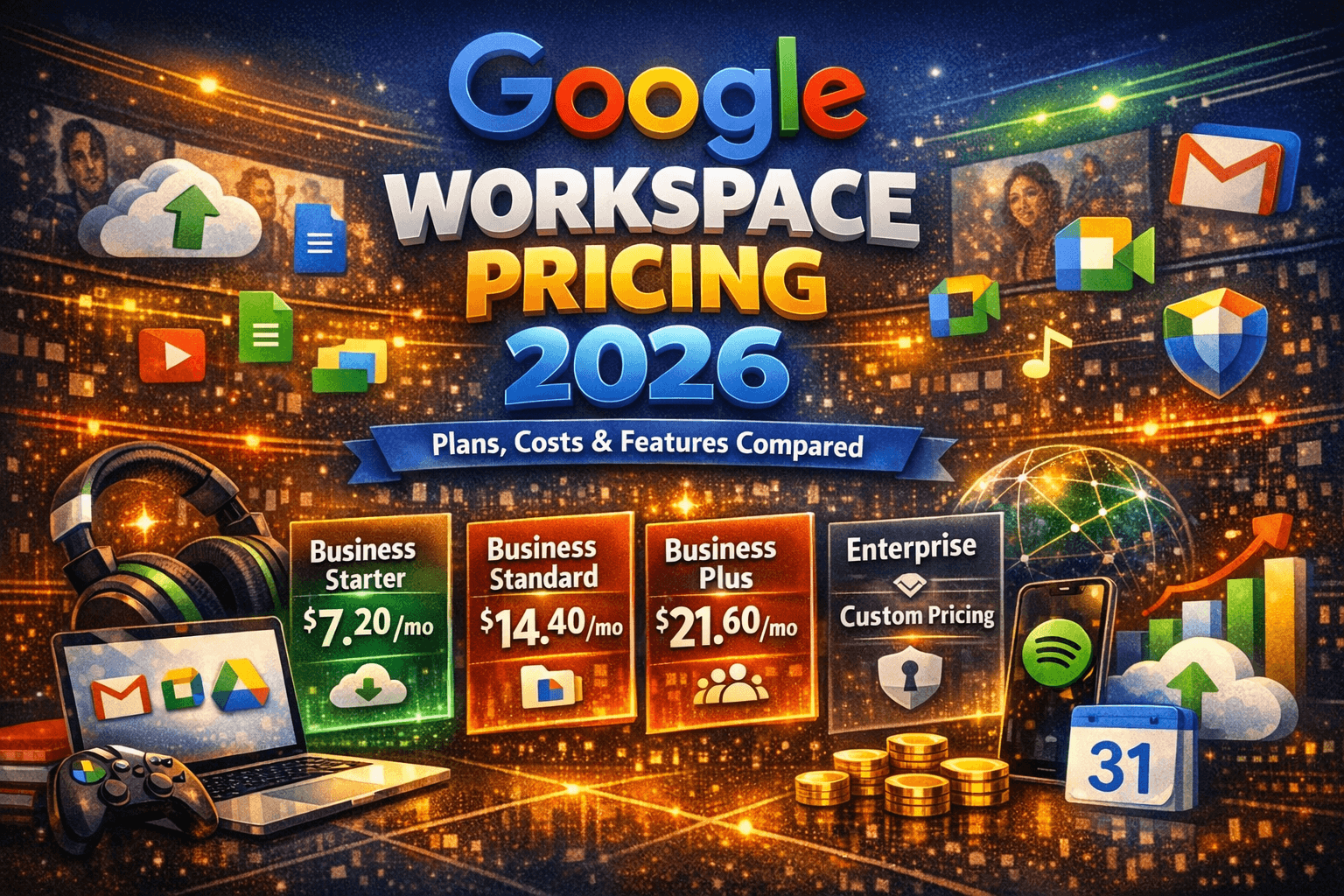
Google Workspace Pricing 2026 – Plans, Costs & Features Compared
Google Workspace pricing in 2026 starts at $7 per user per month (annual) for Business Starter, $14 for Business Standard, $22 for Business Plus, and custom pricing for Enterprise.
All plans include Gemini AI, custom business email, Google Meet, Drive, Docs, Sheets, and Slides. Annual billing saves approximately 16% compared to monthly rates.
Google Workspace Pricing 2026: Plans, Costs & Features Compared
If you have been searching for a definitive, up-to-date breakdown of Google Workspace pricing, you are in the right place. Whether you are a solo entrepreneur setting up a professional business email for the first time, a startup founder evaluating tools for a growing team, or an IT manager comparing collaboration platforms for a mid-sized company, understanding exactly what you will pay — and what you will actually get — is essential before you commit a single dollar.
Google Workspace pricing in 2026 sits at $7 per user per month for the entry-level Business Starter plan on an annual commitment, scaling up to $22 per user per month for Business Plus. Enterprise plans carry custom pricing negotiated directly through Google Sales. At first glance, those numbers seem straightforward. But there is a lot more beneath the surface — from storage pooling mechanics to the Gemini AI inclusion that drove a 17–22% price hike in 2025, to hidden per-user licensing costs that can surprise teams who do not plan carefully.
Read More: What is instalooker?
This guide covers everything: what each plan includes, how annual versus monthly pricing stacks up, a full comparison table, a real-world walkthrough of what a 15-person business actually pays, a Google Workspace vs. Microsoft 365 comparison, and a comprehensive FAQ section. By the end, you will have the clarity to choose the plan that fits your business — and the budget intelligence to avoid overpaying.
What Is Google Workspace and Why Does It Matter in 2026?
Google Workspace is Google’s premium productivity and collaboration suite for businesses, nonprofits, and educational institutions. It is the paid, business-grade evolution of what began as Google Apps back in 2006, rebranded to G Suite in 2016, and then renamed Google Workspace in 2020 to better reflect its role as a unified digital workplace.
In 2026, Google Workspace goes well beyond email. A single subscription covers Gmail with a custom domain ([email protected]), Google Drive for cloud storage, Google Meet for video conferencing, Google Calendar, Google Chat, and the full suite of productivity apps — Docs, Sheets, Slides, Forms, Sites, and more. Critically, all Business and Enterprise plans now include Gemini AI, Google’s large language model, baked directly into the apps. This means AI-assisted email drafting in Gmail, smart document generation in Docs, meeting summaries in Meet, and conversational AI through the Gemini app — all included in the base subscription price.
The addition of Google Workspace Studio in 2026 further extends the platform by allowing teams to build no-code AI agents that automate repetitive workflows without writing a single line of code. For businesses that want to leverage AI without paying separately for AI tools, this bundling represents a significant shift in value.
Read More: What is zoechip alternative
Google Workspace Pricing 2026: Plan-by-Plan Breakdown
Google Workspace uses a per-user, per-month pricing model. Every person who needs access to the platform counts as one licensed user, and your monthly bill is simply the number of users multiplied by the per-user rate. Annual plans lock in a lower price in exchange for a 12-month commitment, while flexible (month-to-month) billing gives you freedom at a roughly 16–17% premium.
Here is the current pricing structure directly from Google as of April 2026:
- Business Starter: $7.00/user/month (annual) or $8.40/user/month (monthly flex)
- Business Standard: $14.00/user/month (annual) or $16.80/user/month (monthly flex)
- Business Plus: $22.00/user/month (annual) or $26.40/user/month (monthly flex)
- Enterprise: Custom pricing — contact Google Sales
Google Workspace Plan Comparison Table 2026
| Feature | Business Starter | Business Standard | Business Plus | Enterprise |
| Price (Annual) | $7/user/mo | $14/user/mo | $22/user/mo | Custom (Contact Sales) |
| Price (Monthly) | $8.40/user/mo | $16.80/user/mo | $26.40/user/mo | Custom |
| Pooled Storage | 30 GB/user | 2 TB/user | 5 TB/user | 5 TB+ (upgradable) |
| Meet Participants | 100 | 150 | 500 | 1,000 |
| Meeting Recording | No | Yes | Yes | Yes |
| Gemini AI | Basic | Full Access | Full Access | Full + Advanced |
| eSignature | No | Yes | Yes | Yes |
| Noise Cancellation | No | Yes | Yes | Yes |
| Vault (eDiscovery) | No | No | Yes | Yes |
| DLP Controls | No | No | No | Yes |
| S/MIME Email Encrypt | No | No | No | Yes |
| Max Users | 300 | 300 | 300 | Unlimited |
| Support Level | Standard | Standard | Enhanced | Enhanced/Premium |
| Best For | Startups & Solopreneurs | Small–Mid Teams | Security-Focused Orgs | Large Enterprises |
Note: Business Starter, Standard, and Plus plans support a maximum of 300 users. Enterprise carries no user cap and is designed for organizations with 300+ employees or complex compliance requirements. All plans come with a 14-day free trial.
Deep Dive: What You Actually Get with Each Plan
Business Starter — $7/User/Month (Annual)
Business Starter is the entry point, and it is genuinely useful for very small teams, freelancers, and solo operators who primarily need a professional email address and basic cloud tools. At $7 per user per month on an annual plan, you get a secure custom business email ([email protected]), access to the full Google Workspace app suite, Gemini AI assistant in Gmail, 100-participant video meetings via Google Meet, and 30 GB of pooled storage per user shared across the organization.
The 30 GB per user can feel limiting for growing teams. If your organization has 10 users, you collectively share a 300 GB storage pool across Gmail, Drive, and Photos. For teams that deal in large media files or extensive email archives, this fills up faster than expected. Starter also lacks meeting recording, noise cancellation, and advanced security features — which pushes most actively collaborating teams to look at Standard instead.
Read More: ss youtube video downloader
That said, for a one- to three-person team launching a new business and wanting to look professional, Starter delivers exceptional value. The $7 price point for a custom domain email with Google’s reliability, spam filtering, and mobile app support is hard to beat.
Business Standard — $14/User/Month (Annual)
Business Standard is widely considered the sweet spot for most small to medium-sized businesses, and it is the plan that the majority of Google Workspace customers ultimately land on. At $14 per user per month annually, you unlock a dramatically expanded set of capabilities that make day-to-day operations significantly smoother.
The most impactful upgrades over Starter include 2 TB of pooled storage per user (versus 30 GB), 150-participant video meetings with full recording functionality, noise cancellation during calls, and access to the full Gemini AI feature set across all apps — not just Gmail. Electronic signature support through eSignature is also included, which is a notable addition for teams that regularly handle contracts or approvals. Google Vids, the AI-powered video creation and editing tool, comes with Standard as well.
For a 10-person team running on Standard, the annual cost works out to $1,680 per year. That covers professional email, 20 TB of shared cloud storage, AI writing assistance, video meetings with recordings, and a full document collaboration suite. When you break down what those components would cost individually from separate vendors, the math strongly favors Workspace.
Business Plus — $22/User/Month (Annual)
Business Plus steps into territory designed for organizations that take compliance and security seriously. At $22 per user per month, it adds 500-participant video meetings (a significant jump), 5 TB of pooled storage per user, Google Vault for eDiscovery and data retention, advanced endpoint management, and attendance tracking in Meet. These features are not just nice-to-haves for regulated industries — they are often prerequisites for financial services, healthcare-adjacent businesses, and legal firms.
The Vault feature alone can justify the price for teams that need to retain, search, and export email and chat records for compliance or litigation purposes. Enhanced security controls give IT administrators much finer-grained control over data access, device management, and user permissions. If your business operates in a sector with data governance obligations, the jump from Standard to Plus is often straightforward to justify.
Enterprise — Custom Pricing
Enterprise plans are designed for organizations with 300 or more users, or businesses that need the most advanced security, compliance, and administrative controls available. Pricing is negotiated directly with Google Sales and varies based on contract terms, organization size, and specific feature requirements.
Enterprise unlocks features unavailable on any Business tier: Data Loss Prevention (DLP) across Gmail and Drive, S/MIME email encryption, context-aware access controls, enterprise data residency (choose which geographic region stores your data), and in-domain live streaming for up to 1,000-participant video meetings. Cloud Identity Premium is included, which provides enterprise-grade identity and access management beyond what standard Google accounts offer.
Read More: What is instanavigation?
For organizations already running on Enterprise, the fully integrated Gemini AI layer — including expanded model access and NotebookLM with advanced features — makes the platform considerably more capable than it was even 12 months ago.
Annual vs. Monthly Billing: The Math That Matters
One of the most frequent questions from businesses evaluating Google Workspace is whether to commit to annual billing or stay on flexible monthly terms. The answer comes down to one straightforward calculation: annual billing saves you approximately 16–17% compared to paying month by month. For a 15-person team on Business Standard, that difference is $50.40 per month, or $604.80 per year — real money for a small business.
Here is how the numbers play out across common team sizes for Business Standard ($14 annual vs. $16.80 monthly):
- 5 users: $840/year annual vs. $1,008/year monthly — savings of $168
- 15 users: $2,520/year annual vs. $3,024/year monthly — savings of $504
- 30 users: $5,040/year annual vs. $6,048/year monthly — savings of $1,008
- 50 users: $8,400/year annual vs. $10,080/year monthly — savings of $1,680
The practical recommendation: use monthly billing for the first one to three months while you confirm that Google Workspace is the right fit for your team and workflows. Once you have validated the platform, switch to annual billing to capture those savings. Google does allow plan changes and user additions during an annual commitment, so the flexibility you lose is minimal relative to the cost savings you gain.
How Much Does Google Workspace Really Cost? A 15-Person Business Walkthrough
Numbers in a pricing table are one thing. Understanding what a real business actually pays — including the costs that do not show up on the plan comparison page — is another.
Consider a marketing agency with 12 full-time employees, two contractors who need occasional file access, and three shared addresses (hello@, invoices@, careers@). On paper, they might budget for 12 users on Business Standard. But the real user count is different:
- 12 full-time staff: 12 licenses
- 2 contractors needing Drive and Meet access: 2 licenses (no partial licenses available)
- 3 shared email addresses (hello@, invoices@, careers@): 3 licenses
That is 17 licenses, not 12. At Business Standard on an annual plan, that is $2,856 per year rather than the $2,016 they initially estimated. The $840 gap — a 42% budget surprise — is one of the most common planning mistakes growing businesses make with Google Workspace. Every email address that receives mail needs its own paid license unless you use forwarding (which has limitations).
Additional costs to factor in depending on your setup include Google Voice for business phone service (starting at $10/user/month), Workspace Add-ons from the Google Marketplace (many are free, some are not), and potential migration costs if you are moving from another platform. Professional setup and data migration from Microsoft 365 or another provider typically runs anywhere from a few hundred to several thousand dollars depending on complexity.
Read More: Instagram story viewer iganony
The honest total-cost picture for that 17-user marketing agency, including one year of Business Standard, a one-time migration from their old platform, and the Google Voice add-on for three users who handle client calls: approximately $3,900–$4,200 for year one, dropping to around $2,900–$3,100 annually from year two onward.
Gemini AI Is Now Standard — But What Does That Actually Mean?
The single biggest change to Google Workspace pricing in 2025 — and the one that continues to define the 2026 value equation — is the bundling of Gemini AI into all Business and Enterprise plans. Google increased prices by 17–22% across the board specifically to reflect this inclusion, eliminating the separate Gemini Business and Gemini Enterprise add-ons that previously cost $20–$30 per user per month on top of the base plan price.
For teams that actively use AI, this is an exceptional deal. Getting Gemini AI for what amounts to a $1–4 per user per month price increment over previous rates — when the standalone add-on cost $20–$30 — is straightforward value. For teams that have no interest in AI features, the mandatory bundling means they are paying for something they did not ask for.
In practice, Gemini AI in Google Workspace covers: Help Me Write in Gmail and Docs (AI-powered drafting, rewriting, and summarizing), meeting summaries and action items in Google Meet, smart replies and message summaries in Chat, data analysis assistance in Sheets, and access to the Gemini conversational AI app with expanded model features on Standard and above. The 2026 addition of Google Workspace Studio allows teams to build no-code AI agents — essentially custom automations powered by AI — that can handle repetitive tasks like triaging emails, generating reports from Drive files, or routing requests through Chat.
Google Workspace vs. Microsoft 365 Pricing 2026
Any serious Google Workspace pricing discussion needs to address the obvious alternative: Microsoft 365. Both platforms serve the same fundamental need — professional email, cloud storage, document collaboration, and video meetings — but they approach it differently, and their 2026 pricing structures reflect that.
| Category | Google Workspace | Microsoft 365 (with Copilot) |
| Starter/Basic (Annual) | $7/user/mo | $6/user/mo |
| Standard (Annual) | $14/user/mo | $12.50/user/mo |
| AI Included? | Yes (Gemini – all plans) | Only with Copilot add-on (+$30/user/mo) |
| Storage | 30 GB – 5 TB (pooled) | 1 TB/user (OneDrive) |
| Desktop Apps | Web-based only | Full desktop apps included |
| Video Meetings | Up to 1,000 (Enterprise) | Up to 1,000 (Teams) |
| Best Strength | Collaboration & AI value | Desktop Office & enterprise tools |
The AI pricing difference is where Google Workspace pulls significantly ahead in 2026. Microsoft Copilot, its AI assistant, requires a separate add-on that costs approximately $30 per user per month on top of the base Microsoft 365 plan price. On Business Standard, that means $12.50 + $30 = $42.50 per user per month with AI, compared to Google Workspace Business Standard at $14 per user per month with AI fully included. For a 15-person team that wants AI capabilities, Google Workspace is roughly $4,260 per year cheaper.
Read More: FiveM Review 2025: The GTA V Multiplayer Mod That Changes Everything
Where Microsoft 365 wins: full desktop versions of Word, Excel, and PowerPoint are included in Business Standard and above, whereas Google Workspace is entirely web-based. If your team is deeply reliant on advanced Excel functionality, complex PowerPoint animations, or works frequently in environments without reliable internet, Microsoft’s offline-first approach has real advantages. Many organizations in industries like finance and manufacturing have years of Excel-based workflows and templates that would be painful to migrate.
The practical guidance: if you are starting fresh, work primarily in a browser, and want AI included in your tools without a massive per-user surcharge, Google Workspace is the stronger 2026 value. If you need desktop apps or are already embedded in the Microsoft ecosystem, the migration cost and workflow disruption may outweigh the AI savings.
Special Pricing: Nonprofits, Education, and Discounts
Google Workspace has pricing options that go well beyond the standard business tiers, and qualifying organizations can access dramatically reduced or even free plans.
Nonprofits with qualifying 501(c)(3) status (or local equivalent) have access to a free Google Workspace for Nonprofits plan that includes 150-participant video meetings, 100 TB of shared cloud storage, professional email, and standard security controls. Discounted paid tiers are also available: Business Standard for nonprofits starts at approximately $3.50 per user per month, Business Plus around $6.16, and Enterprise at more than 70% off standard rates. For a nonprofit with 20 staff members who would otherwise pay $2,800 per year on Business Standard, the nonprofit rate represents savings of nearly $1,960 annually.
Educational institutions have access to Google Workspace for Education, which includes a free Fundamentals tier for accredited schools, with paid Education Standard and Education Plus tiers for institutions that need enhanced features. Individual students cannot purchase education licenses directly; these are institution-level plans.
Resellers are another option worth investigating for businesses buying through standard channels. Authorized Google Workspace resellers can offer pricing that is 20–40% below Google’s listed rates, especially on annual plans and Enterprise tiers. The trade-off is that you receive billing and first-level support through the reseller rather than directly through Google, which can be either an advantage (personalized service) or a disadvantage (an extra layer between you and Google’s technical support) depending on the reseller’s quality.
Read More: What is Pixwox instagram?
How to Choose the Right Google Workspace Plan
With four business tiers and meaningful differences between them, choosing the right plan requires being honest about two things: what your team actually needs today, and what you are likely to need within the next 12–18 months.
Choose Business Starter if:
- You have 1–5 users and primarily need professional email and basic collaboration
- You are a solo operator, freelancer, or very early-stage startup
- 30 GB of pooled storage per user is sufficient for your current volume
- You do not need meeting recordings or large video calls
- Budget is the primary constraint and you can upgrade later
Choose Business Standard if:
- You have 5–100+ users who actively collaborate on documents and in meetings
- You need meeting recordings stored in Google Drive for reference or compliance
- The 2 TB pooled storage per user will comfortably accommodate your data needs
- You want the full Gemini AI suite across all apps, not just Gmail
- You handle contracts or approvals and can benefit from electronic signatures
Choose Business Plus if:
- You operate in a regulated industry with data retention or eDiscovery requirements
- You need Google Vault for email and chat archiving and export
- Your meetings regularly exceed 150 participants
- Advanced security controls and endpoint management are IT priorities
Choose Enterprise if:
- Your organization has more than 300 users or expects to cross that threshold
- You require Data Loss Prevention, S/MIME encryption, or data residency controls
- Your compliance obligations demand enterprise-grade security certifications
- You need in-domain live streaming for large internal events or all-hands meetings
One often-overlooked strategy: you are not required to put every user on the same plan. Google Workspace allows you to mix plans within the same organization. An executive team handling sensitive contracts can be on Business Plus for Vault and compliance features, while the rest of the team stays on Business Standard. This targeted approach can meaningfully reduce total licensing costs without forcing everyone into a higher tier they do not need.
Hidden Costs and Common Budget Surprises
Beyond the per-user license fee, there are several costs that regularly catch businesses off guard when they do their first full Google Workspace budget reconciliation.
- Shared/functional mailboxes: Every email address that receives mail — info@, support@, noreply@, billing@ — requires its own paid license unless you configure email routing, which has functional limitations.
- Contractor and part-time access: Google Workspace does not offer partial or read-only licenses. A contractor who needs to join a Meet call or access a shared Drive folder needs a full license.
- Google Voice add-on: Business phone functionality through Google Voice starts at $10 per user per month and is not included in any Workspace plan.
- Storage overages: If your pooled storage exceeds plan limits, you will need to either upgrade your plan tier or purchase additional storage.
- Migration and onboarding: Moving data from another platform, setting up DNS records, and training staff is often more time-intensive than anticipated, particularly for organizations moving from Microsoft Exchange or a legacy email host.
- Third-party app subscriptions: Many popular Workspace add-ons (project management tools, CRM integrations, e-signature platforms beyond eSignature) carry their own costs and are not included in the Workspace subscription.
Read More: What is Picnob?
Frequently Asked Questions: Google Workspace Pricing 2026
How much does Google Workspace cost per month in 2026?
Google Workspace costs between $7 and $22 per user per month on annual plans, or between $8.40 and $26.40 per user per month on flexible monthly billing. Business Starter starts at $7/user/month, Business Standard is $14, and Business Plus is $22. Enterprise plans require custom pricing through Google Sales. These prices reflect the 2025 pricing update that bundled Gemini AI into all tiers.
Is Google Workspace pricing per user?
Yes. Google Workspace uses a per-user, per-month pricing model. Every person who needs access to the platform — whether they are a full-time employee, part-time contractor, or shared mailbox — counts as a licensed user. Your monthly invoice is calculated by multiplying the number of active users by the per-user monthly rate for your plan tier.
Does Google Workspace include Gemini AI in 2026?
Yes. As of 2025, Gemini AI is included in all Google Workspace Business and Enterprise plans at no additional charge. This includes the Gemini AI assistant in Gmail, Docs, Sheets, Meet, and other apps, as well as access to the Gemini conversational AI app. Higher tiers (Business Standard and above) include expanded AI features compared to Business Starter. The standalone Gemini add-ons that previously cost $20–$30/user/month have been discontinued for new purchases.
What is the difference between Google Workspace Business Standard and Business Plus?
Business Standard ($14/user/month annual) includes 2 TB pooled storage, 150-participant meetings with recording, full Gemini AI, and electronic signatures. Business Plus ($22/user/month annual) upgrades to 5 TB pooled storage, 500-participant meetings, Google Vault for eDiscovery and email retention, and enhanced endpoint management for security and compliance. The Plus tier is designed for organizations that have data governance, compliance, or security requirements that go beyond what Standard offers.
Read More: Temu App Review 2026 – Inside the Most Trending Shopping App: Worth the Hype?
Can I mix Google Workspace plans within the same organization?
Yes. Google Workspace explicitly supports assigning different plan tiers to different users within the same organization. This means you can put team members who need Vault and compliance features on Business Plus while keeping the broader team on Business Standard. This tiered approach is one of the most effective ways to control total licensing costs while ensuring high-need users have the features they require.
Is there a free version of Google Workspace?
There is no free Google Workspace plan for businesses. Google does offer free plans for qualifying nonprofits (Google Workspace for Nonprofits) and educational institutions (Google Workspace for Education Fundamentals). Individual users who want free Google tools can use the personal versions of Gmail, Drive, and Docs — but these do not include custom domain email, business-grade security controls, or the paid Workspace feature set. All paid business plans come with a 14-day free trial.
How does Google Workspace pricing compare to Microsoft 365 in 2026?
At the base level, Microsoft 365 Business Basic ($6/user/month) is slightly cheaper than Google Workspace Business Starter ($7/user/month). However, Microsoft charges approximately $30/user/month for Copilot AI as a separate add-on, while Google includes Gemini AI in all Workspace plans. For teams that want AI capabilities, Google Workspace is significantly more cost-effective. Microsoft 365 Business Standard includes full desktop Office apps — Word, Excel, PowerPoint — which Google Workspace does not, making Microsoft the better choice for organizations that rely heavily on offline or advanced desktop functionality.
Does Google Workspace offer discounts for nonprofits or small businesses?
Google offers substantial discounts for qualifying nonprofits, who can access a free base plan and heavily discounted paid tiers (Business Standard from approximately $3.50/user/month). Educational institutions can access free or discounted plans through Google Workspace for Education. Small businesses do not receive automatic discounts, but purchasing through authorized resellers can yield savings of 20–40% below Google’s listed prices on annual plans. Google also occasionally runs promotional pricing for new customers.
Read More: What is Picnob?
What happens when I exceed my Google Workspace storage limit?
Google Workspace uses a pooled storage model — all users in your organization share a combined storage pool. If your total storage usage approaches or exceeds the pooled limit for your plan, you will need to either purchase additional storage, upgrade to a higher plan tier, or free up space by archiving or deleting data. Google will notify administrators as storage limits approach. Exceeding limits without upgrading can eventually result in restrictions on new file uploads and email receipt.
Is annual billing worth it for Google Workspace?
For most businesses with stable team sizes, annual billing is worth it. The 16–17% discount over monthly billing represents meaningful savings at any scale — a 15-person team on Business Standard saves over $500 per year by committing annually. The main case for monthly billing is when your team size is highly variable, you are still evaluating the platform, or you are in an early stage where cash flow management makes fixed annual commitments difficult. Google’s guidance — and a widely shared practical recommendation — is to start on monthly billing during your trial period and switch to annual once you have confirmed the platform works for your team.
Read More: QuillBot Review (2026) – Features, Pros & Cons & Pricing
Final Verdict: Is Google Workspace Worth the Cost in 2026?
For the vast majority of businesses that operate in a browser-first, collaboration-focused environment, Google Workspace delivers compelling value in 2026. The per-user pricing model is transparent, the platform’s reliability is exceptional, and the inclusion of Gemini AI at no additional charge makes the value equation particularly favorable compared to Microsoft 365, where AI remains a costly add-on.
The sweet spot for most growing businesses is Business Standard at $14/user/month on an annual plan. The combination of 2 TB pooled storage, meeting recordings, full Gemini AI across all apps, electronic signatures, and noise cancellation covers the needs of the vast majority of teams without requiring the compliance-focused extras of Business Plus.
The key to getting the most out of Google Workspace pricing is planning carefully: count your actual licenses (including shared mailboxes and contractors), decide early whether annual billing makes sense for your cash flow, consider whether any of your team members qualify for a lower plan tier, and investigate reseller pricing if you are purchasing 10 or more seats. Do those things, and Google Workspace 2026 is not just a productivity tool — it is one of the smarter infrastructure investments a growing business can make.
Read More: Homeworkify Review 2026: Is This AI Homework Helper Worth It?