

How I Read a Backlink Report Without Getting Fooled by the Total
A backlink report shows 120,000 links. The same domain has 214 referring domains, and one footer link accounts for most of the total. The big number disappears as soon as the profile is grouped by source.
That happens often.
Backlink counts are easy to compare and easy to misread. A million repeated links from one website do not equal a million independent endorsements. I care more about who links, why the link exists, which page receives it, and whether the placement still works.
A backlink checker gives me the evidence. The useful part begins after the results load.
The six fields I read first
Total backlinks
Total backlinks count the individual inbound links found by the provider’s index. If a blogroll, navigation menu, or footer links from every page of a large site, the total can jump into the thousands without adding much diversity.
I use this number to understand scale. I do not use it as a quality score.
Referring domains
A referring domain is a unique website that links to the target. The ratio between backlinks and referring domains can reveal repetition. Ten thousand links from ten domains describe a very different profile from ten thousand links spread across two thousand domains.
Diversity still needs context. Two hundred relevant publishers can be useful. Two hundred nearly identical sites on the same network may be one source wearing different domain names.
Source URL
The source URL is the exact page carrying the backlink. I open it. Domain-level authority cannot tell me whether the link sits in a researched article, an abandoned profile, a scraped page, a comment, or a hidden template block.
The page should explain the link. A cybersecurity guide linking to a password manager has an obvious editorial reason. A recipe page linking to an online casino needs a much better explanation.
Target URL
The target URL is the page receiving the link. I check whether it is live, redirected, canonicalized elsewhere, or returning an error. A canonical tag tells search engines which version of a duplicate or near-duplicate page should be treated as primary.
For migrations and expired domains, target URLs are critical. Valuable links often point to deep pages rather than the home page, and a careless rebuild can strand them.
Anchor text
Anchor text is the clickable wording of a link. It helps describe why one page points to another. Branded names, naked URLs, article titles, and descriptive phrases are common in natural profiles.
A heavy block of identical commercial anchors can show an aggressive link campaign. I compare the distribution with real competitors in the same SERP because acceptable patterns vary by niche.
Link attribute and last seen
Followed links can pass ranking credit. Nofollow, sponsored, and UGC attributes give search engines extra context about the relationship. UGC means user-generated content, such as a forum post or comment.
I do not discard every nofollow link. A relevant mention can send referral traffic, support brand discovery, and make the overall profile look like something users could have created.
The last-seen field tells me when the index most recently confirmed the link. It is an observation date, not a guarantee that the page is live at this second, so important links still get a manual click.
Backlink indexes will disagree
Ahrefs, Moz, Semrush, and other providers crawl different parts of the web on different schedules. They can report different totals for the same domain without either report being fraudulent.
I avoid mixing counts from separate indexes in one trend line. If I measure growth or loss over time, I keep the provider and target mode consistent. A domain report, subdomain report, and exact-URL report are different views.
For decisions, the exact count matters less than the pattern: concentration, relevance, anchor mix, target-page distribution, and the quality of the strongest referring pages.
My backlink review workflow
1. Define the question before opening the report
An audit of my own site, competitor prospecting, and an expired-domain purchase need different answers.
- For my site, I look for link growth, lost links, broken targets, suspicious clusters, and pages attracting useful mentions.
- For a competitor, I look for repeatable sources and content formats that earn links.
- For an expired domain, I look for links that still exist, fit the historical topic, and point to pages I can sensibly rebuild.
2. Start with summary counts
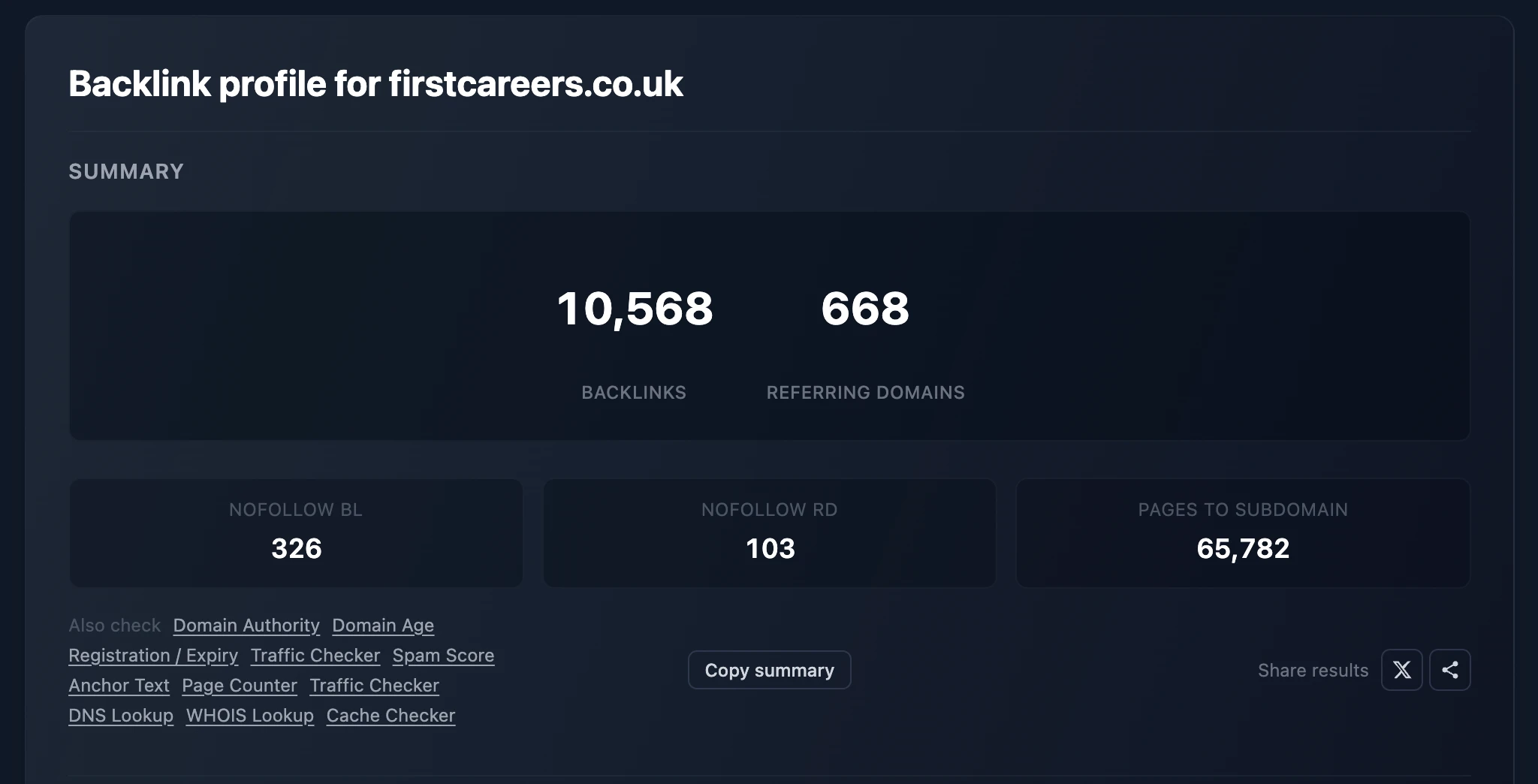
I run the domain through the free backlink checker and read total backlinks, referring domains, and nofollow counts together. Then I open the source table instead of spending time trying to assign a universal meaning to the ratio.
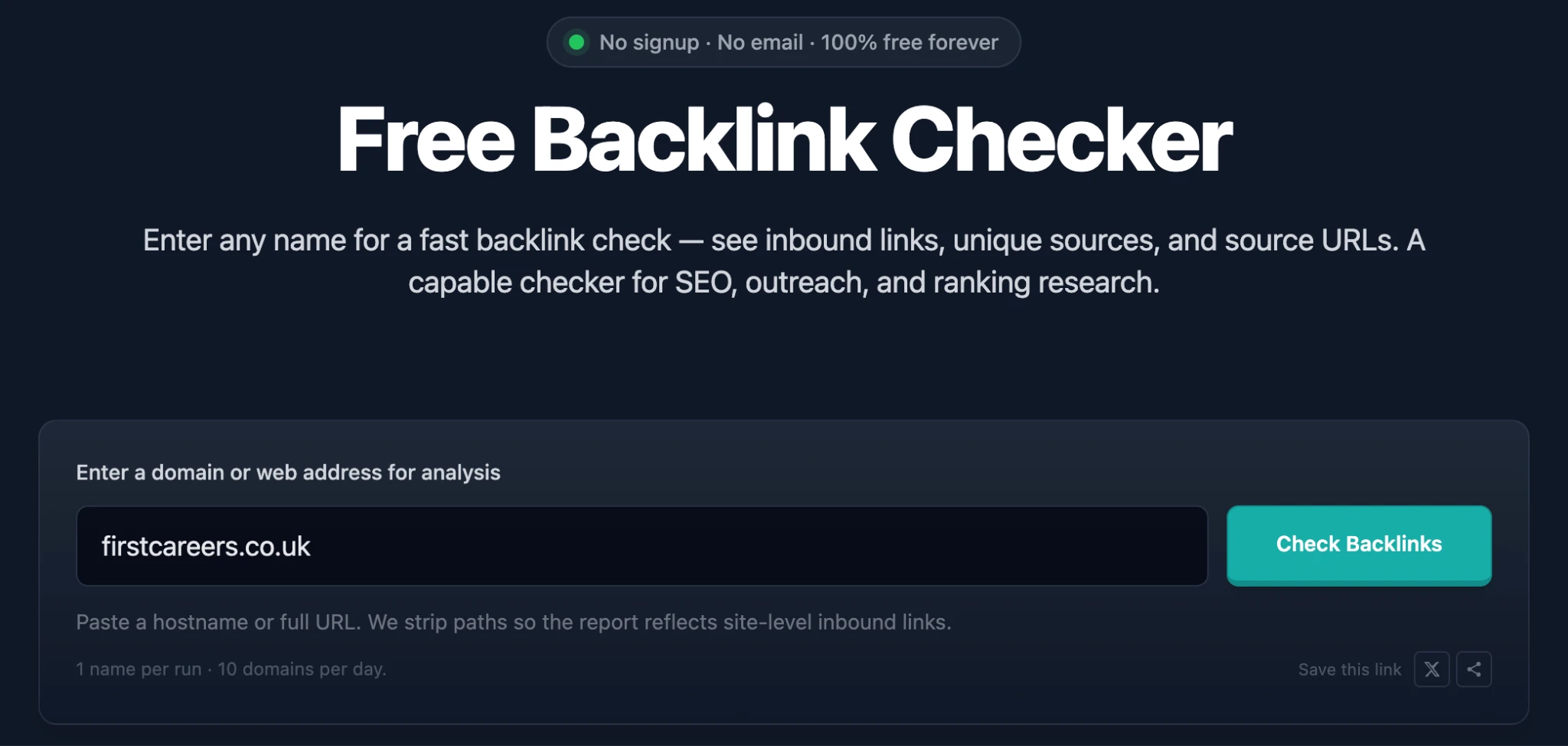
For larger prospect lists, the Karma.Domains Expired Domains API and MCP can return the same backlink data inside an internal dashboard or an AI-assisted review queue.
A high backlinks-to-domains ratio is a prompt to look for sitewide links. A low ratio may mean mostly editorial one-off mentions. Both are hypotheses until the source rows confirm them.
3. Group links by referring domain
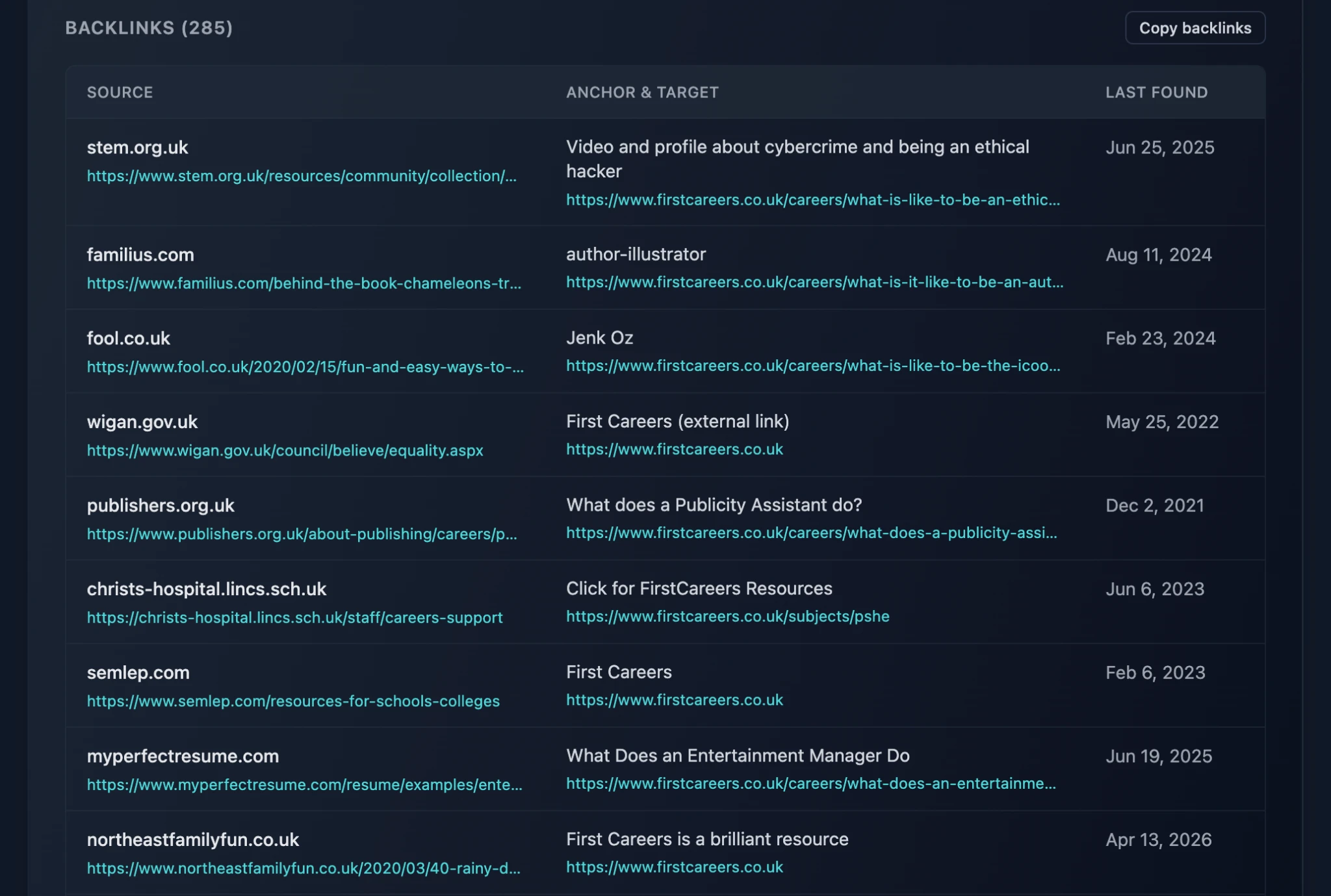
I reduce repeated links to one working row per domain for the first pass. This stops a large template link from pushing more informative sources out of view.
For each referring domain, I keep the best or most representative source page. “Best” may mean strongest, most relevant, most recent, or most likely to drive traffic, depending on the task.
4. Sample the strongest and strangest links
I do not need to open every backlink to understand the first shape of a profile. I sample high-authority sources, highly relevant pages, repeated domains, commercial anchors, foreign-language pages, and anything that looks unrelated.
The strange links often explain the metrics. A spike can come from syndicated press releases, scraper sites, image hotlinks, hacked pages, or one global footer.
5. Check the destination map
I sort target URLs by referring domains. This shows which pages earned independent links rather than repeated template links.
For content planning, those pages reveal linkable assets: original research, tools, statistics, templates, definitions, or strong opinion pieces. For a migration, the same list becomes a redirect priority list.
A 301 redirect permanently sends users and crawlers from an old URL to a new one. The destination should preserve the old page’s intent. Redirecting every expired page to the home page can waste relevance and create a poor user path.
6. Read anchors as groups
I classify anchors into branded, URL, topical, generic, image, and commercial exact-match groups. The categories make a long list readable without pretending that one fixed percentage works for every market.
Then I connect anchor groups to source types. Commercial anchors from respected reviews may be legitimate. The same anchors repeated across thin blogs with identical layouts can expose a paid network.
7. Compare follow status with source quality
A followed link from a real editorial page can carry SEO value. A followed link from a spam page can create risk. A nofollow link from a major publication can still bring qualified visitors and brand searches.
The attribute changes how I interpret the link. It does not replace the page review.
8. Export the rows and leave notes
I copy the backlink table into a spreadsheet and add short evidence-based notes: relevant editorial link, sitewide footer, dead source, redirected target, exact-match anchor, network pattern, or outreach opportunity.
These notes make the audit reusable. A client or teammate can see why a link was prioritized without repeating the entire review.
How I turn competitor links into prospects
I begin with competitors that rank for the same queries and serve the same search intent. A search intent is the job the user wants to complete, such as learning, comparing, or buying.
Then I look for a link intersection: domains linking to two or more competitors while missing my site. Repeated competitor coverage suggests the publisher already understands the topic and may consider another useful resource.
I qualify each source before outreach. I check current activity, editorial fit, traffic, placement type, and the reason competitors earned the link. A journalist citing original data calls for a stronger pitch than a directory accepting submissions.
The goal is not to copy every backlink. It is to identify the link-earning pattern I can reproduce honestly.
How I audit backlinks on expired domains
Expired-domain metrics can survive after the underlying value has faded. The referring page may be deleted, the link may be removed, or the target may have belonged to a topic that no longer fits the planned project.
I use Karma.Domains to vet expired domains before I buy them. The report connects backlink rows with archived content, historical anchors, spam patterns, and old target pages. That context shows why the links existed before I plan a rebuild or bid.
I pay special attention to deep-link recovery. If the strongest links point to an old calculator, report, or resource page, I decide whether I can publish a faithful replacement. A homepage-only rebuild may preserve the domain name while losing the reason people linked.
Patterns that deserve extra review
- Backlink totals are huge, but referring domains are scarce.
- One network supplies many domains with the same design, ownership clues, or outbound-link blocks.
- Commercial anchors cluster around unrelated or foreign-language pages.
- Strong links point to URLs that now redirect to irrelevant content.
- Most visible links were last seen long ago and no longer load.
- The site gained many links during a short period with no matching news, campaign, or content event.
- The backlink topic conflicts with the current site and archived history shows a repurpose.
A pattern gives me a research task. It does not produce a penalty diagnosis on its own.
A compact checklist for beginners
- Compare backlinks with referring domains.
- Open the source pages.
- Check anchors, target URLs, and link attributes.
- Group repeated links by domain.
- Inspect redirects and broken targets.
- Compare the profile with true search competitors.
- For expired domains, match every important link to the archived reason it existed.
The number I remember
I rarely remember the total backlink count after an audit. I remember the handful of sources that explain the profile.
Those pages tell me whether the links were earned, repeated, bought, scraped, lost, or still worth building around.



