
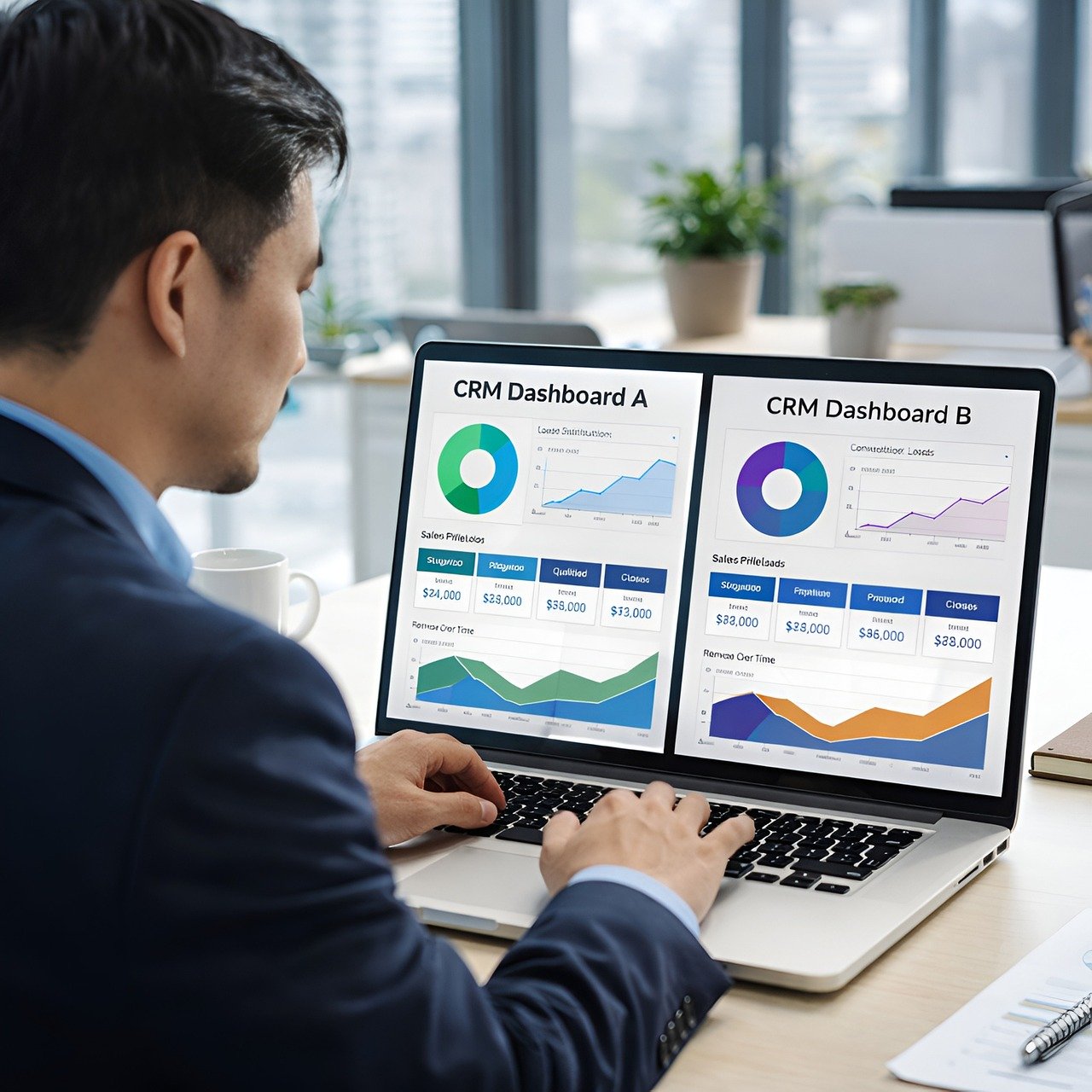
The Hybrid Team’s Guide To Visual Project Alignment
Moving between home and the office creates new hurdles for every project. People often feel disconnected when they cannot see the big picture together. This lack of sight makes it hard to stay on the same page.
Visual tools help fix this disconnect by mapping out every step. Sharing a clear path makes every workday easier for the whole group. Teams thrive when they can see their progress in real time.
The Challenge Of Physical Distance
Project tracking gets messy when half the staff is remote. Emails and chat apps often hide the true status of a goal. Finding the right info takes too long when it is buried in a private inbox. This delay can stop a project in its tracks for hours or even days.
Teams often struggle to see how their individual tasks connect to the larger vision. Relying on a collaborative workspace helps bridge the gap between different locations. This shared area allows for real-time updates and clear communication. It keeps the mission at the front of every person’s mind.
Everyone stays informed without digging through long message threads. It keeps the energy focused on finishing the work correctly. A clear board means no one has to guess what comes next. This clarity reduces the stress that comes with a busy office life.
Creating Digital Rooms For Better Clarity
Digital hubs serve as the main spot for all project data. These areas store every document and timeline in one place. Having a single source of truth prevents confusion among team members. It makes sure that everyone is looking at the latest version of the plan.
A research paper on remote work found that successful virtual teams used online team rooms to see work in progress and track decisions. Seeing the current state of a task helps people pivot when obstacles arise. This visibility keeps everyone accountable for their own parts. It lets leaders see where the team needs extra help.
Small updates in these rooms prevent massive mistakes later. It builds a sense of belonging for those working far away. Feeling connected to the office helps the whole group stay strong. This connection is the base for a happy and productive work culture.
Balancing Demands And Resources
Hybrid work brings a unique set of stresses to every employee. Managing a heavy workload requires the right tools to stay sane. Balancing home life and office duties is a major task for most people. This balance is hard to keep without a clear view of the workload.
A recent global analysis showed that virtual settings have a dual nature of team demands and resources. Proper mapping helps managers see who has too much on their plate. This data allows for better support across the entire organization. It makes sure that no one feels like they are drowning in tasks.
Adjusting resources based on visual data keeps the group healthy. This balance leads to higher quality results over the long term. Workers feel better when they have what they need to finish the job. A supported team is a team that meets its goals every time.
Mapping The Path To Success
Visual maps turn complex plans into simple steps. They remove the guesswork from daily operations. A simple chart can replace a 10-page document in seconds. This speed allows the group to move on to the actual work much faster.
Using icons and colors helps the brain process info faster. Lists can clarify these visual cues:
- Green markers for finished tasks.
- Yellow flags for items waiting on feedback.
- Red boxes for urgent blocks.
- Blue circles for future ideas to explore.
These visual cues tell a story without using many words. Staff members can glance at a screen and know what to do next. It saves time during the busy morning hours. This efficiency is the key to a profitable and smooth project cycle.
Synchronous Versus Asynchronous Needs
Not every conversation needs to happen in real time. Visual boards let people contribute when they are available. This style of work respects the boundaries of every person on the clock. It stops the need for constant meetings that take up the whole day.
Some workers prefer quiet time to focus on deep tasks. They check the board later to catch up on what they missed. This method prevents the constant noise of notifications. It allows for a higher level of focus on the most difficult parts of the job.
This flexibility supports different work styles across various time zones. It respects the schedule of every person on the payroll. Teams can move forward even when they are not online at the same time.
Reducing Information Silos
Silos happen when departments stop talking to each other. Information gets trapped in spreadsheets or private folders. This habit slows down the whole company. It creates walls that prevent the flow of good ideas between different groups.
Visual alignment breaks down these walls by making data public. Open access leads to several benefits:
- Lower risk of doubling the work.
- Faster approval times for new ideas.
- Better trust between different departments.
- Clearer paths for junior staff to follow.
People feel more confident when they see the whole machine moving. It turns 10 separate units into a single force. A shared view makes every goal feel possible. This unity is what separates good companies from great ones.
Using Numerals For Tracking Progress
Numbers provide the proof that a project is on track. Adding 3 or 4 key metrics to a visual board keeps people grounded. It shows the real weight of the work being done. Seeing the facts helps the group stay honest about their own progress.
Tracking a $500 budget is easier when the bar chart moves in real time. Seeing a 75% completion rate motivates the group to cross the finish line. These small wins build momentum for the next phase. It makes the final push feel like an easy task.
Hard data removes the emotion from difficult project choices. It allows the team to focus on facts rather than guesses. Making choices based on truth leads to better outcomes. This logic keeps the project safe from personal bias or office politics.
Adapting To Change Quickly
Projects rarely go exactly as planned from start to finish. Teams must be ready to change direction at a moment’s notice. Staying rigid often leads to missed deadlines and waste. Being flexible is a requirement.
Dragging and dropping tasks on a board makes changes feel less scary. It shows the group that the plan is a living thing. Everyone can see the new path as soon as the edit is made. This instant update keeps the group from following an old plan.
Constant updates keep the alignment strong even during chaotic weeks. This agility is the secret to surviving in a fast market. A visual plan makes shifting gears feel natural. It turns a potential crisis into a simple shift in strategy.
Visual alignment changes how hybrid teams handle their daily duties. It turns confusion into a clear roadmap for every member. This shift helps everyone feel like part of the group.
Success comes from seeing the work as a shared journey. When the path is clear, the whole group can move forward with total confidence. Clear sights lead to a better future for the whole team.



